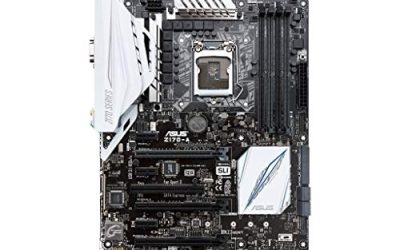
A WiFi gaming motherboard solves a practical problem: your PC lives where the router cable does not reach, and you do not want to buy and install a separate wireless card. The question is which tier of wireless, memory, and expansion you actually need. A board with WiFi 6E and 2.5Gb LAN can keep up with a fast home network, while a newer AM5 board adds DDR5 and, on the higher tiers, PCIe 5.0 for next-generation graphics and storage.
This guide is for builders choosing between older AM4 platforms with DDR4 and current AM5 platforms with DDR5. Eight boards from ASUS and MSI are compared below, all with built-in WiFi. By 2026 the AM5 socket is the more future-proof choice, yet AM4 boards remain attractive for anyone reusing a Ryzen 3000 or 5000 class processor and DDR4 memory. Everything below is based on the listed specs, with no performance numbers added.
Our Top Picks
 ASUS TUF Gaming B550-PLUS WiFi II AMD AM4B550-Plus|M.2x2|D4|WiFi610.75 x 2.75 x 13.5 inches1.27 poundsCheck on Amazon


Top 3 picks at a glance
Quick Picks
As an Amazon Associate we earn from qualifying purchases at no extra cost to you.


| Product | Best for | Key spec from the title |
|---|---|---|
| ASUS ROG Strix B550-F Gaming WiFi II | Premium AM4 builds | AM4, WiFi 6E, 2.5Gb LAN, PCIe 4.0, BIOS Flashback |
| ASUS TUF Gaming B550-PLUS WiFi II | Durable AM4 builds | AM4, WiFi 6, 2.5Gb LAN, USB 3.2 Gen 2 |
| MSI B650 Gaming Plus WiFi | Entry AM5 builds | AM5, DDR5, PCIe 4.0, M.2, USB 3.2 Gen 2 |
| MSI B850 Gaming Plus WiFi | Current-generation mid-range | AM5, DDR5 8200+ MT/s (OC), PCIe 5.0 x16 |
| MSI MAG B650 Tomahawk WiFi | Sturdy mid-range AM5 | AM5, DDR5, PCIe 4.0, HDMI/DP |
| ASUS ROG Strix B850-A Gaming WiFi | High power-delivery builds | B850, 14+2+2 power stages, 4X M.2, PCIe 5.0 |
| MSI MPG X870E Carbon WiFi | Top-tier enthusiast builds | AM5, PCIe 5.0, M.2 Gen5, USB 40Gbps |
| ASUS B650E MAX Gaming WiFi W | White-themed builds | White PCB, PCIe 5.0, 3X M.2, Wi-Fi 6E, 2.5Gb LAN |
How to Choose
Pick the socket and memory type first
AM4 boards use DDR4 and accept 3rd generation Ryzen processors in the listings here. AM5 boards use DDR5 only and support Ryzen 7000, 8000, and 9000 series processors. You cannot mix them: a DDR4 kit will not work in an AM5 board. If you already own a Ryzen 5000 chip and DDR4, an AM4 board saves the cost of new memory. If you are buying everything new, AM5 gives a longer upgrade runway.
Look at the wireless and wired standard together
WiFi 6 and WiFi 6E cover most home setups, with 6E adding the 6GHz band if your router supports it. A 2.5Gb LAN port is useful if you have a 2.5Gb switch or router, and it still works on a standard network. Do not pay extra for faster wireless if your router tops out lower, and remember that wireless signal quality depends on antenna placement, so keep the antenna out from behind the metal case. If your desk can run a cable, the wired port remains the steadier option for competitive play, which means the wireless side is best treated as a flexible backup rather than the main link.
Check PCIe generation and M.2 count
PCIe 4.0 is plenty for most graphics cards and fast SSDs today. PCIe 5.0 on the graphics slot and some M.2 slots matters mostly for the newest drives and cards. Count the M.2 slots: two is fine for a boot drive and a game library, while three or four suits a heavy storage plan. Also check for HDMI and DisplayPort outputs if you plan to use a processor with integrated graphics.
Judge power delivery and where cheaper boards cut corners
Lower-priced boards use simpler voltage regulators and fewer heatsinks. That is fine for mid-range processors but a risk for high-core-count chips. Premium listings advertise power stage counts, like 14+2+2, and extra USB speeds such as 40Gbps. Ignore RGB claims and extra bundled software. Pay attention instead to BIOS Flashback, which lets you update firmware without a processor installed, and USB 3.2 Gen 2 ports for fast external drives.
The 8 Best Options
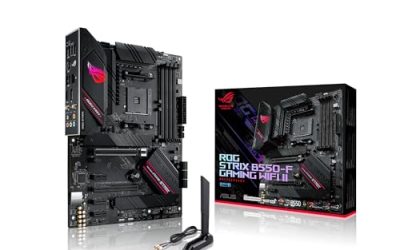
ASUS ROG Strix B550-F Gaming WiFi II
This is a premium AM4 board for builders keeping a Ryzen 5000 class chip and DDR4 memory while upgrading connectivity and features.
- WiFi 6E and 2.5Gb LAN offer modern wireless and fast wired networking.
- PCIe 4.0, BIOS Flashback, and HDMI 2.1 add useful flexibility.
- Trade-off: AM4 and DDR4 mean an older platform with a shorter upgrade path.
Skip it if you want DDR5 or the newest processors, or if you are building entirely from new parts. A newer socket gives you more room to grow, while this board suits owners of existing DDR4 and Ryzen 5000 hardware. It is also the board here with the longest list of convenience extras for a platform of its age, including an HDMI 2.1 output and an addressable lighting header.
ASUS TUF Gaming B550-PLUS WiFi II
A durable-minded AM4 board from the TUF family that keeps the feature list sensible without chasing extras.
- WiFi 6 and 2.5Gb LAN provide solid networking for a mid-range AM4 build.
- PCIe 4.0, BIOS Flashback, and USB 3.2 Gen 2 cover storage and updates.
- Trade-off: wireless is WiFi 6 rather than the newer 6E band listed on its ROG sibling.
Skip it if you want the 6GHz band or premium styling. If you keep a DDR4 kit and a Ryzen 5000 chip and want a no-fuss board, it fits that job well. The listing also mentions BIOS Flashback, which is reassuring when a newer processor needs a firmware update to boot.
MSI B650 Gaming Plus WiFi
The entry point to AM5 on this list, aimed at buyers who want DDR5 and current processors without paying for a high-end board.
- Supports Ryzen 9000, 8000, and 7000 series on AM5 with DDR5 memory.
- PCIe 4.0, M.2, USB 3.2 Gen 2, and HDMI or DisplayPort round out the basics.
- Trade-off: it lists PCIe 4.0 only, so it skips the newest PCIe 5.0 benefits.
Skip it if you want PCIe 5.0 storage or a beefier power design. It is a solid starting platform that you can build on for years. Buyers moving from an older DDR4 system should remember that the memory has to be replaced with DDR5 as part of the upgrade.
MSI B850 Gaming Plus WiFi
A step up on AM5 with the B850 chipset, suited to builders who want newer features while staying in the mid-range tier.
- PCIe 5.0 x16 is listed, ready for next-generation graphics cards.
- DDR5 memory is stated up to 8200+ MT/s with overclocking, for those who like to tune.
- Trade-off: the higher tier costs more than a B650 board, with little benefit if you only need basics.
Skip it if you are on a tight budget and do not need PCIe 5.0 now. It suits buyers planning to keep the board across more than one graphics upgrade. The memory overclocking claim is a ceiling, so actual kit speeds depend on the modules you buy and the processor’s memory controller.
MSI MAG B650 Tomahawk WiFi
The Tomahawk is a sturdier mid-range AM5 board and a common pick for balanced, no-drama builds.
- Supports Ryzen 9000, 8000, and 7000 series with DDR5 on AM5.
- PCIe 4.0, M.2, SATA 6Gb/s, USB 3.2 Gen 2, and HDMI or DP cover essentials.
- Trade-off: the spec list is similar to the cheaper B650 Gaming Plus, so the difference is mostly in build quality.
Skip it if you want PCIe 5.0 or premium extras. For a reliable mid-range base, it is an easy shortlist entry. Because the specs overlap with cheaper boards, compare the cooling on the power delivery and the number of included fan headers in the full listing before paying the difference.
ASUS ROG Strix B850-A Gaming WiFi
A power-focused B850 board for buyers who want a strong foundation for a high-core-count Ryzen chip.
- 14+2+2 power stages signal substantial power delivery.
- Four M.2 slots, PCIe 5.0, DDR5 AEMP, and 2.5G LAN make it storage-friendly.
- Trade-off: the ROG tier sits higher in price than simpler B850 boards.
Skip it if you run a mid-range processor and do not need four M.2 slots. It comes into its own with heavy storage and tuning plans. The Q-Antenna mention in the title also hints at a simpler wireless hookup, though the exact wireless standard should be confirmed on the listing.
MSI MPG X870E Carbon WiFi
The flagship here, built on the X870E chipset for enthusiasts who want the most connectivity AM5 offers.
- PCIe 5.0, M.2 Gen5, and USB 40Gbps cover cutting-edge peripherals.
- Supports Ryzen 9000, 8000, and 7000 with DDR5.
- Trade-off: it sits in the premium tier, so much of the feature set goes unused on a modest build.
Skip it if you are building a mid-range gaming PC. It is meant for fast storage, external drives, and top-tier graphics. If you only use a couple of drives and a single graphics card, the cheaper B850 boards deliver the same everyday experience.
ASUS B650E MAX Gaming WiFi W
A white-PCB AM5 board for themed builds, with PCIe 5.0 and plenty of wireless and wired networking.
- White PCB suits builds with white cases and cooling.
- Wi-Fi 6E, 2.5Gb LAN, 3X M.2, and a USB 10Gbps Type-C port provide modern connectivity.
- Trade-off: the color scheme only helps if your case and parts match.
Skip it if you plan a black build or want a simpler board. For a white showcase with real features, it fits neatly. Match the cooler, memory, and cables to the white theme before ordering, or the color advantage gets lost.
Which One Fits Your Situation
You already own DDR4 and a Ryzen 5000 chip
Choose the ASUS TUF Gaming B550-PLUS WiFi II for a simple build, or the ROG Strix B550-F Gaming WiFi II for WiFi 6E.
You are building everything new on a mid-range budget
The MSI B650 Gaming Plus WiFi is the entry AM5 pick, with MSI MAG B650 Tomahawk WiFi as the sturdier option.
You want to be ready for PCIe 5.0 graphics
The MSI B850 Gaming Plus WiFi and ASUS ROG Strix B850-A Gaming WiFi both list PCIe 5.0.
You want a white build or a flagship
The ASUS B650E MAX Gaming WiFi W handles the white theme, and the MSI MPG X870E Carbon WiFi tops the list for outright features.
Common Mistakes
- Pairing a DDR4 memory kit with an AM5 board, which will not work.
- Paying for WiFi 6E when the router only supports older standards.
- Choosing PCIe 5.0 hardware when the drives and cards you own cannot use it.
- Ignoring power delivery when planning a high-core-count processor.
- Skipping a BIOS update check for newer Ryzen chips on older boards.
Related guides
- How To Check Gpu Compatibility With Your Motherboard And Cpu
- High-Performance Gaming Desktop Specifications
- Desktop Computer For Working From Home
Frequently Asked Questions
Is built-in WiFi as good as a wired connection?
It is convenient and good for most gaming, but wired Ethernet is still more stable and often lower in latency. Use the 2.5Gb LAN port when you can, and keep wireless as the fallback for moments when a cable is not practical, such as a temporary desk in another room.
Do I need WiFi 6E?
Only if your router supports the 6GHz band. Otherwise WiFi 6 performs the same for most users. Check the router listing before paying extra, since many mid-range routers do not offer the 6GHz band at all.
AM4 or AM5 for a new build today?
AM5 is the long-term choice, with DDR5 and newer processors. AM4 still makes sense when you already have compatible Ryzen and DDR4 parts.
What is BIOS Flashback?
It lets you update the BIOS from a USB drive without installing a processor, which helps when a board needs a newer firmware to recognize your chip.