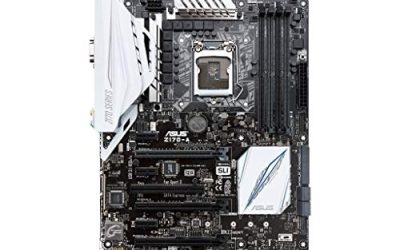
A motherboard with integrated graphics is a bet that you do not need a separate graphics card, at least not yet. The video output lives on the processor, so the board must physically provide HDMI, VGA, or DisplayPort connectors and the CPU must actually contain a graphics engine. That last point trips up many shoppers, because the board alone cannot create graphics: it only routes what the processor provides. The decision this keyword implies is therefore a platform decision, covering the socket, the memory type, and which processors carry a built-in GPU.
The five listings here cover very different needs. Two are modern bundles that pair a board and a processor with integrated graphics for a desktop that will browse, stream, and run office software in 2026. Three are older DDR3-era boards aimed at budget refreshes, office PCs, and retro-style builds where a discrete card is optional. Details below rely only on the listing titles, so double-check compatibility, especially for the older platforms, before ordering parts to go with them.
Our Top Picks

Top 3 picks at a glance
Quick Picks
As an Amazon Associate we earn from qualifying purchases at no extra cost to you.



| Product | Best for | Key spec from the title |
|---|---|---|
| ASRock QC7000M | Tiny low-power office or media PC | Quad-core E2-7110 APU, Radeon R2, HDMI/D-Sub |
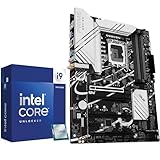
| Micro Center Core i9-14900K Combo | Powerful desktop without a graphics card | LGA1700, DDR5, 24 cores, Intel UHD Graphics |
| Micro Center Core Ultra 7 270K Plus Combo | Newer-generation bundle with built-in graphics | 24 cores, up to 5.5 GHz, 36MB cache |
| IPMEL-AE G41 Motherboard | Legacy 775 repair or retro build | Integrated graphics, DDR3, socket 775 |
| ASUS M5A78L-M LX | Budget AM3+ AMD upgrade | AMD 760G, DDR3 1600, Micro ATX |
How to Choose
Confirm that the processor, not just the board, has graphics
Integrated graphics are a feature of the CPU on current Intel and AMD desktop platforms. On Intel, many mainstream chips include a graphics engine, but models whose names end in F ship without one. On AMD, ordinary chips on newer sockets do not always include graphics, while APUs do. Older boards, such as the AM3+ and 775 listings here, rely on a graphics core built into the chipset instead. Always match the board, the processor, and the video connector you plan to use, because a board with an HDMI port is useless if the processor behind it has no graphics. A practical habit is to open the processor’s spec page and look for a line that names the graphics engine, then confirm the motherboard lists the same socket and a BIOS version new enough to recognize the chip.
Match the socket and memory type
Sockets decide which processors fit. LGA1700 pairs with DDR5 in the Micro Center listing, AM3+ and 775 use DDR3, and the ASRock QC7000M has the processor soldered on, so there is no CPU to choose at all. Mixing memory types fails outright: DDR3, DDR4, and DDR5 are not interchangeable. If you already own memory, start there. If you are building fresh, a platform with a current memory type leaves you better prepared for future upgrades than a legacy board that is difficult to resell or expand. Also remember that memory speed matters more on integrated graphics than on a discrete card, since the graphics engine shares system memory. Running two matched sticks in dual-channel mode can noticeably improve the smoothness of video and light gaming compared with a single stick.
Check the video outputs and what they drive
Look at the actual connectors on the back panel. HDMI carries video and audio to modern monitors and televisions, while VGA or D-Sub is an analog connector found on older displays. If you plan to run a 4K or high-refresh monitor, verify the HDMI or DisplayPort version, because older boards often stop at lower resolutions or refresh rates. For multiple monitors, count the outputs rather than trusting a general claim. Integrated graphics are fine for desktop work and video playback, but they are not meant for demanding modern games. They can still handle older titles, esports games at modest settings, and emulators, so set expectations accordingly rather than writing them off entirely.
Know where budget and legacy boards cut corners
Older and low-cost boards trim features you may take for granted: fewer USB ports, no M.2 slot, limited SATA ports, modest audio, and no support for modern CPU upgrades. Check for USB 3.x, SATA III, and gigabit networking if the listing mentions them. Be careful with unbranded or repurposed boards, where support is thin and the BIOS may not be current. A new bundle costs more but gives you a warranty path and a current platform, which usually matters more than saving a little on a vintage board. Finally, confirm that the case, power supply, and cooler you already own suit the platform: a high-core-count chip needs a capable cooler and a solid power supply even when no graphics card is installed.
The 5 Best Options
ASRock QC7000M
The QC7000M is a compact board with an AMD Carrizo-L E2-7110 quad-core APU already attached, along with Radeon R2 graphics. It supports DDR3 1600 memory and provides HDMI and D-Sub outputs, USB 3.2 Gen1, SATA3, gigabit LAN, and 7.1 audio. That mix of features points to a small, low-wattage build for a living room or a desk, rather than a showpiece gaming rig.
- Strength: the APU and Radeon R2 graphics come pre-installed, so you do not buy a separate CPU.
- Strength: HDMI and D-Sub outputs cover both modern and older displays.
- Trade-off: the processor is fixed, so the system cannot be upgraded later.
Skip it if you need a platform you can grow, want to play modern games, or plan to run heavy multitasking workloads that a modest quad-core chip will struggle with.
Micro Center Core i9-14900K Combo
This bundle pairs a Core i9-14900K with an LGA1700 DDR5 ATX motherboard. The title cites 24 cores, 32 threads, and Intel UHD Graphics, so it can output video without a discrete card while offering the processing power of a flagship desktop chip.
- Strength: 24 cores and 32 threads provide heavy multitasking headroom.
- Strength: Intel UHD integrated graphics means no graphics card is required to get started.
- Trade-off: it is a premium-tier bundle, and the integrated GPU does not match a dedicated card for games.
Skip it if your needs are light office work and a lower-tier platform would do, since much of this bundle’s power would sit idle.
Micro Center Core Ultra 7 270K Plus Combo
This Micro Center bundle pairs a Core Ultra 7 270K Plus processor with a compatible motherboard. The listing highlights integrated graphics, 24 cores, speeds up to 5.5 GHz, and 36MB of cache, and it is aimed at buyers who want a newer-generation foundation.
- Strength: 24 cores and up to 5.5 GHz offer strong performance for productivity work.
- Strength: integrated graphics allow you to start without a graphics card and add one later.
- Trade-off: the title does not name the exact board model, so check the product page for ports and memory type.
Skip it if you want a budget build or a platform with fully spelled-out board specs.
IPMEL-AE G41 Motherboard
This listing is a socket 775 board with a G41 chipset and DDR3 memory, advertising integrated graphics. It is the kind of part people buy to repair an older office desktop or to assemble a retro machine where the goal is simply to display a desktop and run light software.
- Strength: integrated graphics are stated, so an older Core 2-era build can display video without a card.
- Strength: DDR3 memory is inexpensive and easy to find.
- Trade-off: socket 775 is a very old platform with limited processor options and little upgrade room.
Skip it if you want a machine for current software, streaming, or gaming, or if you cannot confirm which processors the board accepts.
ASUS M5A78L-M LX
The M5A78L-M LX is a Micro ATX board on socket AM3+ with the AMD 760G chipset, DDR3 1600 support, and integrated graphics. The title also mentions Hybrid Crossfire support, which suggests pairing the onboard graphics with a compatible Radeon card.
- Strength: a recognized brand and a Micro ATX size suit compact cases.
- Strength: integrated graphics and Hybrid Crossfire support give a basic path to adding a card later.
- Trade-off: AM3+ is an aging platform, so processor choices are mostly older chips.
Skip it if you want modern ports, an M.2 drive slot, and a CPU upgrade path, none of which the title promises.
Which One Fits Your Situation
You need a small, quiet media or office PC
The ASRock QC7000M is built for that role. The soldered quad-core APU and Radeon R2 graphics keep the system compact, and HDMI makes it easy to connect a television or monitor.
You want a powerful desktop now and a graphics card later
Choose the Micro Center Core i9-14900K Combo or the Core Ultra 7 270K Plus Combo. Both include integrated graphics, so you can start building immediately and install a discrete card when the budget allows.
You are repairing or reviving an older PC
The IPMEL-AE G41 is aimed at socket 775 systems, while the ASUS M5A78L-M LX suits AM3+ builds. Both fit when you are matching existing parts rather than building a fresh system.
You want to keep upgrade options open on a small budget
The ASUS M5A78L-M LX offers a Micro ATX layout and Hybrid Crossfire support, giving a little more flexibility than the fixed ASRock APU board. It still needs a compatible AM3+ processor, so check what you already own, and remember that the board alone does not include one. Buyers repurposing a spare chip from an older machine are the ones who get the most out of this kind of platform.
Common Mistakes
- Assuming any motherboard with HDMI will output video, when the processor must contain graphics.
- Buying an F-series Intel processor, which ships without integrated graphics, and expecting a picture.
- Mixing memory generations, such as buying DDR4 sticks for a DDR3 or DDR5 board.
- Expecting integrated graphics to run demanding modern games at high settings.
- Buying a legacy socket board without checking which processors and BIOS versions it supports.
Related guides
- How To Check Gpu Compatibility With Your Motherboard And Cpu
- High-Performance Gaming Desktop Specifications
- Desktop Computer For Working From Home
Frequently Asked Questions
Do I need a graphics card with integrated graphics?
No, not for everyday tasks. Integrated graphics handle web browsing, office work, and video playback. You only need a card for demanding games or heavy creative workloads.
Can I add a graphics card later?
Usually yes. Most full-size boards have a PCIe x16 slot, and the integrated graphics simply switch off or serve as a backup. Check that the power supply and case can handle the card you choose.
Is the AMD or Intel integrated option better?
It depends on the platform. Intel offers broad compatibility and strong video encoding on many chips, while AMD APUs typically offer stronger graphics for light gaming. Match the choice to your workload and the exact processor model.
Are old DDR3 boards still worth buying?
Only for repairs or specific legacy builds. They limit performance and upgrades. For a new build, a current platform with modern memory is a better long-term choice.