X299 is a platform with a clear identity: the LGA 2066 socket built for Intel’s Core X-Series, aimed at people who wanted many cores, quad-channel memory, and plenty of PCIe lanes before those features moved down to mainstream chips. Buying an X299 board in 2026 is almost always about one of two situations: refreshing or repairing an existing high-end desktop, or building an inexpensive workstation around used or discounted X-Series processors.
That context changes how to shop. You are not chasing the newest standards; you are matching a board to a specific processor generation, memory plan, and set of expansion cards. This guide is for workstation builders, home-lab owners, and hobbyists with an LGA 2066 chip in hand, and each pick is judged only from what the title states about socket, size, memory, storage, and connectivity.
Our Top Picks




Top 3 picks at a glance

Quick Picks
As an Amazon Associate we earn from qualifying purchases at no extra cost to you.


| Product | Best for | Key spec from the title |
|---|---|---|
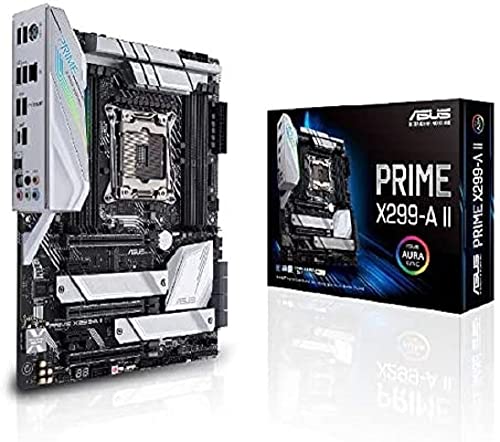
| ASUS Prime X299-A II | Balanced ATX workstation or gaming build | 12 power stages, DDR4 4266, triple M.2, USB-C Gen 2 |
| ASRock X299 Steel Legend | Value ATX with fast ports | 11 phase power, dual M.2, USB 3.2 Gen2x2, dual Intel LAN |
| ASRock X299 Extreme4 | Straightforward ATX replacement | X299 chipset, ATX |
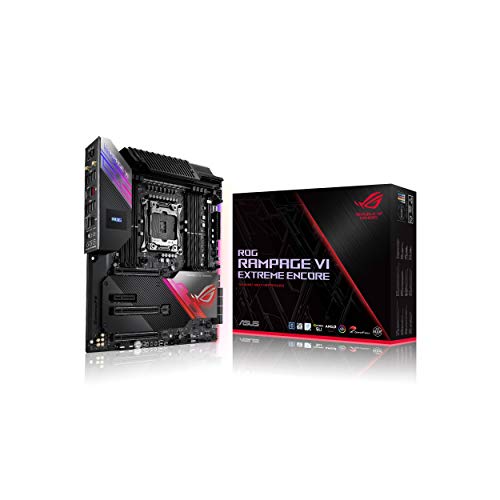
| ASUS ROG Rampage VI Extreme Encore | Enthusiast overclocking and showpiece builds | E-ATX, X299, Aura Sync RGB |
| Supermicro C9X299-RPGF-L | Workstation reliability | ATX, Intel X299 |
| Supermicro MBD-C9X299-PGF-B | Workstation with VGA and large memory | 128GB max, DDR4, VGA, ATX |
| WS X299 SAGE | Multi-GPU workstation | 128GB DDR4, LGA2066 workstation board |
| ASUS Prime X299-DELUXE | Feature-packed connectivity | M.2, U.2, Thunderbolt 3, dual LAN, 802.11ad WiFi |
How to Choose
Check the processor and memory first
Every board here uses the LGA 2066 socket, but Core X-Series processors differ in how many PCIe lanes they provide, and some lower-tier chips unlock fewer slots or M.2 ports. Confirm your processor’s lane count before relying on a board’s full slot list. Memory is DDR4 on all of them, and most listings cap at 128GB. Quad-channel kits populate four or eight slots, so buy matched kits rather than mixing sticks. A useful rule is to fill all four memory channels for the best bandwidth, which means four identical sticks for a basic setup and eight for a full 128GB configuration. Also confirm the BIOS version on older stock, because a board shipped before a processor’s release may need a firmware update before it will boot that chip.
Form factor and case fit
Most boards here are ATX, which fits mainstream mid-towers. The ROG Rampage VI Extreme Encore is E-ATX, wider than standard ATX, so confirm your case lists E-ATX support before ordering. Workstation boards with many slots may also require longer cases and a stronger power supply, especially if you install multiple graphics cards. A multi-GPU workstation can need a power supply well above what a single-card gaming build uses, and the slot spacing on the board decides whether two thick cards can sit side by side without choking each other’s airflow.
Power delivery and cooling
X299 processors can draw a lot of power, particularly when overclocked. Look for a high phase count or named power stages, such as the 12 stages and 11 phases listed on two of the boards here. Bare-bones server-oriented boards focus on stability rather than overclocking features, so they suit processors run near stock settings. Plan for a strong cooler either way, ideally a large air cooler or a 280mm to 360mm liquid unit rated for the LGA 2066 socket. The socket is physically large, so confirm that your cooler’s mounting kit lists it before you buy, because many mainstream coolers ship with brackets for other sockets only.
Connectivity, and what to ignore
Count the M.2 slots, USB 3.2 Gen 2 or Gen2x2 ports, and LAN controllers you actually need. Thunderbolt 3 and U.2 appear on only one board here, so choose it if you need them. Ignore RGB features for a headless workstation. Be skeptical of listings that are vague, such as a bare model name with no specs, and verify details on the maker’s site first.
The 8 Best Options
ASUS Prime X299-A II
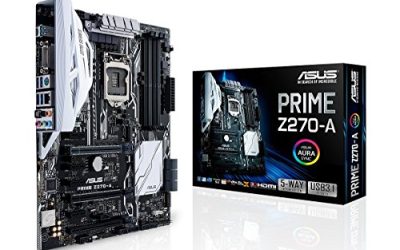
This ATX board lists 12 IR3555 power stages, DDR4 up to 4266 MHz, three M.2 slots, USB 3.2 Gen 2 Type-C, and Intel LAN with audio. It is the most balanced board in the group for a general high-end desktop or workstation. The II revision name suggests an updated version of an earlier Prime board, which usually means refined firmware and a broader processor list.
- Strength: 12 named power stages suit demanding X-Series processors.
- Strength: triple M.2 gives room for multiple fast drives.
- Trade-off: it has no built-in Thunderbolt or wireless listed in the title.
Skip it if you want Thunderbolt 3 or Wi-Fi on the board.
ASRock X299 Steel Legend
The Steel Legend is an ATX board with DDR4 4200+ overclock support, dual M.2, USB 3.2 Gen2x2, dual Intel LAN, and 11-phase power. The dual LAN ports are a notable extra for home labs and network-heavy workstations. Two separate network controllers let you split traffic between a main network and a storage or management network, or run a virtual router without buying an add-in card.
- Strength: USB 3.2 Gen2x2 offers a fast external port for modern drives.
- Strength: dual Intel LAN suits routing, virtualization, or redundancy.
- Trade-off: dual M.2 slots offer less storage expansion than the triple M.2 Asus.
Skip it if you need three or more M.2 drives.
ASRock X299 Extreme4
The Extreme4 is described only as an Intel X299 chipset ATX board. It is a conventional workhorse for a Core X system, and the title gives no feature list, so details must be checked on the maker’s page. It can be a sensible replacement for someone whose original X299 board failed and who needs a like-for-like ATX swap rather than a feature upgrade.
- Strength: standard ATX size fits most cases.
- Strength: the Extreme4 name is familiar among X299 builders as a mainstream model.
- Trade-off: the title lists no memory, storage, or port specifications.
Skip it if you want to confirm features from the listing alone.
ASUS ROG Rampage VI Extreme Encore
This E-ATX gaming board targets Core X-Series processors and lists Aura Sync RGB lighting. The Encore edition sits at the top of the enthusiast range, aimed at overclockers and showpiece builders who want every feature. Buyers who pick it are usually pairing it with a high-core-count chip, custom liquid cooling, and a case with room to show it off, so the board is rarely the limiting factor in the build.
- Strength: E-ATX size leaves room for extensive power delivery and expansion.
- Strength: Aura Sync RGB integrates with other lighting for a themed build.
- Trade-off: it needs a case with E-ATX support and sits in the premium tier.
Skip it if you have a standard ATX case or a modest budget.
Supermicro C9X299-RPGF-L
This Supermicro ATX board is listed simply as an Intel X299 model. The brand is known for server and workstation hardware, so it appeals to buyers who value stability over gaming features. Expect a plainer BIOS and fewer lighting or overclocking extras, which is a fair exchange if the machine runs rendering, compiling, or virtual machines for long stretches.
- Strength: a workstation-focused brand suited to continuous workloads.
- Strength: standard ATX size fits common cases.
- Trade-off: the title offers no specifics on memory speed, M.2, or ports.
Skip it if you need overclocking tools or RGB lighting.
Supermicro MBD-C9X299-PGF-B
This ATX board lists support for Core i9, i7, and i5 chips, up to 128GB of DDR4, SATA, PCIe, and a VGA output, in a brown box package. The VGA connector hints at a management-oriented workstation design, where a basic display output is enough and a separate graphics card may not be needed. That makes it a candidate for a compute box or a file server built on an X-Series chip.
- Strength: 128GB memory support is stated up front.
- Strength: a VGA output is handy for headless or server-style setups.
- Trade-off: brown box packaging implies minimal retail extras and a plain presentation.
Skip it if you want a retail-boxed board with accessories.
WS X299 SAGE
This LGA2066 workstation board lists 128GB of DDR4 support. The SAGE line is generally associated with multi-GPU and heavy-expansion builds, though the title itself gives few other specifications. Anyone considering it should confirm the slot spacing, power connectors, and processor support list, because workstation boards vary widely and the listing does not describe them.
- Strength: workstation positioning suits multi-card or multi-drive setups.
- Strength: 128GB of DDR4 supports memory-hungry tasks.
- Trade-off: the listing gives little detail, so buyers need to verify slot layout and ports elsewhere.
Skip it if you want a clearly itemized feature list.
ASUS Prime X299-DELUXE
The Deluxe lists LGA2066, DDR4, M.2, U.2, Thunderbolt 3, USB 3.1, dual gigabit LAN, and 802.11ad WiFi. It is the connectivity leader of the group, built for those who want wireless and fast peripherals on a single board. It suits a creative professional who connects Thunderbolt storage or displays, uses a U.2 drive, and wants a wireless option for a desk without nearby network cabling.
- Strength: Thunderbolt 3 and U.2 add high-speed connections other boards here lack.
- Strength: 802.11ad WiFi and dual LAN cover many networking needs.
- Trade-off: its USB 3.1 ports are an earlier standard than the Gen2x2 on the ASRock.
Skip it if you never use Thunderbolt or U.2 devices.
Which One Fits Your Situation
You want a balanced build with plenty of drive slots
The ASUS Prime X299-A II offers three M.2 slots, a strong power stage count, and Type-C Gen 2 connectivity.
You run a home lab or a networking-heavy workstation
The ASRock X299 Steel Legend with dual Intel LAN is a natural fit, and the ASUS Prime X299-DELUXE adds dual LAN plus wireless.
You overclock or build a showpiece
The ASUS ROG Rampage VI Extreme Encore is the enthusiast option, provided your case supports E-ATX.
You need a stable, no-frills workstation
The Supermicro boards suit steady workloads, and the WS X299 SAGE suits multi-GPU or heavy-expansion plans.
Common Mistakes
- Buying an X299 board without confirming it supports your exact LGA 2066 processor.
- Assuming every X-Series chip provides the same number of PCIe lanes.
- Choosing an E-ATX board for a case that supports only ATX.
- Mixing memory kits on a quad-channel platform.
- Relying on a listing with no specs and skipping verification on the maker’s site.
Related guides
- How To Check Gpu Compatibility With Your Motherboard And Cpu
- High-Performance Gaming Desktop Specifications
- Desktop Computer For Working From Home
Frequently Asked Questions
Is X299 still worth buying today?
It makes sense for upgrading or repairing an existing X-Series system, or building a low-cost workstation with used parts. For a brand-new build, newer platforms offer more modern features.
What memory does X299 use?
DDR4, in a quad-channel configuration. Most listings here cap at 128GB.
Do all X299 boards support Thunderbolt?
No. Among these picks, only the ASUS Prime X299-DELUXE lists Thunderbolt 3 in its title.
What is the difference between ATX and E-ATX?
E-ATX boards are wider than standard ATX, so they need a case that lists E-ATX support.