Z170 is a platform people return to for one reason: it is the last LGA 1151 generation built around overclocking-friendly chipsets and DDR4 at an approachable price, and a lot of capable boards from the Skylake era are still floating around. Choosing among them in 2026 is less about raw speed and more about which board matches the processor you already own, the case you already have, and whether you are comfortable buying something that may be used.
This guide is for upgraders and rebuilders reviving an older gaming PC, building a secondary rig, or replacing a failed board without moving to a new socket. Several listings below are the original retail boards, while two are plainly marked as used replacement boards that fit a specific model. Everything is judged from what each title says, so treat the notes on condition and compatibility as checks to make before you order.
Our Top Picks

Top 3 picks at a glance
Quick Picks
As an Amazon Associate we earn from qualifying purchases at no extra cost to you.


| Product | Best for | Key spec from the title |
|---|---|---|
| ASUS Z170-A | Straightforward ATX rebuilds | ATX, DDR4 |
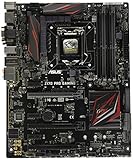
| ASUS Z170 PRO Gaming | Display outputs and M.2 | LGA1151, HDMI, DVI-D, DP, M.2, USB 3.1, RGB |
| GIGABYTE GA-Z170MX-Gaming 5 | Compact cases | Micro ATX, DDR4, LGA1151 |
| MSI Z170 Krait Gaming | Memory overclocking | ATX, DDR4 3000 (OC) |
| GIGABYTE Z170X-Gaming 7 (Used) | Tight repairs, I/O shield included | Used, with I/O back plate shield |
| GIGABYTE GA-Z170X-Gaming 7 | Multi-GPU enthusiasts | 2-Way SLI, ATX, DDR4 |
| MSI Z170 Krait Gaming (Used) | Replacing the same model | Used, ATX, LGA 1151 |
| GIGABYTE GA-Z170X-GAMING 5 | All-round ATX builds | ATX, DDR4, Intel Z170 |
How to Choose
Match the socket and generation
Every board here is LGA 1151 with the Z170 chipset, which suits Skylake processors out of the box. Later chips from the same socket may need a BIOS update, so read the board notes before pairing a newer processor with an older unit. If your cooler is from a previous socket generation, check that its bracket supports LGA 1151, because mounting holes differ across older and newer sockets.
Form factor and layout decide your case
ATX boards have the most slots and are easiest to build in. Micro ATX models like the GIGABYTE GA-Z170MX-Gaming 5 fit smaller cases but offer fewer expansion slots. If you plan two graphics cards, look for a board that states SLI support and has spacing that works with your cards. Otherwise, one graphics card and an M.2 drive cover most gaming needs.
Check ports and memory support
DDR4 is standard here, and a note such as DDR4 3000 (OC) means memory overclocking support to that speed, not a guarantee of stability. If you rely on the integrated graphics, make sure the board lists video outputs like HDMI, DVI-D, or DisplayPort. USB 3.1 and an M.2 slot are the modern conveniences worth looking for on a board of this age, and they should be named in the title. Ignore flashy lighting claims; RGB is a nice extra but should not drive the choice on a board that is mostly about reusing known parts.
Be careful with used and replacement boards
A listing marked used means previous ownership and unknown wear. Look for an I/O shield, check that bent pins in the socket are not mentioned, and make sure the seller has a return path. Budget buyers sometimes accept those risks for a cheaper price, but remember that an older board has capacitor aging, a battery that may need replacement, and no manufacturer support left. It also helps to clear the CMOS and reset the BIOS on arrival, since a previous owner may have left unusual overclock settings behind that cause odd boot behavior.
The 8 Best Options
ASUS Z170-A
The Z170-A is a simple ATX DDR4 motherboard, a conservative pick for someone rebuilding a traditional mid-tower gaming PC with a Skylake processor and no unusual requirements.
- ATX format gives the standard slot layout and easy cable routing.
- DDR4 support covers the memory type most Z170 builds use.
- Trade-off: the title is brief, so specifics like ports and M.2 count need verifying on the listing.
Skip it if you want headline features such as multi-GPU support named up front. Check the listing details before committing to the build. Its short title also means the brand name is doing most of the selling, so spend a minute confirming the revision and the port count.
ASUS Z170 PRO Gaming
This board lists plenty of connectivity in the title, which makes it a good match for someone who wants display outputs, M.2 storage, and a bit of RGB lighting in one ATX package.
- LGA1151 with HDMI, DVI-D, and DisplayPort outputs gives flexible monitor connections.
- M.2, USB 3.1, and RGB appear in the title, covering modern storage and lighting basics.
- Trade-off: it is an older board, so firmware and cooling hardware should be checked before use.
Skip it if you plan two graphics cards, since SLI is not mentioned for this model. A single-card build is its natural home, and the three video outputs mean the board stays useful even without a dedicated card installed. That flexibility helps if you plan to bring the PC back to life in stages.
GIGABYTE GA-Z170MX-Gaming 5
A Micro ATX board for compact builds that still want the Z170 chipset and DDR4, a sensible option for a small tower or a secondary gaming PC.
- Micro ATX fits smaller cases and keeps the build tidy.
- DDR4 and LGA1151 cover the essentials of the platform.
- Trade-off: Micro ATX provides fewer expansion slots than the ATX alternatives.
Skip it if you want multi-card graphics or many add-in cards. A larger board is a better foundation for those plans. For a quiet living-room or dorm build with one graphics card and one drive, though, its smaller footprint is a genuine advantage.
MSI Z170 Krait Gaming
An ATX board that highlights DDR4 3000 with overclocking, so it suits builders who like to push memory a little beyond default speeds.
- DDR4 3000 (OC) is stated, which signals memory overclocking support.
- ATX layout provides room for a full-size graphics card and extra drives.
- Trade-off: overclocked memory stability depends on the kit and BIOS, so it may take tuning.
Skip it if you want a hands-off build with default memory speeds. Plain DDR4 would serve you fine on any of these boards. Memory overclocking on this generation delivers modest gains in games, so treat it as a hobby feature rather than a requirement.
GIGABYTE Z170X-Gaming 7 (Used replacement board)
This listing is a used motherboard marked as a fit for the GIGABYTE Z170X-Gaming 7, supplied with an I/O back plate shield, so it targets repairs where the same model is needed.
- It supports Intel Z170 and LGA 1151 as a direct replacement for a known model.
- The I/O shield is included, saving a separate purchase.
- Trade-off: it is used, so condition and seller reliability are bigger factors than specs.
Skip it if you want a new board with a warranty. Confirm return terms and inspect the socket on arrival. Photograph the board before installing it, so any pre-existing damage is documented if you need to open a dispute with the seller.
GIGABYTE GA-Z170X-Gaming 7
The Gaming 7 is the enthusiast model in this list, with 2-Way SLI listed in the title, so it suits anyone who wants room to run two graphics cards.
- 2-Way SLI support is stated, along with ATX format and DDR4.
- Intel Z170 and LGA1151 give full access to the platform.
- Trade-off: dual-card builds need a strong power supply and a case with good airflow.
Skip it if you run a single graphics card and have no plans to change. A cheaper ATX board would do the same job for less. If you do pursue two cards, plan the power supply and case airflow first, because the board is only part of that equation.
MSI Z170 Krait Gaming (Used replacement board)
Another used listing, this one for the MSI Z170 Krait Gaming, aimed at owners replacing the same model in an existing system.
- It matches the MSI Krait Gaming model with Intel Z170, LGA 1151, and ATX format.
- A straight swap keeps your case, cooler, and cabling layout unchanged.
- Trade-off: condition is used and no I/O shield is mentioned in the title.
Skip it if you are starting a fresh build. New or clearly described boards are safer for that. Buyers should also have a spare I/O shield or be ready to buy one, since the title does not promise it.
GIGABYTE GA-Z170X-GAMING 5
The Gaming 5 is an all-round ATX board from the same family as the Gaming 7, for builders who want a gaming-oriented Z170 board without chasing dual-GPU support.
- ATX, DDR4, and Intel Z170 form a solid, familiar base.
- A gaming-branded board with a long listing history, which makes documentation easy to find.
- Trade-off: the title does not mention SLI or specific extras, so verify features before ordering.
Skip it if you want a titled promise of multi-GPU support. The Gaming 7 states it plainly. Otherwise the Gaming 5 is an easy board to find manuals and community advice for, which counts for something on an older platform.
Which One Fits Your Situation
You are rebuilding a mainstream gaming PC
The GIGABYTE GA-Z170X-GAMING 5 or ASUS Z170-A are straightforward ATX choices that match a typical mid-tower.
You want two graphics cards
The GIGABYTE GA-Z170X-Gaming 7 is the one that states 2-Way SLI in its title.
You have a small case
The GIGABYTE GA-Z170MX-Gaming 5 is the Micro ATX option, trading expansion for size.
You are repairing an existing system
The used GIGABYTE Z170X-Gaming 7 or used MSI Z170 Krait Gaming listings are matched to specific models, which keeps your cooler and layout unchanged.
Common Mistakes
- Buying a used board without checking the seller return policy.
- Assuming every LGA 1151 board accepts every processor without a BIOS update.
- Choosing Micro ATX and then discovering you need more expansion slots.
- Paying for SLI support when you only plan to run one graphics card.
- Forgetting the I/O shield on a replacement board.
Related guides
- How To Check Gpu Compatibility With Your Motherboard And Cpu
- High-Performance Gaming Desktop Specifications
- Desktop Computer For Working From Home
Frequently Asked Questions
Is Z170 still worth buying today?
It can make sense for a rebuild around an existing Skylake processor or a low-cost secondary PC. For a new main build, newer platforms offer more speed and support. The savings on an older board can vanish if you end up paying for a new processor and memory anyway.
What does DDR4 3000 (OC) mean?
It means the board supports memory overclocked to that speed. Stability depends on your memory kit and BIOS settings.
Are used motherboards safe to buy?
They can work, but check seller reputation, the return window, and photos of the socket. An older board has no manufacturer warranty to rely on.
Do I need SLI?
Most gamers run one card, and multi-card support has faded from modern games. Choose it only if you already own two matching cards. A single stronger card is usually the simpler path for gaming performance.