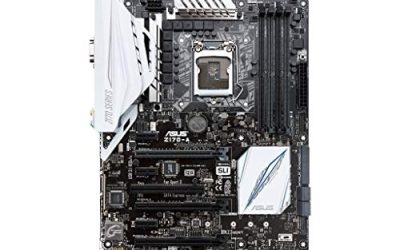
If you own a Core i5 or i7 from Intel’s 10th generation, the board you pair it with is locked to one socket: LGA 1200. That narrows the decision to chipset tier and features. A budget B460 or B560 board runs the processor fine but locks overclocking, while a Z490 board unlocks multiplier tuning and tends to bring more ports. A 500-series board adds PCIe 4.0 lanes, though a 10th generation chip itself cannot use them, which is a detail many buyers miss.
This guide is for builders reusing or buying a 10th generation processor in 2026, whether for a secondary gaming PC, a work desktop, or an upgrade path to an 11th generation chip later. Seven boards are covered below, each judged only by its listed specs. One board in the original lineup uses the newer LGA 1700 socket, supports 12th through 14th generation processors, and is left out because it will not accept a 10th generation chip at all.
Our Top Picks


Top 3 picks at a glance
Quick Picks
As an Amazon Associate we earn from qualifying purchases at no extra cost to you.


| Product | Best for | Key spec from the title |
|---|---|---|
| ASRock B560M-C | Budget Micro ATX builds | 10th and 11th Gen, LGA1200, Dual M.2, 8 SATA3 |
| ASUS Prime H570-PLUS | Full ATX with display outputs | ATX, PCIe 4.0, 8 power stages, HDMI, DVI, DP |
| ASUS Pro Q570M-C/CSM | Office and commercial PCs | mATX, Intel vPro, 2X DP, TPM 2.0, front USB-C |
| MSI MAG B460M Mortar Gaming | Gaming on a budget | mATX, DDR4, CFX, Dual M.2, 2.5G LAN |
| ASUS Prime Z490-P | Overclocking and Thunderbolt | ATX, DDR4 4600, Dual M.2, Thunderbolt 3 support |
| MSI MPG Z490 Gaming Edge WiFi | Wireless gaming rigs | ATX, Wi-Fi 6, USB 3.2 Gen 2, Dual M.2 |
| ASUS Prime B560M-A | Compact builds with two M.2 slots | mATX, PCIe 4.0, 2X M.2, 8 power stages, USB 3.2 Gen 2 |
How to Choose
Chipset tier: Z490 versus B460 and B560
Only Z-series boards let you overclock the multiplier on a K-series processor. If you own an unlocked chip and want to tune it, a Z490 board is the natural pick. If you run a locked processor, a B-series board saves money with nothing important lost. H570 and Q570 sit in the 500 series, with PCIe 4.0 slots and storage support aimed at newer 11th generation chips.
PCIe 4.0 only matters with an 11th generation chip
Several of these boards list PCIe 4.0, but that bandwidth is only available when the processor supports it. A 10th generation chip will still run those slots, but at PCIe 3.0 speed. If you plan to upgrade to an 11th generation processor later, a 500-series board is a small investment in that future, because the board will already be ready when you swap the chip. Check the product’s BIOS notes first, since some boards need an update before they recognize the newer processor. Otherwise ignore the PCIe 4.0 label and focus on slot layout, the number of M.2 slots, and the rear ports you will actually plug into. Spending extra for a lane speed your processor cannot reach is one of the most common budget mistakes on this socket.
Storage, ports, and networking
Look for two M.2 slots if you want a fast boot drive plus a game library. Check networking too: 2.5G LAN is a step up from 1Gb Ethernet if your router supports it, and Wi-Fi 6 on board spares a card. USB 3.2 Gen 2 ports and a front-panel Type-C connector matter for modern cases. Video outputs such as HDMI and DisplayPort matter if you ever use integrated graphics.
Form factor and where budget boards cut corners
Micro ATX boards fit smaller cases but offer fewer slots and fewer fan headers. Budget models often trim the heatsinks on the power delivery, so look at the number of listed power stages when you plan to use a high-core-count chip. Commercial boards add vPro and TPM features that enterprise buyers value, but they offer little gaming tuning. Ignore marketing words like “gaming” unless specs back them up. Also check how many fan headers the board lists, since a compact build with a tower cooler and two case fans can run short, and look for a clear BIOS update path for newer processors.
The 7 Best Options
ASRock B560M-C
This is a Micro ATX board for builders who want a low-cost way to host a 10th or 11th generation Core processor with modern storage options.
- Supports 10th and 11th Gen Intel Core on LGA1200, giving an upgrade path.
- Dual M.2 and eight SATA3 ports offer generous storage for a compact board.
- Trade-off: as a budget B560 board, it will not unlock multiplier overclocking.
Skip it if you own an unlocked chip and want to overclock it, or need a premium audio and networking package. It makes the most sense in a small case where the goal is a dependable, inexpensive base for a processor you already own, and where six or so storage connections are more than you would ever fill.
ASUS Prime H570-PLUS
A full ATX board that mixes 500-series features with a solid video output set, a good fit if you want room to grow and several display options.
- PCIe 4.0 and 8 power stages signal a sturdier power design than the entry boards.
- HDMI, DVI, and DisplayPort outputs plus dual M.2 make it flexible for various builds.
- Trade-off: H-series chipsets do not allow multiplier overclocking.
Skip it if you plan to overclock or want a smaller form factor. Buyers who like a roomy ATX layout, with space around the graphics slot and room for several drives, will find it a comfortable platform to build on, and the broad set of video outputs helps with older monitors.
ASUS Pro Q570M-C/CSM
A commercial Micro ATX board that targets office and business desktops more than gaming rigs.
- Intel vPro and TPM 2.0 appeal to managed and secure workstations.
- Two DisplayPort outputs, PCIe 4.0, and a front-panel USB Type-C header add practical connectivity.
- Trade-off: it has one LAN port and no gaming-focused tuning features.
Skip it if you want a gaming board with enthusiast extras or a fast second network port. It is best seen as a reliable business platform that happens to accept a 10th generation chip, useful for a small office, a point-of-sale machine, or a family computer that needs secure boot features.
MSI MAG B460M Mortar Gaming
A gaming-branded Micro ATX board that stays on the 10th generation platform and adds helpful extras such as faster networking.
- 2.5G LAN and dual M.2 slots are strong features for a B460 board.
- CFX support in the title means two-way AMD graphics is possible.
- Trade-off: it targets 10th generation chips only, so the upgrade path is limited.
Skip it if you want to move to an 11th generation processor later. Within the 10th generation lane, though, the faster LAN and the Mortar name make it one of the more fully equipped B-series boards in this group, particularly for players who stream or download large game files often.
ASUS Prime Z490-P
A full ATX Z490 board that suits overclockers who want a classic, no-frills layout with a few premium touches.
- Memory support is listed up to DDR4 4600, high for the chipset class.
- Dual M.2, USB 3.2 Gen 2, and Thunderbolt 3 support broaden connectivity.
- Trade-off: it lists a single 1 Gb Ethernet port and no built-in wireless.
Skip it if you want integrated Wi-Fi or faster networking out of the box. If you already have a good wireless card or a wired connection at the desk, that gap disappears, and the high memory rating gives tinkerers room to experiment with faster kits on an unlocked chip.
MSI MPG Z490 Gaming Edge WiFi
This ATX Z490 board pairs enthusiast features with integrated wireless, aimed at gaming builds placed far from the router.
- Wi-Fi 6 is built in, removing the need for a separate adapter.
- Dual M.2, USB 3.2 Gen 2, and CF support round out gaming-friendly features.
- Trade-off: it targets 10th generation processors, so it will not help with a later 11th generation upgrade.
Skip it if you want a smaller board or prefer wired networking. It is a natural match for an unlocked chip in a case that sits across the room from the router, because the wireless card is already part of the package and no extra adapter is needed.
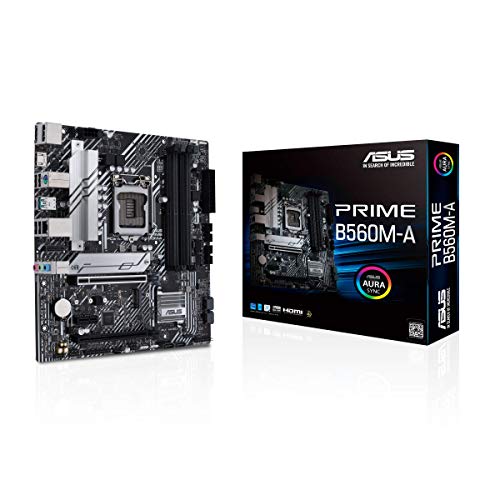
ASUS Prime B560M-A
A Micro ATX board that combines 500-series features with a clean, simple layout for compact builds.
- Two M.2 slots and 8 power stages offer storage and power delivery beyond entry level.
- Dual HDMI and DisplayPort outputs plus USB 3.2 Gen 2 support flexible setups.
- Trade-off: it has 1 Gb LAN only and no multiplier overclocking.
Skip it if you want integrated wireless or Z-series tuning. For a compact, quiet build with a locked 10th or 11th generation chip, it covers the practical bases without paying for features that would go unused, and the extra video outputs help with multi-monitor desks.
Which One Fits Your Situation
You own an unlocked K-series processor
Choose between the ASUS Prime Z490-P for a wired, simple build and the MSI MPG Z490 Gaming Edge WiFi for built-in wireless.
You want the cheapest working platform
The ASRock B560M-C gives you LGA1200 support and storage expansion at a modest tier.
You may upgrade to an 11th generation chip
The ASUS Prime B560M-A or ASUS Prime H570-PLUS list support for both generations and PCIe 4.0.
You are building a work desktop
The ASUS Pro Q570M-C/CSM brings vPro, TPM 2.0, and two DisplayPort outputs for business use.
Common Mistakes
- Paying for PCIe 4.0 while running a 10th generation chip that cannot use it.
- Buying a B-series board and expecting to overclock.
- Forgetting that LGA 1700 boards do not fit 10th generation processors.
- Choosing a Micro ATX board and then needing more slots.
- Overlooking networking and getting a board with only 1 Gb LAN when you want faster.
Related guides
- How To Check Gpu Compatibility With Your Motherboard And Cpu
- High-Performance Gaming Desktop Specifications
- Desktop Computer For Working From Home
Frequently Asked Questions
What socket do 10th generation Intel chips use?
They use LGA 1200. Boards with LGA 1700 or LGA 1151 will not fit. Always match the socket before looking at any other feature, because no BIOS update can change the physical layout.
Do I need a Z490 board?
Only if you want to overclock an unlocked processor. A B-series board runs locked chips fine for less. Many buyers pay extra for a Z-series board and never touch the overclocking settings, which is money that could have gone toward faster memory or a better cooler.
Can I use an 11th generation chip later?
Boards that list both 10th and 11th generation support allow it, often after a BIOS update. If the board ships with an older version, the update may require a compatible processor already installed, so plan the order of the upgrade before you begin.
Is integrated Wi-Fi worth it?
It saves a slot and an adapter, which is useful in a compact build. If your desk has Ethernet, a wired connection is still more stable and usually lower in latency for online games.