The best AI workstation for most people is a compact machine with 128GB of unified memory, because model size, not clock speed, decides what you can run locally. Eight of the ten listings below use the same AMD Ryzen AI Max+ 395 platform with 128GB, differing in ports, cooling and brand; two use NVIDIA’s GB10 chip; one is AMD’s own developer box. Pick by software ecosystem first and ports second.
Our Top Picks


Top 3 picks at a glance
The ten at a glance
As an Amazon Associate we earn from qualifying purchases at no extra cost to you.


- MINISFORUM MS-S1 MAX (two listings) – best for expansion: PCIe x16 slot, dual M.2 and dual 10GbE
- GEEKOM A9 Mega – best for dual 10GbE and large offline models, if the claims check out
- GMKtec EVO-X2 – best for the lowest-risk Ryzen AI Max+ 395 setup with SD Card 4.0
- GMKtec X3 / EVO-X3 (two listings) – best for OCuLink external GPU users
- BOSGAME M5 – best for multi-monitor desks with dual USB4
- ASUS Ascent GX10 – best for NVIDIA CUDA developers needing fast networking
- CyberGeek DGX Spark – best for GB10 buyers who want up to 4TB of NVMe
- AMD Ryzen AI Halo – best for Linux developers targeting AMD’s stack
| Model | Platform | Memory / storage (title) | Best for |
|---|---|---|---|
| MINISFORUM MS-S1 MAX (A) | Ryzen AI Max+ 395 | 128GB LPDDR5x / 2TB | Expansion |
| MINISFORUM MS-S1 Max (B) | Ryzen AI Max+ 395 | 128GB LPDDR5 / 2TB | Dual 10G networking |
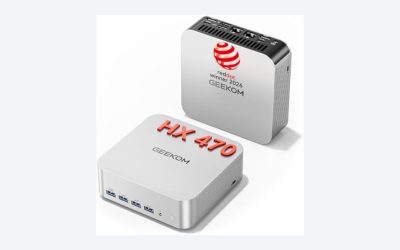
| GEEKOM A9 Mega | Ryzen AI Max+ 395 | 128GB / 2TB | Offline LLMs |
| GMKtec EVO-X2 | Ryzen AI Max+ 395 | 128GB (16GB x 8) / 2TB | Compact general use |
| GMKtec X3 | Ryzen AI Max+ 395 | 128GB / 2TB | OCuLink GPU add-on |
| GMKtec EVO-X3 | Ryzen AI Max+ 395 | 128GB / 2TB | OCuLink GPU add-on |
| BOSGAME M5 | Ryzen AI Max+ 395 | 128GB / 2TB | Multi-monitor |
| ASUS Ascent GX10 | NVIDIA GB10 | 128GB / not stated | CUDA development |
| CyberGeek DGX Spark | NVIDIA GB10 | 128GB / up to 4TB | Fine-tuning |
| AMD Ryzen AI Halo | AMD (specs not in title) | Check the listing | Developer platform |
The ten, listing by listing
MINISFORUM MS-S1 MAX Mini AI Workstation, Ryzen AI Max+ 395, 128GB LPDDR5x
The title lists a 16C/32T Ryzen AI Max+ 395, an RDNA3.5 GPU, 128GB LPDDR5x, a 2TB SSD, dual M.2 PCIe 4.0 slots, a PCIe x16 slot, USB4 V2 (80Gbps), dual 10GbE, a 320W PSU and Wi-Fi 7. The slot and PSU details set it apart from the other mini PCs: you can add storage or a card, subject to the chassis and the actual slot wiring, so check the listing.
The memory is LPDDR5x on this platform, which is soldered rather than slotted, so 128GB is fixed. LPDDR5x is also what gives this chip family the memory bandwidth that local models need, so the lack of upgrades is the price of speed.
Cooling and noise are not in the title. With a 320W power supply named, the chassis is built for sustained load, but read buyer comments on fan noise before putting it in a quiet room.
- Pros: PCIe x16 slot; two M.2 slots; dual 10GbE.
- Cons: memory not upgradable; top-tier listing cost; slot usability depends on case design.
Who it’s for: builders who want a compact box that can still grow.
Who should skip it: buyers who want a CUDA-based setup.
MINISFORUM MS-S1 Max Mini Workstation, Ryzen AI Max+ 395, 128GB LPDDR5, 2TB
This looks like a second listing for the same MS-S1 Max family. The title shows a Ryzen AI Max+ 395 (16C/32T), 128GB LPDDR5, a 2TB SSD, HDMI, two USB4 and two USB4 V2 video outputs, two 10G RJ45 ports, Wi-Fi 7, Bluetooth 5.4 and Radeon 8060S graphics. It says LPDDR5 where the other listing says LPDDR5x, which is probably loose wording, and it does not mention the PCIe slot or PSU wattage.
Treat both as the same machine until the specification table says otherwise, and buy whichever has the clearer description, warranty and return window.
Two 10G ports are rare on a small desktop and useful if you share model files across a lab network, or link two machines to split a model. Make sure your switch also supports 10G, or the ports will fall back to slower speeds and the benefit disappears.
- Pros: dual 10G networking; multiple video outputs; Bluetooth 5.4.
- Cons: memory type wording differs; expansion details missing from the title.
Who it’s for: small teams sharing models over a 10G network.
Who should skip it: anyone who wants to verify the PCIe slot first.
GEEKOM A9 Mega AI Workstation, Ryzen AI Max+ 395, 128GB, 2TB
The title lists LPDDR5X 8000MHz memory, Radeon 8060S “(96GB VRAM)”, 126 TOPS, 8K output, USB4, Wi-Fi 7 and dual 10GbE, and calls it a “128B Offline LLM Super PC”. The 96GB figure is most likely a share of the unified memory given to the GPU, not separate video memory. The “128B” claim, probably meaning a 128-billion-parameter model, depends on heavy quantization and has no speed number.
It is a bold marketing title, and it should be verified through the specification table and buyer comments before you rely on it.
Even if a 128-billion-parameter model loads, a model that large at 4-bit precision takes most of the 128GB, leaving little room for the system and for long prompts. Speed on such models is usually slow, so treat that claim as a proof of fit, not of comfort.
- Pros: dual 10GbE; 128GB and 2TB; GPU memory allocation named.
- Cons: large model claim unverified; unified memory is shared; 126 TOPS is a ceiling.
Who it’s for: developers testing big quantized models offline.
Who should skip it: buyers who dislike marketing claims in titles.
GMKtec AI Mini PC EVO-X2, Ryzen AI Max+ 395, 128GB LPDDR5X, 2TB
The title shows 128GB LPDDR5X at 8000MHz made of eight 16GB chips, a 2TB PCIe 4.0 SSD, a triple-screen 8K display, Wi-Fi 7, USB4 and an SD card reader 4.0. The (16GB*8) note confirms the memory is on-package, so there is no upgrade path. It is the most compact configuration in the group.
It lacks OCuLink and 10GbE in the title, so check the listing for ports.
The triple-screen 8K claim is a connection limit, not a recommendation: driving three high-resolution displays uses memory that your models also want. If the machine will sit on a desk beside a single monitor, none of that headroom is wasted.
- Pros: 128GB and 2TB; SD Card 4.0 reader; Wi-Fi 7.
- Cons: memory fixed; fewer network and expansion details.
Who it’s for: a desk-sized local LLM machine.
Who should skip it: anyone needing 10GbE or an expansion slot.
GMKtec X3 AI Mini PC, Ryzen “Al” Max+ 395, 128GB LPDDR5X, 2TB, OCuLink
The title says “Ryzen Al Max+ 395”, a typo with a lowercase L, and mixes the names X3 and EVO-X3. It lists 128GB LPDDR5X, a 2TB PCIe 4.0 SSD, OCuLink, 16C/32T, Turbo 5.1GHz, 126 TOPS, 8000MHz memory, Radeon 8060S, 8K display, Wi-Fi 7, 2.5G LAN and USB4. OCuLink lets you attach an external GPU dock.
The next listing looks like a near-duplicate, so treat them as the same product family. OCuLink is a cabled link to a dock that holds a desktop graphics card; it is not the same as Thunderbolt or USB4, and docks are sold separately, so budget for the dock and a power supply if you plan to use one.
- Pros: OCuLink port; 2.5G LAN; USB4.
- Cons: typo and naming confusion; memory fixed; duplicate listing.
Who it’s for: users who may add an eGPU later.
Who should skip it: anyone confused by inconsistent product names.
GMKtec EVO-X3 AI Mini PC, Ryzen AI Max+ 395, 128GB, 2TB SSD
This is the second GMKtec listing with OCuLink: 128GB LPDDR5X at 8000MHz, a 2TB PCIe 4.0 SSD, 16C/32T up to 5.1GHz, Radeon 8060S, 8K display support, Wi-Fi 7, USB4 and 2.5G LAN. It repeats the X3 specs with cleaner naming, so choose by seller clarity, warranty and return terms. The only way to tell the two apart from the titles is the naming, so if the prices are close, pick the one whose specification table fills in ports and warranty most completely, and keep the order confirmation for any support request.
- Pros: clear naming; OCuLink; 2.5G LAN.
- Cons: near-duplicate of the X3 listing; fixed memory.
Who it’s for: buyers who want the GMKtec box with an external GPU option.
Who should skip it: buyers who need 10GbE.
BOSGAME Mini PC M5, Ryzen AI Max+ 395, 128GB LPDDR5, 2TB NVMe
The title lists 128GB LPDDR5, a 2TB NVMe SSD, 126 TOPS, Radeon 8060S, Wi-Fi 7, dual USB4 and 8K quad-display support. It is a straightforward member of the same platform family. Quad displays are a plus for traders, analysts and developers with several monitors, and two USB4 ports give you room for a fast external drive and a dock together.
Its title mentions neither LPDDR5x nor 10GbE, so check the listing for network speed and memory speed.
- Pros: dual USB4; four-display support; 128GB and 2TB.
- Cons: memory speed not stated; brand less known in workstations.
Who it’s for: multi-monitor desks.
Who should skip it: anyone wanting a documented PCIe slot.
ASUS Ascent GX10 Mini PC for AI Developers, NVIDIA GB10, 128GB
The title names the NVIDIA GB10 Grace Blackwell Superchip, 128GB of unified memory, 1 PFLOP AI performance and ConnectX-7 networking, and it shows no price. Storage capacity and operating system are not stated. GB10 systems pair an Arm CPU with NVIDIA’s GPU, which means CUDA tutorials and NVIDIA containers apply directly. The 1 PFLOP number is a low-precision peak. ConnectX-7 is a high-speed network adapter, which matters if you plan to link two GB10 boxes, and it is rare in this size of computer. The missing storage figure means you must read the specification table or message the seller before ordering.
- Pros: CUDA ecosystem; ConnectX-7 networking; major brand.
- Cons: storage not stated; no price shown; Arm CPU limits some x86 software.
Who it’s for: developers who follow NVIDIA workflows.
Who should skip it: Windows users.
CyberGeek DGX Spark Compact AI Workstation, GB10, 128GB, NVMe up to 4TB
The listing names a GB10 Grace Blackwell Superchip, 128GB LPDDR5x unified memory, a 20-core Arm CPU, customized NVMe storage up to 4TB, DGX OS and uses for AI development and fine-tuning. The seller is a third party using the DGX Spark name, so check who warranties it. “Up to 4TB” means options, so confirm the one you receive. It shares its core platform with the ASUS GX10, so decide between them on seller support, storage options and price rather than expected speed. DGX OS is a Linux-based system tuned for NVIDIA tools, which is a plus for developers and a barrier for anyone expecting Windows.
- Pros: 20-core Arm CPU; storage up to 4TB; DGX OS.
- Cons: highest listed cost; storage size unclear; third-party seller.
Who it’s for: fine-tuning and development.
Who should skip it: buyers who want Windows or a brand warranty.
AMD Ryzen AI Halo Personal AI Desktop, Developer Platform, Linux OS
The shortest title: AMD’s developer platform on Linux. It gives no memory, storage, CPU or port details, so everything must come from the specification table. Treat it as a developer kit, not a general desktop. With no memory figure in the title, do not assume it matches the 128GB boxes above, and look for the port list, warranty and software support policy. It is the only listing here from the chip designer itself, which can be an advantage for driver and framework support on Linux.
- Pros: AMD-branded platform; Linux preinstalled.
- Cons: no specs in the title; Linux only.
Who it’s for: Linux developers targeting AMD hardware.
Who should skip it: anyone who needs Windows or confirmed specs.
How we picked these
We gathered ten Amazon listings returned for AI workstation searches and read each title for platform, memory, storage, networking and operating system. Specs come only from those titles, and missing facts are marked “check the listing”. Near-duplicate listings are grouped and flagged. We drew on manufacturer documentation for the chip families and on general buyer-review themes. Nobody on the team used or measured these units. Ordering reflects spec clarity and expansion options. We do not assign speed numbers such as tokens per second, because no title states one.
What to look for in an AI workstation
Memory is the first limit
A model’s weights must fit in memory. Unified memory shared by CPU and GPU lets 128GB act as one large pool, but bandwidth decides speed. Quantization shrinks models, and rough sizes are below. Treat them as approximate and add room for context. Longer conversations use extra memory for the context cache, so a model that technically fits can still slow down or fail on long documents. Leave at least 15 to 20 percent of the pool free for the operating system and your other applications.
| Model size | Precision | Approx. memory |
|---|---|---|
| 8 billion | 16-bit | about 16GB |
| 70 billion | 4-bit | about 35-45GB |
| 120 billion | 4-bit | about 60-75GB |
AMD or NVIDIA: the software question
NVIDIA’s CUDA is the default for many tutorials and libraries, so GB10 boxes suit developers who copy those steps. AMD’s platform runs x86 Windows and Linux, but check framework support for ROCm or Vulkan-based tools. Neither side wins everywhere: popular local-model runners support both, while some research code assumes CUDA. Before buying, confirm that your top two or three tools list your chosen platform in their documentation. If you use the machine mainly for image generation, our Stable Diffusion build guide explains why GPU support matters there.
Storage and cooling
Model files are large, and a handful can fill 1TB. Two M.2 slots, as on the MS-S1 MAX, help. Compact boxes can get loud under sustained load, so read buyer comments on noise. Datasets, checkpoints and several model versions add up quickly, so 2TB is a sensible floor and a second M.2 slot or fast external drive is a real advantage. Keep the unit in a ventilated spot, and avoid enclosed shelves that trap heat.
Ports and networking
USB4 and OCuLink matter for external GPUs and fast drives. 10GbE or ConnectX-7 matters when you move models between machines or cluster two boxes. If you plan a full-size system instead, see our comparison of the NOVATECH AI workstation and Sentinel RTX PRO 6000.
Workload fit and operating system
Inference, fine-tuning and development each stress the machine differently. Inference needs memory and bandwidth; fine-tuning needs both plus sustained cooling; development is the most forgiving. If you only need an everyday AI-enabled computer rather than a model-hosting box, our best AI PC picks are a better starting point. Check whether your tools run on DGX OS, Linux or Windows before you order.
Use this checklist before buying: confirm the memory type and that it is fixed; find the storage amount; read the port list for USB4, OCuLink or 10GbE; confirm the operating system; check the seller and warranty; and compare the model size you want against the table above.
Mistakes buyers make with AI workstations
- Trusting TOPS. It is a peak figure, not a speed.
- Assuming memory is upgradable. Ryzen AI Max+ systems use soldered memory, so buy the amount you need, and confirm for the others.
- Treating shared memory as VRAM. “96GB VRAM” is an allocation from system memory.
- Buying duplicates twice. The MINISFORUM and GMKtec pairs are near-identical.
- Ignoring the operating system. GB10 boxes run DGX OS on Arm, and some x86 programs will not run.
- Forgetting the power and noise. A compact machine under sustained load is louder than a laptop, and a 320W supply is a clue.
- Buying on the headline model size. Fitting a model in memory does not mean it will run at a comfortable speed.
Verdict
For most buyers, a Ryzen AI Max+ 395 box with 128GB and 2TB is the flexible pick, and the MINISFORUM MS-S1 MAX adds the most expansion. For CUDA work, choose a GB10 system such as the ASUS Ascent GX10. Verify any marketing claim and seller warranty before paying, and do not pay extra for a model size claim you cannot check. If your work needs Windows, avoid the GB10 and AMD developer boxes and stay with the Ryzen AI Max+ listings.
Related guides
- How To Check Gpu Compatibility With Your Motherboard And Cpu
- High-Performance Gaming Desktop Specifications
- Desktop Computer For Working From Home
Frequently asked questions
What makes a computer an AI workstation?
Mostly memory and software support. Local language models need a lot of fast memory to hold their weights, and the tools you use must support the processor or GPU in the machine. A strong CPU helps, but 128GB of unified memory, an NPU or GPU that your framework supports and a fast SSD matter more for running models locally.
Is 128GB of memory enough for local AI?
It is enough for many open-weight models when they are quantized, including models in the tens of billions of parameters, with room left for the system and context. It will not fit the largest models at full precision. Treat 128GB as a strong starting point for inference and light fine-tuning rather than a limit-free setup.
Should I buy a Ryzen AI Max+ 395 box or an NVIDIA GB10 system?
Choose by software. GB10 systems run NVIDIA’s CUDA stack on an Arm CPU and a Linux-based DGX OS, which suits developers who follow NVIDIA tutorials. Ryzen AI Max+ 395 machines are x86 with Radeon graphics and usually run Windows or Linux, which suits mixed work and gaming but depends on AMD’s software support.
Can a mini PC replace a full-size AI workstation?
For inference and learning, often yes. A compact box with 128GB of unified memory can hold models that a single consumer GPU with far less video memory cannot. For training from scratch, long multi-GPU jobs or the fastest token speeds, a tower with a discrete workstation GPU still wins on raw throughput and expandability.
What does the 126 TOPS figure mean?
TOPS is a peak count of trillions of operations per second at low precision. Several titles here quote 126 TOPS for the whole platform, combining CPU, GPU and NPU, not for the NPU alone. It is a ceiling, not a real-world speed, and it cannot predict how fast a specific model will run.