The right 3D rendering workstation is the one whose strongest part matches your renderer: many CPU cores and a large pool of RAM for CPU-based engines, or a graphics card with generous VRAM for GPU-based ones. Of the eight listings below, the Threadripper PRO tower is the only one built around a high core count and a modern discrete GPU together, while the Ryzen 9 9900X3D build with an RTX A4500 is the more balanced professional option. The rest are compact or entry-level machines that suit modeling, viewport work and lighter scenes. Prices move daily, so check the listing. Every spec here comes from the seller’s own title, so treat it as a claim to confirm before ordering.
Our Top Picks
 GEEKOM A9 Max Top AI Mini PCRyzen AI 9 HX 470, 32GB+2TB5.32 x 5.2 x 1.8 Inches3.7 PoundsCheck on Amazon
 HP Workstation PC Desktop Computer3.7 x 11.4 x 11.5 inches11.4 x 3.7 x 11.5 inches11.57 PoundsCheck on Amazon

Top 3 picks at a glance
Quick picks
As an Amazon Associate we earn from qualifying purchases at no extra cost to you.





- Sentinel Threadripper PRO 7965WX – best for CPU-heavy production rendering
- Adamant Custom Ryzen 9 9900X3D + RTX A4500 – best balanced build with a professional GPU
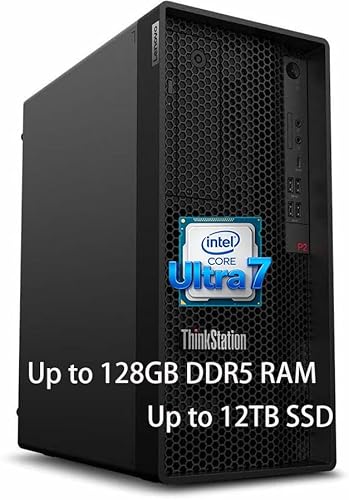
- Lenovo ThinkStation P2 Gen 2 – best for large scenes that need 128GB of RAM
- MINISFORUM MS-S1 MAX – best compact box for memory-hungry CPU rendering
- HP Z2 SFF G1i – best small-footprint seat for modeling plus moderate renders
- HP Z2 SFF G9 – best as a modeling and viewport seat you plan to upgrade
- GEEKOM A9 Max – a mini PC, not a tower, for light rendering
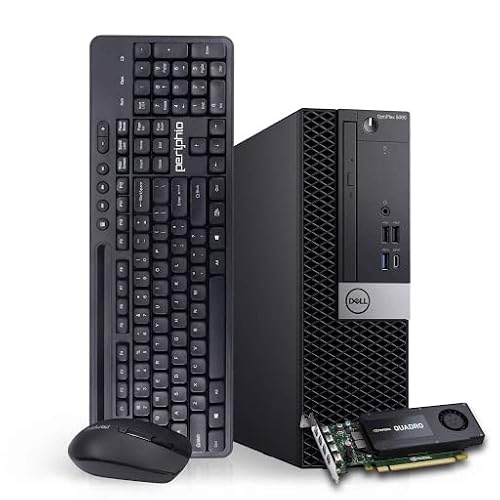
- Dell Workstation, renewed, i7, 32GB – best low-cost box for learning
All eight at a glance
| Model | Type | Key specs as stated in the title | Best for |
|---|---|---|---|
| Sentinel (Empowered PC) | Tower workstation | Threadripper PRO 7965WX 24-core, RTX 5070, 64GB, 2TB Gen5 SSD + 3TB HDD | Production CPU rendering |
| Adamant Custom | Custom tower | Ryzen 9 9900X3D 12-core, 48GB DDR5, 8TB NVMe, 850W, RTX A4500 | Balanced CPU and GPU work |
| Lenovo ThinkStation P2 Gen 2 | Tower workstation | Core Ultra 7 265K, 128GB DDR5, 2TB SSD + 1TB HDD; no GPU named | RAM-heavy scenes |
| MINISFORUM MS-S1 MAX | Mini workstation | Ryzen AI Max+ 395 (16C/32T), 128GB LPDDR5x, 2TB SSD, dual 10GbE | Compact CPU rendering |
| HP Z2 SFF G1i | Small form factor | Ultra 5 235 14-core, 32GB DDR5, 1TB SSD | Modeling, light renders |
| HP Z2 SFF G9 | Small form factor | Core i5-14500, 16GB DDR5, 512GB SSD, UHD 770 | Upgradeable modeling seat |
| GEEKOM A9 Max | Mini PC | Ryzen AI 9 (name looks mistyped), 32GB DDR5, 2TB SSD | Small-desk light rendering |
| Dell Workstation (renewed) | Renewed tower | Core i7, 32GB DDR4, 500GB NVMe + 1TB SSD, 4GB K1200 | Learning on a budget |
The eight picks, one by one
Sentinel Threadripper PRO 7965WX Workstation (Empowered PC)
This is the headline machine of the group: a Threadripper PRO 7965WX with 24 cores, an RTX 5070, 64GB of RAM, a 2TB Gen5 SSD and a 3TB hard drive, running Windows 11 Pro. The title pitches it at AI, CAD, modeling and rendering alike, so read it as a general high-end workstation rather than a rendering specialist. For CPU renderers the 24 cores are the draw. For GPU renderers the card’s VRAM sets the ceiling, and the title does not state it, so confirm the figure before committing to heavy scenes.
One detail to check: Threadripper PRO platforms are designed around many memory channels, and 64GB can be reached with few modules or many. Ask how the 64GB is populated; filling more channels gives the platform its bandwidth, but leaves fewer free slots.
Pros
- 24 cores aimed squarely at CPU-bound render engines
- Fast Gen5 system drive plus a hard drive for archives
- Professional-platform CPU with Windows 11 Pro preinstalled
Cons
- Sits at the top of this list on cost
- Graphics card is a GeForce RTX 5070, not a workstation-class card, and its VRAM is not stated
Who it’s for: freelancers and small studios that render on the CPU and also use GPU features in their 3D package.
Who should skip it: anyone whose renderer is GPU-only and VRAM-hungry, or who needs the lowest possible entry price.
Adamant Custom 12-Core Ryzen 9 9900X3D with RTX A4500
Adamant Custom sells this build as a CAD, modeling, animation and rendering workstation: a 12-core Ryzen 9 9900X3D on an X870 board, 48GB of DDR5, an 8TB Gen4 NVMe drive, an 850W power supply and an RTX A4500, with a three-year warranty claimed in the title. The RTX A4500 belongs to NVIDIA’s professional line, and cards in that line generally carry larger VRAM pools than gaming cards of similar rank, though the listing should confirm the exact capacity.
Twelve cores is fewer than the Threadripper above, so pure CPU renders will take longer on big frames. In return you get a professional card and a simpler platform. The 48GB figure is an unusual capacity, which suggests two larger modules, so check how many slots stay free. Also read who actually honors the warranty, since it is a custom build rather than a big-brand system.
Pros
- Professional-class GPU alongside a 12-core CPU
- 8TB of NVMe storage keeps project libraries local
- 850W supply leaves headroom for a graphics upgrade
Cons
- 48GB is modest for very heavy scenes
- Custom builder, so support quality depends on the seller
Who it’s for: artists who split time between viewport-heavy modeling and GPU rendering and want one balanced tower.
Who should skip it: buyers who want a household-name warranty process or the highest possible CPU core count.
Lenovo ThinkStation P2 Gen 2 with Core Ultra 7 265K and 128GB RAM
The ThinkStation line is Lenovo’s workstation family, and this configuration leans on memory: 128GB of DDR5, a Core Ultra 7 265K, 2TB of SSD plus a 1TB hard drive, Ethernet, Wi-Fi 7 and Windows 11 Pro. The 265K is a 20-core desktop chip in Intel’s published specifications, which makes it a capable CPU renderer for its class. The title names no graphics card, so assume integrated graphics unless the listing says otherwise.
That absence matters. If your renderer runs on the GPU, this box will need a card added, and you should check the case and power supply before assuming it fits. For CPU engines that thrive on RAM, such as heavy simulation caches or dense scenes, 128GB is the largest memory pool among the towers here.
Pros
- 128GB of DDR5 gives large scenes room
- Brand-name workstation chassis with Windows 11 Pro
- Plenty of local storage between SSD and hard drive
Cons
- No discrete GPU named in the title
- Marketing-style title with few detailed specs, so confirm the configuration
Who it’s for: CPU-render users with big scenes who plan to add their own graphics card later.
Who should skip it: anyone who needs GPU rendering out of the box.
MINISFORUM MS-S1 MAX Mini AI Workstation
A mini workstation built around the Ryzen AI Max+ 395 (16 cores, 32 threads), RDNA3.5 graphics and 128GB of LPDDR5x memory with a 2TB SSD. The title also lists dual M.2 PCIe 4.0 slots, a PCIe x16 slot, USB4 V2, dual 10GbE, a 320W power supply and Wi-Fi 7. LPDDR5x in this class of design is normally soldered and shared between the CPU and integrated graphics, so you cannot upgrade it later; confirm that on the listing.
The pooled memory is attractive for big scenes, but check renderer support before buying: many GPU engines are developed first for NVIDIA cards, and AMD integrated graphics may not be supported at all. The title has a typo (“2TB SSMINI PC”), so verify the storage as well.
Pros
- 16 cores and 128GB of memory in a small chassis
- Dual 10GbE suits studios pulling assets from a network drive
- Dual M.2 slots allow storage expansion
Cons
- Memory is likely soldered and cannot be upgraded
- Integrated graphics may not run your GPU renderer
Who it’s for: small studios that want CPU rendering power and fast networking in a compact box.
Who should skip it: artists whose workflow depends on NVIDIA-only GPU rendering.
HP Z2 SFF G1i Workstation (Intel Ultra 5 235)
A small form factor HP workstation listed with an Intel Ultra 5 235 (the title says 14-core), 32GB of DDR5, a 1TB SSD, support for an 8K display, two DisplayPort outputs and Windows 11 Pro. The title also carries stray text (“> Ultra 7 155U”) that looks like leftover keyword stuffing from another model, so trust the first processor named and confirm it on the listing.
This is a comfortable modeling and texturing machine rather than a render farm. No discrete graphics card is named, and small form factor cases generally accept only low-profile cards, which limits future GPU upgrades. For short renders and previews it will do the job; for long animation sequences you would feel the limits. Check the listing for the free DIMM and drive slots.
Pros
- 32GB of DDR5 is a reasonable working amount
- Compact chassis fits a crowded desk
- Two DisplayPorts for dual-monitor layouts
Cons
- No discrete GPU named
- Small form factor limits upgrade options
- Confusing title text
Who it’s for: modelers and texture artists who render occasionally.
Who should skip it: anyone planning production renders or a large GPU.
HP Z2 SFF G9 Workstation (Core i5-14500)
The G9 is the older sibling of the machine above: Core i5-14500, 16GB of DDR5, a 512GB SSD, UHD Graphics 770, two DisplayPorts, Ethernet, a three-year warranty and Windows 11 Pro. As with the G1i, the title ends with mixed text referencing a different processor, so read it as one listing with copy-pasted keywords.
Sixteen gigabytes of RAM is thin for rendering. Treat the listing as a base unit: budget for more memory, check how many DIMM slots it has, and note that integrated graphics will not accelerate a GPU renderer. As a viewport and modeling seat with a long warranty it makes sense; as a rendering machine out of the box it does not. The three-year term is a seller claim, so check who services it.
Pros
- Three-year warranty claimed in the title
- Business-class build with Windows 11 Pro
- Gentle entry point to the HP Z line
Cons
- 16GB RAM and 512GB storage are both light
- Integrated graphics only
Who it’s for: offices that need a dependable modeling seat and will upgrade memory.
Who should skip it: anyone who needs to render long sequences without upgrades.
GEEKOM A9 Max AI Mini PC (not a tower workstation)
Clearly labeled: this is a mini PC, not a tower workstation, and it is listed because the title markets it for 8K video editing and 3D rendering. It lists an AMD Ryzen AI 9 chip (the title says “HX470”, which looks like a typo, so confirm the exact model), 32GB of DDR5, a 2TB SSD, dual 2.5G LAN, Wi-Fi 7, USB4 and HDMI 2.1.
Small chassis generally limit sustained clock speeds during long renders, and integrated graphics will not carry heavy GPU scenes. It does make sense where space is the constraint: a desk where a tower will not fit, or a second machine for blocking out scenes, reviewing files and light client previews while a bigger box renders elsewhere.
Pros
- Tiny footprint with USB4 and fast networking
- 32GB DDR5 and 2TB storage are respectable for the size
Cons
- Not a workstation-class system
- Sustained rendering is likely limited by the compact cooling
- Possible typo in the processor name
Who it’s for: hobbyists and students who need a small, quiet box for light scenes.
Who should skip it: professionals rendering long or high-resolution sequences.
Dell Workstation PC with Core i7 and 32GB (Renewed)
A renewed Dell tower with a Core i7 (generation not stated), 32GB of DDR4, a 500GB NVMe drive plus a 1TB SSD (the title spells it “SDD”), Wi-Fi, Bluetooth and Windows 11 Pro. The graphics card is called “GeForce K1200 4GB” in the title, but K1200 is a Quadro model name, a sign the listing was written loosely. It is an entry-level card from several generations back.
Because the i7 generation is missing, you cannot judge render speed or Windows 11 eligibility from the title. Ask the seller, and check the renewed return window and warranty. It is useful for learning Blender-style workflows and small practice scenes, not production. Read the renewed grading terms too, and check the listing for the power supply rating, the port layout, and ask which exact i7 it is.
Pros
- Lowest cost of the eight
- 32GB of RAM and two drives for a starter setup
Cons
- Renewed unit with unclear condition and warranty
- Old entry-level GPU
- Processor generation not stated
Who it’s for: students and hobbyists learning 3D tools.
Who should skip it: paid production work or GPU rendering.
How we picked these
We built this list from the product listings supplied for the keyword, sorted by how directly each system serves rendering: core count, memory, graphics and cooling headroom. The basis is published specifications, manufacturer documentation and buyer reviews, and nothing more. Nobody on the team used or measured these units. A few renewed and near-duplicate listings were set aside so the eight picks span different budgets and form factors rather than repeating the same renewed tower. Titles are seller claims, and where a title looked mistyped, mixed models or hid a key spec, we said so instead of filling gaps from memory.
What to look for in a 3D rendering workstation
Match the spec to your renderer
Rendering engines fall into three camps, and each one changes what to buy. A CPU renderer scales with cores and memory bandwidth. A GPU renderer scales with the card, and the scene has to fit in its VRAM. Hybrid engines can use both, but the slower component often sets the pace. Before you read any listing, find out which camp your software is in; the table maps each to what matters.
| Renderer type | What limits speed | What to check on the listing | Best fit above |
|---|---|---|---|
| CPU-based (many production engines) | Core count, clock speed, RAM | Core count, memory slots, cooling | Sentinel, ThinkStation P2, MS-S1 MAX |
| GPU-based (CUDA or OptiX engines) | GPU speed and VRAM | Exact GPU model and VRAM capacity | Sentinel, Adamant Custom |
| Real-time or viewport work | GPU, single-thread speed | Graphics card and display outputs | Adamant Custom, HP Z2 units |
| Learning or small scenes | Anything modern enough to run the app | Return policy, OS version | Dell renewed, GEEKOM |
Cores, clocks and platform
More cores shorten CPU renders almost linearly until memory or thermals interfere, so a 24-core chip should finish a frame much faster than a 12-core chip of similar design. Clock speed matters for modeling, simulation setup and viewport responsiveness, where fewer threads are busy. Server-class and Threadripper-class chips also add memory channels and PCIe lanes, which matter if you plan multiple GPUs or fast storage. Reading a title, look for the exact processor name; “Core i7” with no generation tells you almost nothing, and a high core count means little if the cooling cannot hold clocks through a long frame sequence.
RAM: capacity, channels and soldered memory
Heavy scenes with high-resolution textures, simulations or dense geometry can consume tens of gigabytes before the renderer starts. As a working rule, 32GB is a floor for hobby work, 64GB is comfortable for most professional scenes, and 128GB is for large simulations and dense environments. Compact systems like the MS-S1 MAX often use soldered memory you cannot change, so buy the capacity you will need. Towers with free DIMM slots let you add memory later; see our RAM settings guide for 3D rendering for how channels and speed interact.
GPU and VRAM
For GPU engines, the scene must fit in the card’s memory, or the render slows sharply or fails. Professional cards such as the RTX A series generally offer more VRAM per tier than gaming cards, and they come with drivers aimed at stability in design software. Integrated graphics, which several listings here rely on, share system memory and suit viewport work rather than final-frame GPU rendering.
Cooling, power supply and noise
A render can hold the CPU and GPU at full load for hours, so cooling and power supply quality matter more than they do for gaming. Look for a named, adequately sized supply (the 850W unit in the Adamant listing is stated; most others do not say) and a case with front-to-back airflow. Small form factor and mini PC chassis trade sustained speed for size. If a render will run overnight, noise matters less than stability.
Storage, ports and Windows 11
A fast NVMe drive speeds loading of large project files and caches; a second large drive holds archives. Dual 10GbE or 2.5G networking helps if assets live on a NAS. Windows 11 Pro is the sensible edition for workstations because it adds remote desktop host and domain features, but it needs a supported processor, so be wary of renewed listings that name no processor generation. For the broader trade-offs of buying a ready-made machine versus assembling one, our prebuilt workstation versus custom PC for 3D modeling comparison walks through the costs.
Mistakes buyers make with rendering machines
Buying for the wrong renderer. A fast gaming-class GPU does little for a CPU-only engine, and a many-core CPU does little for a GPU-only engine. Check your software first.
Ignoring VRAM. Two cards with similar names can have very different memory. A scene that exceeds VRAM is the common reason GPU renders fail, so look for the capacity on the listing.
Trusting the headline word “workstation”. Several titles here use it for a mini PC or a small business desktop. Read the CPU, RAM and graphics, not the label.
Skipping the renewed fine print. Renewed units vary in condition, and warranty terms differ by seller. Read the return window and what is covered before checkout.
Forgetting upgrades. RAM that is soldered, a case that fits only low-profile cards, or a supply too small for a bigger GPU can turn a good price into a dead end. Our premium workstation roundup and buying guide go deeper on these checks.
Verdict
If rendering is paid work and your engine uses the CPU, the Sentinel Threadripper PRO is the strongest listing on paper, with the Adamant Custom build the better balance when GPU rendering and a professional card matter. The ThinkStation P2 suits RAM-heavy scenes if you add a graphics card. The MS-S1 MAX is the compact pick for CPU rendering, and the HP Z2 pair and the GEEKOM cover lighter work. The renewed Dell is only for learning. Confirm every spec on the listing, because the titles are seller claims, and treat the renewed and mini PC entries as supporting options rather than primary render nodes.
Related guides
- How To Check Gpu Compatibility With Your Motherboard And Cpu
- High-Performance Gaming Desktop Specifications
- Desktop Computer For Working From Home
Frequently asked questions
How many CPU cores does 3D rendering need?
It depends on how often you render and how long you can wait. Twelve cores handle moderate scenes and stills, while 24 or more cores noticeably cut animation and high-resolution frame times in CPU-based engines. GPU-based engines care far more about the graphics card than the core count. Match the number to your renderer, then confirm the exact processor on the listing.
Is 64GB of RAM enough for rendering?
For most professional still images and moderate animations, 64GB is comfortable. Dense simulations, large texture sets and complex environments can exceed it, in which case 128GB helps. Check whether the memory is upgradable, because soldered LPDDR5x in compact systems cannot be expanded after purchase, so buy the capacity you expect to need.
Is a professional GPU necessary for rendering?
Not always. Many GPU render engines run well on gaming cards, but professional cards typically offer more VRAM and drivers certified for design software. If your scenes are large or your studio requires certified hardware, a professional card is easier to justify. Verify the VRAM on the listing, because the card name alone does not tell you how large a scene will fit.
Are renewed workstations safe to buy for rendering?
They can work for learning and light projects, but condition and warranty vary by seller. Read the return window, confirm the processor generation and check Windows 11 eligibility before purchase. For paid production work, a new system with clear support and a stated warranty is usually the safer path, even if it costs noticeably more.
Can a mini PC replace a tower workstation for 3D rendering?
For light scenes and modeling, a mini PC can be enough. For long renders, compact cooling limits sustained speed, memory is often fixed, and integrated graphics will not match a discrete card. Use a mini PC as a second machine for previews and modeling unless your workload is genuinely light.