The Ryzen 7 4750G, sold as the Ryzen 7 PRO 4750G, is an 8-core, 16-thread Zen 2 APU for socket AM4 with Radeon Vega 8 graphics, and it is worth buying only if you find one cheaply for a small-form-factor or no-graphics-card build. It handles esports games and older titles at 1080p low on its integrated GPU, but it was an OEM-focused part, so most copies today are used or come from prebuilt desktops. For a new build in 2026, a Ryzen 5 5600G, Ryzen 7 5700G or a Ryzen 5 5500 plus a budget graphics card is the safer buy.
This review covers what the 4750G is, what it does in games with and without a discrete graphics card, which motherboards support it, and which chips to buy instead. Everything below comes from published specifications and reviews; we did not use this processor ourselves, and any frame rates are approximate ranges that vary with the game, settings and memory speed.
Our Top Picks
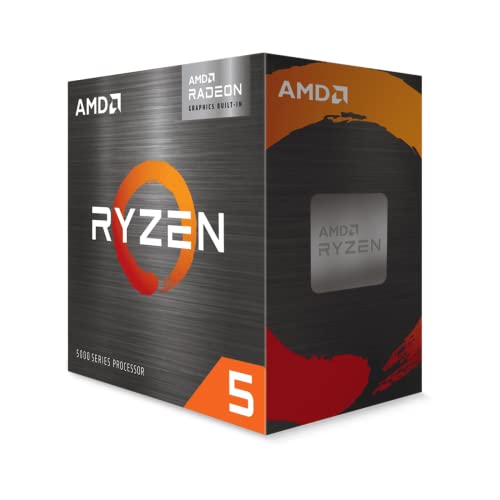 AMD Ryzen™ 5 5600G 6-Core 12-Thread Desktop Processor1.6 x 1.6 x 0.2 inches0.9 PoundsCheck on Amazon
 GIGABYTE B550M K AMD AM4 Micro-ATX MotherboardmATX10.43 x 10.43 x 2.12 inches1.7 poundsCheck on Amazon
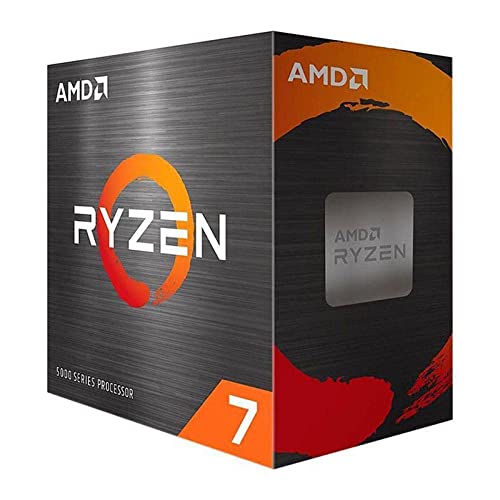
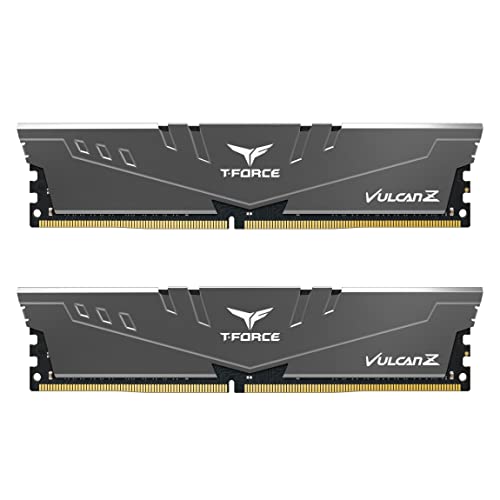

Top 3 picks at a glance
Verdict: who the Ryzen 7 4750G suits and who should skip it
It suits: people building a compact home theater, office, or light-gaming PC who want eight cores and integrated graphics in a 65W chip; owners of an old AM4 board who can find a 4750G at a low used price; and anyone upgrading an OEM desktop that already has a compatible board.
Skip it if: you want a new, warrantied chip from a normal retailer; you plan to pair it with a modern graphics card (a 5600 or 5700X is a better match); you need PCIe 4.0 for a fast SSD or GPU; or you plan to play recent AAA games on the integrated graphics at anything above 720p.
Ryzen 7 4750G specs
| Spec | Ryzen 7 PRO 4750G |
|---|---|
| Architecture | Zen 2 (Renoir), 7nm |
| Cores / threads | 8 / 16 |
| Base / boost clock | 3.6 GHz / about 4.4 GHz (some sources list 4.45 GHz) |
| Cache | 4 MB L2, 8 MB L3 |
| TDP | 65W (configurable down to 45W in OEM designs) |
| Socket | AM4 |
| Memory | DDR4, up to 3200 MT/s officially |
| Integrated graphics | Radeon Vega, 8 compute units (512 shaders) at 2100 MHz |
| PCIe | 3.0 only |
| Multiplier | Locked for overclocking in the PRO version (sources vary; do not rely on tuning) |
| Availability | OEM / system-integrator part, not a normal retail box |
The cache and iGPU figures match published spec sheets and review coverage. The one thing sources disagree on is the boost clock (4.4 versus 4.45 GHz), which is a rounding difference rather than a real performance gap.
The “PRO” label is mostly an enterprise feature set (management and security options) on top of the same silicon as the consumer Ryzen 4000G APUs. For a gaming user, it behaves like a fast eight-core Zen 2 chip with a good iGPU. Many shoppers also search for the part as “ryzen 4750g”, “4750g”, or “ryzen 7 4750g pro” – these all refer to the same processor.
What is the difference between the Ryzen 7 4750G and the PRO 4750G?
For buyers, there is effectively one product: the Ryzen 7 PRO 4750G. AMD released the 4000G APUs as OEM parts, and the PRO variants are the ones that reached the second-hand market in large numbers. If a listing says “Ryzen 7 4750G” it almost always means the PRO model. A “4750G” listing at a high price inside a prebuilt PC (for example a ThinkCentre-style small desktop) is a system sale, not a bargain chip.
Gaming performance on the integrated graphics
The Vega 8 iGPU at 2100 MHz is among the best integrated graphics ever shipped for AM4, but it is still an iGPU sharing system memory. Performance depends heavily on DDR4 speed and whether you run dual-channel memory. Published results for this class of APU generally fall in these approximate ranges; treat them as ballparks.
| Game type | Resolution and settings | Approximate range | Comment |
|---|---|---|---|
| Esports titles (CS2, Valorant, League of Legends, Rocket League) | 1080p low | about 60 to 150 fps | Very playable; CPU strength helps |
| Older AAA and indie games | 1080p low to medium | about 40 to 90 fps | Depends on the engine and VRAM use |
| Recent AAA games | 720p low with upscaling | about 25 to 45 fps | Playable, but compromised |
| Heavy modern titles | 1080p medium | often under 30 fps | Not recommended without a graphics card |
The key trick is memory. Because the iGPU shares system RAM, a dual-channel DDR4-3200 kit helps far more than a single stick. Running only one 8GB module, as many OEM desktops do, can cut iGPU frame rates noticeably. If you build around a 4750G, buy two matching sticks.
Worked example: iGPU memory bandwidth
DDR4-3200 in dual channel has a theoretical bandwidth of 3200 MT/s x 8 bytes x 2 channels = 51.2 GB/s. In single channel it is 25.6 GB/s. The Vega 8 iGPU has no dedicated video memory, so it competes with the CPU for that bandwidth. Going from one stick to two sticks therefore doubles the theoretical ceiling for the GPU, which is why dual-channel RAM is the most effective upgrade for this chip.
Gaming with a discrete graphics card
Paired with a modern GPU, the 4750G still performs like a Ryzen 7 3700X class processor, according to published reviews. Eight Zen 2 cores are plenty for 1080p gaming with a mid-range card, but the CPU’s single-thread speed and its small 8 MB L3 cache (compared with 32 MB on Zen 2 desktop chips) mean it can bottleneck fast graphics cards in CPU-heavy games. The PCIe 3.0 limit has a small effect on most mainstream GPUs, but it is a real downside for PCIe 4.0 cards that use only eight lanes and for fast PCIe 4.0 SSDs.
A sensible target is a graphics card in the entry or lower-mid range for 1080p. A flagship card on a 4750G is wasteful, since the processor will limit frame rates in many games.
Productivity and everyday use
Eight cores and 16 threads make the 4750G good for multitasking, video editing at modest resolutions, compiling code and streaming. Published benchmark coverage places it near a Ryzen 7 3700X in multi-core tests, with reported Geekbench 5 scores around 1,200 single-core and 8,000 multi-core in one review, though the numbers vary with cooling and memory. For a home server, NAS, small workstation or media center the 65W power class and built-in graphics output (HDMI, DisplayPort and USB-C depending on the board) are the main attractions.
Platform: sockets, motherboards, memory and BIOS
- Socket: AM4. A 4750G will not fit AM5 boards.
- Chipsets: 400- and 500-series boards (B450, B550, X470, X570 and A520) are the realistic options; always confirm the manufacturer’s CPU support list shows the Ryzen 4000G series, because older boards may need a BIOS update and some entry boards may not list it at all.
- BIOS update: if the board has an old BIOS, you may need an older compatible CPU to update, or a motherboard with a BIOS flashback button.
- Memory: DDR4. Use a dual-channel kit rated 3200 MT/s or faster; fast RAM improves integrated graphics.
- Cooler: OEM chips often come without a boxed cooler, though a review noted a stock AMD cooler with its sample. Do not count on one in a used listing; a budget tower cooler is inexpensive and 65W is easy to cool.
- PCIe: 3.0. Fine for a mainstream GPU or SATA and PCIe 3.0 SSDs.
Power and thermals
At 65W, the 4750G is easy to cool. A mid-range single-tower air cooler is enough, and a low-profile cooler works in compact cases if it is rated for 65W. Power draw during gaming on the iGPU is moderate, so a small 300 to 450W power supply with the right connectors is more than enough when no discrete GPU is used. Add the wattage of your graphics card if you do use one.
Many OEM small-form-factor desktops that use this chip restrict power to the 45 to 65W range. If you buy a prebuilt unit, check whether the BIOS allows the full 65W; some units throttle under heavy loads.
Better alternatives to the Ryzen 7 4750G
| Chip | Cores / threads | Graphics | Socket | Why consider it |
|---|---|---|---|---|
| Ryzen 7 5700G | 8 / 16 (Zen 3) | Vega 8 | AM4 | Same idea as the 4750G, with a newer Zen 3 core and retail availability |
| Ryzen 5 5600G | 6 / 12 (Zen 3) | Vega 7 | AM4 | Cheaper, easier to find, nearly as good in games |
| Ryzen 5 5600 or 5500 plus a budget GPU | 6 / 12 | Discrete card needed | AM4 | Better gaming value if you can add a graphics card |
| Ryzen 7 8700G | 8 / 16 (Zen 4) | Radeon 780M | AM5 | Much stronger iGPU, but needs an AM5 board and DDR5 |
| Ryzen 5 3400G | 4 / 8 (Zen+) | Vega 11 | AM4 | Older and cheaper, for very light gaming only |
Ryzen 7 5700G
The closest modern replacement: eight Zen 3 cores, 16 threads and Vega 8 graphics, sold as a normal retail processor. It is the best AM4 APU for most people and a direct step up in per-core speed.
As an Amazon Associate we earn from qualifying purchases at no extra cost to you.
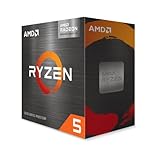
Ryzen 5 5600G
A six-core, 12-thread Zen 3 APU with Vega graphics. For gaming on integrated graphics it gets close to the 4750G’s results while costing less, and it is much easier to buy new.
Companion parts if you build around AM4
AM4 motherboard
A B550 micro-ATX board such as the Gigabyte B550M K is a simple, inexpensive base for an APU build. B550 gives PCIe 4.0 for the first M.2 slot and the main PCIe slot when the processor supports it; with a 4750G you stay at PCIe 3.0, but the board will let you upgrade to a Ryzen 5000 chip later. Confirm the BIOS version before buying if you pair it with a 4000-series APU.

DDR4 memory
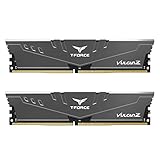
Two sticks of DDR4-3200 are the best investment for iGPU gaming. A 16GB kit (2 x 8GB) such as the TEAMGROUP T-Force Vulcan Z is a typical choice with CL16 timings, and it gives you the dual-channel bandwidth discussed above.
Budget air cooler
If your 4750G has no cooler, a small tower such as the Thermalright Assassin X120 Refined SE adds a four-heat-pipe heatsink and 120mm PWM fan for little cost. It handles a 65W chip without drama, but check height limits in compact cases.

Setup tips to get more from a 4750G
- Run dual-channel memory: two matching DDR4 sticks in the slots your board manual recommends (usually slots 2 and 4). This is the biggest single gain for the iGPU.
- Enable the memory profile: turn on XMP or DOCP in the BIOS so the kit runs at its rated speed instead of 2133 or 2666 MT/s. The chip officially supports up to 3200 MT/s.
- Raise the iGPU memory allocation: many boards let you set UMA frame buffer size to 2GB or more. It helps some games that check for a minimum of video memory, though it does not add bandwidth.
- Use the right power plan: set Windows to a balanced or high-performance plan so the CPU can boost; small desktops often ship with power-saving profiles.
- Cap the frame rate: a 60 fps cap in demanding games keeps the iGPU from hitting its power and thermal limits and smooths frame times.
- Lower the in-game resolution scale: 1080p with 75 percent resolution scale or FSR upscaling often looks better than native 720p at a similar frame rate.
Three sample builds for this chip
| Build | Parts | What it is good for | Main limit |
|---|---|---|---|
| Quiet media PC | 4750G, micro-ATX B450 or B550 board, 2 x 8GB DDR4-3200, small NVMe SSD, compact case | 4K streaming, light gaming, family PC | No upgrade path to a high-end GPU without a bottleneck |
| Esports starter | 4750G, B550 board, 2 x 8GB DDR4-3200, 500GB SSD, plus a graphics card later | CS2, Valorant, League, Rocket League at 1080p low | iGPU is the weak link until a card is added |
| Home server or workstation | 4750G, B550 board, 32GB DDR4, SATA and NVMe storage | VMs, media server, compiling, light video editing | PCIe 3.0 and OEM warranty issues |
In every case, plan the build around the cheapest compatible board and a dual-channel memory kit. Money saved by buying a used 4750G is easily lost if you pair it with single-channel memory or an incompatible board.
Is the Ryzen 7 4750G still worth buying in 2026?
Only in a few cases. As a used or OEM part it can still be a good value for a quiet, compact media or light-gaming PC, particularly if you already have the board and memory. As a new-build choice it makes less sense: the 5600G and 5700G are available through normal retail channels with warranties, and the 5500 or 5600 paired with a budget GPU delivers much better frame rates for similar money. If you want strong gaming on integrated graphics, the Ryzen 7 8700G is far more capable but needs AM5 and DDR5.
Decision rule: if the 4750G costs less than a 5600G and you do not need a warranty, it can be worth considering. If it costs more than a 5600G, skip it.
Buying options: new, used and OEM caution
- Used and refurbished chips: typical for this part. Ask for photos showing a flat, undamaged pin grid and check the seller’s return policy.
- Prebuilt desktops with a 4750G: compact office PCs sometimes include one. Compare the cost of the whole system to buying a 5600G and a board yourself; OEM boards may lock features and limit upgrades.
- Tray or “OEM” listings: usually no cooler and no retail warranty from AMD. Make sure the seller is clear on what is included.
- Counterfeit or relabeled chips: rare, but verify the part number and model against what the system reports with a tool such as CPU-Z.
Frequently Asked Questions
Is the Ryzen 7 PRO 4750G the same as the Ryzen 7 4750G?
For practical purposes, yes. The retail market mostly sees the PRO version, which is the same Renoir silicon with enterprise management features. A listing for a “Ryzen 7 4750G” almost always refers to the PRO chip.
Can the 4750G run games without a graphics card?
Yes. Its Vega 8 graphics handle esports and older games at 1080p low and some recent games at 720p low. Use dual-channel DDR4-3200 or faster memory for the best results.
Is the 4750G good for a gaming PC with a graphics card?
It is fine for entry or mid-range cards at 1080p, performing similarly to a Ryzen 7 3700X in multi-core work. For fast graphics cards a Ryzen 5 5600 or 5700X is a better match because of higher single-thread speed.
Does the Ryzen 7 4750G support PCIe 4.0?
No. It is limited to PCIe 3.0, even on a B550 or X570 motherboard. This matters most for fast PCIe 4.0 SSDs and some graphics cards that run on fewer lanes.
Which motherboard works with the AMD Ryzen 7 PRO 4750G?
Most AM4 boards with a recent BIOS, especially B450, B550, X470 and X570 models. Always confirm the Ryzen 4000G series on the board manufacturer’s CPU support list, and update the BIOS before installing the chip if needed.
Does it come with a cooler?
Do not assume so. As an OEM part it is usually sold without one, though one review sample included a stock cooler. Buy a 65W-rated cooler separately if the listing does not mention one.
Is the 4750G better than the 5600G?
It has more cores (8 versus 6) but an older Zen 2 architecture. The 5600G usually matches it in gaming while costing less and being easier to buy, whereas the 4750G can win in heavy multi-threaded work.
Sources
AMD3D Ryzen 7 PRO 4750G review; Technical City and CPU-Monkey 4750G specification pages; Geekbench processor listings for the 4750G; AMD Ryzen 4000G series documentation; manufacturer product listings for the parts named above.
Last updated: October 2026