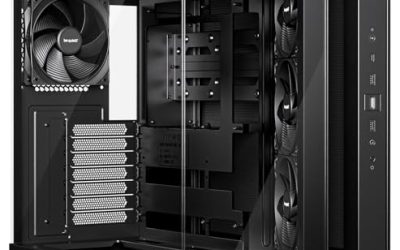
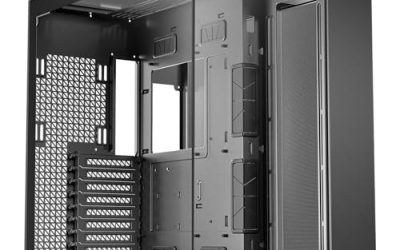
Best looking in a PC case usually means white paint, big glass and a tidy interior, and the real question is what you give up in airflow to get it. This list compares 10 listings, all white or panoramic, from the Lian Li O11 Vision Compact and HYTE Y70 Touch to budget ARGB shells. Two are Micro-ATX, and two RUIX and MUSETEX styles overlap. Specs come from titles only, so confirm clearances before buying.
Our Top Picks
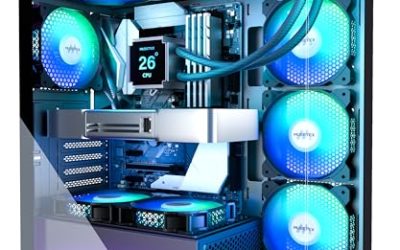
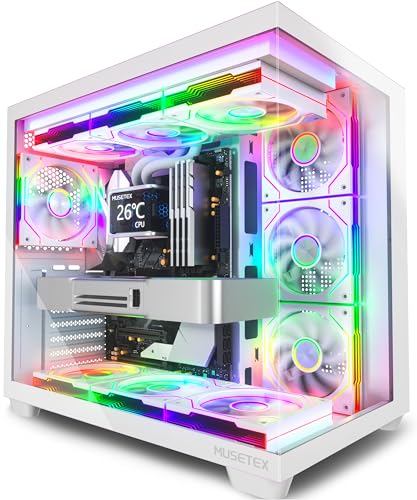 MUSETEX Y6 PC Case16.73"D x 10.83"W x 15.67"H16.73 x 10.83 x 15.67 inches14.64 PoundsCheck on Amazon
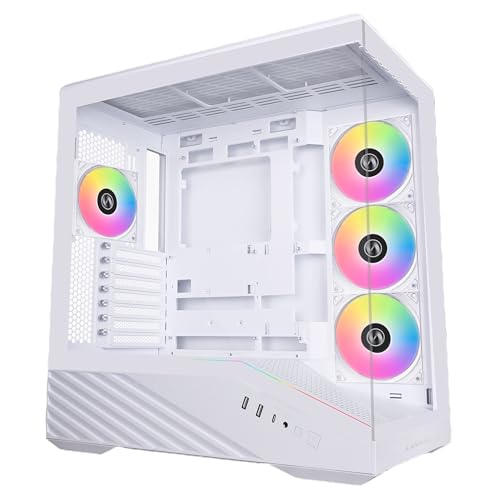
Top 3 picks at a glance
The 10 showpiece cases side by side
As an Amazon Associate we earn from qualifying purchases at no extra cost to you.




| Model | Key point from title | Price tier | Best for |
|---|---|---|---|
| Lian Li V100 (white) | Side USB-C, 420mm GPU, 360mm radiator, GPU bracket | Mid-range | Clean white build |
| MUSETEX Y6 (white) | 7 infinity-mirror ARGB fans, 270-degree glass | Budget | Max lighting, low cost |
| HYTE Y70 Touch | 2.5K LCD touchscreen, dual chamber, 10 fan capacity | Premium | Statement build |
| Lian Li O11 Vision Compact | Back-connect, three-panel glass, 360mm top mesh | Premium | Hidden cabling showcase |
| Corsair 3500X RS ARGB | Panoramic glass, 3 reverse fans, GPU anti-sag | Mid-range | Easy panoramic look |
| NZXT H6 Flow (white) | Compact dual chamber, panoramic glass, 3 fans | Mid-range | Airflow-minded showcase |
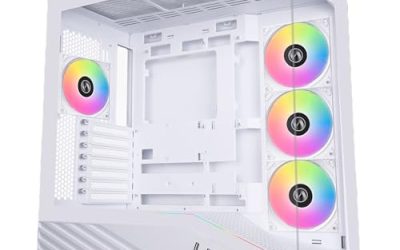
| RUIX OV303 | 4 prism ARGB PWM fans, USB-C and USB 3.0 | Budget | Budget white build |
| NZXT S5 RGB (white) | Dual glass, 360mm RGB fan, 415mm GPU, up to 10 fans | Mid-range | Large GPUs with lighting |
| Thermaltake View 170 TG ARGB | Micro-ATX, dual glass, 3 fans, 280mm radiator | Mid-range | Small showpiece |
| RUIX OV502 Pro M-ATX | Compact panoramic glass, 240mm AIO, 340mm GPU | Budget | Compact white build |
Ten cases that put looks first
Lian Li V100 White
A white ATX mid-tower with side USB-C, a dust filter, support for 420mm GPUs and a 360mm radiator, an included GPU bracket and an LED and display platform. The display platform suggests a mounting area for a screen or accessory, so check what is included. Clearance numbers are generous on paper. Because the title does not name the fans, check how many ship with it before planning a lit build. White cases like this suit builds where the GPU and RAM are also light-coloured.
Pros
- Long GPU support
- Bracket included
Cons
- Display accessory details unclear
- Little detail on fans
Who it’s for: Builders who want a clean white case with room for a big GPU.
MUSETEX Y6 White
Seven pre-installed infinity mirror PWM ARGB fans, an ATX mid-tower body, Type-C and 270-degree full view tempered glass. Seven fans is the highest count here, which helps a lit-up showcase. The same Y6 name appears with non-LED fans elsewhere, so confirm the version. With that many fans, cable management and a fan hub matter, since seven ARGB leads can clutter a view that glass is meant to show off. Check which controller or header the fans need.
Pros
- Seven fans included
- Wraparound glass
Cons
- Lesser-known brand
- Specs missing from title
Who it’s for: Lighting-focused builds on a budget.
HYTE Y70 Touch Infinite
An ATX dual-chamber chassis with an integrated 2.5K LCD touchscreen, ten-fan capacity, a PCIe 4.0 riser cable and a snow white finish. The screen is the standout, but it also adds complexity: check what the display needs from your motherboard and software. Plan the screen’s software and mounting carefully, and check the listing for what the touchscreen requires from your motherboard. If you only want the dual-chamber look, simpler cases cost less.
Pros
- Built-in touchscreen
- Ten-fan capacity
Cons
- Screen adds complexity
- Likely premium pricing
Who it’s for: Builders who want a statement piece.
Lian Li O11 Vision Compact
A compact dual-chamber ATX case with three-panel glass, back-connect support, hidden AIO tube routing and a 360mm top mesh included. Back-connect boards route cables behind the board, which makes a spotless front view possible if you have compatible parts. Matching a back-connect motherboard and compatible cooling parts is the main extra step. If you stay with a standard board, you still get the three-panel glass look but lose the hidden-cable advantage.
Pros
- Three-panel glass
- Hidden tube routing
Cons
- Back-connect parts needed to match
- Showcase glass limits intake
Who it’s for: Builders chasing a spotless showcase.
Corsair 3500X RS ARGB Panoramic
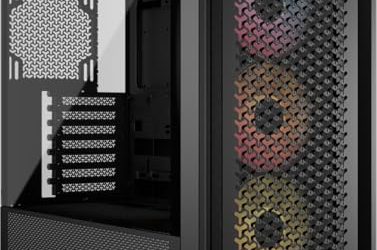
A mid-tower with panoramic glass, three pre-installed reverse fans, high-airflow claims, a spacious interior, GPU anti-sag, removable panels and cable routing. Reverse fans put the blade side facing out, which can help looks. Check how many fans actually come in the box. Check the listing for how the three fans are positioned, since reverse fans change which side faces the glass. Cable routing features suit a tidy build, though they do not replace careful planning.
Pros
- Panoramic glass
- GPU anti-sag
Cons
- Reverse fans are looks-driven
- Clearances not in title
Who it’s for: Buyers who want a mainstream brand with a showcase look.
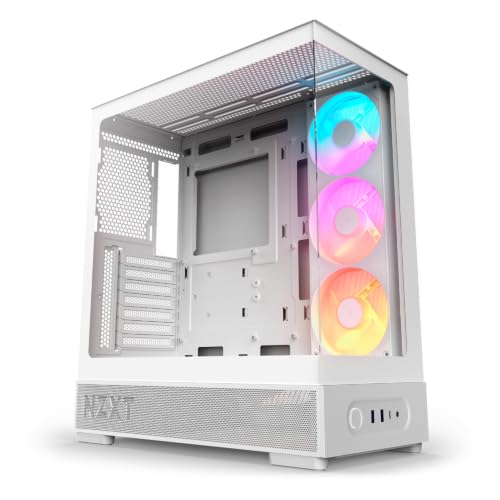
NZXT H6 Flow White
A compact dual-chamber ATX case with panoramic glass and three 120mm fans, marketed as airflow-optimised. The Flow name points to perforated panels, which usually trade some silence for cooling. White clean builds suit its look. For a showcase build, compare its three-fan layout with the Corsair and the NZXT S5, which approach glass and airflow differently. Confirm GPU length in the listing.
Pros
- Three fans included
- Compact footprint
Cons
- Compact interior is tight
- Perforation shows dust
Who it’s for: Showcase builders who still care about temperatures.
RUIX OV303
An ATX mid-tower with four 120mm prism ARGB PWM fans, USB 3.0 and Type-C ports, white finish and high-airflow wording. It sits near the MUSETEX in style and price, so compare both. Brand support information is thin, so read the listing. Compare it side by side with the MUSETEX Y6 White, since the two target the same buyer with similar fan counts and glass. Read the full listing for case dimensions.
Pros
- Four fans included
- Type-C present
Cons
- Lesser-known brand
- Clearances missing
Who it’s for: Budget white builds.
NZXT S5 RGB White
A compact ATX mid-tower with panoramic dual tempered glass, a pre-installed 360mm RGB reverse fan, up to ten fans, 415mm GPU clearance and USB-C. The 360mm fan is a single integrated unit, which simplifies assembly. Because the fan is a single 360mm unit, replacing it later may be less flexible than swapping individual 120mm fans. Check the listing for the fan layout before buying.
Pros
- 415mm GPU clearance
- Dual glass
Cons
- Fans count unclear beyond the 360mm unit
- Dual glass can run warm
Who it’s for: Builds with a large GPU and a lit front.
Thermaltake View 170 TG ARGB Snow
A Micro-ATX case with three 120mm ARGB fans, support for up to a 280mm radiator, front and side dual tempered glass and a three-year warranty per the title. The warranty line is unusual in this set. It is Micro-ATX only, so it will not take a full ATX board. Smaller cases tend to run warmer under a power-hungry GPU, so pair it with a modest graphics card and an efficient cooler. Dimensions are not stated in the title, so check them.
Pros
- Three-year warranty
- Dual glass
Cons
- Micro-ATX only
- Small interior
Who it’s for: Small builds with a showcase look.
RUIX OV502 Pro M-ATX
A compact Micro-ATX mini tower with panoramic tempered glass, support for a 240mm AIO and a 340mm GPU, and an optimised airflow claim. Fans are not specified in the title, so check the box contents. Its looks are the main draw. Because the title does not mention fans, budget for a small set of 120mm fans and a hub. Measure your motherboard first, as Micro-ATX only is a firm limit.
Pros
- Panoramic glass
- 240mm AIO support
Cons
- Micro-ATX only
- Fans not listed
Who it’s for: Compact budget showcase builds.
How we picked these
This guide uses listing titles, published specifications, manufacturer documentation and buyer reviews, and only claims what the titles state about glass, colour, fan counts and clearances. Looks are subjective, so we chose designs repeatedly sold as showcase cases and describe features, not taste. Nobody on the team used or measured these units. Price tiers are relative to this set and carry no dollar figures. Overlapping or Micro-ATX listings are flagged.
Choosing for looks without wrecking airflow
White, panoramic glass and dual-chamber, explained
White cases suit light-coloured builds but show dust and fingerprints. Panoramic glass removes a pillar and shows more of the build, while dual-chamber designs hide the power supply and cables behind the board. Each choice changes how much clean cabling you need.
The airflow trade-off
Glass fronts block intake, so panoramic cases rely on side or bottom fans. As a rough planning estimate, count the fans that face outside air: three or more suggests reasonable cooling, one or two suggests a lower-power build. That is an estimate, not a measurement.
Reverse fans and lighting
Reverse-blade fans hide the motor ring and sit flush behind glass. Check whether ARGB fans need a 5V motherboard header, or an included controller, to sync colours.
Showcase checklist
Check colour match with your GPU and RAM, count the cables visible through glass, confirm back-connect board compatibility if relevant, and note the GPU length. Take a note of any display or LED accessories the listing promises. Finally, confirm the return policy for glass panels.
A colour-matching worksheet
List the colour of every visible part: GPU shroud, RAM, cooler, fans, cables. A white case with a black GPU still looks coherent if you keep the rest neutral, but mixed lighting colours can look busy. As a simple planning rule, limit yourself to two accent colours. Listings rarely show your exact parts, so check the images and the buyer comments for how the interior looks with similar builds.
Dust, fingerprints and maintenance
Glass and white paint show marks. Choose a case with removable dust filters and keep a microfibre cloth nearby. The more panels that come off without tools, the easier it is to clean.
Mistakes buyers make with showcase cases
- Choosing glass over cooling. Looks do not help if the GPU throttles, so keep at least one clear intake path.
- Ignoring cable clutter. A panoramic view shows every cable, so plan routing before buying.
- Forgetting the board size. The Thermaltake and RUIX OV502 are Micro-ATX only.
- Counting on included fans. Confirm how many are in the box, as titles vary.
- Overpaying for a gimmick. A touchscreen or display platform is only worth it if you will use it.
Which one looks best for you
For a showcase with room, the Lian Li V100 and NZXT S5 stand out on paper. The Lian Li O11 Vision Compact and HYTE Y70 Touch are statement pieces. Budget buyers can look at the RUIX and MUSETEX models, and small builds suit the Thermaltake View 170. If you want to keep cooling in view, our Corsair case roundup covers more airflow-led designs. Confirm clearances for your own parts first, and if you are planning a longer-term build, our upgradeable mid-range build plan shows how to leave headroom for later parts. A good-looking case is a long-term purchase, so favour clear specs and a return window over novelty features.
Related guides
- How To Check Gpu Compatibility With Your Motherboard And Cpu
- High-Performance Gaming Desktop Specifications
- How To Plan An Upgradeable Mid Range Gaming Pc
Frequently asked questions
What makes a PC case look good?
Common signs are a clean colour scheme, large glass panels, tidy cable routing and balanced lighting. Dual-chamber layouts hide the power supply and cables. Taste varies, so decide whether you prefer white, black or wood, and check that the case supports your parts.
Do white PC cases get dirty quickly?
They can show dust and fingerprints more than darker finishes. Dust filters help and a quick wipe keeps panels clean. Parts like cables and fans also need to match a white scheme, so check the colour of your components.
Is panoramic glass bad for cooling?
It can restrict front intake, so check where the fans sit. Cases with side or bottom intake and perforated panels cope better. Treat airflow claims in titles as seller statements and plan fans for your own parts.
Do I need a back-connect motherboard?
Only for cases like the O11 Vision Compact that support back-connect designs and where you want hidden cabling. A standard motherboard works in most cases, but you will see more cables through the glass.
Are Micro-ATX cases less attractive?
Not necessarily. The Thermaltake View 170 and RUIX OV502 offer a compact showcase. Their limit is board size, so confirm that your motherboard is Micro-ATX or smaller before ordering.