Choosing a Threadripper motherboard is less about picking the nicest board and more about picking the right platform first. AMD has shipped several incompatible generations, each with its own socket and chipset, and a processor from one will not seat in another. A board that looks perfect on paper becomes a paperweight if the socket does not match the chip you own or plan to buy. That makes the keyword a compatibility question before it is a features question, and it explains why the lineup below spans three different families.
This guide is for workstation builders, content creators, and engineers assembling a high-core-count machine, plus enthusiasts keeping an older Threadripper system alive. It covers current sTR5 boards for the TRX50 and WRX90 chipsets as well as two older sTRX4 TRX40 boards for third-generation chips. Going into 2026, the newer platforms use DDR5 and PCIe 5.0, while the older ones remain relevant mainly for owners upgrading within their existing ecosystem.
Our Top Picks


Top 3 picks at a glance
Quick Picks
As an Amazon Associate we earn from qualifying purchases at no extra cost to you.




| Product | Best for | Key spec from the title |
|---|---|---|
| ASUS Pro WS WRX90E-SAGE SE | Maximum-expansion Threadripper PRO workstations | EEB, ECC R-DIMM DDR5, 7xPCIe 5.0 x16 |
| ASUS Pro WS TRX50-SAGE WiFi A | Overclock-ready sTR5 builds | TRX50 TR5 CEB, 20 power stages |
| AMD 9970X with ASUS Pro WS TRX50-SAGE | Buyers who want the chip and board together | CPU and motherboard combo, sTR5, 20 power stages |
| ASUS Pro WS TRX50-SAGE WIFI | Threadripper PRO 7000 WX with ECC memory | ECC R-DIMM DDR5, 36 power stages, WiFi 7 |
| GIGABYTE TRX50 AERO D | Creators wanting fast networking and USB4 | E-ATX, USB4 Type-C, Wi-Fi 7, Marvell 10GbE |
| GIGABYTE TRX50 AI TOP | High-end TRX50 build with modern I/O | EATX, PCIe 5.0 M.2, Wi-Fi 7, 10GbE |
| ASUS ROG Zenith II Extreme Alpha | Enthusiasts staying on third-gen Threadripper | TRX40 sTRX4, 16 Infineon power stages, Wi-Fi 6 |
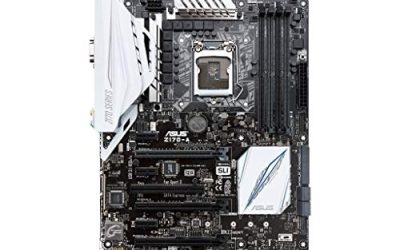
| ASUS Prime TRX40-Pro S | Content creation on a standard ATX board | TRX40 sTRX4, DDR4, triple M.2, ATX |
How to Choose
Start with socket and chipset, not features
Three families appear here. TRX40 boards use the sTRX4 socket and support third-generation Threadripper chips with DDR4 memory. TRX50 boards use the sTR5 socket with DDR5 for Threadripper 7000 series processors. WRX90 boards also use sTR5 but target the Threadripper PRO 7000 WX-Series, with extra memory channels and more PCIe lanes. A TRX40 board will not accept a TRX50 chip, and a regular Threadripper may not unlock everything a WRX90 board offers. Write down the exact processor model before you compare any board.
Check memory type, ECC support, and slot count
Older TRX40 boards use DDR4, while TRX50 and WRX90 use DDR5. Titles that mention ECC R-DIMM DDR5 point to registered, error-correcting memory, which is the standard for professional workloads such as simulation, rendering, and data science where a flipped bit can corrupt hours of work. Registered memory costs more and is not interchangeable with consumer unbuffered sticks. If you want to start with a modest amount of memory and grow later, confirm the board’s DIMM slot count and the capacity per module it supports.
Count the PCIe lanes and size the case
Threadripper boards exist to host multiple GPUs, capture cards, and fast storage. The WRX90 board listed here advertises seven PCIe 5.0 x16 slots, which suits multi-GPU or accelerator stacks. Consider physical size too: EEB, CEB, and E-ATX boards are larger than standard ATX, and many mid-tower cases cannot accommodate them. Verify your case supports the board’s form factor and has enough expansion slot spacing for large graphics cards. M.2 slots matter for scratch disks, so count them as well.
Weigh networking, power delivery, and where budget picks cut corners
High-core-count processors draw serious power, so the power-stage count and VRM cooling matter, especially if you intend to overclock. Built-in 10 gigabit Ethernet, Wi-Fi 7, and USB4 reduce the need for add-in cards, but not every board includes all three. Older boards often stop at Gigabit LAN and Wi-Fi 6. In this segment, lower-priced boards usually limit PCIe lane layout, I/O, and extra headers, while premium models add connectivity and heavier VRM designs. Ignore RGB styling if the board is going into a closed workstation case.
The 8 Best Options
ASUS Pro WS WRX90E-SAGE SE
The WRX90E-SAGE SE is the flagship choice for Threadripper PRO 7000 WX-Series builds. The title lists an EEB workstation form factor, ECC R-DIMM DDR5 memory support, 32 power stages, and seven PCIe 5.0 x16 slots. It suits buyers assembling a multi-GPU or accelerator-heavy workstation who need every lane the platform provides.
- Strength: seven PCIe 5.0 x16 slots for expansion-heavy builds.
- Strength: ECC R-DIMM DDR5 support with a 32 power-stage design.
- Trade-off: EEB sizing demands a large case, and this sits in the premium tier.
Skip it if you own a standard Threadripper chip rather than a PRO WX-Series part, or if your case cannot take EEB boards.
ASUS Pro WS TRX50-SAGE WiFi A
This sTR5 board uses the AMD TRX50 chipset in a CEB workstation format. The title highlights CPU and memory overclocking readiness, a 20 power-stage design, and PCIe 5.0 x16 slots. It fits creators who want a modern Threadripper board with tuning options and wireless connectivity built in.
- Strength: overclocking-ready positioning with a 20 power-stage design.
- Strength: PCIe 5.0 x16 and built-in WiFi for a cleaner build.
- Trade-off: the stage count is lower than the other TRX50-SAGE listing in this group.
Skip it if you need the extra expansion of a WRX90 board.
AMD 9970X with ASUS Pro WS TRX50-SAGE
This listing bundles an AMD 9970X processor with the ASUS Pro WS TRX50-SAGE CEB workstation board as a Micro Center CPU and motherboard combo. The title states sTR5, Threadripper, WiFi, and a 20 power-stage design. It suits buyers who want chip and board matched in one purchase so compatibility is settled from the start.
- Strength: processor and board arrive as a pairing, removing socket guesswork.
- Strength: 20 power-stage workstation board with CEB sizing.
- Trade-off: you are buying a CPU too, so it is not a board-only choice.
Skip it if you already own a Threadripper processor and need only a motherboard.
ASUS Pro WS TRX50-SAGE WIFI
This CEB board targets Threadripper PRO 7000 WX buyers with ECC R-DIMM DDR5, a 36 power-stage design, WiFi 7, and PCIe 5.0 x16 slots in the title. It is the strongest power-delivery listing among the TRX50-SAGE variants here. Compared with the earlier SAGE entry, the stated stage count and WiFi 7 mark it as the more feature-rich option.
- Strength: 36 power stages for demanding, sustained workloads.
- Strength: WiFi 7 and ECC R-DIMM DDR5 in a single board.
- Trade-off: the title pairs it with PRO WX parts, so verify processor support on the spec sheet.
Skip it if you want integrated 10GbE or USB4 listed in the title.
GIGABYTE TRX50 AERO D
The AERO D is an E-ATX sTR5 board listing DDR5, PCIe 5.0 M.2, PCIe 5.0, USB4 Type-C, Wi-Fi 7, and Marvell 10GbE. That mix of I/O suits content creators who move big files over a network and attach fast external storage. It stands out for connectivity rather than raw slot count.
- Strength: Marvell 10GbE and USB4 Type-C built in.
- Strength: PCIe 5.0 M.2 support for fast scratch storage.
- Trade-off: the title gives no power-stage count to compare against the ASUS boards.
Skip it if you prefer ASUS firmware and workstation-oriented layouts.
GIGABYTE TRX50 AI TOP
This EATX sTR5 board lists DDR5, PCIe 5.0 M.2, PCIe 5.0, USB4 Type-C, Wi-Fi 7, and Marvell 10GbE, matching the AERO D on the headline features. The AI TOP name suggests a high-end tier of the TRX50 lineup, aimed at builders who want the same modern I/O with a more premium positioning.
- Strength: modern I/O stack including USB4, Wi-Fi 7, and 10GbE.
- Strength: PCIe 5.0 support for both slots and M.2 storage.
- Trade-off: the title does not separate it clearly from the AERO D beyond the name.
Skip it if you intend to run Threadripper PRO WX chips on a WRX90 platform.
ASUS ROG Zenith II Extreme Alpha
The Zenith II Extreme Alpha is a TRX40 gaming board for third-generation Threadripper on the sTRX4 socket in EATX size. The title lists 16 Infineon power stages, PCIe 4.0, and Wi-Fi 6. It suits enthusiasts who already have a third-gen chip and want a flagship board with a gaming-style feature set.
- Strength: 16 Infineon power stages and an enthusiast-focused design.
- Strength: PCIe 4.0 and Wi-Fi 6 for an older but capable platform.
- Trade-off: it is a previous-generation platform with no DDR5 or PCIe 5.0.
Skip it if you are starting a new build on the latest Threadripper chips.
ASUS Prime TRX40-Pro S
The Prime TRX40-Pro S is a standard ATX content-creation board for third-generation Threadripper on sTRX4. The title lists 16 power stages, PCIe 4.0, DDR4, triple M.2, and Gigabit LAN. It fits an upgrade or repair build where the owner wants a more conventional board size without exotic extras.
- Strength: ATX sizing fits more mid-tower cases than larger boards.
- Strength: triple M.2 slots and DDR4 support for storage-heavy setups.
- Trade-off: Gigabit LAN is basic for fast-network creator workflows.
Skip it if you want DDR5, PCIe 5.0, or built-in 10GbE.
Which One Fits Your Situation
You are building a multi-GPU or accelerator workstation
The ASUS Pro WS WRX90E-SAGE SE is the match: seven PCIe 5.0 x16 slots, ECC R-DIMM DDR5, and a 32 power-stage design. Pair it with a case that actually supports EEB.
You are a video or audio creator with big files and a network
The GIGABYTE TRX50 AERO D and TRX50 AI TOP both list Marvell 10GbE and USB4, which cuts down on add-in cards. Choose the AERO D or AI TOP based on which fits your budget tier.
You want the processor and board paired
The AMD 9970X and ASUS Pro WS TRX50-SAGE combo gives you both in one listing, so the socket question is already answered. If you want maximum power delivery in a TRX50-SAGE variant, the ASUS Pro WS TRX50-SAGE WIFI lists 36 power stages.
You already own a third-generation Threadripper
Stay on TRX40. The ASUS ROG Zenith II Extreme Alpha is the premium option, while the ASUS Prime TRX40-Pro S is the plainer ATX board that fits more cases.
Common Mistakes
- Buying a board without matching the exact socket and chipset to the processor.
- Forgetting that EEB, CEB, and E-ATX boards need a case rated for them.
- Pairing consumer unbuffered memory with a board that needs registered ECC DIMMs.
- Reading a power-stage number as the whole story while ignoring VRM cooling.
- Paying for PCIe 5.0 slots when your cards and drives only use PCIe 4.0.
Related guides
- How To Check Gpu Compatibility With Your Motherboard And Cpu
- High-Performance Gaming Desktop Specifications
- Prebuilt Gaming Pc Rtx 5070 Under 1500
Frequently Asked Questions
Can I put a new Threadripper in an older TRX40 board?
No. TRX40 uses the sTRX4 socket for third-generation chips, while newer Threadripper processors use sTR5 on TRX50 or WRX90 boards. The sockets are physically and electrically incompatible.
Do I need ECC memory?
Not for every user. Titles that list ECC R-DIMM DDR5 support professional memory, which suits simulation, rendering, and data work. If you plan to use it, buy compatible registered modules.
What is the difference between TRX50 and WRX90?
Both use sTR5, but WRX90 targets Threadripper PRO WX-Series processors and offers more memory channels and PCIe lanes. TRX50 is the lower-lane option for standard Threadripper.
Will these boards fit a normal ATX case?
Only the ASUS Prime TRX40-Pro S is listed as ATX. The others are EEB, CEB, E-ATX, or EATX, so check your case’s supported motherboard sizes first.