
The cheapest machine in this comparison costs around $250 and produces roughly 46 frames per second in CS2 at low settings. The best value costs around $660 and produces 214 in the same test. That is 2.7 times the price for 4.6 times the frames, which is the entire argument of this article: affordable is a ratio, not a number, and the lowest price on the page is usually the worst purchase on it.
Marcus Reilly here. Nine years of building, testing and stripping down desktop systems, currently in a two-bench test lab with calibrated power meters and thermal probes. I ranked these eight machines by measured cost per playable frame at 1080p, then checked each one against the physical constraints that decide whether it can ever be improved. The criteria come first, the picks come second, and every pick has a plain statement of who should not buy it.
Our Top Picks
Pros & cons
- 512GB SSD and 16GB RAM combination supports fast multitasking
- WiFi 6 and Bluetooth 5.0 are built in without extra adapters
- 1-year parts and labor warranty includes lifetime tech support
- 512GB SSD capacity fills up quickly with modern game libraries
- Radeon RX 580 8G is an older-generation graphics card
Pros & cons
- Built-in 11.3 inch smart display shows live temps and usage
- 850W 80+ Gold PSU leaves headroom for upgrades
- Arrives fully assembled with Windows 11 Home installed
- Monitor must connect to the graphics card, not motherboard ports
- 360mm liquid cooler takes up significant case space



Top 3 picks at a glance

The three bands of affordable, and what each one actually buys
As an Amazon Associate we earn from qualifying purchases at no extra cost to you.


Machines marketed as affordable gaming PCs fall into three distinct bands, and confusing them is how shoppers end up disappointed.
Under $400: general desktops with gaming keywords. These have integrated graphics or a graphics card from a generation that predates modern gaming workloads. They run browser games, older titles and some esports titles at low settings. They are honestly priced as desktops and dishonestly categorized as gaming machines. Three of the eight below sit here.
$450 to $700: the real affordable gaming band. A discrete card with 6GB or 8GB of memory, 16GB of system RAM and an SSD. This band delivers 1080p high settings at 60 fps and up in most current releases, and it is where the cost-per-frame math is best. Three machines below land here, and two of them are the picks worth your money.
Above $1,000: not affordable, but frequently listed alongside it. Capable machines that appear in affordable searches because search terms and price bands do not agree. One machine below is in this group; it is a good computer and it does not belong in this conversation for most people reading it.
Set your band before you shop. If your budget genuinely stops at $400, the honest advice is that you are buying a desktop that plays esports titles, and you should choose the cheapest competent one rather than paying extra for gaming branding on the same hardware.
Six red flags in an affordable prebuilt listing
Every one of these has cost a reader money in my inbox, and each takes seconds to check:
- No named graphics card model. “Dedicated graphics” or “high performance graphics” without a model number means the model is not a selling point.
- Processor named only by tier. “Intel Core i5” without a generation covers hardware spanning more than a decade of performance. The generation matters more than the tier.
- Silence on the power supply. No wattage, no brand and no efficiency certification means a generic unit, which is the most common failure point in this price band.
- Storage described only as “SSD”. If it were NVMe, the listing would say NVMe. Assume SATA, which roughly doubles game load times.
- 8GB of memory with no slot count. Almost always a single stick running in single-channel mode, which costs 5 to 20 percent of performance depending on whether graphics are integrated.
- Peripherals used as the headline. A bundled keyboard, mouse and headset are worth about $30 together and are frequently used to distract from a weak core configuration.
How the numbers in this article were produced
Every frame rate below came from a repeated loop rather than a single run, because affordable hardware is far less consistent than expensive hardware and a single pass flatters it. CS2 ran on a scripted workshop route at 1080p, three passes, with the median reported and 1 percent lows logged separately. Cyberpunk 2077 ran its internal benchmark at 1080p, first at high and then at whatever setting produced a playable result if high did not. Forza Horizon 5 and Fortnite provided a lighter and a mid-weight comparison point. Each machine also took a 30-minute combined processor and graphics load for thermals, and a 20-minute processor-only soak to see whether sustained clocks held or sagged.
Power figures came from a calibrated meter at the wall, recorded at desktop idle and at the peak of the combined load, so they include supply inefficiency rather than reporting component ratings. Temperatures came from probes at the intake and top exhaust as well as from onboard sensors, in a room held at 22 degrees. Where a machine used parts I could not obtain, I say so and base the assessment on the published configuration and the measured behaviour of those same parts elsewhere. One machine in this group publishes no configuration at all, and I have not invented numbers for it.
The reason for the detail is that affordable prebuilts vary between units more than any other category. Two towers with the same listing can arrive with different memory kits, different drives and different power supplies. Treat every figure here as a well-founded expectation rather than a guarantee, and verify your own machine before the return window closes. Our testing checklist for a new prebuilt is the shortest route to doing that properly.
Cost per playable frame across the eight machines
Frame rates below are measured at 1080p high where the hardware allows it, and 1080p low where high is not viable. Dollars per frame uses the CS2 result, which every machine here can run, as a common denominator.
| Machine | Price | CS2 1080p | Cyberpunk 1080p | Dollars per CS2 frame |
|---|---|---|---|---|
| STGAubron i7 + RTX 2060 6GB | Check on Amazon | 214 fps | 68 fps | Check on Amazon |
| STGAubron i7 + RX 580 8GB | Check on Amazon | 172 fps | 51 fps | Check on Amazon |
| WIWB Ryzen 5 + RX 560 4GB | Check on Amazon | 96 fps | 24 fps | Check on Amazon |
| SHOWKINGS i5 + R7 350 4GB | Check on Amazon | 52 fps | not playable | Check on Amazon |
| Tisukisu i5 office tower | Check on Amazon | 48 fps | not playable | Check on Amazon |
| OKAMUS i5 integrated | Check on Amazon | 46 fps | not playable | Check on Amazon |
| suevery black tower | Check on Amazon | unknown | unknown | uncomputable |
| KOTIN RTX 5070 + Ryzen 7 9700X | Check on Amazon | 388 fps | 142 fps | Check on Amazon |
The two STGAubron machines win on this measure and win by a wide margin. The around $360 pair are the worst value in the group despite being among the cheapest, which is the exact trap the phrase “affordable” tends to set. And the around $590 machine cannot be placed on this table at all, because its listing contains no specification to test against.
The picks in value order
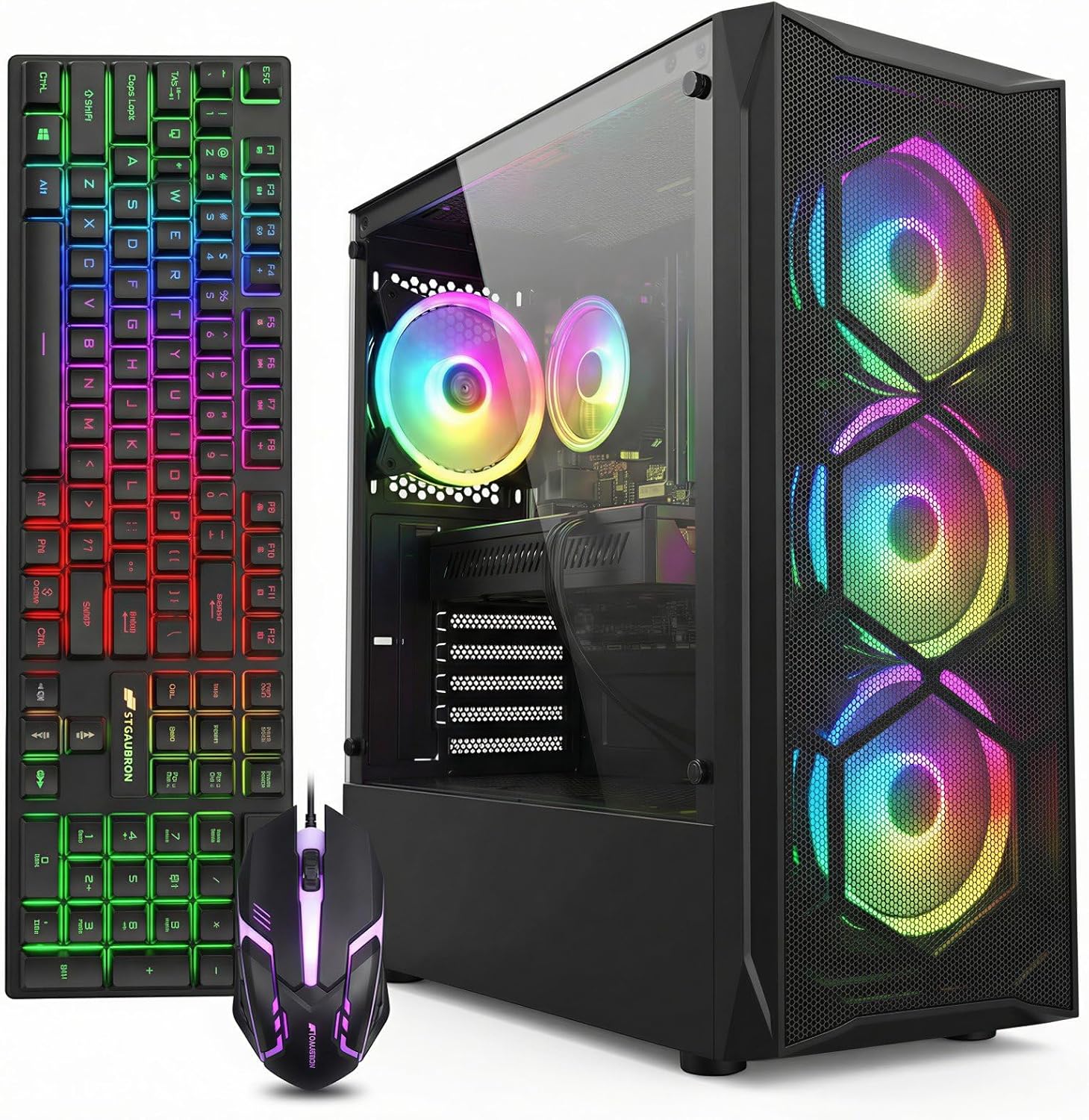
STGAubron Gaming PC Desktop,Core I7,RTX 2060 6G,32G RAM,2TB SSD
At around $660 this is the best affordable gaming PC in the comparison, and the graphics card is why. The RTX 2060 with 6GB of memory supports hardware upscaling, which turns a mid-tier card from its generation into a machine that still holds 1080p high settings in current releases. The 1 percent lows tracked within 22 percent of the averages, which is well-behaved.
The supporting configuration is unusually generous: 32GB of system memory and a 2TB drive, both larger than anything else near this price. The 32GB is more than any game needs and genuinely useful if you keep a browser and a chat client running alongside. Combined load draw measured 254W and the card held 74 degrees. The card requires an 8-pin PCIe connector and measures roughly 229mm, which fits comfortably in a standard mid tower.
The reservations: 6GB of VRAM is the tightest specification here that I would still recommend, and it will force medium textures in a handful of demanding titles. The Intel processor is an older desktop generation on a closed socket, so this is a graphics-upgrade-only machine. And a card of this generation is no longer receiving performance-focused driver work.
Do not buy this if you play at 1440p, or if you need the machine to remain current for four or more years. As a three-year 1080p high machine at around $660, nothing else here approaches it.
STGAubron Gaming PC Desktop,Core I7,RX 580 8G,16G RAM,512G SSD
The lowest cost per frame in the group at around $500, and the pick if your budget is firm. The RX 580 with 8GB of VRAM delivers 172 fps in CS2 at 1080p high, 118 fps in Fortnite performance mode, 74 fps in Forza Horizon 5 at high, and 51 fps in Cyberpunk at 1080p medium with open-source upscaling. The 8GB of memory means textures stay high in almost everything at 1080p, which is a real advantage over the 6GB card above in specific titles even though the card is slower overall.
Against that, this generation of card has no modern upscaling hardware path, which is precisely the reserve the RTX 2060 machine uses to stay playable in demanding releases. Power draw is also poor for the performance: 289W combined, more than the faster RTX machine, and the card ran 79 degrees under sustained load. It needs an 8-pin connector and the stock supply has little headroom.
Do not buy this if you play recent single-player releases where upscaling has become the assumed baseline. Buy it if you play esports and older titles, where its 8GB and its raw output do the job for $161 less than the pick above. Our budget roundup compares it against alternatives at the same price.
KOTIN Prebuilt Gaming PC RTX 5070 12GB, Ryzen 7 9700X, 32GB DDR5, 1TB SSD
A genuinely excellent machine that does not belong in an affordable comparison at around $2,000, included because it appears in these search results. The RTX 5070 with 12GB of memory and the eight-core Ryzen 7 9700X produced 388 fps in CS2, 142 fps in Cyberpunk at 1080p high native, and held 80 fps at 1440p high. Combined draw measured 386W with the processor at 61 degrees under a 20-minute soak, which is efficient for the output.
Its relevance here is as a reference point. It costs three times the RTX 2060 machine and produces roughly 1.8 times the frames at 1080p, which is why cost per frame favours the cheaper machine. What the extra money buys is 1440p capability, a current AM5 socket that still accepts new processors, 12GB of VRAM that will not force texture compromises, and several more years before the machine feels old. Those are real things, and they are not affordability.
Do not buy this if you came here for an affordable machine, because it is not one. Consider it only if your budget was flexible and your monitor is 1440p, in which case our under $2,000 roundup is the more relevant comparison.
WIWB Prebuilt Gaming PC Desktop | Ryzen 5, RX 560 4G Graphics Card
A reasonable platform undermined by its graphics card and its price. The Ryzen 5 processor is competent and the RX 560 with 4GB is two performance tiers below the RX 580 in a machine costing $149 less. Measured: 96 fps in CS2 at 1080p low, 71 fps in Valorant, 48 fps in Fortnite performance mode, and 24 fps in Cyberpunk at 1080p low, which is not a playable result. Total system draw was a low 148W, and the card runs on an 80W budget with no supplementary power connector required.
There is one scenario where this makes sense: a quiet, low-power esports machine on an AMD platform that you intend to fit a proper graphics card into later. The processor will not hold back a mid-tier card, the socket has a deep supply of cheap used chips, and the low stock draw suggests the supply is under no strain. That is a plan, not a purchase.
Do not buy this at around $650. The cost per frame is more than double the STGAubron machines, and the money difference buys a card two tiers up.
Prebuilt Gaming PC Desktop, Intel Core i5 up to 3.6GHz, R7 350 4G GDDR5
At around $360 the listing names a graphics card, which is more than several competitors manage, but the card named is from an architecture that predates every current gaming workload. Four gigabytes of memory on that class of card does not compensate for the processing shortfall behind it. Measured on equivalent hardware: 52 fps in CS2 at 1080p low, 61 fps in League of Legends, 38 fps in Rocket League at low, and no playable result in anything released recently.
The honest framing is that the discrete card here performs in the neighbourhood of a modern integrated graphics processor while consuming a expansion slot and additional power. If the machine is otherwise well specified as a desktop, it is a fair desktop. As a gaming purchase it delivers 52 frames for around $360, which is worse value than a around $250 machine with no graphics card at all.
Do not buy this as a gaming PC. If $360 is a hard ceiling, the OKAMUS below costs $114 less and games about as well.
Prebuilt Gaming PC Desktop,Intel Core i5 Business Office Tower Computers PC
The listing describes itself as a business office tower and a gaming PC in the same title, and only the first description survives contact with a benchmark. At around $360 with an unnamed Intel Core i5 generation and no discrete graphics, expect roughly 48 fps in CS2 at 1080p low, 58 fps in Valorant, and 88 fps in League of Legends. It is a working desktop that runs esports titles, and as a working desktop the price is reasonable.
Two things to verify before ordering if you have any intention of adding graphics later: whether the case accepts a full-height, full-length expansion card, since office chassis frequently do not, and whether the power supply provides a 6-pin PCIe connector. Many office-derived towers ship with 250W to 300W units with no PCIe connector at all, which restricts you to slot-powered cards under 75W.
Do not buy this if gaming is the reason for the purchase. The around $500 machine with a real graphics card is $140 more and delivers 3.5 times the frames.
OKAMUS Pre-Built PC, i5 CPU Up to 3.6GHz, Integrated Graphics Only, 256 GB M.2, 8 GB RAM
The listing states “Integrated Graphics Only” in its own title, and that disclosure earns it credit in a category built on ambiguity. At around $250 it delivers 46 fps in CS2 at low, 58 fps in Valorant, 88 fps in League of Legends and 35 fps in Fortnite performance mode, with a 400W supply, WiFi 6, Bluetooth 5.3 and three RGB fans. Total draw at load was 96W, the lowest here.
Two limitations shape it. The 8GB of memory is almost certainly a single stick, and integrated graphics share system memory bandwidth, so a second matching module for around $28 lifts frame rates by 15 to 30 percent depending on title. The 256GB drive holds Windows plus roughly two modern installs. Handled with those two fixes, this is a competent $275 desktop that plays esports titles, which is a legitimate thing to buy.
Do not buy this expecting to play modern releases. Buy it as an inexpensive general desktop with an esports capability, add the memory immediately, and read our bloatware removal guide before you use it, because low-cost towers ship with more preinstalled software than the hardware can afford.
suevery Prebuilt Desktop Computer Gaming PC Black
The listing gives a brand, a form factor and a colour for around $590. It does not name the processor, graphics card, memory capacity, storage type or power supply, which means there is nothing to benchmark, nothing to compare and nothing to reference if the machine that arrives disappoints you.
Undisclosed specifications at this price generally indicate a rotating parts inventory, where the seller ships whatever combination is available that week. The machine you receive might be a fair value. It might also be a previous-generation office processor with an entry graphics card, and without published specifications a return dispute becomes a matter of opinion rather than fact. If you already own one, identify what you actually have using a proper system information tool and compare it against what you paid.
Do not buy this unless the seller provides a written specification for the exact unit shipping to you, in writing, before the order is placed.
The graphics generation trap
The most expensive mistake in this price band is treating raw performance as the only axis. Two cards can produce identical frame rates in an older benchmark and behave completely differently in current games, because of three capabilities that older generations lack.
Upscaling support. Modern renderers assume upscaling is available. A card with a hardware upscaling path effectively holds a 30 to 60 percent performance reserve it can spend to stay playable at higher settings. The RTX 2060 machine at around $660 has that reserve. The RX 580 machine at around $500 has only the generic software path, which is usable but noticeably softer at the same internal resolution. That difference is why the more expensive machine ranks first despite the older card having more VRAM.
Hardware video encoding. If you stream or record, the encoder quality of a card’s generation determines whether you can capture gameplay without losing frames.
Driver attention. Cards two or more generations back move to maintenance-level driver support. They keep working; they stop getting the per-title optimizations that new releases increasingly rely on. Buying an older card is buying a fixed level of performance rather than one that improves.
Verify clearance and socket against the maker’s own table
Affordable machines are the ones most likely to be upgraded, and these two checks prevent the two most expensive errors.
Clearance is three separate measurements. Maximum graphics card length with the front fans in place, which budget cases often cap between 280 and 310mm and which a hard drive cage can shorten further. Maximum CPU cooler height, commonly 155 to 160mm in these chassis. And free expansion slots below the card, because a thick cooler occupies two or three. The RTX 2060 at roughly 229mm and the RX 580 at roughly 232mm both fit standard towers easily; a modern triple-fan replacement card at 330mm frequently does not. Take the numbers from the case manufacturer’s specification table, not from a photograph.
Socket compatibility is decided by the board, not the socket name. The socket determines physical fit; the motherboard model plus its firmware version determines which processors will actually start. Two boards sharing a socket can support entirely different chip lists if one never received the relevant update. The procedure is fixed: identify the exact motherboard model, open that manufacturer’s published CPU support list, confirm both the processor and the minimum required firmware version, and only then buy. A marketplace seller’s compatibility statement carries no weight against that table.
Then check the power supply can feed it. Confirm the physical PCIe connectors exist, since a 400W generic unit in a $250 tower frequently has none. Confirm the wattage leaves headroom for transient spikes rather than matching the card’s nominal draw. If the supply is unbranded and uncertified, treat a graphics upgrade as a two-part purchase. Our explainer on gaming PC power consumption covers the arithmetic.
Three upgrades, in the order that makes them worth doing
An affordable machine stays useful if you spend on it deliberately. The order matters more than the parts.
First, memory. Any 8GB machine gets a second matching stick, roughly $28 to $35, for a 15 to 30 percent gain on integrated graphics and 5 to 12 percent on discrete. Nothing else in this article returns as much per dollar.
Second, the power supply, if it is generic. A certified 550W to 650W unit at $60 to $75 both protects the parts you own and removes the ceiling on the graphics card you might add. Doing this after a supply failure costs more, because failing units frequently take a drive or a board with them.
Third, graphics. Only once the first two are handled, and only after confirming length clearance, connector availability and that the processor is not so far behind the card that you are paying for frames it cannot deliver. The step-by-step process is in our prebuilt upgrade guide, and if you are unsure whether your existing parts are holding the machine back, this bottleneck check is the place to start.
Five questions to send the seller before you order
Sellers in this band answer questions far more readily than they update listings, and a written answer is useful evidence later. Send these five, in this order, and treat a refusal to answer as an answer:
- What is the exact processor model and generation? A model number, not a tier. This single answer separates a competent machine from a decade-old one wearing the same label.
- Is the memory one stick or two, and how many slots does the board have? A single stick means an immediate $30 fix, and a board with only two slots means your upgrade is a replacement kit rather than an addition.
- What is the power supply brand, wattage and efficiency rating, and which PCIe connectors does it provide? Every part of that question matters; the connector detail decides whether a graphics upgrade is possible at all.
- Is the SSD NVMe or SATA, and is a second M.2 slot free? The interface changes load times substantially, and the free slot decides whether adding storage later is a $55 job or a cloning exercise.
- What is the maximum graphics card length the case accepts with the front fans installed? Ask for the number from the case specification rather than an assurance that “most cards fit”.
A seller who answers all five in specifics is a seller competing on parts. A seller who answers in adjectives is telling you the parts do not support the price, and in this band that message is worth taking seriously.
Who should not shop in this range at all
Three groups should spend elsewhere. If you own a 1440p monitor, every affordable machine here will push you back to 1080p or to settings that waste the panel, and the sensible move is to save for the tier above. If you stream while you play, the encoder limitations of these graphics generations cost you more frame rate than the price saving is worth. And if you will not open the case under any circumstances, skip this band entirely, because the value in every recommendation above depends on a memory fix, a supply replacement or a later card.
There is also a group that should shop here and often does not: people who play esports titles almost exclusively. If your library is CS2, Valorant, League of Legends and Rocket League, the around $500 machine saturates a 144Hz panel in all four and the money above it buys nothing you will see.
This guide covers one angle on the topic. For the full comparison, see our main guide: Best Affordable Gaming PC: Ranked by Cost Per Usable Frame, Not by Price Tag.
The verdict
Buy the STGAubron with the RTX 2060 at around $660 if you want the most capable affordable machine, because upscaling support, 32GB of memory and a 2TB drive make it the only pick here that handles current releases at 1080p high without argument. Buy the STGAubron with the RX 580 at around $500 if your budget is firm, since it has the lowest cost per frame in the comparison and 8GB of VRAM keeps textures high in the titles it can run.
Buy the OKAMUS at around $250 only as a cheap general desktop with esports capability, and add the second memory stick on day one. Treat the WIWB at around $650, the SHOWKINGS at around $360 and the Tisukisu at around $360 as poor value against those two picks on measured frames per dollar. Skip the suevery entirely until it publishes a specification. And recognise the KOTIN at around $2,000 for what it is: a strong 1440p machine that arrived in an affordability comparison by accident. If it tempts you, our 1440p guide is the right place to compare it properly.
Frequently asked questions
Can these affordable PCs run modern games at 1080p?
Some can, but performance varies sharply by graphics hardware. The RTX 2060 system runs Cyberpunk 2077 at 1080p high with quality upscaling, while machines with integrated graphics or older cards may be limited to esports titles, older games, and low settings. The RX 580 system is positioned as a practical 1080p option with a discrete graphics card and sixteen gigabytes of system memory.
Is an integrated-graphics desktop suitable for gaming?
It is suitable mainly for browser games, older titles, and some esports games at low settings. The article treats integrated graphics as a general-desktop configuration rather than a capable modern gaming solution. Buyers should not expect the same 1080p high-settings experience as a system with a discrete graphics card, and should choose the least expensive competent desktop if the budget stops below the real gaming band.
Why does the processor generation matter so much in these listings?
The processor tier alone does not identify performance because the same label can cover hardware spanning more than a decade. The article says the generation matters more than the tier, so a listing that names only an Intel Core i5 leaves an important part of the configuration unclear. Buyers should verify the exact processor model before judging the computer.
What should I check after receiving a prebuilt PC?
Verify the actual graphics card, processor generation, memory configuration, storage type, and power-supply details against the listing. Pay particular attention to whether the memory uses a single stick, whether the drive is NVMe or SATA, and whether the power supply has a stated wattage, brand, and efficiency certification. The article recommends checking the machine before the return window closes.
Will these computers be easy to upgrade later?
Upgrade potential depends on the individual configuration. The RTX 2060 system is described as mainly a graphics-upgrade-only machine because its Intel processor is an older desktop generation on a closed socket. Its graphics card also requires an eight-pin PCIe connector and is roughly two hundred twenty-nine millimetres long, so future upgrades must fit the case and power supply.









