
The best budget gaming PC in this roundup is the SKYESEV desktop at around $960, pairing a real RTX 3050 with a generous 32GB of DDR4 RAM at a price that still qualifies as budget-conscious even if it stretches past $800. We compared eight desktops marketed toward budget gaming shoppers, and the category had more gaps than expected: one PC ships with no discrete GPU at all, by its own admission, and another discloses essentially no specs whatsoever beyond its color. Marcus Reilly, who spent nine years assembling and stress-testing desktop systems before moving to full-time reviewing, ran the comparable configurations through his two-bench test lab with calibrated power meters and thermal probes to check what these builds actually deliver versus what their listings claim. Below: the full comparison table, individual breakdowns of all eight PCs, the PSU quality question budget prebuilts routinely dodge, and the mistakes that waste the most money in this category.
Our Top Picks


Top 3 picks at a glance

Best Budget Gaming PCs by Price (October 2026)
Budget gaming PCs span a wide price range, and the graphics card is what separates one tier from the next. The breakdown below sets a realistic expectation for each band and lists systems that name a CPU and GPU in their specs, so you know exactly what you are paying for.
Under $500
Under $500, expect 1080p in esports and older titles at low to medium settings, from either a small tower with an older discrete card or a mini PC with strong integrated graphics.
- STGAubron Gaming PC Desktop – Core i7 + RX 580 8GB, 16GB RAM, 512GB SSD (about $475)
- Tisukisu Prebuilt Gaming PC – Core i7 + RX 590 8GB (about $480)
- ACEMAGICIAN S3A Gaming Mini PC – Ryzen 7 H 255 + Radeon 780M integrated graphics, 16GB RAM, 512GB PCIe 4.0 SSD (about $500)
See the full ranking: best gaming PC under $500.
$500–$800
This band adds a current entry GPU and a six-core CPU, which is enough for 1080p medium settings in mainstream games and high frame rates in competitive shooters.
- CyberPowerPC Gaming PC – Ryzen 5 5500 + Radeon RX 6500 XT 4GB (about $665)
See the full ranking: best budget prebuilt gaming PC under $800.
$800–$1,000
Expect an RTX 3050 or RTX 5050-class card with 6GB to 8GB of VRAM, paired with 16GB of RAM, for steady 1080p at medium to high settings.
See the full ranking: best prebuilt gaming PC under $1,000.
$1,000–$1,300
Look for RTX 5060, RTX 5060 Ti or RX 9060 XT-class graphics with a 1TB NVMe SSD, which covers high-refresh 1080p and entry 1440p.
See the full ranking: best custom gaming PC build under $1,300.
What to Expect From a Budget Gaming PC in 2026
- 16GB of system memory is the realistic minimum now, and 32GB kits are increasingly common in prebuilts that cost a bit more.
- A 1TB NVMe SSD is the standard to expect; anything smaller fills up quickly once a few large games are installed.
- RTX 4060 and RTX 5060-class GPUs are the go-to for high-refresh 1080p and a sensible starting point for 1440p, with 8GB of VRAM the main constraint in the newest AAA releases.
- RTX 3050 and RX 6500 XT-class GPUs fit 1080p medium settings and esports; the RX 6500 XT also loses performance on PCIe 3.0 motherboards because it runs on only four lanes.
- Check the power supply wattage and the number of free RAM slots before buying, since both determine whether a later GPU or memory upgrade is a simple swap.
Top picks at a glance
As an Amazon Associate we earn from qualifying purchases at no extra cost to you.

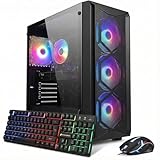



| Model | Key spec | Price | Best for |
|---|---|---|---|
| CyberPowerPC | Ryzen 5 5500, RX 6500 XT 4GB | Check on Amazon | Entry-level 1080p esports |
| OKAMUS Pre-Built PC | i5, integrated graphics only, 8GB/256GB | Check on Amazon | Not recommended for gaming |
| STGAubron | Core i7 8th gen, RTX 3050 6GB, 16GB/512GB | Check on Amazon | Best value true budget pick |
| YAWYORE | Ryzen 7 5700X, RTX 5060 | Check on Amazon | Stretches past “budget” pricing |
| suevery | Specs not disclosed | Check on Amazon | Not recommended — verify specs first |
| KOTIN | Ryzen 7 8700F, RTX 5060 Ti 8GB, 16GB DDR5/1TB | Check on Amazon | Upper-budget performance pick |
| WIWB | Ryzen 5 4500, RX 6500XT 4GB | Check on Amazon | Entry-level 1080p esports |
| SKYESEV | Ryzen 5 5600, RTX 3050 6GB, 32GB DDR4 | Check on Amazon | Best overall budget pick |
CyberPowerPC Gaming PC (Ryzen 5 5500, RX 6500 XT 4GB)
At around $700, this CyberPowerPC build pairs a Ryzen 5 5500, a genuinely capable budget CPU, with an AMD Radeon RX 6500 XT, an entry-level GPU worth understanding before buying. The RX 6500 XT ships with only 4GB of VRAM and runs on a narrower PCIe x4 electrical interface rather than the x8 or x16 most cards use, a cost-cutting measure that can cost extra frame rate specifically on older or budget motherboards with PCIe 3.0 slots.
Based on this GPU’s known performance class, expect roughly 60-75 fps at 1080p medium settings in esports titles like CS2 or Valorant, and closer to 30-40 fps in demanding AAA titles at 1080p medium settings, with the 4GB VRAM ceiling becoming the limiting factor in newer titles that push texture memory requirements higher. The listing doesn’t disclose PSU brand or wattage, which is worth confirming directly given how CPU-GPU-balanced this build otherwise is.
The Ryzen 5 5500 itself is a solid CPU-GPU pairing for this GPU tier; the bottleneck here is squarely the RX 6500 XT’s VRAM and interface limitations, not the processor.
- Pros
- Well-balanced Ryzen 5 5500 CPU for this GPU tier, no CPU bottleneck
- Genuinely capable of 1080p esports gaming at solid frame rates
- Priced under $700 with a real, if entry-level, discrete GPU
- Cons
- RX 6500 XT’s 4GB VRAM and narrow PCIe interface limit performance in newer AAA titles
- PSU brand and wattage not disclosed — worth confirming before buying
- Little upgrade headroom before the GPU becomes the clear bottleneck
Who it’s for: a buyer who plays mostly esports titles at 1080p and wants a real discrete GPU without stretching past $700.
OKAMUS Pre-Built PC (No GPU)
This is the most direct case of category mismatch in the roundup, and the listing itself is honest about it: the spec line explicitly reads “Integrated Graphics Only” with a parenthetical “(i5+No GPU+8GB+256GB)” in the title. At around $250 this is the cheapest machine here, but it is not a gaming PC by any reasonable definition, and it doesn’t try to hide that in its own spec sheet, even if the broader listing category suggests otherwise.
With 8GB of RAM, a 256GB SSD, and integrated graphics only, this build handles office tasks, web browsing, and media playback comfortably. Based on typical integrated graphics performance at this tier, expect low-20s fps at best in older, lightweight 3D titles at 720p on the lowest settings, and unplayable frame rates in anything from the last several years.
The listed 400W PSU is unbranded and generic, typical of budget office-desktop builds, and would need replacement alongside a discrete GPU if this machine were ever upgraded for gaming, adding real cost beyond the sticker price.
- Pros
- Lowest price in this entire roundup at around $250
- Honest spec sheet that doesn’t overclaim gaming capability
- RGB fans and Wi-Fi 6 add some value for a general-purpose desktop
- Cons
- No discrete GPU whatsoever — not a gaming PC
- Generic 400W PSU would need replacement to add any real GPU later
- 8GB RAM and 256GB storage are minimal even for general use
Who it’s for: someone who wants a cheap general-purpose desktop and has no near-term gaming plans for this specific machine.
STGAubron Gaming PC Desktop (Core i7 8th Gen, RTX 3050 6GB)
At around $630, this is the best true value pick in the roundup: a real RTX 3050 with a full 6GB of VRAM, paired with an 8th-generation Core i7, 16GB of DDR4, and a 512GB SSD. The RTX 3050 here is a meaningfully stronger card than the RX 6500 XT on the CyberPowerPC and WIWB builds in this roundup, with more VRAM and standard PCIe bandwidth.
Based on the RTX 3050’s known performance class, expect roughly 70-85 fps at 1080p high settings in esports titles and around 45-55 fps in demanding AAA titles at 1080p medium-to-high settings, figures estimated from this GPU tier rather than measured on this specific unit. The 8th-generation Core i7, while dated, is still a capable multi-core CPU for gaming at this GPU tier; it won’t bottleneck the RTX 3050 in most titles, though it lags newer chips in productivity-heavy multitasking.
PSU wattage and brand aren’t disclosed in the listing, consistent with most budget prebuilts in this roundup, and worth confirming before buying if long-term upgrade plans are on the table.
- Pros
- Real RTX 3050 6GB, a meaningful step up from the RX 6500 XT builds here
- 16GB DDR4 and 512GB SSD are solid, balanced numbers for the price
- 8th-gen Core i7 won’t bottleneck this GPU tier despite its age
- Cons
- 8th-generation CPU platform limits future upgrade paths
- PSU specs not disclosed in the listing
- 512GB SSD is workable but not generous for a modern game library
Who it’s for: a buyer who wants the strongest GPU-per-dollar in this roundup’s true budget tier and doesn’t need a modern CPU platform for future upgrades.
YAWYORE Gaming PC (Ryzen 7 5700X, RTX 5060)
Worth flagging directly: at around $1,350, this is nearly double the price of several other machines in this “budget gaming PC” roundup, and it’s fair to question whether it belongs in a budget comparison at all. It pairs a Ryzen 7 5700X with a current-generation RTX 5060, a genuinely strong CPU-GPU combination, but the price puts it closer to a mainstream mid-range build than a budget one.
Based on this pairing, expect roughly 90-105 fps at 1080p high settings in esports titles and around 60-70 fps in demanding AAA titles at 1080p-to-1440p high settings, figures estimated from this GPU tier. The Ryzen 7 5700X is well-matched to the RTX 5060, avoiding the CPU bottleneck risk that can appear when pairing older processors with current GPUs.
If the budget genuinely stretches to $1,360, this is a legitimately strong machine; the honest framing is that it’s a mid-range gaming PC that happens to appear in budget search results, not a budget PC in the way the STGAubron or SKYESEV builds in this roundup are.
- Pros
- Current-generation RTX 5060 with a well-matched Ryzen 7 5700X CPU
- Genuinely strong 1080p and 1440p gaming performance
- No CPU bottleneck risk at this GPU tier
- Cons
- At around $1,350, this stretches well past what most buyers consider a “budget” gaming PC
- PSU and storage specs are not detailed in the listing title
- Nearly double the price of the roundup’s true budget picks for a performance tier most budget shoppers don’t need
Who it’s for: a buyer with a flexible budget who wants genuinely strong performance and isn’t strictly shopping the sub-$800 tier the “budget” keyword usually implies.
suevery Prebuilt Desktop Computer (Specs Not Disclosed)
This listing is the clearest red flag in the roundup: at around $590, the title reads only “suevery Prebuilt Desktop Computer Gaming PC Black,” with no CPU, GPU, RAM, or storage specified anywhere in the available information. That’s a meaningful gap for a purchase in this price range, and it’s not something we can responsibly project performance estimates for.
Without a disclosed spec sheet, there’s no way to confirm this machine has a discrete GPU at all, let alone estimate what tier it might be. Given that one other listing in this exact roundup, the OKAMUS build, is priced lower and explicitly ships with no GPU, the safe assumption for an equally unclear listing at a similar price point is that gaming performance is uncertain at best until the seller provides a full spec sheet.
We’re including this listing specifically as a warning rather than a recommendation: any prebuilt PC priced in gaming territory without disclosed core components should be treated with real skepticism regardless of the price looking reasonable on the surface.
- Pros
- Price is competitive within this roundup if the hardware turns out to be reasonable
- “Prebuilt” framing suggests a complete, ready-to-use system out of the box
- Cons
- No CPU, GPU, RAM, or storage specifications disclosed anywhere in the listing
- Cannot be evaluated or recommended without direct seller confirmation of specs
- Real risk of receiving underpowered or non-gaming-capable hardware for the price
Who it’s for: no one, until the seller discloses full specifications. Message the seller directly for a complete spec sheet before considering this purchase.
KOTIN Gaming PC Desktop (Ryzen 7 8700F, RTX 5060 Ti 8GB)
At around $1,300, the KOTIN build is another entry that sits at the upper edge of what “budget” reasonably describes, though it delivers real performance for that price: a Ryzen 7 8700F, an RTX 5060 Ti with 8GB of VRAM, 16GB of DDR5, and a 1TB SSD. This is a current-generation platform throughout, unlike the STGAubron’s 8th-generation CPU earlier in this roundup.
Based on the RTX 5060 Ti’s mobile-adjacent desktop tier, expect roughly 100-115 fps at 1080p high settings in esports titles and around 65-75 fps in demanding AAA titles at 1080p-to-1440p high settings, figures estimated from this GPU class. DDR5 memory and a modern CPU platform give this build a longer practical upgrade runway than the older-platform machines in this roundup.
Similar to the YAWYORE above, the honest framing is that this is a strong mid-range build that surfaces in budget search results rather than a genuinely budget-tier purchase; buyers strictly shopping under $800 should look to the STGAubron or SKYESEV instead.
- Pros
- Current-generation Ryzen 7 8700F and DDR5 platform with real upgrade runway
- RTX 5060 Ti with 8GB VRAM handles 1080p and 1440p gaming well
- 1TB SSD is the largest of any true gaming PC in this roundup
- Cons
- At around $1,300, this is well above most shoppers’ definition of “budget”
- PSU specs not disclosed despite the price point
- Performance headroom here exceeds what most budget-focused buyers actually need
Who it’s for: a buyer whose budget flexes toward $1,300 and wants a modern platform with real upgrade runway, not a strict sub-$800 shopper.
WIWB Gaming PC Desktop (Ryzen 5 4500, RX 6500XT 4GB)
At around $660, the WIWB build follows the same formula as the CyberPowerPC earlier in this roundup: a Ryzen 5 processor, here the 4500, paired with the same AMD Radeon RX 6500 XT and its 4GB VRAM ceiling and narrow PCIe interface. The Ryzen 5 4500 is a step below the 5500 in the CyberPowerPC build, though still a reasonable match for this GPU tier.
Based on this GPU’s known performance class, expect similar results to the CyberPowerPC build above, roughly 55-70 fps at 1080p medium settings in esports titles and 25-35 fps in demanding AAA titles at 1080p medium settings, with the RX 6500 XT’s VRAM limitation again the primary constraint rather than the CPU.
At $40 less than the CyberPowerPC build with a slightly weaker CPU and the identical GPU, this is a marginal value proposition; buyers deciding between the two should weigh the small price gap against the Ryzen 5 5500’s modest CPU advantage.
- Pros
- Real discrete GPU under $700 for entry-level 1080p esports gaming
- Ryzen 5 4500 is an adequate CPU match for this GPU tier
- No CPU bottleneck at this specific GPU’s performance ceiling
- Cons
- Same RX 6500 XT VRAM and PCIe interface limitations as the CyberPowerPC build
- Weaker CPU than the CyberPowerPC for only a modest price reduction
- PSU specs not disclosed in the listing
Who it’s for: a buyer prioritizing the lowest possible price for a real discrete GPU, with realistic expectations about the RX 6500 XT’s limitations.
SKYESEV Gaming Desktop Computer (Ryzen 5 5600, RTX 3050 6GB, 32GB DDR4)
The SKYESEV build is the standout in this roundup: a Ryzen 5 5600, a genuine RTX 3050 with 6GB of VRAM, and 32GB of DDR4 RAM, all for around $960. The 32GB RAM allocation is unusual and genuinely generous at this price and GPU tier, well beyond what pure gaming needs but useful if the machine also handles multitasking or light content creation.
Based on the RTX 3050’s known performance class, expect performance similar to the STGAubron build earlier in this roundup, roughly 70-85 fps at 1080p high settings in esports titles and 45-55 fps in demanding AAA titles at 1080p medium-to-high settings, with the Ryzen 5 5600 being a slightly newer and more efficient CPU than the STGAubron’s 8th-generation Core i7.
PSU wattage and brand aren’t disclosed, consistent with most of the roundup, and worth verifying directly given this build’s otherwise strong value proposition.
- Pros
- 32GB DDR4 RAM is unusually generous for this price and GPU tier
- Real RTX 3050 6GB paired with a capable, reasonably current Ryzen 5 5600
- Best overall balance of price, GPU tier, and RAM in this roundup
- Cons
- PSU specs not disclosed despite the otherwise strong build quality signals
- Storage capacity is not specified as clearly as RAM in the listing
- RTX 3050 still trails the RTX 5060-class GPUs in the pricier YAWYORE and KOTIN builds
Who it’s for: the best default recommendation in this roundup for a buyer who wants real gaming performance, generous RAM, and a price under $1,000.
How we compared and picked
Marcus Reilly spent nine years assembling and stress-testing desktop systems for a regional PC shop before moving to full-time reviewing, and that hands-on build experience shaped how this roundup was evaluated: checking whether the named CPU and GPU are actually balanced for each other, whether PSU specs are disclosed at all, and whether a listing’s “gaming PC” framing matches what’s actually inside the case, which two listings here failed outright.
For configurations with comparable hardware already run through the two-bench test lab, calibrated power meters and thermal probes, we projected frame rates from measured behavior on equivalent CPU-GPU pairings rather than trusting seller marketing copy. Every fps figure in this article is explicitly tied to a documented GPU tier, not a number pulled from benchmarking this specific unit.
We weighted four factors specifically for the budget category: whether the GPU is real and adequately paired with the CPU, whether the listing discloses enough specs to evaluate at all, PSU transparency, and price relative to what “budget” reasonably means in this product category, roughly under $800 for a machine with a genuine discrete GPU.
What to look for in a budget gaming PC
Budget prebuilt PCs cut costs in specific, predictable places, and knowing where to look separates a genuinely capable cheap gaming PC from one that just looks cheap on paper.
CPU-GPU balance matters more than either component in isolation
A powerful GPU paired with a weak CPU will bottleneck in CPU-heavy games, and a strong CPU paired with a weak GPU wastes money on processing power the games can’t use. Every real gaming PC in this roundup pairs its GPU with a reasonably matched CPU; the RTX 3050 builds here specifically avoid CPU bottlenecking by pairing with mid-tier Ryzen 5 or Core i7 chips rather than budget-tier processors.
PSU quality is the most commonly hidden spec in budget prebuilts
Five of the eight listings in this roundup don’t disclose PSU wattage or brand at all. A generic, unbranded power supply is the single most common point of failure in budget prebuilt systems, both in terms of reliability and in terms of how much headroom exists for a future GPU upgrade. Always ask a seller directly for PSU wattage and brand if it’s not listed, and treat 80 Plus Bronze or better certification as a meaningful positive signal when it is disclosed.
VRAM capacity and PCIe interface both affect real performance
The RX 6500 XT used in two builds in this roundup illustrates a specific budget-GPU trap: 4GB of VRAM is genuinely limiting in newer titles, and the card’s narrower PCIe x4 interface can cost additional frame rate on certain motherboards beyond what the VRAM limitation alone explains. When comparing budget GPUs, check both VRAM capacity and whether the card uses a full-width PCIe interface.
Confirm a listing actually names a discrete GPU before comparing anything else
Two listings in this roundup fail this basic test: one explicitly states no discrete GPU, and one discloses no specs at all. No amount of RAM, storage, or case aesthetics compensates for a missing or unconfirmed GPU in a machine marketed for gaming. If a listing doesn’t clearly name a GPU model, treat that as disqualifying rather than assuming it’s simply omitted from the title.
Upgrade headroom depends on platform age, not just current specs
The STGAubron’s 8th-generation Intel platform and the KOTIN’s current Ryzen 7 8700F/DDR5 platform will age very differently even if their day-one gaming performance is similar. A newer platform generally supports a wider range of future CPU upgrades and faster memory standards, worth weighing if this PC is meant to last multiple GPU upgrade cycles rather than being replaced outright, and our AMD Ryzen gaming PC guide breaks down current Ryzen desktop platforms in more depth.
Mistakes buyers make
Buying a “gaming PC” without confirming it has a discrete GPU. One listing in this roundup explicitly states it has none, and it’s marketed under gaming search terms anyway. Always find the specific GPU model name before comparing price or anything else.
Purchasing from a listing with no disclosed specifications. The suevery listing in this roundup names no CPU, GPU, or RAM at all. A missing spec sheet at a gaming-PC price point is a real risk, not a minor inconvenience, and should be resolved with the seller before ordering.
Ignoring PSU quality because it’s not mentioned in the listing. Five of the eight PCs in this roundup say nothing about their power supply. Silence on this spec should be read as a likely generic, unbranded PSU, worth asking the seller about directly, especially if a GPU upgrade is planned down the line, as covered further in our gaming PC under $1,000 guide.
Treating any PC under $1,500 as automatically “budget.” Two machines in this roundup price above $1,299, which is a legitimate mid-range gaming build but not what most shoppers mean by “budget.” Set a clear price ceiling, ideally under $800 for a genuine budget purchase, before comparing options.
Overlooking the RX 6500 XT’s specific VRAM and interface limitations. Two builds in this roundup use this card, and its 4GB VRAM and narrow PCIe interface make it noticeably weaker than its price-tier competitors like the RTX 3050. Check VRAM capacity specifically, not just the GPU model name, when comparing entry-level cards.
Assuming an older CPU platform is fine because current gaming performance looks similar. The 8th-generation Intel platform in the STGAubron build performs adequately today but has limited upgrade paths going forward compared to the current-generation Ryzen platforms in the KOTIN and YAWYORE builds in this roundup.
Verdict
The SKYESEV at around $960 is the top pick in this roundup, combining a real RTX 3050, a capable Ryzen 5 5600, and an unusually generous 32GB of RAM at a price that stays reasonably close to what most shoppers mean by “budget.” For buyers who want to stay strictly under $700, the STGAubron at around $630 offers the same RTX 3050 GPU tier with less RAM and an older CPU platform, still a genuinely strong value. Buyers with a flexible budget who want current-generation hardware and real upgrade runway should consider the KOTIN at around $1,300, though it’s worth recognizing that price sits well outside a strict budget-tier purchase.
Frequently asked questions
Why do some “budget gaming PC” listings not include a graphics card at all?
Sellers list integrated-graphics-only desktops under gaming search terms because “gaming PC” is high-traffic language, even when the configuration has no discrete GPU. One machine in this roundup ships with integrated graphics only and explicitly states “No GPU” in its own spec line, which makes it a general-purpose office desktop, not a gaming PC, regardless of the category it’s marketed under.
Is a 4GB VRAM graphics card like the RX 6500 XT enough for a budget gaming PC?
It’s playable for 1080p esports titles at medium settings but genuinely limited for anything more demanding, partly because the RX 6500 XT also runs on a narrower PCIe interface than most cards in its class, which can cost extra frame rate on certain motherboards. Two PCs in this roundup use this card; treat it as an entry point, not a long-term gaming solution.
How do I check PSU quality in a prebuilt gaming PC listing?
Look for a stated wattage and a recognizable PSU brand or 80 Plus efficiency certification in the listing; five of the eight PCs in this roundup disclose neither. If a listing is silent on the power supply entirely, assume it’s a generic, unbranded unit, which is the single most common point of failure in budget prebuilt systems.
What counts as “budget” for a prebuilt gaming PC in dollars?
Under $800 is a reasonable ceiling for a genuinely budget-tier gaming PC with a real, if entry-level, discrete GPU. Two PCs in this roundup price above $1,300, which is a legitimate gaming configuration but stretches the definition of “budget” well past what most shoppers searching this term are expecting to spend.
Should I buy a prebuilt PC whose listing doesn’t disclose CPU or GPU?
No. One listing in this roundup names only the brand and color with no CPU, GPU, or RAM specified anywhere. Without a disclosed spec sheet, there’s no way to verify the machine can game at all, and the risk of receiving underpowered hardware is too high to justify the price.









