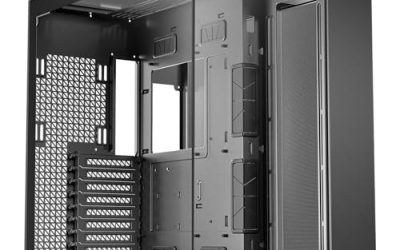
A workstation case is chosen for what goes inside it, not for how it looks on a desk. Someone building a machine for 3D rendering, video editing, CAD, local AI work, or a home server needs a chassis that swallows oversized motherboards, long graphics cards, big cooling loops, and a pile of storage without cooking any of it. The keyword “best workstation PC cases” therefore implies a different checklist than a gaming build: board size and socket support first, drive bays second, thermal headroom third, and glass panels a distant last.
This guide is for builders planning a high-core-count or storage-heavy system in 2026, from a Threadripper-class build to a multi-drive media or backup machine. The six cases below split into two camps: full-tower E-ATX chassis with room for large boards and radiators, and storage-focused towers with bays for a dozen drives. The comparisons rely on the specs in each listing, so confirm clearances against your exact motherboard, cooler, and graphics card before ordering.
Our Top Picks
 ASUS ProArt PA602 E-ATX Full-Tower PC CaseBlack|TG23.35 x 9.65 x 22.05 inches35.5 poundsCheck on Amazon



Top 3 picks at a glance
Quick Picks
As an Amazon Associate we earn from qualifying purchases at no extra cost to you.


| Product | Best for | Key spec from the title |
|---|---|---|
| Antec 900 Full-Tower | Threadripper and AI workstation builds | E-ATX support, 6 PWM fans, 420mm radiator |
| ASUS ProArt PA602 | Creator rigs with large GPUs and big radiators | E-ATX, 420mm radiators, 440mm graphics cards |
| DARKROCK Classico Max | Storage-heavy E-ATX builds | 10 x 3.5″ HDD plus 3 x 2.5″ SSD, 360mm radiator |
| ASUS TUF Gaming GT501 | Dual-radiator cooling on E-ATX boards | E-ATX full tower, dual 360mm radiators |
| Rosewill Helium NAS Max | Mid-tower file server or media vault | Support for 11 x 3.5″ HDD, 4 x 140mm PWM fans |
| Rosewill Thor NAS Pro | Hot-swap storage and rack-style workstation | Up to 8 x 3.5″ hot-swap bays, E-ATX compatible |
How to Choose
Motherboard Size and Platform Support
Start with the board. Standard ATX is about 12 by 9.6 inches, while E-ATX stretches wider, roughly 12 by 13 inches, and the extra width matters for workstation and high-end desktop platforms with more memory slots and PCIe lanes. If you plan on a Threadripper-class processor or a dual-socket board, check that the listing explicitly names E-ATX and the standoff pattern for your board. Mid towers that stop at ATX are fine for mainstream workstations but will not take a wide board. Also look for notes on rear-mounted connector boards or back-connect designs if your motherboard uses them.
Storage Bays and Hot-Swap Capacity
Count your drives now and double the number for later. Video editors who keep raw footage on spinning disks, and anyone who runs a RAID array or a local backup target, can burn through eight to ten 3.5 inch bays quickly. Cases rated for a dozen drives are essentially servers in a tower body, and hot-swap bays save time when a disk fails. If your storage is mostly NVMe, bay count matters less and airflow matters more. Remember that dense drive cages can block the front intake, so look at how the case routes air past the drives.
Cooling, Radiators and Fan Count
Workstation processors sustain heavy load for hours, so cooling is not optional. A 360mm radiator is the baseline for high-core-count chips under liquid cooling, while a 420mm option offers extra surface area with slower, quieter fans. Check that the radiator fits at the front or top without colliding with memory or the motherboard’s top edge. Pre-installed PWM fans are worth more than a count of RGB lighting, since PWM lets the motherboard ramp speeds smoothly. Ignore headline fan numbers if the airflow path is blocked by solid panels or drive cages.
GPU Length, Front I/O and Where Budget Cases Cut Corners
Professional graphics cards and large consumer boards run long. Listings that spell out the maximum card length, such as 440mm, give you real clearance numbers to compare. Check the front panel for USB-C and fast USB 3 ports, since external drives and capture gear plug in all day. Budget cases tend to economize on thin steel, tool-less fittings, dust filters, and cable routing channels; in a workstation these cuts show up as rattles and awkward builds. Treat tempered glass and RGB as optional extras, not selling points. When two cases look equal on paper, favor the one that lists clear clearance numbers, ships with PWM fans, and has enough tool-free fittings that swapping a drive in a year does not mean unscrewing half the chassis.
The 6 Best Options
Antec 900 Full-Tower
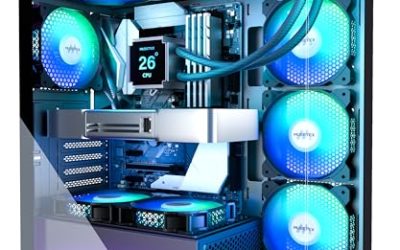
The Antec 900 is pitched directly at workstation work: the title mentions AI workstation readiness, E-ATX and Threadripper support, six PWM fans, a high-airflow design, and 420mm radiator room. It is a good starting point for builders who want a large board with plenty of cooling already included, and for anyone planning a local AI or heavy compute machine where sustained temperatures decide how long the system can run at full speed.
- Strength: E-ATX and Threadripper support covers wide, high-end workstation boards.
- Strength: six PWM fans arrive in the box, so airflow works from day one.
- Trade-off: a full-tower body needs generous desk or floor space.
Skip it if your build is a mainstream ATX system or if you need a dozen drive bays.
ASUS ProArt PA602
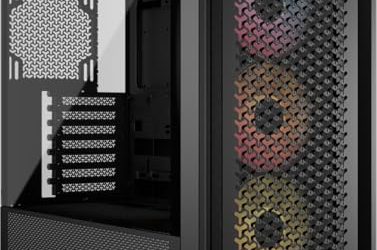
The ProArt PA602 is a full-tower E-ATX case shipping with one 140mm and two 200mm fans, support for 420mm radiators, and room for graphics cards up to 440mm. Those clearance numbers matter most to creators running oversized GPUs next to a large liquid cooler. The ProArt branding points at content creators, so it fits video, 3D, and design builds where a big card and a big radiator must share the same chassis without compromise.
- Strength: 440mm of listed graphics card room accommodates very long cards.
- Strength: 420mm radiator support leaves headroom for serious cooling.
- Trade-off: the listed fan set is three large fans, so builders chasing higher airflow may add more.
Skip it if you want a compact tower or a purely storage-focused chassis.
DARKROCK Classico Max
Billed as a storage master, the Classico Max fits an E-ATX board and holds ten 3.5 inch drives plus three 2.5 inch SSDs. It includes four 120mm fans, supports a 360mm radiator, and is described as USB 3.0 ready. This is the pick for archive-heavy video and photo workflows, where raw footage, project files, and backups all want their own drives and the board still needs room for a serious processor cooler.
- Strength: ten 3.5 inch bays plus three SSD positions handle large local libraries.
- Strength: E-ATX support keeps the door open for wide workstation boards.
- Trade-off: the front I/O is listed as USB 3.0, which is slower than newer ports.
Skip it if fast front-panel USB-C is essential or you only use a few drives.
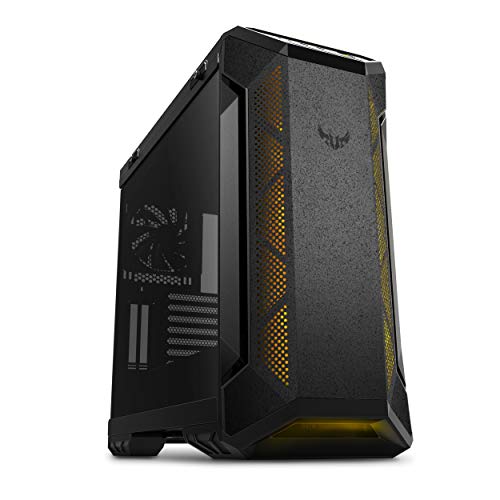
ASUS TUF Gaming GT501
The GT501 is an E-ATX full tower with three front 120mm RGB fans, one rear 140mm PWM fan, and support for dual 360mm radiators. The gaming name aside, the dual-radiator layout and wide-board support make it viable for a heavily overclocked or sustained-load workstation. Buyers who care about thermals more than looks can treat the lighting as optional and focus on the radiator capacity and board support.
- Strength: dual 360mm radiator support suits custom-loop or all-in-one cooling combinations.
- Strength: E-ATX capacity fits wide boards.
- Trade-off: it carries a gaming aesthetic and RGB lighting that office builds may not want.
Skip it if you want a plain, understated chassis or large storage capacity.
Rosewill Helium NAS Max
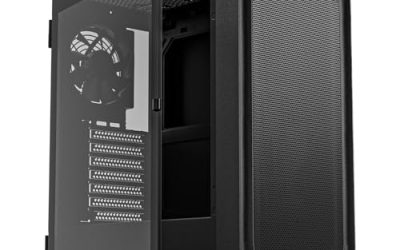
The Helium NAS Max is an ATX mid tower with a mesh panel, four 140mm PWM fans, room for eleven 3.5 inch drives, and BTF motherboard compatibility. It suits a workstation that doubles as a network storage box, or a media vault for a household that wants one quiet machine handling backups, streaming, and light editing in a mid-tower footprint.
- Strength: eleven 3.5 inch drive positions are generous for a mid tower.
- Strength: four 140mm PWM fans and a mesh front support steady airflow past the drives.
- Trade-off: it is ATX, so wide E-ATX workstation boards will not fit.
Skip it if your platform needs E-ATX or you want only a few drives.
Rosewill Thor NAS Pro
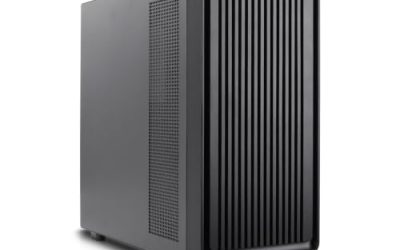
The Thor NAS Pro is a full-tower workstation and server chassis that supports up to eight 3.5 inch hot-swap SATA or SAS bays and two 2.5 inch SSDs, with E-ATX compatibility. It reads like a rack-style build in a tower body, aimed at small studios and labs that want drives to be serviceable quickly and that value storage density over appearance.
- Strength: eight hot-swap bays let you replace drives without opening the case.
- Strength: SATA and SAS support suits enterprise-style storage setups.
- Trade-off: its server-style design is aimed at storage, not showy cooling or glass.
Skip it if you want a flashy desktop build or only a handful of drives.
Which One Fits Your Situation
A Threadripper or AI Workstation With Heavy Cooling
The Antec 900 matches this directly, with E-ATX and Threadripper support plus six PWM fans and a 420mm radiator option. If your graphics card is unusually long, step up to the ASUS ProArt PA602 for its 440mm clearance.
A Video Editing Rig With a Large Raw Footage Library
The DARKROCK Classico Max offers ten 3.5 inch bays and three SSD slots in an E-ATX case, which lets you keep working drives, scratch disks, and archives together. Expect to rely on an add-in card for faster ports if the front USB 3.0 is limiting.
A Combined Workstation and Home Server
The Rosewill Helium NAS Max handles this in a mid tower footprint with room for eleven drives. If hot-swap convenience matters more than size, the Thor NAS Pro adds eight swappable bays and E-ATX compatibility.
A Liquid-Cooled Workstation With Two Radiators
The ASUS TUF Gaming GT501 lists dual 360mm radiator support in an E-ATX full tower, making it the most direct fit for builders running two loops or a radiator pair for processor and graphics card.
Common Mistakes
- Assuming every “workstation” label means E-ATX support, when the listing may stop at ATX.
- Buying a case by drive count alone and forgetting the front intake airflow the drive cages can block.
- Ignoring radiator clearance against memory or the motherboard’s top edge when fitting a 360mm or 420mm unit.
- Paying extra for RGB and glass panels on a build that will live under a desk.
- Skipping the graphics card length check, then finding a long professional card collides with a drive cage.
Related guides
- How To Check Gpu Compatibility With Your Motherboard And Cpu
- High-Performance Gaming Desktop Specifications
- Prebuilt Gaming Pc Rtx 5070 Under 1500
Frequently Asked Questions
Do I need E-ATX for a workstation case?
Only if your motherboard requires it. High-end desktop and server-class boards with many memory slots often use the wider E-ATX format, while many mainstream workstation boards are standard ATX. Check your board’s dimensions first.
How many drive bays should a workstation case have?
Plan for the drives you have now plus about half again. Editors and photographers with local archives often need eight or more 3.5 inch positions, while NVMe-focused builds can get by with just a few.
Is a 360mm radiator enough for a high-core-count processor?
For many sustained workloads, a 360mm radiator is a solid baseline, and a 420mm unit adds margin. Actual performance also depends on the processor, fan speed, and the case’s airflow path.
Can a NAS-style case work as a workstation?
Yes, if the motherboard size and graphics card fit. Cases like the Helium NAS Max and Thor NAS Pro list large drive capacity along with ATX or E-ATX support, which suits a workstation that also serves files.