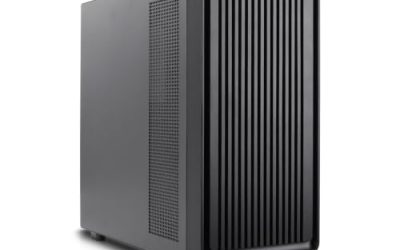
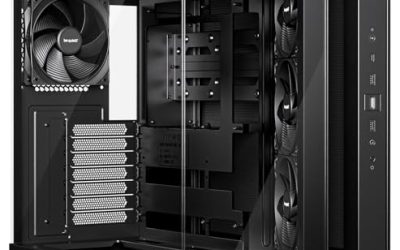
High-end PC cases exist for one reason: the parts going into them have outgrown ordinary chassis. A flagship graphics card can run well past 400mm in length, a custom loop wants room for 420mm radiators, and an E-ATX motherboard simply will not fit into a standard mid-tower. When a buyer searches for a high-end case, the real question is what the premium buys: more radiator space, bigger graphics card clearance, a distinctive dual-chamber layout, a built-in display or simply better materials and glass.
This 2026 roundup is for builders assembling a showpiece or a no-compromise workstation, not for someone who needs a cheap box. It covers seven premium cases, from touchscreen-equipped designs to full towers with dual 420mm radiator support. Reviews rest on the specifications in each product title, so confirm exact dimensions and fan placement on the maker page before you commit, especially if you plan a custom loop or a very large graphics card.
Our Top Picks
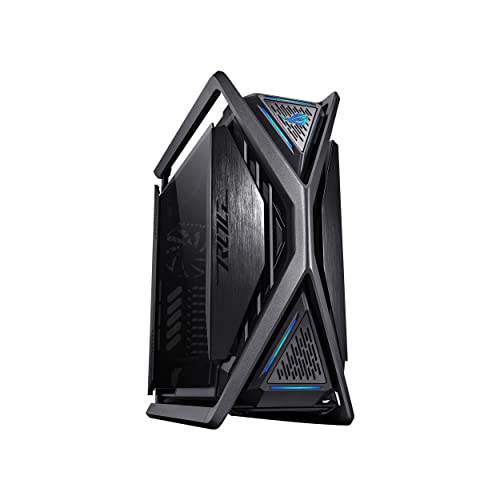 ASUS ROG Hyperion GR701 E-ATX Full-Tower Gaming PCGR701|Black25.94 x 10.55 x 25.16 Inches55 PoundsCheck on Amazon


Top 3 picks at a glance
Quick Picks
As an Amazon Associate we earn from qualifying purchases at no extra cost to you.




| Product | Best for | Key spec from the title |
|---|---|---|
| HYTE Y70 Touch Infinite | Display-focused showpiece builds | Integrated 2.5K LCD touchscreen, dual chamber ATX |
| NZXT H9 Flow RGB+ (White) | Bright, lit-up builds | Dual-chamber ATX, 7 RGB fans, Control Hub |
| Cooler Master HAF 700 EVO | High airflow E-ATX builds | E-ATX, IRIS LCD, 200mm Sickleflow fans |
| ASUS ROG Strix Helios II | Large graphics cards | EATX, dual tempered glass, GPUs up to 450mm |
| ASUS ROG Hyperion GR701 | Water-cooling enthusiasts | E-ATX full tower, dual 420mm radiators, 460mm GPUs |
| NZXT H9 Flow RGB+ (Black) | Understated dual-chamber builds | Dual-chamber ATX, 7 RGB fans, Control Hub |
| Thermaltake Tower 600 | Clean-cable showcase builds | 3 tempered glass panels, hidden-connector support |
How to Choose
Graphics card and motherboard clearance
Start with the largest part in your plan. Titles here quote graphics card clearance up to 450mm for the Helios II and 460mm for the Hyperion, which is a useful margin for oversized triple-fan cards. If your card is under about 340mm, almost any mid-tower works, so there is little reason to pay for extra clearance. Remember that clearance figures also have to account for the power cable plug at the end of the card, thick front-mounted radiators and any bracing, so leave a few millimeters of margin rather than building to the limit. Likewise, E-ATX board support only matters if you own such a board; the HAF 700 EVO, Helios II and Hyperion list it, while the NZXT and HYTE cases are listed as ATX.
Cooling layout: air or liquid
Look at fan count and radiator support. The Hyperion lists dual 420mm radiator support, which is the figure for a serious custom loop. The NZXT H9 Flow ships with seven RGB fans, and the HAF 700 EVO lists large 200mm fans, which both point toward airflow-first builds. A tempered glass panel on every side looks striking but can trap heat if the intake path is restricted, so check for mesh sections or breathable front panels. In practice, a premium case should let you place intake fans at the front and exhaust at the top and rear, with filters you can remove without tools. Ask how many drive bays and how much cable depth the chassis offers too, because a flagship case with no storage space becomes a limitation the moment you add a second NVMe heatsink or a pair of hard drives.
Layout and build experience
Dual-chamber layouts, used by the HYTE and NZXT models, tuck the power supply and cables into a separate section, which keeps the main window tidy. They can also make cable routing more demanding because wires pass through narrow gaps. Hidden-connector motherboards, supported by the Thermaltake Tower 600, push cable plugs to the back for an even cleaner front view. Rotational PCIe slots allow vertical graphics card mounting that shows the card off.
Extras worth paying for and extras to ignore
An integrated screen, like the 2.5K touchscreen on the HYTE or the customizable LCD on the Cooler Master, adds personality but also adds software and ongoing support questions. A fan hub, ARGB controller or pre-installed lighting saves real money and time. Ignore claims about showpiece aesthetics that do not come with measurable specs, and watch for budget-minded cases that sell lighting as the main feature while skimping on steel thickness and dust filters. Premium buyers should also expect front-panel connectivity that matches modern motherboards, such as a Type-C port, since a high-end case that lacks it will feel dated well before the components inside need replacing.
The 7 Best Options
HYTE Y70 Touch Infinite
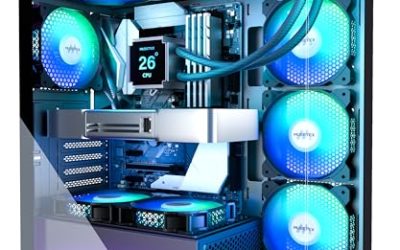
A statement case for builders who want a display on the chassis. The title lists an integrated 2.5K LCD touchscreen and a dual-chamber ATX design with a fan-heavy configuration.
- Strength: the built-in 2.5K touchscreen lets you show system stats, images or custom content.
- Strength: dual-chamber ATX layout hides wiring and supports a tidy showcase.
- Trade-off: the screen adds a software layer and a premium that a plain case avoids.
Buyers who enjoy tuning every detail of a build will find the display a natural centerpiece, since the title pairs it with a large fan configuration and a chamber layout designed to look deliberate from the side. Skip it if you want a traditional case with no extras to configure or a plain chassis that behaves like any other once the glass is on.
NZXT H9 Flow RGB+ (White)
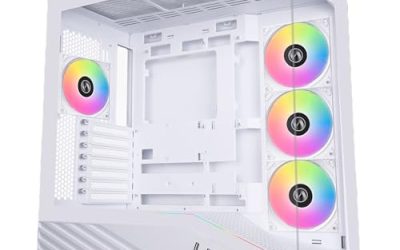
This white dual-chamber ATX case ships with seven RGB fans and the NZXT Control Hub pre-installed, according to the title. It targets builders who want a coordinated lighting setup out of the box.
- Strength: pre-installed fans and a Control Hub save a separate fan and controller purchase.
- Strength: the dual-chamber design keeps the main compartment clean and bright.
- Trade-off: it is listed as ATX, so it is not the one for an E-ATX board.
It makes sense for a first showpiece build where synchronized lighting is part of the plan. Skip it if you prefer minimal lighting, want to choose your own fans, or need E-ATX support.
Cooler Master HAF 700 EVO
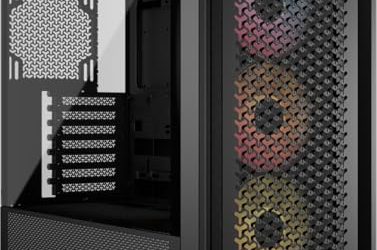
A high-airflow full-size case for E-ATX motherboards. The title lists an IRIS customizable LCD, a breathable tempered glass front panel, 200mm Sickleflow fans and a front USB 3.2 Gen 2 Type-C port.
- Strength: 200mm fans and a breathable front panel prioritize airflow for hot components.
- Strength: E-ATX support and a Type-C front port suit larger builds.
- Trade-off: the LCD is a design feature, not a performance gain.
It fits buyers who run hot components and want fans that move a lot of air at low speeds. Skip it if you want a compact case or a dual-chamber layout.
ASUS ROG Strix Helios II
This EATX case lists dual tempered glass side panels, support for graphics cards up to 450mm and graphics card braces. It suits owners of very large graphics cards who want visible support hardware.
- Strength: 450mm clearance and braces suit heavy, oversized cards.
- Strength: dual tempered glass side panels show off both sides of the build.
- Trade-off: a large EATX frame demands generous desk or floor space.
It is built for flagship-class graphics cards that sag without support. Skip it if your parts are modest or your space is tight.
ASUS ROG Hyperion GR701
A full-tower E-ATX gaming case with four built-in 140mm fans, an ARGB fan hub, support for dual 420mm radiators and room for graphics cards up to 460mm. It is the most liquid-cooling friendly option in this list.
- Strength: dual 420mm radiator support and 460mm card clearance handle extreme hardware.
- Strength: four 140mm fans and an ARGB hub give a working cooling setup from the start.
- Trade-off: a full tower is large and heavy, so plan for the footprint.
It is best for builders who plan a large radiator setup and want everything in one chassis. Skip it if you want a compact or mid-tower footprint.
NZXT H9 Flow RGB+ (Black)
The same dual-chamber ATX design as the white version, finished in black, with seven RGB fans and the NZXT Control Hub pre-installed per the title.
- Strength: the black finish suits darker setups and pairs with most component colors.
- Strength: the included RGB fans and Control Hub reduce parts shopping.
- Trade-off: like the white model, it lists ATX rather than E-ATX.
It works well in a darker room or beside black peripherals where lighting stands out against the chassis. Skip it if you need to host an extended-size motherboard or oversized radiators.
Thermaltake Tower 600
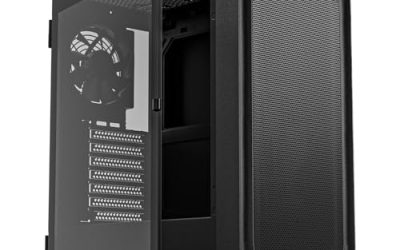
A mid-tower ATX case with three tempered glass panels, hidden-connector motherboard support and rotational PCIe slots. It is aimed at builders who care about the visual finish.
- Strength: three tempered glass panels create a wide, open view of the build.
- Strength: hidden-connector support and rotational PCIe slots make a clean, vertical-mount design possible.
- Trade-off: the title lists no fans or radiator figures, so cooling capacity needs checking.
It is a design-first choice for builders who plan to show off a vertically mounted graphics card. Skip it if raw cooling capacity is your first concern.
Which One Fits Your Situation
You want a custom water-cooling loop
The ASUS ROG Hyperion GR701 is the match, thanks to its dual 420mm radiator support and 460mm graphics card clearance. It also includes an ARGB fan hub.
You want the cleanest possible showcase
The Thermaltake Tower 600 lists hidden-connector motherboard support, rotational PCIe slots and three glass panels. Pair it with a back-connect board and sleeved cables for a striking result.
You want a display and lighting out of the box
Choose the HYTE Y70 Touch Infinite for the 2.5K touchscreen, or the NZXT H9 Flow RGB+ in white or black if you prefer pre-installed RGB fans and a Control Hub.
You run a very large graphics card and an E-ATX board
The ASUS ROG Strix Helios II lists EATX support and 450mm graphics card clearance with braces. The Cooler Master HAF 700 EVO is the airflow-focused alternative.
Common Mistakes
- Paying for size you will not use. A mid-size card and an ATX board gain nothing from E-ATX or 460mm clearance.
- Choosing glass over airflow. Multiple tempered glass panels look great but need a clear intake path or the components run hot.
- Overlooking power supply and cable space. Dual-chamber and hidden-connector cases need modular cables for a clean result.
- Forgetting radiator thickness. A 420mm radiator on paper may leave limited room for fans and tubing in practice.
- Ignoring weight and desk space. Full towers can be heavy and deep, so measure before buying.
Related guides
- How To Check Gpu Compatibility With Your Motherboard And Cpu
- High-Performance Gaming Desktop Specifications
- Desktop Computer For Working From Home
Frequently Asked Questions
What makes a PC case high end?
Typically it is a mix of materials, large component clearance, premium cooling support and design features such as tempered glass, dual-chamber layouts or displays. The tier is set by capability and build quality more than by lighting alone.
Do I need E-ATX support?
Only if your motherboard is E-ATX. Standard ATX boards fit all the cases listed, so E-ATX capability is a future-proofing choice rather than a requirement.
Are pre-installed fans worth it?
They can be. Cases such as the NZXT H9 Flow and the Hyperion list fans and hubs included, which saves buying and wiring them yourself.
Is a built-in LCD or touchscreen useful?
It is mostly cosmetic. It can show temperatures or custom images, but it does not improve cooling or performance, so treat it as a personal-style feature.