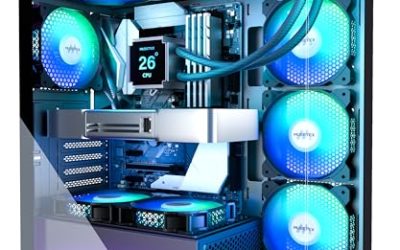
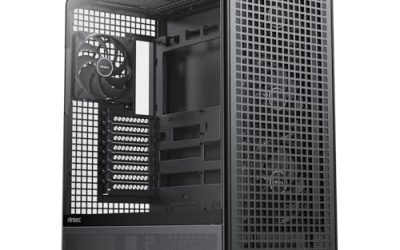
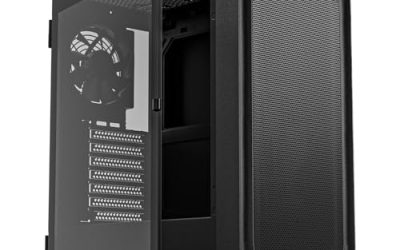
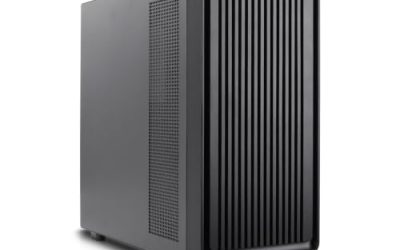
Choosing among Corsair cases is less about whether the brand is good and more about which of its several design families matches the build on your desk. The lineup splits cleanly into an understated airflow mid-tower, two panoramic glass families with reversed fans and anti-sag hardware, a triple-chamber layout meant to hide cables and power supplies, and one very large full-tower. Each answers a different question about space, looks, and how much tidying you want to do inside the chassis.
This guide is for builders who already settled on Corsair, whether for fan and lighting software compatibility, a consistent look across components, or simply familiarity, and now need to pick the right model. Eight cases are compared below using the details in their listings, with attention to fan counts, color options, and layout style. The aim is a case that suits a 2026 build with a modern graphics card and a few ARGB accessories, without paying for features you will not use.
Our Top Picks
 CORSAIR 7000D Airflow Full-Tower ATX PC Case7000 Series21.65 x 9.76 x 23.62 inches41.23 poundsCheck on Amazon


Top 3 picks at a glance
Quick Picks
As an Amazon Associate we earn from qualifying purchases at no extra cost to you.


| Product | Best for | Key spec from the title |
|---|---|---|
| Corsair 4000D RS ARGB Frame | Airflow-first mid-tower builds | 3 pre-installed fans, InfiniRail mounting |
| Corsair 3500X RS ARGB (Black) | Showcase builds with a view | Panoramic mid-tower, 3 reverse fans |
| Corsair 7000D Airflow | Large enthusiast builds | Full-tower ATX, 3x 140mm AirGuide fans |
| Corsair 3500X LX-R RGB iCUE Link | Builders using iCUE Link gear | 3 LX120-R fans, iCUE Link System Hub |
| Corsair 3500X RS ARGB (White) | All-white themed systems | White finish, 3 reverse fans |
| Corsair AIR 5400 LX RGB | Clean-cable showcase builds | Triple-chamber, 3 reverse-rotor fans |
| Corsair AIR 5400 RS ARGB | Triple-chamber layout in black | Triple-chamber, 3 reverse-rotor fans |
| Corsair AIR 5400 RS-R ARGB | White build with quiet fans | RS120-R ARGB fans, low-noise |
How to Choose
Match the case size to the parts you own
Start with the motherboard and the graphics card. A mid-tower covers standard ATX boards for most people, while a full-tower such as the 7000D is for dual-radiator loops, oversized graphics cards, and builders who want elbow room. Before buying, compare your card length, cooler height, and any radiator size against the dimensions on the case page, since titles rarely list them. Do not assume every mid-tower swallows a long triple-fan card with a thick cooler on the front.
Also think about the desk it will live on. A panoramic mid-tower is wider on the glass side than a plain airflow case, and a full-tower can dominate a small workspace. If the tower will sit on the floor, size matters less and the extra interior volume becomes a bonus. If it must slide into a desk cutout, measure that opening before you fall for a case photo, and leave a few inches behind the rear panel for power and display cables.
Count the fans and look at their direction
Fan count and orientation shape both noise and temperature. Three included fans is a healthy baseline, because a case that ships with none forces an extra purchase. Reverse-rotor or reverse-blade fans simply flip the blade side so lighting faces the glass; they still move air. If you prefer quiet, look for a model that mentions low-noise fans, and verify front-panel mesh or intake openings are not blocked by a decorative cover.
Decide on lighting and control ecosystem
ARGB models connect to a standard addressable header on the motherboard or a hub, while iCUE Link models use Corsair’s daisy-chain system with a dedicated hub. Standard ARGB gives wider compatibility with other brands and motherboard software. iCUE Link gives cleaner cabling and unified software control if you already own compatible parts. Skip the premium lighting tier entirely if your build will sit under a desk where nobody sees it. Remember too that lighting is a software choice as much as a hardware one: many builders end up running everything at a single calm color, so the number of effects a controller offers is a weak reason to pay more.
Weigh cable management and where budget cases cut corners
Cheaper cases save money on cable routing space, tool-free mounting, and included hardware. Features like a triple-chamber layout, anti-sag support for a heavy graphics card, and modular drive trays all add cost for good reason. Check that the case lists a GPU support arm if you run a large card, and that the dust filters are removable. A bare-minimum case can be perfectly fine, but expect more time spent routing power cables.
The 8 Best Options
Corsair 4000D RS ARGB Frame
The 4000D RS ARGB Frame is the airflow-oriented mid-tower of the group. The listing highlights three pre-installed fans, a fully modular design, and InfiniRail fan mounting that makes fitting extra fans easier. It suits builders who prioritize cooling and a straightforward build over a showpiece look.
- Strength: three pre-installed fans with a high-airflow design.
- Strength: InfiniRail mounting and a modular layout simplify adding fans later.
- Trade-off: the title stresses airflow and customization rather than the wraparound glass of the panoramic models.
Skip it if you want a wraparound view of your parts.
Corsair 3500X RS ARGB (Black)
This black 3500X is a panoramic mid-tower aimed at builders who want to show off a graphics card and lit fans. The title lists three pre-installed reverse fans, high airflow, a spacious interior, and GPU anti-sag support.
- Strength: anti-sag hardware helps protect a heavy graphics card over time.
- Strength: three reverse fans put the lighting on display while still moving air.
- Trade-off: panoramic glass makes cable neatness matter more, since everything is visible.
Skip it if you want a plain, stealthy chassis.
Corsair 7000D Airflow
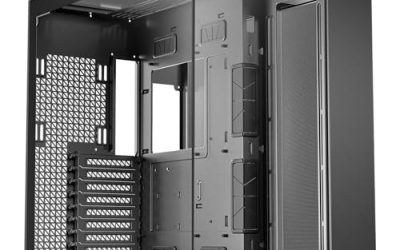
The 7000D is the only full-tower here, built for an ATX system with room to spare. The listing mentions a high-airflow front panel, a spacious interior, easy cable management, and three 140mm AirGuide fans with PWM control.
- Strength: full-tower space for large components and ambitious cooling plans.
- Strength: 140mm PWM fans can move air at lower speeds, helping keep noise down.
- Trade-off: a full-tower takes up significant desk or floor space.
Skip it if you are building a compact setup or have a small desk.
Corsair 3500X LX-R RGB iCUE Link
This variant moves from standard ARGB to the iCUE Link ecosystem. The title lists three LX120-R RGB fans, an included iCUE Link System Hub, and a GPU anti-sag arm, so the fan wiring and software control come ready out of the box.
- Strength: the System Hub and fans are included, which simplifies a fully Corsair-controlled lighting setup.
- Strength: an anti-sag arm supports a heavier graphics card.
- Trade-off: iCUE Link is its own ecosystem, so mixing in other brands’ fans takes more care.
Skip it if you plan to use a motherboard’s ARGB header for all lighting.
Corsair 3500X RS ARGB (White)
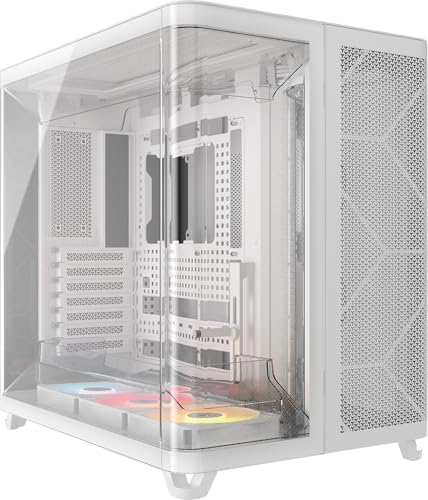
The white 3500X offers the same panoramic mid-tower design as its black sibling, finished for all-white themes. Three pre-installed reverse fans, high airflow, a spacious interior, and GPU anti-sag support are named in the listing.
- Strength: white finish fits a matching white-component build.
- Strength: it carries the same anti-sag and three-fan feature set as the black version.
- Trade-off: white surfaces show dust and cable clutter more easily.
Skip it if your parts are black or mixed and you do not want a color clash.
Corsair AIR 5400 LX RGB
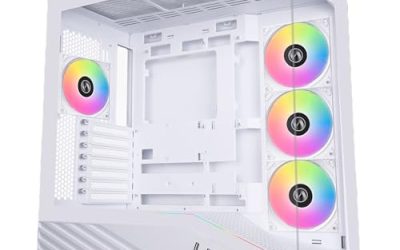
The AIR 5400 LX RGB brings a triple-chamber panoramic layout, which separates the main components from cables and the power supply. The title also lists three reverse-rotor fans, high airflow, anti-sag support, and easy cable management.
- Strength: the triple-chamber layout helps hide cabling and power hardware.
- Strength: three reverse-rotor fans and anti-sag support come ready to use.
- Trade-off: the layout suits tidy builders; it may be more case than a simple office PC needs.
Skip it if you want the least complicated build possible.
Corsair AIR 5400 RS ARGB
This black RS model shares the triple-chamber panoramic layout and the three pre-installed reverse-rotor fans. It makes sense for builders who like the hidden-cable approach and want ARGB lighting that works with standard motherboard headers.
- Strength: the triple-chamber design makes cable management easier to live with.
- Strength: it uses ARGB fans, which fit standard addressable lighting setups.
- Trade-off: it overlaps heavily with the LX RGB version, so the lighting type is the main difference.
Skip it if you plan to buy into the iCUE Link ecosystem.
Corsair AIR 5400 RS-R ARGB
The RS-R is the white triple-chamber option, with three pre-installed RS120-R ARGB reverse-rotor fans. The listing calls out low-noise operation along with high airflow, which makes it the most appealing of the group for a quiet white build.
- Strength: low-noise fans pair with a high-airflow design.
- Strength: white finish with ARGB lighting suits a themed showcase.
- Trade-off: it is a large panoramic design that needs desk room and a tidy approach.
Skip it if you want a black, low-profile case.
Which One Fits Your Situation
You want strong cooling without fuss
Go with the Corsair 4000D RS ARGB Frame. Three included fans, a modular layout, and InfiniRail mounting make it the practical choice for a gaming build that prioritizes temperatures.
You are building a heavy, high-end graphics card system
The Corsair 3500X RS ARGB (Black) brings anti-sag support and a spacious interior in a mid-tower footprint. If you need even more room for large components, step up to the Corsair 7000D Airflow.
You want a clean showcase with hidden cables
The Corsair AIR 5400 LX RGB or AIR 5400 RS ARGB give you the triple-chamber layout. Pick the RS-R ARGB if you want the same design in white with low-noise fans.
You already own iCUE Link or want one-software control
The Corsair 3500X LX-R RGB iCUE Link includes the System Hub and LX120-R fans, so your lighting and fan control sit under one roof. For a white standard-ARGB alternative, the 3500X RS ARGB (White) works with ordinary motherboard headers.
Common Mistakes
- Choosing a case by looks without comparing graphics card length and cooler height against the case specifications.
- Assuming reverse fans move less air, when the blades are simply flipped to face the glass.
- Buying an iCUE Link model and then mixing in standard ARGB fans without checking compatibility.
- Buying a white case, then filling it with black cables and parts that clash visibly through panoramic glass.
- Skipping anti-sag support on a heavy graphics card and letting the card slowly bend its slot.
Related guides
- How To Check Gpu Compatibility With Your Motherboard And Cpu
- High-Performance Gaming Desktop Specifications
- Desktop Computer For Working From Home
Frequently Asked Questions
What is the difference between ARGB and iCUE Link?
ARGB uses a standard three-pin addressable header found on most motherboards. iCUE Link is Corsair’s daisy-chain system that runs through a dedicated hub for combined power, data, and lighting. Both work, but they are not interchangeable.
Do I need a full-tower case?
Most builds do not. A mid-tower handles standard ATX boards, large graphics cards, and typical cooling. A full-tower such as the 7000D is for extensive liquid cooling plans or very large components.
What does triple-chamber mean?
It describes a layout that separates the main components, cabling, and power supply into distinct zones. The goal is to hide wires and keep the visible part of the build tidy. It usually takes planning but rewards you with a clean look.
Are the included fans enough?
Three pre-installed fans are a good start for most gaming builds. Add more only if your processor or graphics card runs hot or you want quieter operation through lower fan speeds.