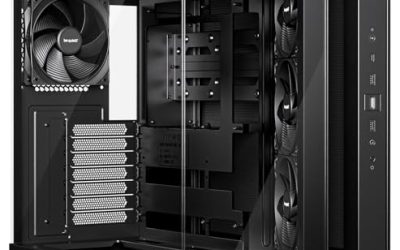
Glass sells a PC case before a single component goes inside it. A panel of tempered glass turns the interior into a display, which is why almost every enthusiast case now has at least one, but the word “tempered” hides a lot of differences. A single side window is a very different object from a three-panel or 270-degree wraparound design, and the more glass a case has, the more your cable routing, fan choices, and dust habits will be on show.
This guide is for builders who want to see their hardware and want to know what they are getting into. It compares eight cases that all advertise tempered glass, from affordable fan-stuffed mid-towers to premium dual-chamber chassis, and it sticks to the specs listed in each title. If you are shopping in 2026 and the choice is between a bold wraparound look and a more restrained showcase, the sections below help you pick based on airflow, GPU room, and how much cable mess you can tolerate.
Our Top Picks
 MUSETEX Y6 PC Case16.73"D x 10.83"W x 15.67"H16.73 x 10.83 x 15.67 Inches14.55 poundsCheck on Amazon
 MUSETEX ATX PC Case 7 PWM ARGB Fans16.73"D x 8.35"W x 18.5"H16.73 x 8.35 x 18.5 inches15 PoundsCheck on Amazon


Top 3 picks at a glance
Quick Picks
As an Amazon Associate we earn from qualifying purchases at no extra cost to you.




| Product | Best for | Key spec from the title |
|---|---|---|
| MUSETEX Y6 | Maximum glass and lit fans | 270 degree glass, 7 Infinity Mirror ARGB fans |
| MUSETEX K2 | Dual-glass display build | Full-view dual tempered glass, 7 PWM ARGB fans |
| CORSAIR 3500X RS | Airflow-minded panoramic build | 3 reverse fans, GPU anti-sag |
| Lian Li V100 | Large GPU, 360mm radiator | 420mm GPU support, side USB-C |
| RUIX OV303 | Simple lit mid-tower | 4 x 120mm Prism ARGB PWM fans |
| MUSETEX Y6 (second listing) | Alternate Y6 variant | 270 degree glass, Type-C |
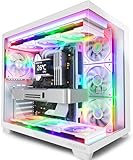
| Lian Li O11 Vision Compact (white) | Compact, white showcase | Three-panel glass, back-connect support |
| Lian Li O11 Vision Compact (black) | Compact, dark showcase | Dual-chamber, three-panel glass |
How to Choose
Count the panels, not just the word “glass”
One glass side panel is standard. Better showcase cases use two panels or three, wrapping the front corner so the interior is visible from several angles. The more glass, the less steel behind it, which is a design choice you notice when you route cables. Check the title for phrases like “dual,” “panoramic,” or “three-panel,” and think about where the case will sit: a desk against a wall hides one of the glass sides entirely.
Plan for the airflow penalty
Glass does not breathe. A front panel of glass or a dense glass side forces air through narrower intake paths, so GPU temperatures depend more on fan placement. Look for several pre-installed fans, reverse-blade intakes, or mesh at the top and bottom. A case with three included fans is a fair baseline, and a graphics card that draws 300 watts or more benefits from at least two intake fans plus one exhaust.
Verify component clearance
Dual-chamber and compact designs can limit cooler height, radiator size, and drive mounts. Confirm the maximum GPU length, such as the 420mm support on one listing, and check radiator compatibility for 240mm or 360mm coolers. If you use a large air cooler, look for a clearance figure of 160mm or more, because glass panels leave little room for compromise.
Handle the glass practically
Tempered glass is stronger than regular glass but can still shatter at the edges if hit. Look for panels that are hinged or held by thumbscrews rather than loose pins, and expect fingerprints and dust to show. Budget cases cut corners with thin glass or fragile mounting, so shipping damage claims are worth reading about in the listing’s return terms.
The 8 Best Options
MUSETEX Y6
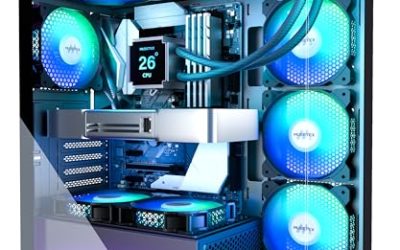
The Y6 is for builders who want the glass to do the talking. The title lists a 270-degree full-view tempered glass design, seven pre-installed Infinity Mirror PWM ARGB fans, a Type-C port, and an ATX mid-tower layout. Anyone assembling a showpiece on a desk that sits in plain view will find the wraparound look hard to beat in this group.
- Strength: the wide viewing angle shows nearly the whole interior.
- Strength: seven ARGB fans arrive installed, so lighting is solved immediately.
- Trade-off: wide glass exposes every cable, so wiring discipline matters.
Skip it if you want a stealthy, low-key look, struggle with tidy cable management, or would rather spend the effort on a quieter build with fewer spinning fans.
MUSETEX K2
The K2 trades the wraparound for full-view dual tempered glass and keeps seven PWM ARGB fans plus Type-C. It suits shoppers who want a classic two-panel display case, a bit more conventional than the Y6, with the same lights-ready package for people who dislike buying extras after the fact.
- Strength: dual glass panels give a clear view of both sides of the build.
- Strength: seven PWM fans with ARGB provide both speed control and lighting.
- Trade-off: dual glass limits where the cables can hide.
Skip it if you want a mesh front for stronger airflow, or if the cost of a dense glass front worries you because your graphics card already runs warm. Builders who plan a quiet, airflow-first rig usually look elsewhere.
CORSAIR 3500X RS
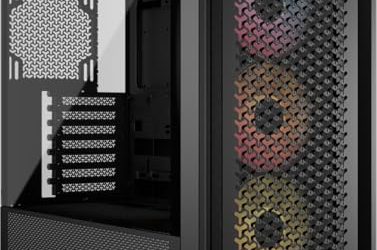
This panoramic mid-tower is for builders who want a clear view and still care about cooling. The title lists three pre-installed reverse fans, high airflow, a spacious interior, and GPU anti-sag support, which signals a design that expects a big graphics card and decent intake. Reverse-blade fans mount the lit side facing outward, so the interior glow stays visible through the glass while air still moves where it should, a detail that matters in a panoramic case.
- Strength: three reverse fans arrive installed, helping with intake out of the box.
- Strength: GPU anti-sag support protects a heavy card over time.
- Trade-off: only three fans are listed, fewer than the seven-fan rivals here.
Skip it if you want the brightest lighting without adding fans later.
Lian Li V100
The V100 appeals to buyers with premium hardware who still want a tempered glass view. The title lists side USB-C, a dust filter, support for 420mm GPUs and a 360mm radiator, an included GPU bracket, and LED lighting. Enthusiasts planning a long flagship card and liquid cooling will see the clearance numbers as the main draw.
- Strength: 420mm GPU support leaves room for very large cards.
- Strength: an included bracket and dust filter add practical upkeep value.
- Trade-off: the title does not list a big pre-installed fan count.
Skip it if you want a case that ships with a full ARGB fan set, or if you would rather not budget time and money for fans on top of the case itself.
RUIX OV303
RUIX is a no-frills ATX mid-tower for people who want a lit, airflow-oriented case without much fuss. The listing mentions four pre-installed 120mm Prism ARGB PWM fans, USB 3.0 and Type-C ports, and a high-airflow design in black. It is a sensible first-build option for gamers who have a modest graphics card.
- Strength: four 120mm ARGB PWM fans cover both airflow and lighting.
- Strength: USB 3.0 and Type-C give a flexible front panel.
- Trade-off: the title does not describe wraparound or dual glass, so it is less of a showpiece.
Skip it if you want the dramatic glass wraps of the Y6 or O11 designs, or if you plan a large custom loop that would need clearance details the title never spells out.
MUSETEX Y6 (Second Listing)
The second Y6 listing has a title that matches the first: seven Infinity Mirror PWM ARGB fans, 270-degree full-view tempered glass, ATX mid tower, and Type-C. It likely represents a different color or version, so compare the full page details before choosing. It suits buyers who want that same look from whichever listing is in stock.
- Strength: it repeats the wraparound glass and seven-fan package.
- Strength: a second listing gives you an alternate if the first is unavailable.
- Trade-off: similar titles make it easy to confuse the two.
Skip it if you do not want to double-check which version you are ordering, because buying on the title alone is the easiest way to receive a color or fan layout you did not intend.
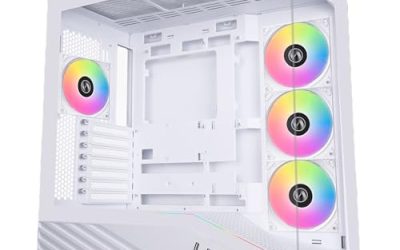
Lian Li O11 Vision Compact (White)
The compact O11 Vision is for builders who want a dual-chamber showcase in a smaller footprint. The title lists a compact ATX design, three-panel glass, back-connect support, and a white finish. It is a strong fit for a small desk where a full tower would crowd the monitor. The white version in particular pairs nicely with light desks and pale walls, which makes the build read as décor instead of equipment, a quality that suits apartments and shared rooms.
- Strength: three-panel glass wraps the interior in a clean white frame.
- Strength: back-connect support helps hide connectors for a tidier display.
- Trade-off: compact dimensions can limit large coolers and extra drives.
Skip it if you need lots of storage bays, a very tall air cooler, or a case that comes with its own fans already mounted and lit.
Lian Li O11 Vision Compact (Black)
This is the same compact dual-chamber concept in black. The title lists three-panel glass, back-connect support, and a compact ATX layout, so it appeals to buyers who prefer a dark, restrained look that lets component lighting stand out rather than the chassis color. Because the listing stresses a compact footprint, it suits desks where space is tight and the build is meant to be admired from a few feet away rather than reached into every week.
- Strength: three glass panels give a wide, uncluttered view.
- Strength: black trim makes RGB parts pop without competing.
- Trade-off: dark finishes show dust and fingerprints on glass more readily.
Skip it if you want pre-installed fans listed in the title, a roomy chassis for several drives, or a finish that hides dust without regular wiping.
Which One Fits Your Situation
You want the biggest visual effect
Choose the MUSETEX Y6. The 270-degree glass and seven mirror-effect fans produce the strongest display in the group.
You run a long, heavy graphics card
The Lian Li V100 fits best: 420mm GPU support and a bundled bracket address both clearance and sag.
You have a small desk
Pick the Lian Li O11 Vision Compact. It keeps the three-panel glass look at a reduced size, and the white version brightens a minimalist setup.
You want cooler temperatures behind glass
Go with the CORSAIR 3500X RS. Its three reverse fans and airflow focus are the clearest cooling signals among the glass-heavy designs.
Common Mistakes
- Assuming all tempered glass cases cool equally; the front and fan layout matter more than the glass itself.
- Ignoring where the case will sit, which can hide a glass panel completely.
- Forgetting that more glass means more visible cable clutter.
- Overlooking cooler height and radiator limits in compact dual-chamber designs.
- Treating glass panels carelessly during building, which can chip edges or corners.
Related guides
- How To Check Gpu Compatibility With Your Motherboard And Cpu
- High-Performance Gaming Desktop Specifications
- Desktop Computer For Working From Home
Frequently Asked Questions
Is tempered glass better than acrylic?
Tempered glass resists scratches and yellowing better and feels more premium. Acrylic is lighter and less likely to shatter, but it scratches more easily.
Does tempered glass hurt cooling?
It can, because glass blocks vents. Cases with reverse fans, mesh sections, or several intake fans help offset that.
How do I clean a glass panel?
Use a microfiber cloth and a glass-safe cleaner away from the components. Remove the panel to clean it rather than spraying inside the case.
Is dual-chamber worth it?
If you want hidden cables and a clean display, yes. Dual-chamber cases separate the power supply and cables from the main view, but they can limit cooler height and add build complexity.