Many people carry one laptop for two lives. On Monday it runs video meetings, shared spreadsheets, and a stack of PDFs; on Saturday it streams a movie, sorts family photos, and handles online shopping. A machine for both has to satisfy two different tests: it must be dependable enough for work, with a real keyboard, enough memory, and an operating system your employer can live with, and relaxed enough for home, with a bright screen and room for personal files. The keyword “business and personal use” is really a request for a sensible middle: not a stripped-down budget machine, not a workstation.
This guide is for freelancers, small-business owners, remote employees, and students with part-time jobs who cannot justify two computers. We read each title for the details that matter in a dual-purpose laptop, such as RAM, storage, keyboard layout, touchscreen, and Windows edition, and grouped seven listings from budget to premium. Titles are truncated in places, so where a spec is missing, we say to check the listing. The result is a shortlist you can narrow in a few minutes, well in time for 2026 purchasing decisions.
Our Top Picks
 Dell 15.6" FHD Touchscreen Business Laptop16GB RAM | 1TB SSD14.11 x 9.27 x 0.75 inches3.65 PoundsCheck on Amazon



Top 3 picks at a glance
Quick Picks
As an Amazon Associate we earn from qualifying purchases at no extra cost to you.





| Product | Best for | Key spec taken from the product title |
|---|---|---|
| Lenovo Business 15.6-inch FHD | Light office work with USB-C | 8GB DDR5, 128GB storage, Wi-Fi 6, USB-C |
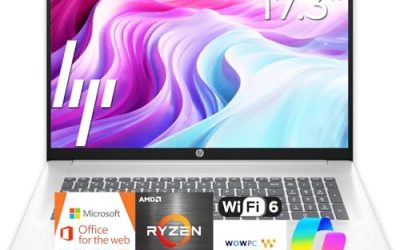
| HP 17-inch Laptop (Ryzen 5 7430U) | Big-screen office and study | Ryzen 5 7430U, Copilot PC |
| Dell 16 Touchscreen (Core 7 150U) | Heavy multitasking | 32GB DDR5, 1TB SSD, 16:10 FHD+ IPS |
| Dell 15.6 Touchscreen (Ultra 7 255U) | Premium-tier daily use | 12-core Ultra 7 255U, 16GB DDR5, 1TB SSD |
| HP 15.6 Touchscreen (Ryzen 7 7730U) | Windows Pro workplaces | Ryzen 7 7730U, 16GB, 512GB SSD, Windows 11 Pro |
| HP 17-inch Business Laptop (Ryzen 5) | Spreadsheets at a desk | 16GB RAM, 512GB SSD, numeric keypad |
| HP 15.6 (Intel N200) | Occasional light tasks | 4 cores, 4GB RAM, 128GB SSD, Windows 11 Home S Mode |
How to Choose
Windows edition and S Mode matter more than they look
Business tasks sometimes require software outside the Microsoft Store, such as accounting tools, VPN clients, or industry programs. Windows 11 Home in S Mode only runs Store apps until you switch it out, which is a one-way change. Windows 11 Pro adds device management and encryption options that many employers expect. If your office has IT rules, ask which edition is required before you buy, and favor listings that name Pro on the title.
Memory and storage for two workloads
A dual-purpose laptop carries both work files and personal media, so size it generously. Eight gigabytes of RAM is the floor for office applications, 16GB handles many browser tabs plus a video call, and 32GB suits heavy spreadsheets or virtual machines. For storage, 128GB is thin once photos, downloads, and updates arrive; look for 512GB or 1TB if one drive must hold everything.
Screen, keyboard, and ports
You will look at the screen for hours, so prefer Full HD or better, an IPS panel where listed, and brightness around 300 nits. A 16:10 aspect ratio shows more rows of a document than 16:9. Full-size keyboards with a number pad help with spreadsheets, and backlighting helps on flights and in dim rooms. USB-C is useful for docks and travel chargers. Touchscreens add flexibility for signing documents and browsing but trim battery life slightly.
Processor tier and what to ignore
Core 7, Core Ultra 7, and Ryzen 7 chips are the multitasking tier; Ryzen 5 is a balanced mid-range option; the Intel N200 is a budget part for light use. Ignore AI badges and peak clock speeds on their own. The words Copilot PC describe a feature set, not a guaranteed speed gain. Budget models cut corners on RAM, storage, and keyboard extras, so confirm those first.
It also helps to sort the seven listings into tiers before you compare details. The Intel N200 HP and the Lenovo with 128GB of storage are the budget tier: fine for email, web apps, and light documents. The HP Ryzen 5 models and the HP Ryzen 7 touchscreen form a mid-range tier, with enough memory for a full workday of meetings and tabs. The two Dell touchscreens are the premium tier, built around 1TB drives and newer Core and Core Ultra processors. Decide your tier first, then use the details above to choose within it. Doing so prevents the common trap of paying for a premium chip while accepting a 128GB drive that you will outgrow in a year.
Think too about the second life of the laptop. A machine bought for work often becomes the family computer after a few years, so memory and storage you consider excessive today are what keep it useful later. If personal use means photo libraries, school projects, or hobby video, lean toward 1TB. If personal use is mostly streaming and browsing, 512GB is enough, and cloud storage can handle the overflow.
The 7 Best Options
Lenovo Business 15.6-inch FHD
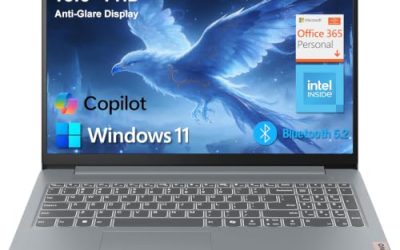
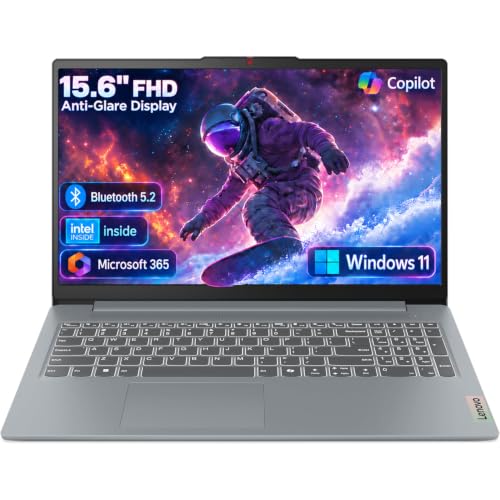
This Lenovo lists a 15.6-inch FHD anti-glare screen, an Intel processor, 8GB of DDR5 RAM, 128GB of storage, Office 365, Copilot AI, Wi-Fi 6, and USB-C. It suits a light-duty remote worker who mostly lives in a browser and Office documents.
- Strength: USB-C and Wi-Fi 6 are welcome connectivity extras for the budget tier.
- Strength: an anti-glare Full HD screen suits long document sessions.
- Trade-off: 128GB of storage is tight for a combined work and personal library.
Skip it if you store many local files or need Windows Pro, which the title does not mention.
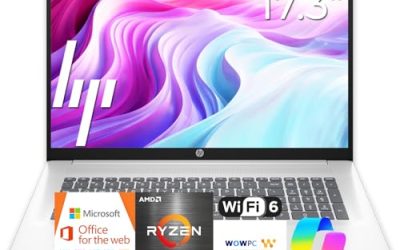
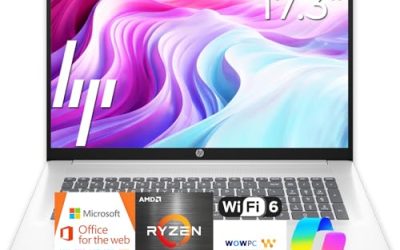
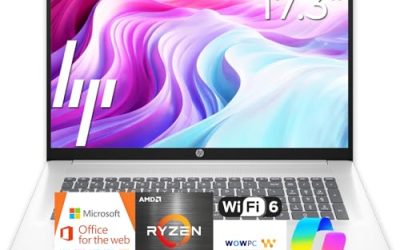
HP 17-inch Laptop (Ryzen 5 7430U)
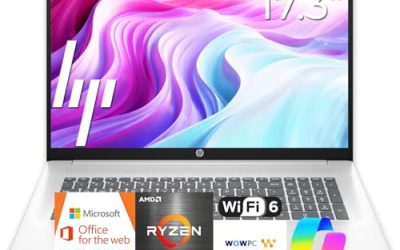
This HP is aimed at business and student buyers, pairing a 17-inch screen with an AMD Ryzen 5 7430U and Copilot PC branding. The short title leaves out RAM and storage, so confirm both on the listing.
- Strength: the Ryzen 5 7430U sits in the comfortable mid-range tier for office work.
- Strength: the large display suits split-screen documents and study.
- Trade-off: the title lists no memory or drive size, so the configuration is unclear.
Skip it if you want to verify specs from the title alone, or if you commute with the laptop.
Dell 16 Touchscreen (Core 7 150U)
The Dell 16 is the memory leader, listing an Intel Core 7 150U, 32GB of DDR5 RAM, a 1TB SSD, a 16:10 FHD+ IPS touchscreen at 300 nits, and a full-size backlit keyboard with a number pad.
- Strength: 32GB of RAM and 1TB of storage give long-term headroom for both lives.
- Strength: the 16:10 FHD+ panel shows more of each page than a 16:9 screen.
- Trade-off: a 16-inch touchscreen body is larger to carry than a 14-inch model.
Skip it if you want a light travel machine or a budget-tier outlay.
Dell 15.6 Touchscreen (Ultra 7 255U)
This Dell lists a 15.6-inch FHD touchscreen, a 12-core Intel Core Ultra 7 255U with a stated boost up to 5.2GHz, 16GB of DDR5 RAM, a 1TB SSD, and a backlit keyboard under Windows 11.
- Strength: Ultra 7 processing and a 1TB drive suit a premium-tier daily workload.
- Strength: the backlit keyboard and touchscreen make it flexible across work and leisure.
- Trade-off: 16GB of RAM is lower than the 32GB Dell, so heavier users should look up a tier.
Skip it if you need a stated Windows Pro edition, because the title cuts off before naming it.
HP 15.6 Touchscreen (Ryzen 7 7730U)
This HP lists a Ryzen 7 7730U, 16GB of RAM, a 512GB SSD, an FHD IPS touchscreen, AMD Radeon graphics, Windows 11 Pro, Wi-Fi 6, a Copilot key, and a numeric keypad.
- Strength: Windows 11 Pro on the title helps with workplace requirements.
- Strength: the Ryzen 7, 16GB, and 512GB combination covers most mixed workloads.
- Trade-off: 512GB is less than the 1TB offered by both Dell models.
Skip it if you want the largest drive or the lightest body.
HP 17-inch Business Laptop (Ryzen 5)
This HP lists a Ryzen 5 processor, 16GB of RAM, a 512GB SSD, a 17.3-inch FHD display, and a numeric keypad. It is a desk-centered pick for budgets, invoices, and spreadsheets.
- Strength: 16GB of RAM and 512GB of storage are a balanced pairing.
- Strength: the large screen and numeric keypad ease data entry.
- Trade-off: the 17.3-inch body does not suit frequent commuting.
Skip it if you want a touchscreen or a smaller footprint.
HP 15.6 (Intel N200)
This HP lists a four-core Intel N200, 4GB of RAM, a 128GB SSD, and Windows 11 Home in S Mode, marketed as a portable business laptop with long battery life.
- Strength: it sits in the budget tier for occasional light tasks.
- Strength: the 15.6-inch size is easy to find accessories for.
- Trade-off: 4GB of RAM and S Mode limit it for real business software.
Skip it if your job needs desktop programs or many open applications.
Which One Fits Your Situation
You work remotely and your employer sets software rules
The HP 15.6 Touchscreen with the Ryzen 7 7730U lists Windows 11 Pro and 16GB of RAM, which covers most corporate setups.
You run heavy spreadsheets and also edit family videos
The Dell 16 Touchscreen offers 32GB of RAM and a 1TB SSD, the strongest pairing for both workloads.
You want a premium-tier machine you can stretch for years
The Dell 15.6 Touchscreen with the Ultra 7 255U combines a 12-core chip, 16GB of RAM, and a 1TB drive. If memory is the concern, the Dell 16 Touchscreen doubles the RAM listed on this model.
You need a simple laptop for email and invoices
The Lenovo Business 15.6-inch FHD is the lighter-use option, with USB-C and Wi-Fi 6 included. Pair it with an external drive for personal files, since the listed storage is modest.
Common Mistakes
- Buying a Home S Mode laptop and discovering a work program will not install.
- Choosing 128GB of storage for a machine that must hold both work and personal files.
- Paying for a touchscreen you will never use, then losing a little battery life to it.
- Assuming the Copilot label makes a budget processor fast.
- Ignoring missing specs in short titles, such as the HP 17-inch listing with no RAM figure.
Related guides
- How To Check Gpu Compatibility With Your Motherboard And Cpu
- High-Performance Gaming Desktop Specifications
- How To Plan An Upgradeable Mid Range Gaming Pc
Frequently Asked Questions
Do I need Windows 11 Pro for business use?
Not always, but many employers prefer it for encryption and device management. Check with your IT team, and favor listings that name Pro in the title.
How much RAM is right for a work-and-home laptop?
Plan on 16GB if you can. Eight gigabytes covers light office use, while 32GB suits heavy spreadsheets and creative projects.
Is a touchscreen worth it on a business laptop?
It helps with signing documents and navigating in tablet-style situations. It is optional, and a non-touch panel is fine if you stay at a desk.
Can I use a budget N200 laptop for work?
For email and web apps, yes. For multiple programs at once or desktop business software, step up to a Ryzen 5 or a Core-class chip with 16GB of RAM.