The 15-inch class is where most laptops live, and that makes shopping for the best 15 laptop oddly hard. A 15.3-inch Mac, a 15.6-inch Windows notebook with a 120Hz panel, and a bargain model with 4GB of memory all fit the label. The size itself is the sweet spot between a cramped 13-inch screen and a bulky 17-inch one, so the real question is what you want inside that frame: more memory, a smoother display, a better keyboard, or the lowest entry cost.
This guide is for students, home-office workers, and families picking one main laptop for 2026 and beyond. It compares six options from Apple, ASUS, Dell, and HP using only the facts printed in each listing, and it calls out the places where a title leaves a question open. You will find thresholds for memory, storage, display, and wireless to check, plus plain notes on who should skip each model.
Our Top Picks




Top 3 picks at a glance
Quick Picks
As an Amazon Associate we earn from qualifying purchases at no extra cost to you.




| Product | Best for | Key spec from the title |
|---|---|---|
| Apple MacBook Air 15-inch (M5) | Premium everyday use | 15.3″ Liquid Retina, 16GB unified memory, 512GB SSD |
| ASUS Vivobook Go 15 | Durable student laptop | 15.6″ FHD, Ryzen 5, 8GB RAM, Wi-Fi 6E |
| Dell 15.6 (Core 3 100U, DDR4) | Basic office and study | FHD anti-glare, 250 nits, 8GB, 512GB SSD |
| HP Portable 15-inch (Pentium) | Lowest-tier browsing | HD IPS, 4GB DDR4, 128GB SSD, HDMI |
| Dell 15.6 (Ryzen 5 7520U, 120Hz) | Smooth scrolling | FHD 120Hz IPS, LPDDR5, 512GB SSD |
| Dell 15.6 (Core 3 100U, DDR5) | Brighter office screen | 300 nits anti-glare, DDR5, 512GB SSD, Wi-Fi 6 |
How to Choose
Pick the panel before the processor
On a 15-inch laptop you stare at the display for hours, so panel details matter more than a small difference in chip speed. Full HD (1920 by 1080) is the baseline. A 120Hz refresh rate makes scrolling and cursor movement look smoother than the usual 60Hz, which helps with long documents. Brightness near 300 nits is more comfortable in a bright room than 250 nits, and an anti-glare coating cuts reflections.
Memory and storage floors
Eight gigabytes is the minimum that feels acceptable for a main laptop today; sixteen is what keeps it comfortable. Four-gigabyte models like the Pentium option belong to the secondary-device category. For storage, 512GB is a good target, while 128GB fills up quickly after system updates and a few applications.
A quick way to size your needs: count the apps you keep open at once on a typical day. If you rarely pass five or six, 8GB will do. If you edit photos, run a spreadsheet, and sit in video calls together, 16GB saves frustration, and a model that cannot be upgraded later makes the first choice final.
Wireless and ports
Wi-Fi 6 and Wi-Fi 6E offer better handling of busy networks than Wi-Fi 5, which is worth noticing in apartments or shared houses. HDMI lets you attach a monitor. A model that lists only Wi-Fi 5 is not a deal breaker, but it is a sign that the platform is on the budget side. Thin and premium laptops sometimes limit the port count, so check the listing.
Battery runtime is another number most of these titles leave out, so look for watt-hours or a stated runtime on the product page, and favor machines that publish one. A big 15-inch screen drains faster than a small one, and all-day claims without numbers are not worth trusting.
Platform and what to ignore
Mac or Windows is mostly a software question, so settle that first. Then ignore terms like military grade or ErgoSense as deciding factors; they hint at durability and comfort but do not replace a look at hinges, keyboard travel, and warranty on the product page. Marketing words attached to a color name, such as Carbon Black, tell you nothing about performance.
A note on the Apple entry: the same 15-inch MacBook Air shows up in three separate listings, which usually means different color or configuration versions of one laptop, so the comparison treats it as a single option and does not count the repeats as extra choices. It is covered once below, so check the product page to see which version you are looking at before you compare it with the Windows models.
The 6 Best Options
Apple MacBook Air 15-Inch (M5)
The MacBook Air lists the M5 chip, a 15.3-inch Liquid Retina display, 16GB of unified memory, a 512GB SSD, and a 12MP Center Stage camera. The listing appears in several versions, likely different colors, so check which is which on the product page. It is the premium choice for a writer, designer, or professional who wants a large, light screen.
- Strength: 16GB of unified memory and 512GB of storage give a high floor.
- Strength: the Liquid Retina display and 12MP camera suit video calls and reading.
- Trade-off: it is the priciest tier here, and memory and storage cannot be upgraded later.
A freelancer who spends the day writing, editing images lightly, and sitting in video calls is the typical fit, and the large screen means less scrolling. Skip it if your software runs only on Windows or your budget is tight.
ASUS Vivobook Go 15
The Vivobook Go 15 lists a 15.6-inch Full HD 60Hz display, an AMD Ryzen 5 processor, Radeon graphics, 8GB of RAM, a 512GB SSD, military-grade durability, an ErgoSense keyboard, and Wi-Fi 6E. It fits a student who throws a laptop in a backpack and wants a comfortable keyboard.
- Strength: Wi-Fi 6E is the newest wireless standard in this group.
- Strength: durability and keyboard comfort features aim at daily carrying.
- Trade-off: the title cuts off the exact Ryzen 5 model and Windows edition, so check the listing.
Parents shopping for a high schooler often land here, because the build claims suit a bag that gets tossed around. Skip it if you want more than 8GB of memory out of the box.
Dell 15.6 (Core 3 100U, DDR4)
This Dell has a 15.6-inch Full HD anti-glare IPS panel at 250 nits, an Intel Core 3 100U, 8GB of DDR4 memory, a 512GB SSD, Intel UHD graphics, Wi-Fi 6, Bluetooth, and Windows 11 Home. It is the safe office-and-school machine for a household that wants no surprises.
- Strength: anti-glare IPS Full HD suits long reading sessions.
- Strength: 512GB of SSD storage is generous for the memory tier.
- Trade-off: DDR4 and a 250-nit panel make it the older-feeling sibling of the DDR5 version below.
It tends to appeal to buyers who want a familiar brand and a plain interface for taxes, email, and online classes. Skip it if you want a brighter screen or faster memory.
HP Portable 15-Inch (Pentium)
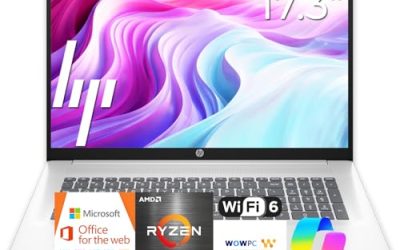
HP’s low-tier model lists a 15-inch HD micro-edge IPS display, an Intel Pentium processor up to 3.68GHz, 4GB of DDR4, a 128GB SSD, HDMI, a webcam, and Wi-Fi 6. It is a basic machine for browsing, streaming, and simple document tasks.
- Strength: the lowest tier in the group, with HDMI for a monitor.
- Strength: Wi-Fi 6 and an IPS panel are better than you might expect at this level.
- Trade-off: 4GB of memory and 128GB of storage will feel tight within months.
A guest-room laptop or a kitchen computer for recipes and video calls is the right level of ambition. Skip it if this will be your primary computer for work or study.
Dell 15.6 (Ryzen 5 7520U, 120Hz)
This Dell lists a Ryzen 5 7520U with Radeon 610M graphics, a Full HD 120Hz IPS display, LPDDR5 memory, a 512GB SSD, Wi-Fi 5, Bluetooth, and Windows 11 Home in Carbon Black. It suits anyone who wants smoother scrolling and a quicker-feeling interface.
- Strength: the 120Hz panel stands out against the 60Hz displays in this group.
- Strength: LPDDR5 memory and a 512GB SSD are a good pairing for daily use.
- Trade-off: Wi-Fi 5 is a step behind the others, and the title does not state the amount of RAM.
It is also the choice for someone who notices animation smoothness and wants a laptop that feels responsive during everyday browsing. Skip it if wireless performance in a crowded home matters most.
Dell 15.6 (Core 3 100U, DDR5)
This version pairs the Core 3 100U with 8GB of DDR5, a 300-nit anti-glare WVA display, Intel UHD graphics, a 512GB SSD, Wi-Fi 6, and Bluetooth. It suits someone who works in a bright room and wants a modern memory type without a large step up in cost.
- Strength: 300 nits is brighter than the 250-nit sibling.
- Strength: DDR5 memory and Wi-Fi 6 are current standards.
- Trade-off: it still has 8GB of RAM, so heavy multitasking is out.
A remote worker with a window-facing desk and a stack of web apps is the typical buyer. Skip it if you plan to run demanding creative software.
Which One Fits Your Situation
You want one laptop to last for years
The MacBook Air 15-Inch (M5) has the highest memory and storage in the group, which is what slows the aging process.
You are a student on a tight budget
The ASUS Vivobook Go 15 combines Full HD, a Ryzen 5, and a durable build, while the Dell with the Core 3 100U and DDR5 is the quieter office-style alternative.
You scroll through long documents all day
The Dell 15.6 with the 120Hz panel gives the smoothest motion of the six.
You only need a spare for browsing
The HP Portable 15-Inch is acceptable as a secondary device. Do not make it your only machine, and confirm the storage and memory figures on the listing before you order.
Common Mistakes
- Treating a 15.6-inch Windows laptop and a 15.3-inch Mac as interchangeable without checking software.
- Buying 4GB of memory and expecting it to feel fine after a year of updates.
- Ignoring refresh rate and brightness while fixating on the processor name.
- Assuming color variants of the same listing are different machines.
- Skipping the wireless standard and then wondering why video calls drop.
Related guides
- How To Check Gpu Compatibility With Your Motherboard And Cpu
- How To Plan An Upgradeable Mid Range Gaming Pc
- High-Performance Gaming Desktop Specifications
Frequently Asked Questions
Is a 15-inch laptop too big to carry?
Most people carry one comfortably in a backpack. It is heavier than a 13-inch model, but the extra screen is a good trade for many users. If you commute daily on foot, check the listed weight before you buy.
Does 120Hz matter on a laptop?
It makes motion look smoother, especially when scrolling. It is a comfort feature rather than a necessity, and it can slightly reduce battery runtime, so it matters most if you scroll or edit for long stretches.
Is 8GB of RAM enough?
For browsing, documents, and video calls, yes. For heavy multitasking or creative software, aim for 16GB.
Should I worry about Windows 11 Home versus Pro?
Not for home use. Pro matters when you need device management or stronger encryption control at work. Several of these titles say Home, so confirm the edition on the product page if your employer requires Pro.