A small business rarely has an IT department, which means the laptop you buy is also the laptop you will support. The right machine starts reliably, joins the office network without drama, protects client data, and lasts long enough to justify the outlay. The wrong one becomes a monthly argument about slow performance, missing ports, and software that will not install.
This comparison speaks to the owner who is outfitting one desk or five: a bookkeeping practice, a boutique agency, a contractor running quotes from a truck, or a clinic front desk. Seven laptops are reviewed using only the facts their listings state, with attention to memory, storage, operating system edition, display size, ports, and security features. The year is 2026, and the realistic baseline for a business machine has crept upward, so some of the thinnest configurations here come with warnings.
Our Top Picks
 Lenovo V15 Gen 4 Business Laptop16GB RAM | 512GB SSD14.13 x 9.29 x 0.78 inches3.64 PoundsCheck on Amazon
 Dell Latitude 5420 14" FHD Business Laptop Computeri5-1145G7-16-256-SV-Win1112.76 x 8.35 x 0.76 Inches3 poundsCheck on Amazon



Top 3 picks at a glance
Quick Picks
As an Amazon Associate we earn from qualifying purchases at no extra cost to you.




| Product | Best for | Key spec from the title |
|---|---|---|
| HP 17-inch Business Laptop | Accounting and data entry | 17.3″ FHD, Ryzen 5, 16GB RAM, 512GB SSD |
| Lenovo Business 15.6 | Light office tasks | 8GB DDR5, 128GB storage, Office 365 |
| Lenovo V15 Gen 4 | Office networks | Core i5-13420H, RJ45, HDMI |
| HP 255 G10 | Privacy-conscious teams | 16GB RAM, 512GB SSD, webcam shutter |
| Dell Latitude 5420 (renewed) | Cost-conscious fleets | 14″ FHD, i5-1145G7, 16GB DDR4 |
| HP 14-inch Business Laptop | Basic portable tasks | Intel N150 quad-core, 4GB RAM, 1-year Office 365 |
| Dell Pro 16 | Long-term, managed use | Core 5 120U, 16GB DDR5, 16″ FHD+ |
How to Choose
Plan for memory and storage you will not outgrow
Sixteen gigabytes of RAM keeps a laptop usable across several years of software updates, while 4GB or 8GB machines tend to feel slow once accounting software, a browser, and a messaging app share the same session. For storage, 512GB is comfortable; 128GB works only if nearly everything lives in cloud folders and you are disciplined about cleanup.
Pick the right Windows edition
Windows 11 Pro supports drive encryption management, remote desktop access, and joining a managed domain, which matter when a laptop holds payroll or client records. Windows 11 Home, especially in S Mode, is acceptable for simple tasks but offers fewer protections. If a listing states “Home,” assume you may need to upgrade it.
Ports, webcams, and everyday connectivity
Look for an Ethernet jack if your office wiring is wired, an HDMI output for client presentations, and USB-C for modern docks and chargers. A webcam with a physical shutter or an infrared camera for sign-in is helpful for confidentiality. A numeric keypad speeds up quoting and invoicing, but it requires a 15.6-inch or larger chassis. Wi-Fi 6 is worth having if your router supports it, since it handles a crowded office with several video calls more gracefully.
Where budget models cut corners
The least expensive business laptops, the ones sold on bundles and long marketing titles, use entry-level processors such as the Intel N150, small solid-state or flash drives, and 4GB of memory. They suit single-purpose tasks but slow noticeably under multitasking. Bundled Office subscriptions and cloud storage can look generous, but they expire, so weigh the hardware first and the extras second. Also look at the screen: a dim, low-resolution panel causes eye strain over a full workday, and it is the part of a laptop you cannot upgrade later.
The 7 Best Options
HP 17-inch Business Laptop (Ryzen 5)
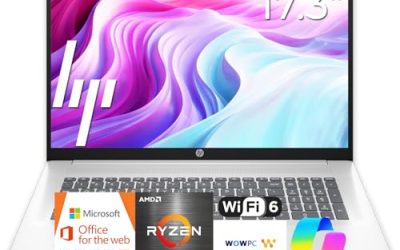
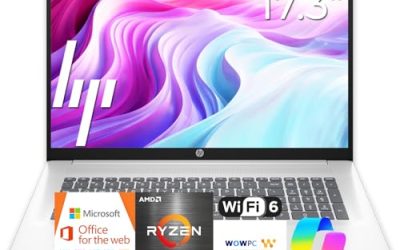
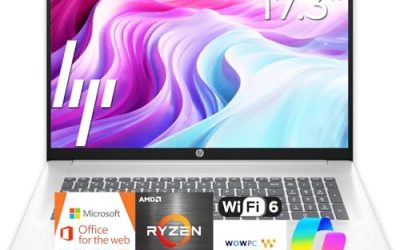
This laptop pairs a 17.3-inch full-HD display with a Ryzen 5 processor, 16GB of RAM, a 512GB SSD, and a numeric keypad. It is aimed at the owner who spends the day inside spreadsheets and accounting packages, where a large display saves squinting and window shuffling. The listing also advertises long battery life, but no hours are given, so treat that as a claim to verify. A machine this size usually lives on a desk with a charger nearby, which makes the missing number less critical than the display and keyboard.
- Strength: a big display with an appropriate memory and storage combination.
- Strength: numeric keypad for invoicing and data entry.
- Trade-off: 17-inch dimensions are impractical for frequent travel.
Skip it if your work happens on job sites, in vehicles, or on flights.
Lenovo Business 15.6-inch Laptop
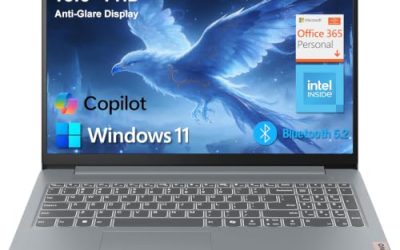
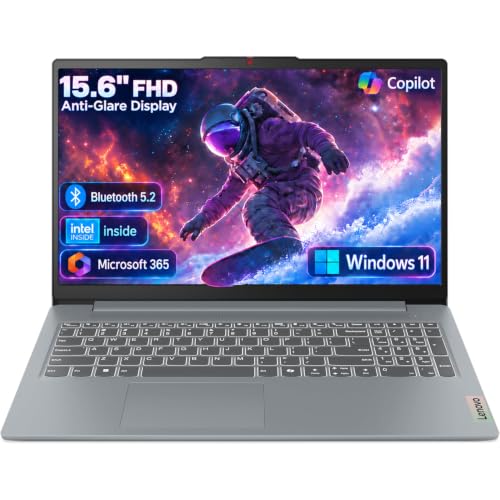
The listing combines a 15.6-inch full-HD anti-glare screen with an Intel processor, 8GB of DDR5 memory, 128GB of storage, Wi-Fi 6, a USB-C port, and bundled Office 365 and Copilot AI features. It targets a tight outlay for an employee who mainly writes email and edits documents. The USB-C port and Wi-Fi 6 mean it connects cleanly to a modern dock and a current router, which helps when you are standardizing a handful of workstations.
- Strength: DDR5 memory and Wi-Fi 6 at an economical tier.
- Strength: Office included and an anti-glare screen suit shared workspaces.
- Trade-off: 128GB of storage and 8GB of RAM leave little room for growth.
Skip it if the laptop will store local files or run bookkeeping software alongside several browser tabs.
Lenovo V15 Gen 4
The V15 Gen 4 lists the connections an office actually uses, which is rarer than it sounds on thin consumer models: HDMI, an RJ45 Ethernet port, a webcam, a numeric keypad, and Wi-Fi. A Core i5-13420H processor and Windows 11 Pro round out the package in a 15.6-inch full-HD form. For a small team on wired desks and shared monitors, those basics reduce the dongle problem. Owners who dislike surprise purchases of adapters will find that a fixed port list makes budgeting easier.
- Strength: Ethernet and HDMI built in, with Windows 11 Pro.
- Strength: a numeric keypad on a 15.6-inch body.
- Trade-off: the title does not state RAM or storage, so confirm both before ordering.
Skip it if you cannot verify memory and drive capacity from the full product page, because a business machine with too little of either becomes a bottleneck the first time two programs run at once.
HP 255 G10
A 15.6-inch full-HD business laptop with an AMD quad-core processor, 16GB of RAM, a 512GB SSD, and Windows 11 Pro. Its webcam has a shutter, and a numeric keypad is included. For an office that handles client calls, the privacy shutter is a modest but useful detail. Combined with 16GB of memory, it reads like a low-drama workstation for a receptionist, a bookkeeper, or a part-time administrator who shares the machine across shifts.
- Strength: 16GB and 512GB form a balanced, durable pairing.
- Strength: webcam shutter and Windows 11 Pro support confidential work.
- Trade-off: the exact AMD processor model is not named in the title.
Skip it if you want a touchscreen, an infrared sign-in camera, or a slim travel profile that slips easily into a briefcase.
Dell Latitude 5420 (Renewed)
The Latitude line is built for corporate fleets, and this renewed unit offers a 14-inch full-HD display, an i5-1145G7 quad-core processor, 16GB of DDR4 memory, 256GB of storage, a camera, HDMI, and Windows 11 Pro. Renewed units are often attractive to businesses that need several machines on a limited budget. Standardizing on one renewed model also simplifies spare chargers, docks, and troubleshooting steps across the office.
- Strength: business-line model with 16GB of memory and Windows 11 Pro.
- Strength: compact 14-inch size is easy to carry between sites.
- Trade-off: renewed units have an unknown history, an older-generation chip, and only 256GB of storage.
Skip it if you want a full new-unit warranty experience or a long runway of service.
HP 14-inch Business Laptop (Intel N150)
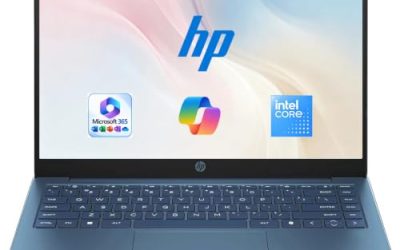
This compact machine lists an Intel quad-core N150 processor, 4GB of RAM, 128GB of UFS storage, Windows 11 Home, a 14-inch screen, and one year of Office 365, along with a bundled pair of earphones. It is the most basic option here, suited to a single, simple task such as a point-of-sale lookup or a shared front-desk terminal. The 14-inch size keeps it easy to stow under a counter or move between rooms.
- Strength: a small, lightweight format with Office included for a year.
- Strength: an easy fit for low-demand, single-purpose roles.
- Trade-off: 4GB of RAM and UFS flash storage limit speed and multitasking.
Skip it if the user will juggle accounting software, video calls, and many browser tabs.
Dell Pro 16
The Dell Pro 16 targets longer-term business use, listing an Intel Core 5 120U processor, 16GB of DDR5 memory, a 512GB SSD, and a 16-inch FHD+ anti-glare display. The title also references the Latitude 5550 and calls it a business AI PC, hinting at a more business-focused platform than a consumer notebook. A larger 16-inch panel gives a team lead room for side-by-side documents without an external monitor, which saves desk space in a small office.
- Strength: 16GB of DDR5 and a roomy 16-inch FHD+ anti-glare screen.
- Strength: a business-oriented Dell line suited to managed deployments.
- Trade-off: the title includes processor naming that is confusing, so verify the exact configuration on the product page.
Skip it if you prefer a lighter 14-inch body or a simple consumer-grade experience.
Which One Fits Your Situation
You run a bookkeeping or accounting practice
Choose the HP 17-inch Business Laptop. The large panel and keypad support long hours with figures, and 16GB handles busy workbooks.
You are setting up a wired office with shared monitors
Choose the Lenovo V15 Gen 4. Ethernet and HDMI are part of the listed spec, which keeps desks tidy.
You want something that lasts years in a managed fleet
Choose the Dell Pro 16. The DDR5 memory and business-focused line suit an owner planning to keep machines through several software cycles.
You travel between client sites
Choose the Dell Latitude 5420 (renewed). The 14-inch business-line frame with 16GB of RAM is easier to carry than the 17-inch HP, and HDMI makes client-side presentations simpler.
Common Mistakes
- Buying 4GB laptops for staff who will run accounting software and video calls simultaneously.
- Overlooking the Windows edition and discovering later that Home lacks encryption management.
- Treating a bundled Office subscription as a permanent license, then scrambling when it expires.
- Choosing a 17-inch laptop for employees who travel to client sites.
- Purchasing a renewed unit without checking the return window and stated condition.
Related guides
- How To Check Gpu Compatibility With Your Motherboard And Cpu
- High-Performance Gaming Desktop Specifications
- How To Plan An Upgradeable Mid Range Gaming Pc
Frequently Asked Questions
How much RAM does a small business laptop need?
Sixteen gigabytes is the safest choice for multi-year use. Eight gigabytes can work for light tasks, but 4GB quickly becomes a limitation.
Is Windows Pro necessary for a small business?
It is strongly advised if the laptop stores sensitive records, because Pro supports encryption management and remote access. A solo operator with minimal data may manage on Home.
Are renewed laptops safe for business?
They can be, especially business-grade lines like Latitude. Confirm the seller’s return policy and expect an older processor generation than a new unit would offer.
Is a 128GB drive enough?
Only for cloud-centered work with few local files. Anything that stores client documents, scans, or databases locally benefits from 512GB or more, and a nearly full drive slows down every task, including software updates and backups.