Anyone who has built a powerful desktop knows the awkward gap: the tower at home does the heavy lifting, but the job still happens on a laptop at the office, in a client meeting, or at a kitchen table. A work laptop does not need gaming-class graphics. It needs to open a pile of browser tabs, run a video call, handle spreadsheets and documents, and survive a full day away from the wall outlet without feeling like a compromise. This guide narrows the field to six models that fit that job, judged only on the specs printed in their listings.
The phrase “best rated” means different things to different buyers, so this roundup focuses on the traits that tend to keep owners happy over years of daily use: enough memory, a roomy SSD, a screen that is comfortable for long sessions, and the ports a real desk setup demands. If you are choosing for 2026 and want a machine that complements a home desktop rather than duplicating it, the comparison below shows where each model leans.
Our Top Picks
 Apple 2026 MacBook Neo 13-inch Laptop with A18256GB8.12 x 11.71 x 0.5 inches2.7 PoundsCheck on Amazon




Top 3 picks at a glance
Quick Picks
As an Amazon Associate we earn from qualifying purchases at no extra cost to you.






| Product | Best for | Key spec from the title |
|---|---|---|
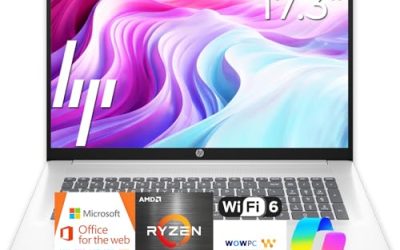
| HP 17 Business Laptop | Spreadsheet-heavy desk work | 17.3″ FHD display, Ryzen 5, 16GB RAM, 512GB SSD, numeric keypad |
| Dell 15.6 Laptop (Core 3 100U) | Light office tasks on a tight plan | Anti-glare IPS WVA panel, 8GB RAM, 512GB SSD, Wi-Fi 6 |
| Apple MacBook Neo 13-inch | Mac users who travel often | A18 Pro chip, 8GB unified memory, 256GB SSD |
| Lenovo V15 | Wired offices that need ports | Ryzen 5 5500U, 16GB RAM, 512GB SSD, HDMI and RJ45 |
| Lenovo V14 G5 | Compact, fast-processor commuters | Core 7 240H 10-core, 14″ FHD anti-glare, 16GB DDR5 |
| Dell Inspiron 15.6 Touchscreen | Multitaskers who want core count | Ryzen 7 7730U 8-core, 16GB RAM, 512GB PCIe SSD |
How to Choose
Memory is the first spec to check
Work software has grown hungrier, and browsers with a dozen tabs plus a conferencing app can eat several gigabytes before a spreadsheet is even opened. Sixteen gigabytes is a comfortable target for Windows machines that will stay in service for several years. Eight gigabytes can work for lighter routines, but it leaves little room to grow, and many laptops in this class have soldered memory that cannot be upgraded later. Ignore the marketing line about “AI” features and look at the actual RAM number and type, since DDR5 listings can offer more bandwidth than DDR4.
Storage size and type
A 512GB SSD is a sensible floor for people who keep local files, offline mail archives, and a few large project folders. A 256GB drive can be fine if your files live in the cloud, but it fills quickly once updates and apps pile up. Look for the words “PCIe” or “SSD” in the listing; drives described only by capacity in vague terms deserve a closer look at the product page. Budget models sometimes ship with small drives and push cloud storage bundles instead, so compare the local capacity honestly.
Display size, finish, and ports
A 15.6-inch full HD panel is the mainstream choice and a good balance of workspace and portability. A 17.3-inch screen helps with side-by-side documents but adds bulk. A 14-inch model is easier to carry. An anti-glare finish matters in bright offices, and a touchscreen is nice for annotation but can add weight and reduce battery life. For port needs, an HDMI output covers external monitors, and an RJ45 jack is still valuable in offices where Wi-Fi is unreliable. A numeric keypad is a real advantage for anyone who enters figures all day.
Processor class and what to ignore
Core counts and clock speeds in a title give a rough guide, but a dozen “beats Intel” style comparisons are marketing, not a spec. Focus on the processor family, the number of cores listed, and whether the memory pairing makes sense. A newer eight-core Ryzen 7 or a ten-core Intel Core 7 will handle multitasking better than an entry-level dual-core chip. Where budget models cut corners is usually the screen brightness, the keyboard feel, and the amount of storage, so read those lines of the listing closely.
The 6 Best Options
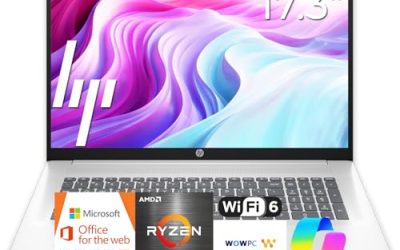
HP 17 Business Laptop
The listing shows a 17.3-inch full HD display, a Ryzen 5 processor, 16GB of RAM, a 512GB SSD, and a numeric keypad. That combination makes it an obvious fit for finance staff, estimators, and anyone who lives in spreadsheets and wants a large canvas on the road. Seeing two documents side by side without constant window juggling is the sort of everyday benefit a 17.3-inch screen delivers, and the Ryzen 5 plus 16GB pairing should keep common office suites responsive.
- Strength: The big display and full keypad suit long data-entry sessions.
- Strength: 16GB of RAM and a 512GB SSD give breathing room for daily multitasking.
- Trade-off: A 17-inch chassis is bulkier than most commuters want to carry.
Skip it if you take trains or flights often and prefer a compact bag, or if you would rather have a lighter machine to carry through airports and between conference rooms every single day.
Dell 15.6 Laptop with Core 3 100U
This Dell lists a full HD anti-glare IPS WVA panel at 250 nits, an Intel Core 3 100U, 8GB of DDR4, and a 512GB SSD, with Wi-Fi 6. It is a straightforward machine for email, documents, and video calls in a mainstream-budget bracket. For a buyer whose work is mostly web apps and documents, the spec sheet shows nothing exotic, which is exactly the point: it covers the basics without paying for extras.
- Strength: The anti-glare IPS screen is easier on the eyes in bright rooms.
- Strength: 512GB of storage is generous for a machine at this level.
- Trade-off: 8GB of DDR4 is the minimum for modern work and may feel tight with many apps.
Skip it if your day involves large spreadsheets, many browser tabs, or heavy multitasking, because the listing’s 8GB of memory leaves limited headroom once several apps stay open at the same time.
Apple MacBook Neo 13-inch
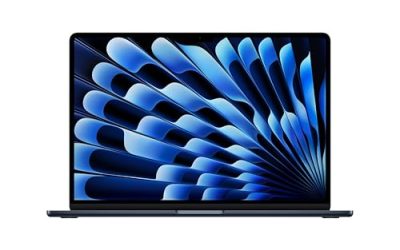
The listing describes a 13-inch Liquid Retina display, an A18 Pro chip, 8GB of unified memory, and a 256GB SSD. It suits professionals already in the Apple ecosystem who want a light, quiet machine for writing, calls, and web-based tools. The title also stresses Apple Intelligence features, though buyers who care mostly about daily office software should weigh the memory and storage lines more heavily than the branding.
- Strength: A compact 13-inch form is easy to carry between meetings.
- Strength: Integrated Apple software keeps setup simple for existing iPhone and iPad users.
- Trade-off: 256GB of storage fills up faster than the 512GB drives on the Windows models here.
Skip it if your office relies on Windows-only software or you need a numeric keypad and many ports, since the title lists neither, and a docking adapter may be needed for older monitors, wired networks, or USB accessories.
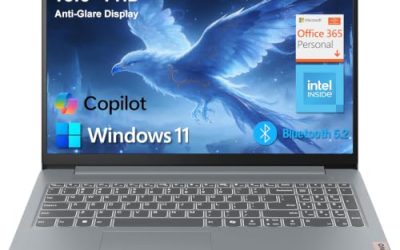
Lenovo V15
The V15 lists a 15.6-inch full HD display, a Ryzen 5 5500U six-core processor, 16GB of RAM, a 512GB SSD, plus HDMI, RJ45, and a numeric keypad. That port list is the draw for small offices that still use wired networks and external monitors. A buyer setting up a hot-desk or a branch office can plug in and work without hunting for adapters, which saves time when many people share equipment.
- Strength: Built-in Ethernet and HDMI cut down on dongles.
- Strength: 16GB of RAM and a six-core processor suit multitasking.
- Trade-off: The Ryzen 5 5500U is an older generation than the newest chips here.
Skip it if you want the newest processor generation or a very thin build, since a 15.6-inch laptop with this port selection tends to be less sleek than ultraportable designs.
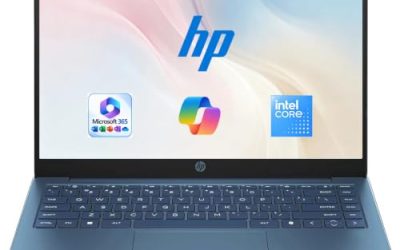
Lenovo V14 G5
This compact business model lists an Intel Core 7 240H with 10 cores and 16 threads, a 14-inch full HD anti-glare display, 16GB of DDR5 RAM, a 512GB PCIe SSD, and Wi-Fi 6. It is aimed at commuters who want strong multitasking in a smaller footprint. For someone moving between a home desk, a client site, and the occasional coffee shop, the combination of a compact screen and a ten-core chip is the appeal here.
- Strength: A 10-core processor with DDR5 memory targets heavier workloads than typical office laptops.
- Strength: The 14-inch anti-glare screen keeps size and glare in check.
- Trade-off: A 14-inch display offers less screen space for spreadsheets than 15.6 or 17.3 inches.
Skip it if you want a numeric keypad or a large display, because the 14-inch panel limits how many windows sit comfortably side by side.
Dell Inspiron 15.6 Touchscreen
The Inspiron lists a 15.6-inch full HD touchscreen, an eight-core Ryzen 7 7730U with boost speeds up to 4.5GHz, 16GB of RAM, a 512GB PCIe SSD, Windows 11, and HDMI. It leans toward people who run many apps at once and like to annotate on screen. Teachers, designers reviewing drafts, and managers who sign off on documents with a stylus or finger may find touch input a genuine time saver rather than a gimmick.
- Strength: Eight cores plus 16GB of RAM handle simultaneous applications well on paper.
- Strength: The touchscreen helps with markup and presentations.
- Trade-off: Touch panels are often glossier, which can reflect light in bright offices.
Skip it if you work near windows all day and prefer a matte finish, or if you would rather put the money toward a model without touch hardware.
Which One Fits Your Situation
The spreadsheet professional
If most of your day is figures and reports, the HP 17 Business Laptop pairs a large display with a numeric keypad and 16GB of RAM. The Lenovo V15 is a close alternative if you prefer a 15.6-inch size and need wired network access.
The traveling consultant
For frequent trips, a smaller footprint wins. The Lenovo V14 G5 brings a 10-core processor into a 14-inch body, while the Apple MacBook Neo 13-inch suits someone who already lives in the Apple ecosystem.
The multitasker with many windows open
If you run a mail client, browser, chat tools, and a design app together, the Dell Inspiron 15.6 Touchscreen offers eight cores and 16GB of RAM, a pairing that targets this routine.
The tight-plan office worker
For routine documents, email, and calls where the plan is limited, the Dell 15.6 Laptop with Core 3 100U gives a roomy 512GB drive and an anti-glare screen, as long as you accept the 8GB memory ceiling.
Common Mistakes
- Buying 8GB of RAM for a machine that must stay useful for several years of heavier software.
- Trusting comparison claims inside a product title, such as “beats” another chip, instead of reading the actual processor and core count.
- Choosing a glossy touchscreen for a bright office, then struggling with reflections.
- Ignoring ports, then discovering the office monitor or wired network needs an adapter.
- Paying for large cloud-storage bundles while the local SSD is too small to hold current projects.
Related guides
- How To Check Gpu Compatibility With Your Motherboard And Cpu
- How To Plan An Upgradeable Mid Range Gaming Pc
- High-Performance Gaming Desktop Specifications
Frequently Asked Questions
How much RAM does a work laptop need?
Sixteen gigabytes is a comfortable target for most professionals who multitask. Eight gigabytes can handle light email and document work, but it leaves less room as software updates grow.
Is a numeric keypad worth having?
For anyone who types figures all day, yes. It speeds up data entry and is common on 15.6-inch and 17.3-inch models, but it is usually absent on 13-inch and 14-inch designs.
Should I choose Windows or a Mac for office use?
Choose based on the software your employer requires. If your tools are Windows-only, a Windows laptop avoids compatibility headaches, while a Mac suits people already invested in Apple services.
Do I need a touchscreen for work?
Not usually. It helps with note-taking and presentations, but it can add glare and weight. Most office tasks work fine with a standard anti-glare display.