Shopping for a Hewlett Packard laptop is less about picking a brand and more about picking a lane inside a very wide catalog. HP sells compact 14-inch machines built around low-power Intel N150 chips, large 17.3-inch OmniBook 3 models with Intel and AMD options, and business-leaning laptops with numeric keypads and plenty of memory. The names look similar, but the memory, storage, and screen differences between them are large. The decision this guide helps with is simple: which HP lane matches how you will actually use the laptop?
The audience is anyone who already trusts the HP name, whether for a home office, a college dorm, or a small business desk, and wants help sorting seven current listings. We compared them on the specs printed in each title, since those are the facts a buyer can verify. Where a title leaves out a detail, the article says so and points you back to the listing. We also explain which labels matter and which do not as 2026 shoppers sort through Copilot branding.
Our Top Picks


Top 3 picks at a glance
Quick Picks
As an Amazon Associate we earn from qualifying purchases at no extra cost to you.



| Product | Best for | Key spec taken from the product title |
|---|---|---|
| HP 17-inch Business Laptop (Ryzen 5) | Spreadsheets and number entry | Ryzen 5, 16GB RAM, 512GB SSD, numeric keypad |
| HP OmniBook 3 17.3 (Core Ultra 5) | Large-screen daily work | Core Ultra 5 225U, 8GB RAM, 512GB SSD |
| HP 14-inch Laptop (N150) | Simple home use | N150, 4GB RAM, 128GB UFS, 1-year Microsoft 365 |
| HP 14 Ultra-Light (N150) | Students on the move | 128GB plus 128GB SD card, fast charge |
| HP Core i7 15.6-inch Laptop | Heavier multitasking | Core i7-1255U, 16GB RAM, 1TB PCIe SSD |
| HP 17.3 Business Laptop (Core 5-120U) | Large storage pool | 10-core Core 5-120U, 12GB RAM, 768GB total |
| HP OmniBook 3 17.3 (Ryzen 3) | Entry-level big screen | Ryzen 3 30, 8GB RAM, Radeon 610M graphics |
How to Choose
Match the screen size to where the laptop lives
HP sells these laptops in three practical sizes: 14, 15.6, and 17.3 inches. A 14-inch model fits a backpack and a lap; a 17.3-inch model is a small desktop replacement that happens to fold. If the laptop stays at a desk, the 17.3-inch screen gives you room for two documents side by side. If it travels, a 14-inch frame saves weight. Check that the title says FHD where you want sharp text, because one listing here says HD.
Treat 8GB of RAM as the practical minimum
Two listings in this group carry only 4GB of RAM. That is enough for basic browsing, but little else, and it leaves no room to grow. Eight gigabytes covers most office use, 12GB gives extra breathing room for many tabs, and 16GB suits heavy spreadsheets or light photo editing. The OmniBook 3 and business models with 8GB to 16GB are the safer long-term buys.
Read the storage line carefully
Storage wording can mislead. One listing shows 768GB, but that is a 256GB SSD plus a 512GB SD card, and a card is slower and removable. Another lists 128GB UFS, a flash type that is not the same as a full SSD. For storage you can count on, look for a plain SSD figure of 512GB or more, such as the 512GB drives on the Ryzen 5 and OmniBook models, or the 1TB PCIe drive on the Core i7 model.
Processor families and what to ignore
Core Ultra, Core i7, Core 5, Ryzen 5, Ryzen 3, and N150 sit at very different performance tiers. The N150 is a low-power part for light work. The Ryzen 3 and Core Ultra 5 U-series chips suit everyday office work, while the Ryzen 5 and Core i7 sit higher for multitasking. Ignore peak clock claims in titles and the Copilot label by itself. Budget HP models cut corners on RAM and panel resolution first, so check those before you check the color name.
Battery language deserves the same skepticism: phrases like long battery life describe intent, not a measured runtime, and the titles here do not list watt-hours. If all-day unplugged use is a hard requirement, look at the product page for a stated battery capacity before you commit.
Finally, remember that listings name different Windows editions, such as Home or a business edition. If you need domain join or advanced management tools, confirm the exact edition on the product page rather than assuming.
HP titles are dense, so read them in a fixed order. Begin with the processor, then RAM, then the storage type and size, then the screen size and resolution. Only after those four lines should you look at color names, software bundles, or marketing words. A bundled one-year Microsoft 365 or Office 365 subscription is a nice extra, but it expires, so do not let it outweigh a missing 8GB of memory. If two models look close, pick the one with the larger RAM figure and a true SSD.
The 7 Best Options
HP 17-inch Business Laptop (Ryzen 5)
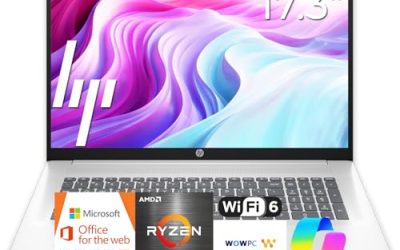
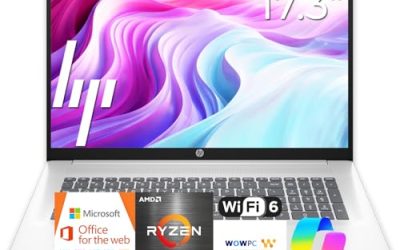
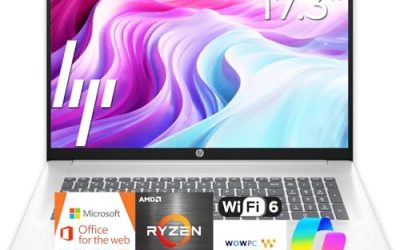
This HP lists a Ryzen 5 processor, 16GB of RAM, a 512GB SSD, a 17.3-inch FHD display, and a numeric keypad. It suits an accountant, bookkeeper, or home-office worker who spends the day in spreadsheets.
- Strength: 16GB of RAM and a 512GB SSD give it the strongest memory-and-storage pairing of the 17.3-inch group.
- Strength: the numeric keypad speeds up data entry.
- Trade-off: a 17.3-inch body is bulky for commuting.
Skip it if you carry your laptop daily or prefer a 14-inch frame.
HP OmniBook 3 17.3 (Core Ultra 5)
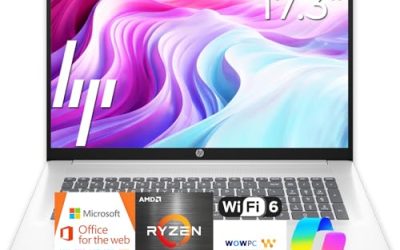
The OmniBook 3 here pairs an Intel Core Ultra 5 225U with 8GB of RAM, a 512GB SSD, Intel graphics, and a 17.3-inch FHD display, running Windows 11 Home in Glacier Silver.
- Strength: a newer Core Ultra chip and a 512GB SSD make it a solid everyday workhorse.
- Strength: the FHD panel keeps text sharp on a large screen.
- Trade-off: 8GB of RAM is fine today but offers little headroom for later.
Skip it if you need more than 8GB for heavy multitasking, and look at the Ryzen 5 or Core i7 models instead.
HP 14-inch Laptop (N150)
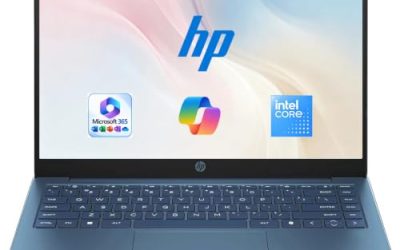
This compact HP lists an HD display, an Intel N150 processor, 4GB of RAM, 128GB of UFS storage, Windows 11 Home, and a 1-year Microsoft 365 Personal subscription.
- Strength: the included Microsoft 365 term covers basic Office needs at the outset.
- Strength: the 14-inch size is easy to carry around the house.
- Trade-off: HD resolution, 4GB of RAM, and UFS storage keep it firmly entry-level.
Skip it if you plan on many open tabs or want crisp Full HD text.
HP 14 Ultra-Light (N150)
This ultra-light 14-inch lists an Intel N150, 4GB of RAM, and 128GB of built-in storage plus a 128GB SD card. A 1-year Office 365 subscription, fast charge, and a student-and-home focus round out the title.
- Strength: the extra SD card adds expansion for files and backups.
- Strength: fast charge helps when you are between classes.
- Trade-off: it has the same 4GB RAM ceiling as the other N150 model.
Skip it if you want one fast internal drive rather than a card, or if your workload needs more memory.
HP Core i7 15.6-inch Laptop
The most capable of the seven on paper, this 15.6-inch HP lists an Intel Core i7-1255U, 16GB of RAM, a 1TB PCIe SSD, an FHD display, and a webcam.
- Strength: 16GB of RAM and a 1TB PCIe SSD cover multitasking and large file libraries.
- Strength: the Core i7 tier offers the most processing headroom in this group.
- Trade-off: the i7-1255U belongs to an earlier chip family than the Core Ultra models.
Skip it if you want the newest platform or a 17.3-inch screen.
HP 17.3 Business Laptop (Core 5-120U)
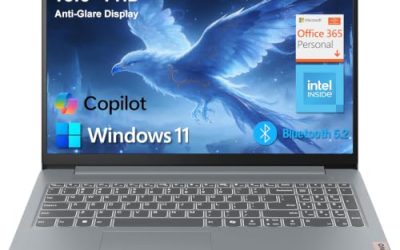
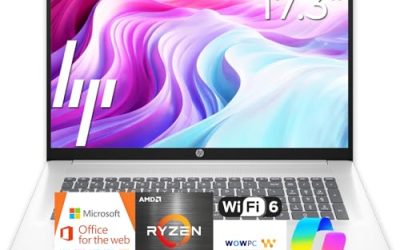
This HP lists a 10-core Intel Core 5-120U, 12GB of RAM, and 768GB of storage, made up of a 256GB SSD and a 512GB SD card, with Copilot branding on a 17.3-inch screen.
- Strength: 12GB of RAM sits between the 8GB and 16GB options.
- Strength: the 10-core processor suits office multitasking.
- Trade-off: only 256GB of that storage is an SSD; the rest is a card.
Skip it if you want fast internal storage throughout, and check the listing for the exact Windows edition.
HP OmniBook 3 17.3 (Ryzen 3)
This second OmniBook 3 lists an AMD Ryzen 3 30, 8GB of RAM, a 512GB SSD, Radeon 610M graphics, and Windows 11 Home in Mica Silver, on a 17.3-inch FHD display.
- Strength: it pairs a big FHD screen with a 512GB SSD in the entry tier.
- Strength: Radeon graphics handle video and everyday visuals.
- Trade-off: the Ryzen 3 sits lower than the Core Ultra 5 sibling.
Skip it if you do heavy multitasking, and choose a Ryzen 5 or Core i7 machine.
Which One Fits Your Situation
You work in spreadsheets all day
Choose the HP 17-inch Business Laptop with the Ryzen 5. The 16GB of RAM, 512GB SSD, and numeric keypad all point toward long data-entry sessions.
You need the most power in a normal-sized laptop
The HP Core i7 15.6-inch Laptop, with 16GB of RAM and a 1TB PCIe SSD, is the capability pick that still fits a typical bag.
You want a big screen at an entry price tier
The HP OmniBook 3 17.3 with the Ryzen 3 gives you an FHD display and 512GB SSD without stepping into premium territory. The Core Ultra 5 version offers a newer chip if you want to step up.
You are buying for a student who travels
The HP 14 Ultra-Light carries easily and includes fast charge and a 1-year Office 365 subscription. Add a USB drive for backups.
Common Mistakes
- Assuming that all HP laptops share the same performance because the names look alike.
- Counting an SD card as if it were a built-in SSD.
- Buying a 4GB model for work that involves many tabs or large files.
- Choosing a 17.3-inch screen and then complaining about the weight in a backpack.
- Skipping the Windows edition line when a workplace requires business features.
Frequently Asked Questions
What is the difference between HP OmniBook and the plain HP laptops?
OmniBook is a newer HP naming line with current chips, such as Core Ultra and Ryzen options. The plain HP listings vary widely, from N150 entry models to Core i7 machines, so compare the specs rather than the name.
Does the Copilot label change performance?
No. It describes software features and a dedicated key on some models, not a faster processor. Judge performance by the CPU, RAM, and storage.
Should I buy a 17.3-inch HP laptop for travel?
Only if you need the screen. The 17.3-inch models give you room for spreadsheets and side-by-side windows, but they are larger to pack and heavier to carry than a 14-inch HP. Frequent travelers are better served by a 14-inch ultra-light model or a 15.6-inch machine like the Core i7 listing.
Which HP laptop has the most storage?
Among these seven, the Core i7 15.6-inch model lists a 1TB PCIe SSD, the largest single drive. The Core 5 business laptop lists 768GB overall, but part of it is an SD card.