The phrase best HP laptop for business usually hides a trade-off between screen real estate and portability. Some buyers want a machine that sits on a desk and drives a full-size workday, with a number pad and a wide panel. Others need something that slides into a briefcase. HP covers both ends, so the useful move is to decide which end you live on before reading a single spec line.
This roundup is written for people who treat the laptop as a work tool rather than a hobby: contractors drafting estimates, managers living in email and slides, and small-business owners who also run payroll. It sticks to the facts printed in each listing as we head through 2026, and where a title leaves a gap, such as exact battery hours or the full processor name, it says so and points you back to the listing.
Our Top Picks
 HP Windows 11 Pro 15 15.6" FHD Business16GB RAM | 512GB PCIe SSD14.11 x 9.53 x 0.71 inches3.75 PoundsCheck on Amazon
 HP 255 G10 15.6" FHD Business Laptop32GB RAM | 1TB SSD14.17 x 9.29 x 0.73 inches3.35 PoundsCheck on Amazon


Top 3 picks at a glance
Quick Picks
As an Amazon Associate we earn from qualifying purchases at no extra cost to you.


| Product | Best for | Key spec from the title |
|---|---|---|
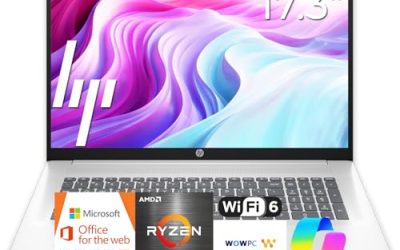
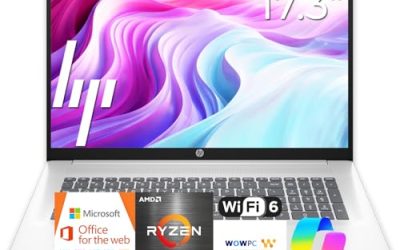
| HP 17-inch Ryzen 5 Business Laptop | Desk-based daily work | 17.3″ FHD, 16GB RAM, 512GB SSD, numeric keypad |
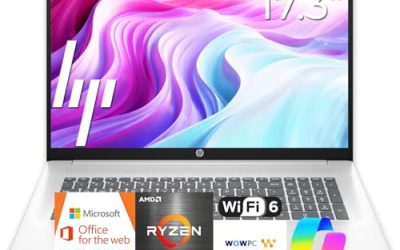
| HP 17.3-inch Ryzen 5 7430U Business Laptop | Wi-Fi 6 office setups | Ryzen 5 7430U, 16GB RAM, 512GB PCIe |
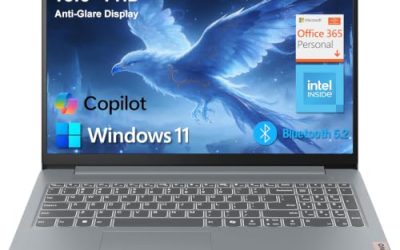
| HP 255 G10 (AMD quad-core) | Managed fleets | Windows 11 Pro, 16GB RAM, 512GB SSD |
| HP 255 G10 Ryzen 7 7730U | Power users | 32GB RAM, 1TB PCIe SSD, HDMI |
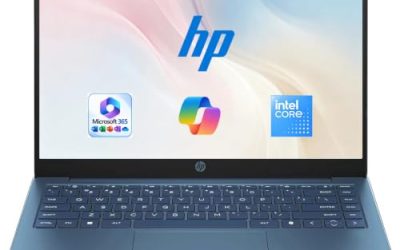
| HP 14-inch Student Business Laptop | Basic portable tasks | 14″, Windows 11 Pro, 4GB DDR5, Intel 4-core |
How to Choose
Start with screen size and weight
A 17.3-inch display shows roughly a third more working area than a 14-inch one, which means fewer minimized windows when you compare a quote against a spreadsheet. The cost is weight and a bigger bag. If the machine moves between home and an office a few days a week, 15.6 inches is the compromise; if it never leaves a desk, go as large as the budget allows. Whatever the size, insist on Full HD, which means 1920 by 1080.
RAM is the spec that ages first
Sixteen gigabytes is the number to look for in a business laptop that must last several years. Operating systems and browsers keep growing, and memory soldered to the board cannot be upgraded later. A 4GB configuration may boot quickly on day one but starts stalling when you add a video call, a cloud accounting site, and a PDF at the same time. Budget models cut corners on memory first, so it is the line to read twice.
A practical test: imagine the laptop two years from now, with a full inbox archive, a year of scanned receipts, and a few software updates piled on. If that picture makes 4GB of memory look tight, move up a tier now, because the price gap between configurations is usually smaller than the cost of replacing a stalled machine.
Storage type and size
Look for a PCIe or standard SSD at 512GB or larger if your files live on the machine. If a listing says UFS and quotes a total that mixes internal storage with an external drive or cloud space, work out how much is actually inside the laptop. Local space matters most when your connection is unreliable at client sites.
What to ignore: broad claims about long battery life with no number attached. Without hours or watt-hours in the listing, there is nothing to verify, so plan on carrying the charger.
Ports, keyboard, and security basics
For desk work, an HDMI port lets you attach a second monitor, and a full-size number pad speeds up data entry. A webcam shutter is a small but useful privacy feature. Do not let Copilot branding or bundled earphones sway the decision; they are extras that do not change how well the computer handles your workload.
Before the individual reviews, a note on method. Each write-up below leans only on the words in the listing title, so where the title is silent, such as the exact Intel chip in the 14-inch model or the true battery hours of any of them, the review says to check the listing rather than guess. That keeps the comparison honest, and it keeps you from paying for a feature that was only implied.
The 5 Best Options
HP 17-inch Ryzen 5 Business Laptop
This model advertises a 17.3-inch Full HD display, a Ryzen 5 processor, 16GB of RAM, a 512GB SSD, and a numeric keypad, with a nod to long battery life. It targets someone whose work happens at a desk or kitchen table, such as an estimator or an administrator who processes forms.
- Strength: the wide panel gives you room to compare documents without switching windows.
- Strength: 16GB and a 512GB SSD are the right entry point for office multitasking.
- Trade-off: the exact Ryzen 5 model and battery hours are not given in the title, so check the listing.
For owners who prefer to keep one reliable machine at home base and a lighter one for trips, this is a sensible anchor. Skip it if you carry your laptop every day on public transit.
HP 17.3-inch Ryzen 5 7430U Business Laptop
A close cousin of the model above, this one names the Ryzen 5 7430U, lists Wi-Fi 6, and keeps the 17.3-inch Full HD screen with 16GB of RAM and a 512GB PCIe drive. It suits a buyer who wants the processor model spelled out before they commit.
- Strength: naming the 7430U makes it easy to look up the chip and compare it with others.
- Strength: Wi-Fi 6 helps in offices with many connected devices.
- Trade-off: the title promises a processor comparison against an Intel chip, but you should rely on the model name rather than that claim.
Offices that standardize on Wi-Fi 6 routers will appreciate that the wireless standard is stated rather than implied. Skip it if you already own one of the other 17-inch HP models and just need a spare; the two are close in role.
HP 255 G10 (AMD Quad-Core, 16GB)
The 255 G10 arrives with an AMD quad-core CPU, 16GB of RAM, a 512GB SSD, Windows 11 Pro, and a 15.6-inch Full HD display. A webcam shutter and numeric keypad are listed too. It is the all-rounder for an owner outfitting two or three employees at once.
- Strength: Windows 11 Pro named up front, which matters for encryption and remote access.
- Strength: the 15.6-inch size balances screen area and carrying weight.
- Trade-off: the processor model is not named, so confirm it before comparing against rivals.
It is the model to choose when the person using it matters less than the process around it: same keyboard, same screen, same image across the whole team. Skip it if you want the smallest possible footprint.
HP 255 G10 Ryzen 7 7730U
This is the heavyweight of the group: a Ryzen 7 7730U, 32GB of RAM, a 1TB PCIe SSD, a 15.6-inch Full HD display, Windows 11 Pro, Wi-Fi 6, HDMI, a webcam, and a number pad. It fits someone who keeps dozens of tabs open and hops between design reviews and spreadsheets.
- Strength: 32GB of RAM keeps heavy multitasking smooth for years to come.
- Strength: HDMI plus a large drive make it a credible desk anchor with a second monitor.
- Trade-off: it costs more than the others here, and light users will not use the extra capacity.
A project manager who keeps schedules, drawings, and a conferencing app open all day is the typical match. Skip it if your tasks are limited to email and documents.
HP 14-inch Student Business Laptop
The smallest configuration lists a 14-inch screen, Intel 4-core processor, 4GB of DDR5 RAM, Microsoft Office, Windows 11 Pro, and Copilot AI branding. Storage is quoted as a combined total that includes 128GB internal, so check the split. It is a fit for a light-duty second laptop.
- Strength: a 14-inch body that travels easily.
- Strength: Windows 11 Pro on such a small machine is a rare bonus.
- Trade-off: 4GB of RAM is a hard ceiling for anyone who multitasks.
A field supervisor who mostly reads and signs documents between sites could get by on it. Skip it if this will be the only computer someone works on.
Which One Fits Your Situation
You work from a fixed desk and want a lot of screen
Pick the HP 17-inch Ryzen 5 Business Laptop. It gives the largest panel with a numeric keypad and enough RAM to keep several apps in play.
You manage several employees and need consistent setups
The HP 255 G10 (AMD Quad-Core, 16GB) is the sensible default, with Pro edition, shutter, and a standard 15.6-inch layout that everyone understands.
You run heavy files or a second monitor
The HP 255 G10 Ryzen 7 7730U gives the most memory and storage in the group and includes HDMI for an extra display, which is worth having if you plan to dock the laptop at a desk each morning.
You need a cheap second machine for light travel
The HP 14-inch Student Business Laptop is the budget pick, with the clear limitation of 4GB of RAM. Treat it as a companion, not a main workstation, and confirm the internal storage figure on the listing before you order.
One last tie-breaker: if two models both fit, take the one with more RAM and a named processor, since those are the facts you can verify and the ones that decide how long the laptop stays useful.
Common Mistakes
- Choosing a 17-inch laptop and then discovering it is too heavy for the commute it was meant to serve.
- Counting external drive or cloud space as if it were internal storage.
- Paying extra for Copilot branding, bundled earphones, or software trials as if they improved the hardware.
- Believing a comparison claim in a listing title instead of looking up the actual processor model.
- Buying the cheapest memory tier now and planning to upgrade later, which many thin laptops do not allow.
Related guides
- How To Check Gpu Compatibility With Your Motherboard And Cpu
- How To Plan An Upgradeable Mid Range Gaming Pc
- High-Performance Gaming Desktop Specifications
Frequently Asked Questions
Is a 17-inch laptop practical for business?
It is practical if it mostly stays on a desk, where the extra screen area saves time. For daily commuting, a 15.6-inch or 14-inch model is easier to live with.
Do I need a numeric keypad?
If you enter figures regularly, yes. It speeds up work in invoicing and spreadsheet tools, and the larger HP models here include one.
How much storage is enough?
A 512GB SSD covers most office users. Choose 1TB if you keep large project folders, scans, or media on the laptop itself instead of in cloud storage. Remember to leave free space, since a drive that is nearly full slows down and complicates updates.
Can I use a 14-inch model as my main business laptop?
You can if your work is light, such as email, documents, and web apps, and you accept a small screen. For spreadsheets, accounting software, or video calls with screen sharing, a 15.6-inch or larger model with 16GB of RAM is the safer choice.