When someone searches for top rated laptops for business, the underlying question is rarely about the single fastest processor. It is about which machine will handle spreadsheets, video calls, a dozen browser tabs, and a locked-down corporate login for several years without drama. That means paying attention to RAM, storage, the operating system edition, webcam privacy, and the ports you need to connect to a projector or a wired network.
This guide is for office managers, consultants, freelancers, and finance or sales staff who want a work laptop rather than a gaming rig or a school machine. We compare six listings strictly on the facts in their titles: screen size, processor family, memory, storage, and business-oriented features such as a Pro edition of Windows or a numeric keypad. “Top rated” is a shorthand for what buyers tend to shortlist; it is not a score we assign, and anything the titles do not state is left for you to verify before you buy in 2026.
Our Top Picks
 Lenovo V15 Gen 4 Business Laptop16GB RAM | 512GB SSD14.13 x 9.29 x 0.78 inches3.64 PoundsCheck on Amazon
 Dell Latitude 5420 14" FHD Business Laptop Computeri5-1145G7-16-256-SV-Win1112.76 x 8.35 x 0.76 Inches3 poundsCheck on Amazon

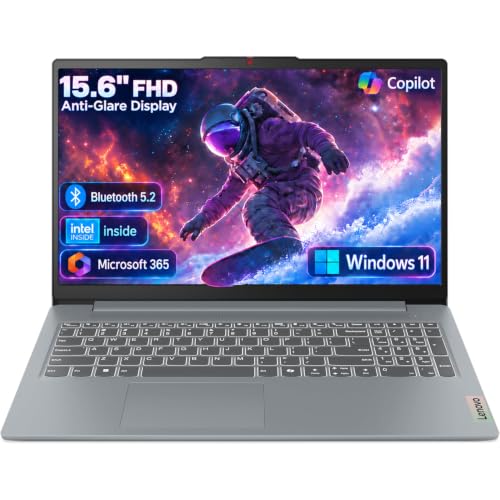


Top 3 picks at a glance
Quick Picks
As an Amazon Associate we earn from qualifying purchases at no extra cost to you.





| Product | Best for | Key spec from the title |
|---|---|---|
| Lenovo V15 Gen 4 | Wired office desks | Core i5-13420H, RJ45, Windows 11 Pro |
| HP 17 inch Ryzen 5 Business | Spreadsheet-heavy work | 17.3 inch FHD, 16GB RAM, 512GB PCIe |
| Dell Inspiron 15 3530 | Storage-hungry users | Core i7-1355U, 16GB RAM, 1TB SSD, touchscreen |
| HP 255 G10 | Privacy-minded teams | Webcam with shutter, 16GB RAM, Windows 11 Pro |
| Dell 15.6 Core Ultra 5 | Newer-platform buyers | Core Ultra 5 225U, DDR5, backlit keyboard |
| Dell Inspiron Touchscreen | Mixed work and study | Windows 11 Pro, 16GB RAM, 1TB SSD |
How to Choose
Set the memory and storage floor
For modern office software, 16GB of RAM is the comfortable threshold; 8GB works for light email and documents but leaves little room once video calls and many tabs are open. For storage, 512GB is a sensible floor for local files, and 1TB helps if you keep large presentations or project archives offline. Be wary of listings that lean on cloud storage in place of actual drive capacity.
Choose the right Windows edition
Windows 11 Pro includes domain join, BitLocker device encryption, and remote desktop hosting, which many IT policies require. Windows 11 Home lacks some of these controls. If your company manages laptops through a directory or mobile device management tool, prioritize a Pro listing, because upgrading later can cost time and money.
Look at screen size, ports, and input
A 15.6 inch full HD panel is the mainstream choice, while 17.3 inches gives more room for side-by-side windows at the cost of weight. A numeric keypad speeds up accounting tasks. Check for HDMI for projectors and RJ45 for stable wired networking in conference rooms. Anti-glare panels and a stated brightness figure, such as 300 nits, help in bright offices.
Ignore marketing comparisons and check generations
Titles that claim to beat another chip are marketing, not specs, so ignore them. Instead, note the processor generation and class. A U-series or P-series chip prioritizes battery life, while an H-series chip offers more performance but may run warmer. Budget listings often cut corners on webcam quality, keyboard backlighting, and battery capacity, so read the full description.
The 6 Best Options
Lenovo V15 Gen 4
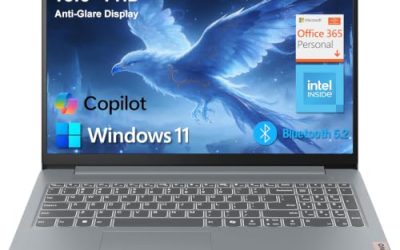
The V15 Gen 4 is a 15.6 inch full HD business laptop with an Intel Core i5-13420H, HDMI, an RJ45 Ethernet port, a webcam, a numeric keypad, Wi-Fi, and Windows 11 Pro. That combination is made for offices that still plug into wired networks and projectors, and for teams that need a Pro edition for domain policies. An H-series chip suggests more sustained performance than the thin-and-light U-series parts, which can matter when an accounting package, a browser, and a video call all run at once. Small firms that standardize on one model for every desk often start with a listing like this.
- Strength: a wired Ethernet port gives reliable connections in meeting rooms.
- Strength: Windows 11 Pro supports corporate management tools.
- Trade-off: the title does not state RAM or storage, so confirm both before ordering.
Skip it if you want a thin travel machine or a premium display.
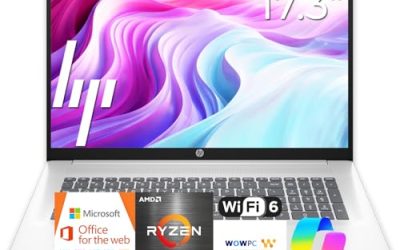
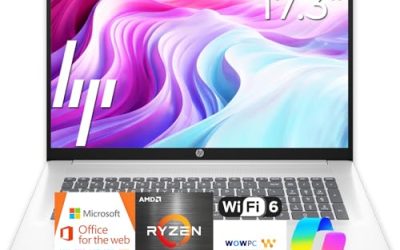
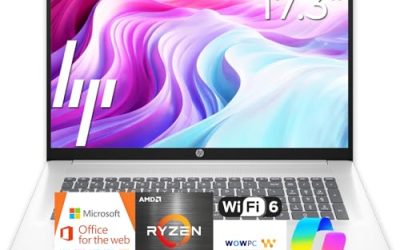
HP 17 inch Business Laptop (Ryzen 5)
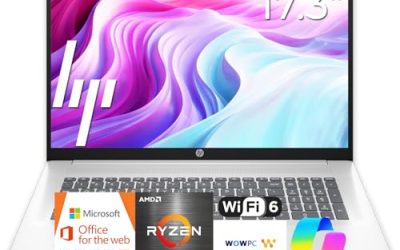
This HP lists a 17.3 inch full HD display, an AMD Ryzen 5 processor, 16GB of RAM, a 512GB SSD, a numeric keypad, and a long battery claim. The large screen suits analysts, bookkeepers, and anyone who lives in spreadsheets and wants two windows open side by side without squinting. The title also promises long battery life, but gives no hour figure, so treat that as a feature to verify rather than a number to plan around. The numeric keypad is a real convenience for anyone entering figures all day, and it is the main reason this size appeals to finance staff.
- Strength: 17.3 inches of screen helps with wide spreadsheets and dashboards.
- Strength: 16GB RAM and 512GB storage meet the comfort floor for office work.
- Trade-off: a 17 inch body is bulkier to carry on a daily commute.
Skip it if you travel every week or prefer a compact bag.
Dell Inspiron 15 3530
The Inspiron 15 3530 pairs a 15.6 inch full HD touchscreen with an Intel Core i7-1355U, 16GB of RAM, and a 1TB SSD, plus a webcam, HDMI, and Wi-Fi 6. It is aimed at buyers who want the most local storage and a touch display for presentations or annotating documents. The Core i7 U-series part is aimed at efficient multitasking rather than peak speed, which suits a day of email, documents, and meetings. With the webcam and HDMI port listed, it covers the basics of presenting from a conference table without extra adapters.
- Strength: 1TB of SSD space keeps large project files on the device.
- Strength: Wi-Fi 6 and a Core i7 U-series chip fit multitasking in shared offices.
- Trade-off: the Windows edition in the truncated title is unclear, so verify Pro or Home.
Skip it if you need a shuttered webcam or a built-in Ethernet port.
HP 255 G10 Business Laptop
The 255 G10 lists an AMD quad-core CPU, 16GB RAM, a 512GB SSD, Windows 11 Pro, a 15.6 inch Full HD display, a numeric keypad, and a webcam with a privacy shutter. It reads like a practical office workhorse, built for companies that care about a physical camera cover during video calls. A quad-core AMD chip is a sensible tier for everyday office suites, and 16GB of memory keeps the system responsive when several apps stay open. Teams that buy in volume often like a model with a plain, predictable feature set, and this one fits that description without extra frills.
- Strength: a webcam shutter supports privacy-conscious teams.
- Strength: Windows 11 Pro and 16GB RAM fit managed office deployments.
- Trade-off: the title does not name the exact AMD processor, so check the model.
Skip it if you want a touchscreen or a thin premium chassis.
Dell 15.6 Laptop (Core Ultra 5 225U)
This Dell lists an Intel Core Ultra 5 225U, 16GB of DDR5 RAM, a 512GB SSD, a 15.6 inch full HD anti-glare panel listed at 300 nits, Intel graphics, a backlit keyboard, and Windows 11 Home. It targets buyers who prefer a newer processor platform and a comfortable screen for long hours. DDR5 memory and a current-generation naming scheme suggest a longer useful life than older platforms, which helps if you plan to keep the machine through a multi-year lease or depreciation cycle. Note that integrated Intel graphics are fine for office work but are not a creative workstation.
- Strength: DDR5 memory and a newer chip family suit longer ownership.
- Strength: an anti-glare screen and backlit keyboard help in varied lighting.
- Trade-off: Windows 11 Home may not meet strict corporate management requirements.
Skip it if your IT department requires a Pro edition for domain or encryption policies.
Dell Inspiron Touchscreen Laptop (Business and Student)
This Inspiron sits between work and study, listing a 15.6 inch full HD touchscreen, Windows 11 Pro, 16GB RAM, a 1TB SSD, and an Intel Core i5-1155G7. The Pro edition makes it more office-ready than many Home-based consumer laptops, and the large drive offers generous local storage. Sole proprietors and freelancers who handle their own IT often like the combination of a Pro edition and plenty of space for invoices, contracts, and client files. The touch display adds flexibility for sketching ideas or signing documents with a finger.
- Strength: Windows 11 Pro plus 1TB storage suits freelancers who manage their own devices.
- Strength: touch input helps with signing and marking up documents.
- Trade-off: the title lists a Core i5-1155G7, so compare that model number with the newer chips in this list before deciding.
Skip it if you want the newest processor family.
Which One Fits Your Situation
Your team is managed by an IT department
Choose the HP 255 G10 or the Lenovo V15 Gen 4. Both list Windows 11 Pro, and the HP adds a webcam shutter while the Lenovo adds an Ethernet port.
You live in spreadsheets all day
The HP 17 inch Ryzen 5 model gives the largest screen plus a numeric keypad, 16GB RAM, and a 512GB SSD, so it is the logical pick for heavy data entry. Pair it with an external mouse and the desk setup works like a small workstation.
You need lots of local storage
The Dell Inspiron 15 3530 and the Dell Inspiron touchscreen both list a 1TB SSD. Pick the 3530 if you want a Core i7, or the touchscreen model if you want Windows 11 Pro.
You want a newer platform for longer ownership
The Dell Core Ultra 5 225U with DDR5 is the most forward-looking listing here, though you should confirm Windows edition requirements first. Because it ships with the Home edition per the title, it fits sole traders better than managed fleets.
Common Mistakes
- Buying a Home edition laptop for a company that requires domain join or device encryption.
- Choosing 8GB of RAM and then running video calls with many browser tabs open.
- Trusting comparison claims in titles instead of reading the processor model and generation.
- Forgetting that a 17 inch laptop adds weight to every commute.
- Ignoring ports such as HDMI and Ethernet until a conference room needs them.
Related guides
- How To Check Gpu Compatibility With Your Motherboard And Cpu
- High-Performance Gaming Desktop Specifications
- How To Plan An Upgradeable Mid Range Gaming Pc
Frequently Asked Questions
Is Windows 11 Pro necessary for business use?
Not for every user, but it adds domain join, BitLocker, and remote desktop hosting that many companies require. If your IT team manages devices, ask before buying Home.
How much RAM does a business laptop need?
16GB is the comfortable level for video calls, many tabs, and office suites at once. 8GB can work for light use but leaves less headroom over time.
Does a touchscreen matter for business work?
It is optional. Touch helps with signing documents and presentations, but it does not improve spreadsheet or email work, and it may cost some battery life. If you mostly type and read, a standard panel is perfectly adequate and avoids paying for a feature you rarely touch.
Should I buy a new or renewed laptop?
Renewed machines can be sensible for light work, but they carry older platforms and uncertain battery wear. The listings here are judged only on what their titles state.