Picking a Windows laptop sounds simple until the listings arrive: one has 4GB of memory and a 128GB eMMC chip, the next has a 512GB SSD and a 120Hz screen, and both are called “Windows 11 laptops.” The real decision behind this keyword is how much to spend on the parts that determine daily speed, namely memory, storage type, and processor class, and how much to save by accepting a small or plain screen.
This guide is for students, families, and home-office workers who want a Windows machine without sorting through jargon. It compares eight listed models across screen sizes from 11 to 17.3 inches, explains the thresholds that matter in 2026, and points out where entry-level configurations cut corners. All comments are drawn from the listing text, and where a title is silent, the guide says so.
Our Top Picks
 Dell 2027 Portable 11-inch IPS Touchscreen Convertible Laptop14.17 x 9.2 x 0.7 inches4 PoundsCheck on Amazon


Top 3 picks at a glance
Quick Picks
As an Amazon Associate we earn from qualifying purchases at no extra cost to you.






| Product | Best for | Key spec from the title |
|---|---|---|
| HP 14-inch Laptop (Intel N150) | Basic browsing and light schoolwork | 4GB RAM, 128GB UFS, Microsoft 365 trial |
| Dell 11-inch Convertible | Compact, touch-based use | 11″ IPS touchscreen, 8GB RAM, 128GB SSD |
| Generic 15.6-inch (N4020) | Very low-cost basic use | 4GB DDR4, 128GB eMMC, TF card expansion |
| Dell 15.6 (Ryzen 5 7520U) | Smooth everyday use | 120Hz IPS, LPDDR5, 512GB SSD |
| Dell 15.6 (Core 3 100U) | Office and home tasks | 8GB RAM, 512GB SSD, anti-glare IPS |
| HP OmniBook 3 16-inch | Sharper screen for creative or study use | 2K touchscreen, 512GB SSD |
| HP 17-inch Business Laptop | Spreadsheets and large-screen work | Ryzen 5, 16GB RAM, 17.3″ FHD |
| HP Everyday Laptop | Light work with bundled software | 128GB storage, Office 365, fast charge |
How to Choose
Memory sets the ceiling
Four gigabytes of RAM technically runs Windows 11, but it leaves almost no room for a browser with several tabs. Eight gigabytes is the practical floor today, and sixteen gigabytes makes a laptop feel responsive for years. If a listing has 4GB, treat it as a device for a single task, such as a kid’s learning laptop or a travel backup.
Storage type matters as much as size
eMMC and UFS chips are cheaper and slower than a proper SSD, and 128GB fills up quickly after updates. A 512GB SSD is a comfortable target for a main computer. Some budget laptops advertise memory-card expansion as a workaround; that helps with media files but does not make the system drive faster.
Screen size, resolution, and refresh rate
Full HD (1920 x 1080) is the baseline for 14 to 17-inch screens. An 11-inch convertible is easy to carry but cramped for multitasking. A 120Hz refresh rate makes scrolling feel smoother, while a 2K panel adds sharpness for text and photos. Anti-glare finishes help in bright rooms, and touch screens add convenience at the cost of some weight.
What to ignore, and where budget models cut corners
Edition years, “latest CPU” wording, and bundled trial software do not change the hardware inside. Low-priced Windows laptops usually economize on storage speed, memory, screen brightness, and battery size, so check those four items before anything else. Wi-Fi 5 is adequate for most homes, though Wi-Fi 6 is a modest future-proofing bonus.
The 8 Best Options
HP 14-inch Laptop (Intel N150)
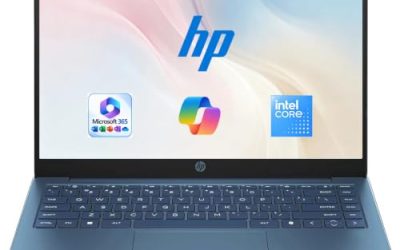
This HP lists a 14-inch HD display, an Intel N150 processor, 4GB of RAM, 128GB of UFS storage, Windows 11 Home, and a one-year Microsoft 365 Personal subscription. It targets users who need a light, simple laptop for browsing, email, and basic document work, such as a grandparent or a young student. UFS storage is a type of flash memory borrowed from phones; it is generally faster than older eMMC but still behind a true SSD, so expect modest load times when many programs start at once.
- Strength: a 14-inch size is easy to carry around the house or to class.
- Strength: the included Microsoft 365 subscription helps with documents.
- Trade-off: 4GB of RAM and an HD screen limit multitasking and sharpness.
Skip it if you plan to keep many tabs open or want a sharper display, and note that the subscription is time-limited.
Dell 11-inch Convertible
The Dell is an 11-inch IPS touchscreen convertible with an Intel Pentium processor listed at up to 3.3GHz, 8GB of RAM, a 128GB SSD, and Wi-Fi 6. Its small size makes it attractive for kids, travelers, and anyone who wants a laptop that doubles as a tablet for reading and note-taking. A child doing homework at the kitchen table or a commuter reading on a train fits the profile, since the hinge lets the screen fold back into tablet or tent positions without carrying a second device.
- Strength: 8GB of RAM is generous for the size and class.
- Strength: a convertible touchscreen suits reading and sketching.
- Trade-off: an 11-inch display is cramped for spreadsheets.
Skip it if you type for hours or use two windows side by side, since the screen and keyboard are compact.
Generic 15.6-inch Laptop (N4020)
This brandless 15.6-inch laptop lists an N4020 processor, 4GB of DDR4 memory, 128GB of eMMC storage, a Full HD LCD, Windows 11, and support for a 1TB TF memory card. It is a very basic machine for web browsing and streaming where cost matters more than speed. It is the sort of laptop a household might keep as a spare for visitors or a child’s first computer, with the understanding that Windows updates and a handful of browser tabs will keep it busy. Buyers should read the return and warranty terms carefully, because unbranded models can vary in support.
- Strength: a large Full HD screen at a basic tier.
- Strength: TF card expansion adds room for photos and media.
- Trade-off: 4GB of RAM and eMMC storage make it slow under load.
Skip it if you want a recognized brand’s support or a laptop that stays fast for several years.
Dell 15.6 (Ryzen 5 7520U)
This model pairs a Ryzen 5 7520U with Radeon 610M graphics, LPDDR5 memory, a 512GB SSD, and a 15.6-inch Full HD IPS screen at 120Hz. The 120Hz refresh rate is unusual at this tier, so it suits users who scroll through documents and web pages all day. A freelancer who lives in browser tabs and spreadsheets, or a student who wants a roomy 512GB drive without stepping into a higher tier, would find the spec sheet well matched to those habits.
- Strength: a 120Hz IPS screen feels smoother than the common 60Hz panel.
- Strength: a 512GB SSD and LPDDR5 memory support everyday multitasking.
- Trade-off: the title lists Wi-Fi 5, which is a generation older than Wi-Fi 6.
Skip it if the exact RAM capacity matters, since the visible title does not state it.
Dell 15.6 (Core 3 100U)
The Core 3 100U version offers 8GB of RAM, a 512GB SSD, an anti-glare IPS screen listed at 250 nits, DDR4 memory, and Wi-Fi 6 with Bluetooth. It is a dependable all-rounder for office tasks, school work, and streaming. Think of a family laptop that handles school portals, recipe browsing, and video calls with grandparents, where a matte-style screen and a roomy drive matter more than headline performance, and where a fresh Wi-Fi standard keeps connections steady.
- Strength: an anti-glare IPS panel is comfortable for long reading sessions.
- Strength: Wi-Fi 6 and a 512GB SSD at a modest tier.
- Trade-off: 250 nits is on the dim side for bright, sunlit rooms.
Skip it if you work near windows or outdoors, or you want 16GB of memory.
HP OmniBook 3 16-inch
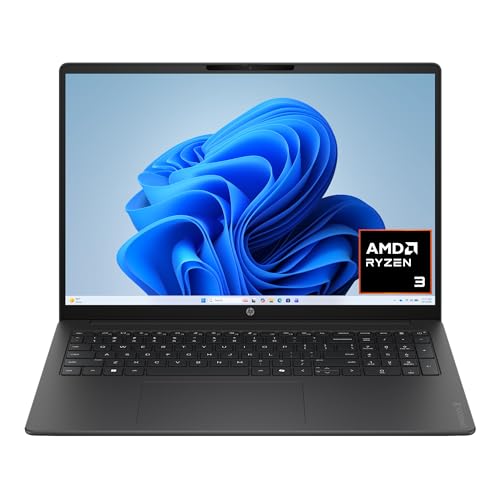
This HP combines a 16-inch 2K touchscreen with a Ryzen 3 30 processor, 8GB of RAM, a 512GB SSD, and Radeon 610M graphics. The sharper screen suits students reading long documents and hobbyists editing photos, though the processor is an entry-level one. A 16-inch footprint also leaves room for a roomier keyboard layout, which students who write long essays often appreciate, and touch input is a bonus for annotating documents directly on the screen.
- Strength: a 2K touch display is sharper than standard Full HD.
- Strength: 512GB of SSD storage offers solid room.
- Trade-off: 8GB of RAM and an entry-level chip limit heavy creative work.
Skip it if you want a compact laptop or need strong performance for video editing.
HP 17-inch Business Laptop
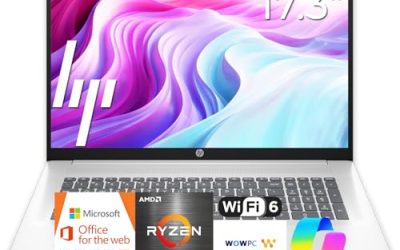
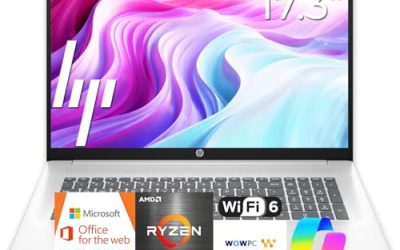
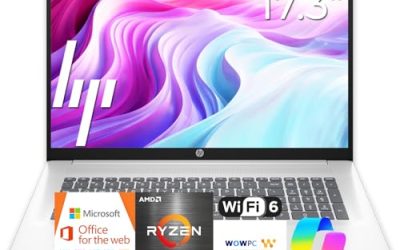
The 17-inch HP lists a Ryzen 5 processor, 16GB of RAM, a 512GB SSD, a 17.3-inch Full HD display, and a numeric keypad. It suits bookkeepers, researchers, and anyone using spreadsheets or large data tables on a desk. “Latest CPU” phrasing in the title is marketing, so confirm the exact model. For a home office that spends most of the day in accounting software, shared documents, and video meetings, the combination of memory and screen area is easy to justify, and the numeric keypad speeds up repetitive entry.
- Strength: 16GB of RAM and a 512GB SSD form a strong everyday combination.
- Strength: a big Full HD screen and numeric keypad help with data entry.
- Trade-off: a 17.3-inch body is heavy to carry daily.
Skip it if you commute with your laptop in a small bag.
HP Everyday Laptop
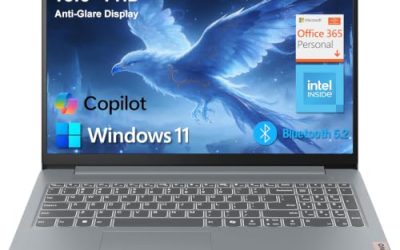
This HP lists an Intel CPU, 128GB of storage, Copilot AI, Office 365, 1TB of cloud storage, Windows 11, fast charge, and Wi-Fi 6. It suits light users who value bundled software and quick top-ups, such as a student between classes. Bundled extras are convenient on day one, but they are time-limited, so judge the laptop on its memory, storage, and processor once the trial period ends. The long-battery claim in the title is a marketing statement, and the visible text gives no runtime figure.
- Strength: fast charging helps when time near an outlet is short.
- Strength: bundled Office and cloud storage ease setup.
- Trade-off: only 128GB of local storage, and the processor model is not specified.
Skip it if you want to know the exact processor or store large files locally.
Which One Fits Your Situation
A student on a tight budget
The HP 14-inch with Intel N150 is light and includes a Microsoft 365 trial, as long as the workload stays basic.
A home-office worker who multitasks
The HP 17-inch Business Laptop with 16GB of RAM and a 512GB SSD is the strongest listed fit.
A parent buying a shared family laptop
The Dell 15.6 with Core 3 100U offers 8GB of RAM, a 512GB SSD, and a comfortable anti-glare screen.
Someone who reads and notes on the go
The Dell 11-inch Convertible doubles as a tablet, with 8GB of RAM in a compact body.
Common Mistakes
- Choosing 4GB of RAM for a main computer and expecting smooth multitasking.
- Treating eMMC or UFS storage as equal to an SSD.
- Letting bundled subscriptions drive the decision rather than the hardware.
- Buying a 17-inch laptop for daily commuting.
- Ignoring brand support when buying an unbranded budget laptop.
Related guides
- How To Check Gpu Compatibility With Your Motherboard And Cpu
- High-Performance Gaming Desktop Specifications
- How To Plan An Upgradeable Mid Range Gaming Pc
Frequently Asked Questions
Is 4GB of RAM enough for Windows 11?
It will run, but it is tight for anything beyond a few tabs. Eight gigabytes is the better minimum.
Is a 128GB eMMC drive okay?
For a secondary laptop it can work, but a 512GB SSD is more comfortable and faster for a main machine.
Does a higher refresh rate matter?
A 120Hz screen makes scrolling smoother, which is nice for daily use, though it is not essential for office work.
Are bundled Office subscriptions permanent?
They usually last a set period, such as one year. Plan for renewal costs or an alternative afterwards.