A good home office mini PC needs 16GB of RAM, an SSD, reliable Wi-Fi or Ethernet, and enough video outputs for the monitors you actually own. Raw gaming-style power is optional. From the eight listings below, the Lenovo ThinkCentre M720Q is the sensible pick if you accept a renewed machine, the Getorli and KAMRUI listings cover the low-cost 16GB end, and the GMKtec M6 Ultra is the powerful option for anyone who wants it to last. Most of this page is about matching the hardware to the work you do, not chasing the biggest spec line.
Our Top Picks
Mini PC comparison for home office setups

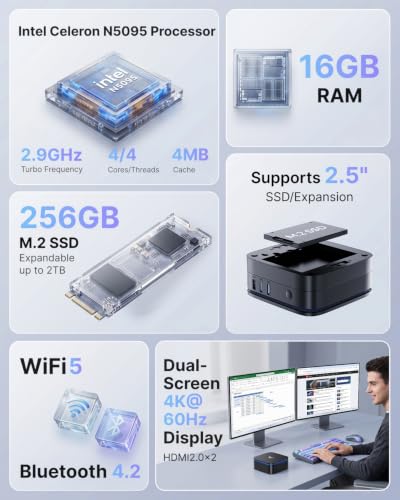
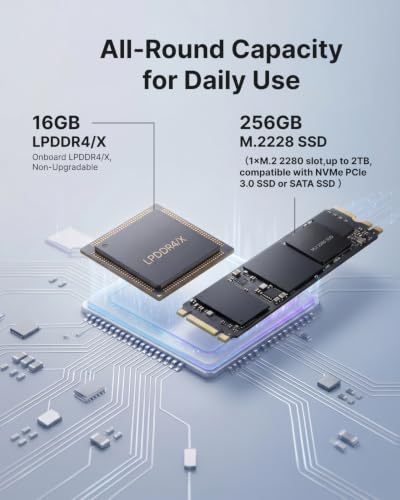
KAMRUI AK1PLUS Mini PC Computer, Intel Celeron N5095 (Up to 2.9GHz), 16GB RAM 256GB SSD, Dual 4K Mini Desktop Computer, Support 2.5'' SSD Expansion, WiFi, Bluetooth, Ethernet, Business Home Office PC



As an Amazon Associate we earn from qualifying purchases. Product prices and availability are accurate as of the date/time indicated.

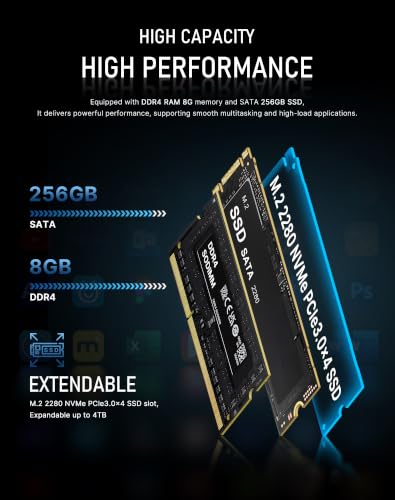
BOSGAME E5 Plus Mini PC Ryzen 5400U, 8GB Upgradable RAM 256GB SATA SSD | Dual 2.5G LAN, WiFi 5/BT5.0, 4K Triple Display HDMI+DP+Type-C, W11, Soft Router, Home & Office




As an Amazon Associate we earn from qualifying purchases. Product prices and availability are accurate as of the date/time indicated.
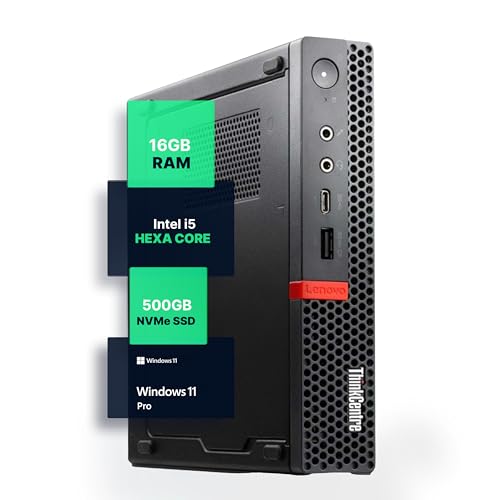
Lenovo M720Q ThinkCentre Mini PC | Windows 11 Pro | Intel i5-8400T | 16GB RAM + 500GB NVME | 5G WiFi + BT | Home or Office Micro Desktop Computer (Renewed)


As an Amazon Associate we earn from qualifying purchases. Product prices and availability are accurate as of the date/time indicated.

BOSGAME E5 11 Pro Mini PC, AMD Ryzen 5300U 4C/ 8T, Business Home Office PC | 8GB DDR4 256GB M.2 2280 SSD, 2.5 GbE Dual Lan Desktop Computers, Triple Displays 4K 60Hz, Wi-Fi 5, BT 5.0, Support Linux SSH


As an Amazon Associate we earn from qualifying purchases. Product prices and availability are accurate as of the date/time indicated.

GMKtec G3S Mini PC Intel N95 Processor (Up to 3.4GHz) 8GB RAM 256GB M.2 SSD | Mini Desktop Computer with VESA Mount for Office Home Business HTPC Proxmox, Dual 4K Display, WiFi 5, Gigabit Ethernet


As an Amazon Associate we earn from qualifying purchases. Product prices and availability are accurate as of the date/time indicated.
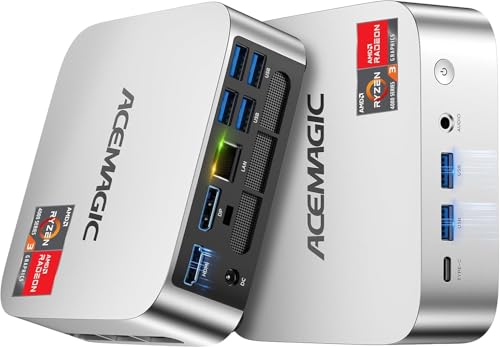
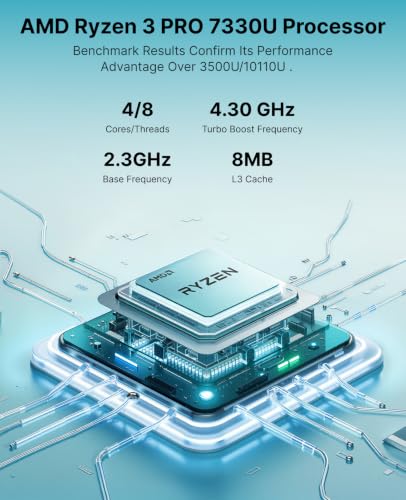
ACEMAGIC K1 Mini PC AMD Ryzen Pro 7330U 16GB 256 SSD 4 Cores 8 Threads 28W | 4.3GHz Multitasking, Cooling Mini Computers Win 11 Pro, Beat 3500U/3200U Triple 4K Display, HDMI, LAN, Home Office & Business



As an Amazon Associate we earn from qualifying purchases. Product prices and availability are accurate as of the date/time indicated.

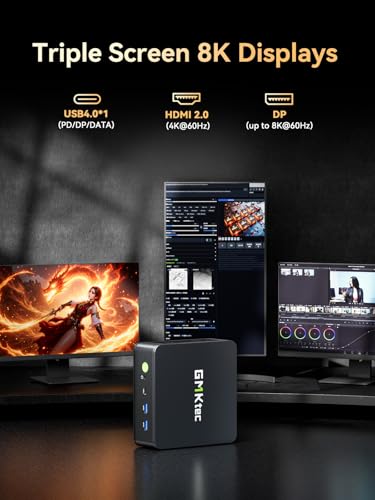
GMKtec M6 Ultra Gaming Mini PC Ryzen 7640HS 32GB RAM DDR5 1TB SSD | Desktop Mini Computers Office Home, Dual NIC LAN 2.5GbE, Triple 4K Display, WiFi 6, USB4, BT5.2, DP, HDMI 2.0



As an Amazon Associate we earn from qualifying purchases. Product prices and availability are accurate as of the date/time indicated.

Getorli Mini PC AMD Ryzen 5 3500U (4C/8T, Max 3.7GHz) Small Desktop Computer 16GB DDR4 RAM 512GB NVMe SSD Budget Micro Compact PCs 4K HD Dual HDMI WiFi 6 BT5.3 Prebuilt OS-Home Office Gaming Streaming


As an Amazon Associate we earn from qualifying purchases. Product prices and availability are accurate as of the date/time indicated.
| Model | Key point from the title | Price tier | Best for |
|---|---|---|---|
| KAMRUI AK1PLUS | Celeron N5095, 16GB RAM, 256GB SSD, dual 4K, 2.5-inch SSD expansion | Budget | Basic documents and calls |
| BOSGAME E5 Plus | Ryzen 5400U, 8GB upgradable, 256GB SATA, dual 2.5G LAN, triple display | Budget | Multi-screen on a small desk |
| BOSGAME E5 11 Pro | Ryzen 5300U 4C/8T, 8GB DDR4, 256GB M.2, dual 2.5GbE | Budget | Similar role, check the differences |
| Lenovo M720Q ThinkCentre (Renewed) | i5-8400T, 16GB, 500GB NVMe, Windows 11 Pro | Budget to mid | Business-class reliability on a budget |
| GMKtec G3S | Intel N95, 8GB, 256GB M.2, VESA mount, dual 4K | Budget | Behind-the-monitor mounting |
| Getorli Mini PC | Ryzen 5 3500U 4C/8T, 16GB DDR4, 512GB NVMe, WiFi 6 | Mid | Balanced older-generation desktop |
| ACEMAGIC K1 | Ryzen 7330U, 16GB, 256GB, Windows 11 Pro, triple 4K | Mid | Multitaskers who want Pro |
| GMKtec M6 Ultra | Ryzen 7640HS, 32GB DDR5, 1TB, dual 2.5GbE, USB4, WiFi 6 | Premium | Heavy multitasking and longevity |
Home office workload selection matrix
Start with the work, not the model. The matrix below maps common home office patterns to the memory, processor class and display plan that tend to suit them. These are general guidelines drawn from published specifications and typical software requirements.
| Workload | RAM | CPU class | Display plan | Listings worth checking |
|---|---|---|---|---|
| Email, documents, web apps, one monitor | 8 to 16GB | Entry quad-core | One or two screens | KAMRUI, GMKtec G3S |
| Video calls and many tabs | 16GB | Ryzen U or Core i5 class | Two screens | Lenovo M720Q, Getorli, ACEMAGIC K1 |
| Spreadsheets, remote desktop to employer | 16GB | Ryzen U or better | Two to three screens | BOSGAME E5 models, ACEMAGIC K1 |
| Design, light video work, virtual machines | 32GB | Ryzen HS class | Three screens | GMKtec M6 Ultra |
| Small office router or lab box | 8 to 16GB | Efficient quad-core | Headless or one screen | BOSGAME E5 Plus, GMKtec G3S |
How these were picked
This is an editorial roundup built from published specifications, manufacturer documentation and buyer reviews of the eight mini PCs in the set. Nobody on the team used or measured these units, so there are no speed, temperature or noise figures here. Titles are seller descriptions; where wording is vague, such as a processor name without its tier, or a gaming label on an office machine, we flag it.
The eight mini PCs, one at a time
KAMRUI AK1PLUS
The title names an Intel Celeron N5095 rated up to 2.9GHz, 16GB of RAM, a 256GB SSD, dual 4K display output, support for adding a 2.5-inch SSD, Wi-Fi, Bluetooth and Ethernet, and calls it a business and home office PC. Sixteen gigabytes at this price tier is the standout, since many entry listings stop at eight.
The processor is an entry-level class chip, which suits documents, web apps and video calls with a few windows open. It will feel slow with heavy spreadsheets or large browser sessions. The 2.5-inch drive bay is useful for extra storage without replacing the main drive.
A typical match is a remote worker who lives in a browser, a document editor and a video call app, and wants two screens without paying for a powerful chip. The spare 2.5-inch bay is a practical bonus for storing archives. Read the listing for the cooling design, since an entry chip in a very small case can still run warm when a call and a spreadsheet are open together.
- Pros: 16GB RAM; space for a 2.5-inch SSD; dual 4K output named.
- Cons: entry-class CPU; only 256GB to start; the Wi-Fi standard is not stated.
Question to ask before buying: which Wi-Fi standard and which ports carry the dual 4K output?
BOSGAME E5 Plus
BOSGAME lists a “Ryzen 5400U”, 8GB of upgradable RAM, a 256GB SATA SSD, dual 2.5G LAN, Wi-Fi 5, Bluetooth 5.0, triple 4K display via HDMI, DisplayPort and Type-C, Windows 11, and “soft router” use. The title omits the processor tier, so check which exact chip you receive before comparing with other Ryzen U-series parts.
Dual 2.5G Ethernet is rare at this size and makes it attractive for home networking tasks, but a home office needs more than that. The SATA drive is slower than NVMe, and eight gigabytes is a limit you will meet if you keep many tabs open.
Think of a small-office worker who wants a quiet box that also handles network duties, or someone who sets up a home lab alongside daily work. The soft-router wording hints at that. For pure desk use, the 8GB start and SATA drive are the compromises, so budget for a memory upgrade if the listing confirms a free slot, and verify the true processor model on arrival.
- Pros: two 2.5G LAN ports; three display outputs; upgradable RAM.
- Cons: 8GB to start; SATA storage; unclear processor naming; Wi-Fi 5.
Question to ask before buying: is the 8GB a single stick, and what is the maximum supported?
BOSGAME E5 11 Pro
This sibling lists a Ryzen 5300U with 4 cores and 8 threads, 8GB of DDR4, a 256GB M.2 2280 SSD, 2.5GbE dual LAN, triple displays at 4K 60Hz, Wi-Fi 5, Bluetooth 5.0, and Linux/SSH support. It is close to a near-duplicate of the E5 Plus in layout, and the two overlap heavily.
The M.2 2280 slot is a plus over a SATA-only design, because NVMe-capable storage is easier to upgrade. The 4K 60Hz statement is a seller claim; check which ports actually deliver it and whether all three screens can do so at once.
The practical question is how this differs from the E5 Plus beside the model number. Both advertise dual 2.5G LAN, both start at 8GB and both promise triple displays, so buyers should compare storage type, Wi-Fi hardware and the maximum supported memory. Linux and SSH support in the title suggests it will please technical users who want a lightweight workstation or server.
- Pros: M.2 storage slot; dual 2.5GbE; triple-screen claim at 60Hz.
- Cons: 8GB RAM; overlaps with the E5 Plus; Wi-Fi 5; model naming is hard to compare.
Question to ask before buying: what is the difference from the E5 Plus beyond the name?
Lenovo M720Q ThinkCentre (Renewed)
The title reads Windows 11 Pro, Intel Core i5-8400T, 16GB RAM plus a 500GB NVMe drive, “5G WiFi” and Bluetooth, for home or office use, marked Renewed. Be aware that “5G WiFi” means the 5GHz band, not cellular. The i5-8400T is an older six-core low-power part from a business line.
The strength is the hardware class: business mini desktops are designed for long daily use and tidy deployment. The risks are the usual renewed ones, namely unknown wear, the grade of the refurbishment and a shorter warranty. Display outputs on this family are limited compared with the newer triple-display listings.
This suits a worker who values stability over novelty: a sensible spec, Pro edition and a tidy chassis from a line used in offices for years. Inspect the box on arrival for scratches and check the drive health reading. Because renewed stock varies, buying from a seller with a clear return window matters more here than on a new box.
- Pros: six-core low-power CPU; 16GB with NVMe; Windows 11 Pro in the title.
- Cons: older generation; renewed condition; fewer display outputs likely; wording on Wi-Fi may confuse.
Question to ask before buying: what renewed grade is it, and how long is the seller’s warranty?
GMKtec G3S
GMKtec states an Intel N95 up to 3.4GHz, 8GB RAM, a 256GB M.2 SSD, a VESA mount, dual 4K display, Wi-Fi 5, gigabit Ethernet and suitability for office, home, business, HTPC and Proxmox. The VESA mount is the practical hook for a cramped desk, since the box can sit behind a monitor.
It is an entry-class machine in the same family as the KAMRUI, with half the memory. For a person who needs only a web browser and office apps, the spec is acceptable; anyone who keeps many windows open will likely want 16GB.
The best scenario is a cramped desk where the computer must disappear behind a monitor, such as a shared study or a kitchen table setup. The VESA bracket handles that, and the entry chip keeps heat modest. Mention of Proxmox and HTPC use in the title shows the maker also aims at hobbyists, so read office-specific reviews before assuming it is tuned for daily work.
- Pros: VESA mount; small and quiet class of chip; dual 4K output named.
- Cons: 8GB RAM; entry-level CPU; gigabit LAN only; Wi-Fi 5.
Question to ask before buying: can the RAM be upgraded or is it soldered?
Getorli Mini PC
Getorli lists a Ryzen 5 3500U, four cores and eight threads, up to 3.7GHz, 16GB DDR4, a 512GB NVMe SSD, dual HDMI for 4K, Wi-Fi 6 and Bluetooth 5.3. The title also says “Gaming Streaming”, which is marketing; the Ryzen 3500U is an older mobile chip and not a gaming processor.
For home office use it hits the sweet spot of 16GB and 512GB at a middling tier. It is limited to two video outputs, so a three-monitor desk needs a different listing. Because the chip is from an older generation, plan on it being a solid, not a long-lived, machine.
A solid fit for a worker who wants 16GB and a fast drive without moving into the higher tiers, using two monitors through the dual HDMI ports. The Ryzen 3500U generation is several years old, so software support and driver updates are things to confirm. The maker’s name is unfamiliar, which raises the importance of warranty wording and return terms.
- Pros: 16GB and 512GB NVMe; Wi-Fi 6; dual HDMI.
- Cons: older processor; two display outputs; gaming label overstates it.
Question to ask before buying: does the listing name an operating system edition?
ACEMAGIC K1
The ACEMAGIC title mentions an AMD “Ryzen 7330U”, four cores and eight threads at 4.3GHz, 16GB RAM, a 256GB SSD, Windows 11 Pro, triple 4K display, HDMI, LAN and a 28W multitasking claim. The phrase “Beat 3500U/3200U” is marketing and not a measured comparison, and the processor name should be verified.
It is a sensible middle option for someone who wants Windows 11 Pro and three displays. The 256GB drive is the limit; plan on an external or second drive for files.
This is aimed at a person who splits time between a work laptop through remote desktop, a browser and a handful of office apps, and wants three displays. Pro edition helps if your employer requires encryption or remote access. Because the title leans on comparison claims against older chips, rely on the plain spec lines, and verify the processor and the display ports first.
- Pros: Windows 11 Pro; 16GB RAM; triple display claim.
- Cons: 256GB storage; comparison claims are unverified; processor name needs checking.
Question to ask before buying: which ports drive the three displays?
GMKtec M6 Ultra
This GMKtec title says Ryzen 7640HS, 32GB DDR5, a 1TB SSD, dual NIC 2.5GbE, triple 4K display, Wi-Fi 6, USB4, Bluetooth 5.2, DisplayPort and HDMI 2.0, and labels it a gaming mini PC for office and home. For a home office it is the powerful pick: lots of memory, fast storage and USB4 for a dock or fast external drive.
The cost is the higher tier and the heat that a HS-class chip produces in a small case. If your work is light, you pay for capacity you do not use. If you handle design, many virtual machines or heavy multitasking, it is the listing that stays relevant longest.
Consider a freelancer who edits large documents, runs a virtual machine for client work and keeps many apps open on three screens. The 32GB and 1TB lines were written for that. The gaming label in the title is a hint that the chassis and cooling are designed for higher power, so check noise reports if your office is also your bedroom or living room.
- Pros: 32GB DDR5; 1TB; USB4; dual 2.5GbE.
- Cons: premium tier; likely higher fan noise under load; more than light work needs.
Question to ask before buying: is the fan noise acceptable in the room where you work?
Home office hardware constraints and thermal limits
Why small boxes get hot
A mini PC packs the processor, memory and storage into a case with one small fan or passive cooling. Entry chips such as the N95 and N5095 sit in a low power range and tend to stay cool and quiet. U-series Ryzen parts add moderate heat, and HS-class chips like the 7640HS can spin fans up audibly under sustained load. Leave several centimetres around the vents and avoid stacking items on top.
Noise and desk placement
In a home office, noise matters more than benchmark scores. Mounting behind a monitor with a VESA bracket keeps the box away from your ears but traps heat if the gap is tight. Our plan for a quiet home office PC build covers the same logic for full-size towers, and the airflow lessons carry over.
Ports and display outputs
Count your monitors and their inputs before you shop. Dual HDMI covers two screens. Triple-display claims usually combine HDMI, DisplayPort and USB-C, and each has bandwidth limits. A dock can add outputs but shares one link. If you already own a dock, check its requirements against the mini PC.
| Spec concept | What to look for | Why it matters |
|---|---|---|
| RAM | 16GB, or an upgradable 8GB | Calls plus tabs plus spreadsheets add up |
| Storage | NVMe, 512GB or more | Faster boot and room for files |
| Display ports | Match your monitor inputs | Avoids adapter surprises |
| Network | Wi-Fi 6 or Ethernet | Stable video calls |
| Operating system | Windows 11 Pro if employer needs it | BitLocker and Remote Desktop host |
| Warranty and returns | Clear seller terms, especially for renewed | Reduces risk with small brands |
Memory, storage and upgrade paths
Upgrade options separate a box you keep for five years from one you replace in three. Several titles here advertise “upgradable” RAM or an M.2 2280 slot, and those words are worth more than a slightly faster clock. A machine with two memory slots lets you buy 8GB now and add another stick when a new work tool arrives. A machine with soldered memory cannot be changed, so buy the amount you will need on day one.
For storage, NVMe drives load programs and large files faster than SATA, yet for typical office work the difference is felt mostly at boot and when opening big attachments. The 256GB drives in the budget listings fill up quickly once Windows updates, a browser cache and a few project folders share them. Plan to use cloud storage or an external drive from the start, and keep a second copy of anything important.
A listing that supports a 2.5-inch SSD, like the KAMRUI, lets you add capacity without touching the main drive. That is a cheap way to extend life, as long as you check how the cable and bracket are supplied.
Security and upkeep for a work machine
A home office computer holds client files, passwords and sometimes employer access, so treat it as a small business device. Turn on Windows updates and keep the firmware current from the maker’s support page. If the edition supports it, enable drive encryption and store the recovery key somewhere other than the same machine. Use a standard account for daily work and keep the administrator login for installs.
Small-brand mini PCs often ship with the operating system preinstalled by the seller. Before you load work data, check that Windows activates, remove any bundled trial software you do not need, and confirm there is a clear way to get driver updates. If your employer provides its own device policy, ask whether a personally bought machine is allowed to connect to company systems at all, since some require managed hardware. Dust is the other recurring job; a quick blow-out of the vents every few months keeps temperatures and fan noise steady.
Worked example: yearly energy for a home office mini PC
These numbers are assumptions meant to show how to compare, not measured draws. Suppose the machine runs eight hours a day for 250 working days, which is 2,000 hours a year. Assume average draws of 12W for an N-class chip, 22W for a Ryzen U-series part and 35W for an HS-class part under office-level loading.
| Class (assumed) | Average draw | Hours per year | Energy per year |
|---|---|---|---|
| N95 or N5095 class | 12W | 2,000 | 24 kWh |
| Ryzen U-series | 22W | 2,000 | 44 kWh |
| Ryzen HS-class | 35W | 2,000 | 70 kWh |
Multiply the kWh by your local rate to get the cost. Even in the high case, the difference between the classes is under 50 kWh a year, which is small compared with a monitor or a space heater. That is why power is rarely the deciding factor; memory, ports and noise matter more. If you need guidance on the bigger question of whether a mini PC fits you at all, the comparison with a custom desktop build lays out the trade-offs.
Deployment and hardware verification checklist
- Confirm the exact processor model on the box or in the system information screen, because several titles use shortened names.
- Check the RAM amount, type and whether a second slot is free.
- Run the operating system’s built-in update tool and install drivers from the maker’s site.
- Confirm Windows edition if your employer requires Pro features.
- Plug in every monitor you plan to use and verify the resolution and refresh rate on each.
- Set up a backup before storing work files, since one small SSD is a single point of failure.
- Keep the receipt and note the return window for the first month.
| Problem | Likely cause | Fix |
|---|---|---|
| Third monitor shows no signal | Port does not carry video, or cable limits | Try another port or cable |
| Fan is loud during calls | Vents blocked, high-power chip | Move the box, clear dust, lower power mode |
| Slow with many tabs | 8GB RAM limit | Add memory if upgradable |
| Drops off Wi-Fi | Old standard or weak signal | Use Ethernet, or move the router |
Mistakes buyers make
Ignoring the RAM floor. Three of the listings here start at 8GB, which is tight for a modern browser. Trusting gaming labels on office machines. The Getorli and GMKtec M6 Ultra titles use words like gaming, yet for office use the memory and storage lines matter more. Assuming triple display means three 4K screens at 60Hz. Verify it with your own cables.
Skipping the renewed fine print. A renewed Lenovo can be a fine value, but only with a clear warranty. Forgetting backup. A small box with one drive needs a copy of your files. Buying a streaming box when you need a work box. If streaming is part of the plan as well, see the comparison of a barebones mini PC and a prebuilt desktop for streaming.
Verdict by use case
Value pick: the Lenovo M720Q Renewed, if you accept renewed condition. Cheapest with 16GB: the KAMRUI. Balanced mid-tier: the Getorli or the ACEMAGIC K1, depending on whether you need Windows 11 Pro and three displays. Networking-minded: the BOSGAME E5 models for dual 2.5G LAN. Behind-the-monitor: the GMKtec G3S. Long-lived power pick: the GMKtec M6 Ultra. Reconfirm every spec on the live listing before ordering.
Frequently asked questions
How much RAM does a home office mini PC need?
For documents, email, video calls and a browser with many tabs, 16GB is the comfortable level. Eight gigabytes works for light use but gets tight once a call, a spreadsheet and a dozen tabs run together. Check whether the memory is soldered or socketed, because several listings here advertise upgradable RAM, which lets you start small and add later if your workload grows.
Can a mini PC run three monitors?
Several listings advertise triple display output through a mix of HDMI, DisplayPort and USB-C. That claim comes from the seller, so confirm which ports carry video, the maximum resolution for each, and whether all three can run at 60Hz at once. Adapters and docks can add outputs, but they share bandwidth, so a 4K trio is a bigger ask than three 1080p screens.
Is a Celeron or N95 mini PC enough for office work?
For basic office tasks such as email, documents and web apps, entry-level processors like the N95 and N5095 class are usable. They struggle with heavy browser sessions, large spreadsheets, video editing and many simultaneous calls. If you work with big files or run several programs at once, a Ryzen or Core listing gives more headroom for a modest increase in tier.
Is a renewed Lenovo ThinkCentre a good home office choice?
A renewed business mini desktop can be a sensible choice because the hardware was built for daily office use and the chassis is compact. The trade-offs are older processor generations, limited display outputs and uncertain wear. Read the renewed grade, the seller’s warranty and the return window, and check that Windows 11 Pro is activated and the drive is a healthy NVMe unit.
Do I need Windows 11 Pro on a home office mini PC?
Pro adds features such as BitLocker drive encryption, Remote Desktop hosting and domain join, which some employers require. If your job only needs web apps and a VPN client, Home is often fine. Two listings here name Windows 11 Pro in the title, and others name Windows 11 only generally, so check the exact edition on the listing before ordering.
Mini PC or all-in-one for a home office?
A mini PC lets you pick your own monitors and keep them when the computer ages, while an all-in-one saves cables and desk space. If you want a single device with a built-in screen, the ideas in the all-in-one PC build guide for home office work are worth reading before you decide.