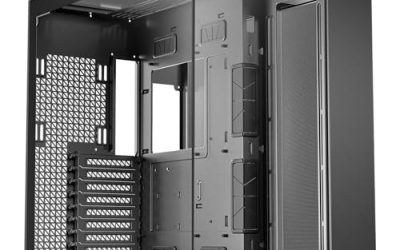
Ten years ago a front-panel port was an afterthought. Today it decides how comfortably you live with a PC. Phones, external SSDs, VR headsets, capture cards, and docks have all moved to USB-C, and reaching behind a tower to find a rear port gets old fast. The keyword “best PC cases with USB C” is really a question about the front or side I/O panel: does the case offer a Type-C port, and will your motherboard actually be able to use it?
This guide is for builders choosing a chassis in 2026 who want a modern port on the case without paying for a flagship. It covers six cases that list Type-C in their titles, from compact micro-ATX towers to airflow-focused ATX mid towers. Because the port only works if the motherboard provides a matching internal header, the buying advice below spends as much time on compatibility as on the cases themselves. All comparisons rest on the specs in each listing.
Our Top Picks
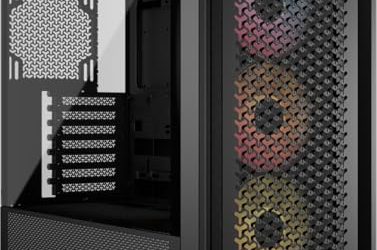
 DARKROCK EC2 ATX Mid Tower Gaming Computer PCATX/Micro-ATX/Mini-ITX17.6 x 8.6 x 15.2 InchesCheck on Amazon
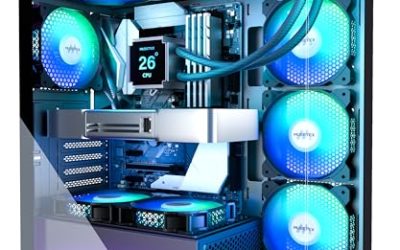
 MUSETEX Y6 PC Case16.73"D x 10.83"W x 15.67"H16.73 x 10.83 x 15.67 inches13.09 PoundsCheck on Amazon
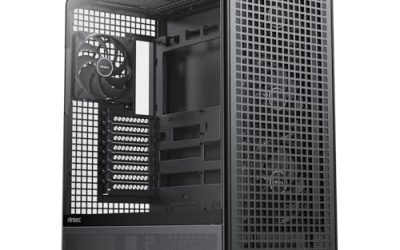
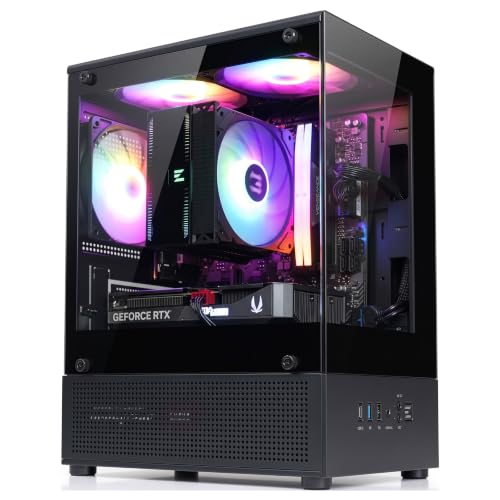 Zalman CUBIX-G Micro-ATX MATX Compact Mini Tower Gaming11.42 x 7.87 x 15.63 Inches7.05 PoundsCheck on Amazon

Top 3 picks at a glance
Quick Picks
As an Amazon Associate we earn from qualifying purchases at no extra cost to you.


| Product | Best for | Key spec from the title |
|---|---|---|
| DARKROCK EC2 | Next-generation graphics card builds | ATX mid tower, Type-C ready, up to 8 x 120mm fans |
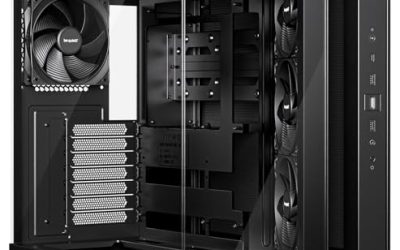
| MUSETEX Y6 | Quiet builds without lighting | 4 non-LED fans pre-installed, Type-C, 270 degree glass |
| Lian Li V100-ATX | Long graphics cards and 360mm cooling | Side USB-C I/O, 420mm GPU and 360mm radiator support |
| darkFlash DS900 Air | High-airflow ATX with a display look | 3 pre-installed fans, panoramic glass, USB-C |
| Zalman CUBIX-G | Compact micro-ATX builds | Micro-ATX mini tower, 3 x 120mm fans, USB Type-C |
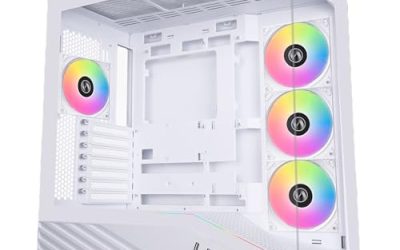
| RUIX OV303 | Fan-rich ATX build with both USB types | 4 x 120mm ARGB PWM fans, USB 3.0 and Type-C |
How to Choose
Confirm Your Motherboard Has a Front USB-C Header
A Type-C port on a case connects to a 20-pin internal connector called a Type-E header on the motherboard. Many current ATX and micro-ATX boards include one, but older boards and some budget models do not. If yours lacks it, the case port will sit dead unless you add a PCIe card that provides the header. Read your board’s manual or spec page for the words “USB 3.2 Gen 2 Type-C front panel connector” before you buy. This single check prevents the most common disappointment with USB-C cases, and it costs nothing.
Know What Speed the Port Can Deliver
The shape of the connector says nothing about its speed. A front Type-C port might run at 5 Gbps, 10 Gbps (USB 3.2 Gen 2), or 20 Gbps (Gen 2×2), depending on the cable and the motherboard header. For an external SSD or a capture device, 10 Gbps is the useful floor. If the case listing only says “Type-C,” treat the speed as unspecified and rely on what your board’s header supports. Also do not expect a case port to charge a laptop at high wattage; it is intended for data and modest device charging.
Match Form Factor, Airflow and Graphics Card Room
Choose the board size first: ATX mid towers give the most expansion, while micro-ATX towers save space but offer fewer slots and less room for fans. Look for listed clearance numbers, such as 420mm for graphics cards or 360mm for radiators, because modern cards are long and thick. Pre-installed fans, usually three or four 120mm units, are the baseline for airflow; add one or two if the case has the mounts. A mesh front helps cooling more than extra lighting does.
What to Ignore and Where Budget Cases Cut Corners
Ignore claims that a case “supports” a graphics card generation unless clearances back it up, and ignore RGB features if you will keep the lights off. Budget cases often cut corners on dust filters, cable management room behind the motherboard tray, and the thickness of the side panel hinges or screws. Panoramic glass looks impressive but adds weight and can trap heat if the front intake is restricted. A properly mounted USB-C cable that reaches your motherboard header is worth more than another fan. When two cases look similar, let the practical details break the tie: a dust filter on the intake, a clearly labeled GPU clearance, and a cable that is long enough to reach the header at the bottom edge of the board without strain.
The 6 Best Options
DARKROCK EC2
The DARKROCK EC2 is an ATX mid tower with a tempered glass side panel, a Type-C ready front panel, room for up to eight 120mm fans, and listed support for 50 Series graphics cards. It is aimed at builders planning an up-to-date graphics card and wanting a modern front port without stepping up to a premium brand. With room for so many 120mm fans, it also gives first-time builders freedom to start with a few fans and add more later if temperatures call for it, rather than buying everything on day one.
- Strength: up to eight 120mm fan positions give plenty of room to tune airflow.
- Strength: the Type-C ready panel and tempered glass look current for a mainstream ATX build.
- Trade-off: the title does not state the Type-C speed or the included fan count, so confirm both before ordering.
Skip it if you need a compact case or want a listed GPU clearance in millimeters.
MUSETEX Y6
The MUSETEX Y6 is an ATX mid tower with four pre-installed non-LED fans, a Type-C port, and 270 degree full-view tempered glass in black. The unlit fans make it a sensible match for a restrained desk setup where lighting would only be a distraction. It also suits a bedroom or dorm build, where a PC glowing across the room at night is the last thing anyone wants, yet a front Type-C port for a phone or external drive is still welcome.
- Strength: four fans come pre-installed, so airflow works out of the box.
- Strength: non-LED fans keep the build understated and avoid extra lighting cables.
- Trade-off: the wraparound glass view highlights the interior, so cable routing needs tidy work.
Skip it if you want addressable RGB lighting or a very compact footprint.
Lian Li V100-ATX
The Lian Li V100-ATX is a mid tower with side I/O USB-C, a dust filter, support for 420mm graphics cards and 360mm radiators, and an included GPU bracket. The side-mounted I/O is a design choice: it keeps the front clean and puts ports within easy reach of a desk next to the tower. Dust filtering is also called out in the listing, which matters for anyone who runs the machine for long stretches or lives in a dusty room.
- Strength: 420mm GPU support and a 360mm radiator suit large cards and liquid cooling.
- Strength: the included GPU bracket helps support heavy cards over time.
- Trade-off: the side-mounted ports depend on which side of the desk the case sits.
Skip it if you keep the case in a cabinet where side ports are hard to reach.
darkFlash DS900 Air
The darkFlash DS900 Air is a high-airflow ATX mid tower with three pre-installed fans, 270 degree panoramic tempered glass, an RGB LED control button, and a USB-C port. It sits between the plain and the showpiece, offering a display view without giving up the airflow focus its name suggests. It is a reasonable starting shell for a gaming build that you plan to expand with extra fans once you see how your components behave under load.
- Strength: three fans come installed in a case designed around airflow.
- Strength: the LED control button lets you adjust or turn off lighting without software.
- Trade-off: the three-fan count may leave room for extra fans in demanding builds.
Skip it if you want a solid-panel, silence-first chassis.
Zalman CUBIX-G
The Zalman CUBIX-G is a compact micro-ATX mini tower with three 120mm fixed-RGB fans, panoramic tempered glass panels, and USB Type-C. It serves small-desk builders who want a modern port and a glass showcase without a full ATX tower. Think of it for a dorm, a shelf, or a living room desk, where footprint matters as much as features and a single mid-range graphics card is plenty.
- Strength: three 120mm fans arrive installed, a good start for a small case.
- Strength: the Type-C port comes on a compact micro-ATX chassis, uncommon at this size.
- Trade-off: micro-ATX limits expansion slots and the size of the board you can use.
Skip it if you need a full ATX board or very long graphics cards.
RUIX OV303
The RUIX OV303 is an ATX mid tower with four pre-installed 120mm prism ARGB PWM fans and both USB 3.0 and Type-C ports. Offering both port types helps households with older flash drives and newer devices, and the PWM fans can follow motherboard fan curves. That combination is handy for families or small offices where one build has to serve a mix of old flash drives, card readers, and current phones.
- Strength: four ARGB PWM fans give controlled, lit airflow from the start.
- Strength: USB 3.0 and Type-C together cover old and new peripherals.
- Trade-off: the title does not list GPU or radiator clearances, so verify sizes against your parts.
Skip it if you want silent unlit fans or a compact build.
Which One Fits Your Situation
A Builder Planning a Large, Current-Generation Graphics Card
The Lian Li V100-ATX is the safest match, since its listing gives a concrete 420mm GPU limit, a 360mm radiator option, and a GPU bracket. The DARKROCK EC2 is a lower-profile alternative that explicitly calls out 50 Series support.
A Small Desk and a Micro-ATX Board
Choose the Zalman CUBIX-G. It keeps the Type-C port in a compact mini tower and includes three 120mm fans, so a micro-ATX build needs no immediate fan purchases.
A Low-Key Office or Study Build
The MUSETEX Y6 fits best because its four fans are non-LED, so the finished machine stays visually quiet while still offering front USB-C and a clear glass panel.
A Showcase Build With Plenty of Airflow
The darkFlash DS900 Air balances a panoramic glass view with an airflow-driven layout, while the RUIX OV303 adds a fourth ARGB PWM fan and both port types if you plan to keep old and new peripherals plugged in.
Common Mistakes
- Buying a USB-C case without confirming the motherboard has a front-panel Type-C header.
- Assuming Type-C means fast; the speed depends on the header and the cable, not the connector shape.
- Choosing panoramic glass for looks while blocking the front intake, which hurts cooling.
- Ignoring graphics card and radiator clearance numbers and relying on generation labels instead.
- Forgetting that side-mounted ports must face a reachable spot on the desk.
Related guides
- How To Check Gpu Compatibility With Your Motherboard And Cpu
- High-Performance Gaming Desktop Specifications
- Prebuilt Gaming Pc Rtx 5070 Under 1500
Frequently Asked Questions
Does any ATX case with USB-C work with any motherboard?
No. The case cable needs a matching internal Type-E header on the motherboard. If the header is missing, you need an add-in card that provides one, or the port will not function.
Is a front USB-C port faster than USB 3.0?
It can be, but only if the header supports it. Many front Type-C ports run at 10 Gbps, while a plain USB 3.0 port runs at 5 Gbps. The listing and the motherboard manual state the actual speed.
Can a case USB-C port charge my laptop?
Case ports are built for data and light device charging, not laptop-class power delivery. Use the charger that came with your laptop and treat the case port as a data and peripheral connection.
Do I need RGB fans for a good USB-C case?
No. Lighting is a style choice. Focus on fan count, mesh airflow, graphics card clearance, and compatibility with your motherboard header instead.