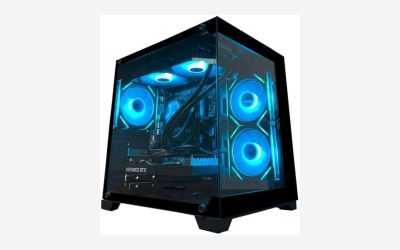
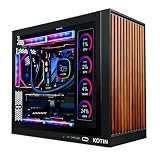
Airflow starts at the front: a case with a mesh intake, two or three fans pulling air in and a clear path out the rear and top will run cooler than a sealed glass box at any price. The picks below are mostly ATX mid-towers with mesh or ventilated fronts, and the NZXT H5 Flow, the Corsair 4000D RS ARGB FRAME and the Montech X3 Mesh are the clearest airflow-first designs by their titles. One listing, the MoKo mesh sheet, is not a case at all; it is a dust-filter add-on and is labeled as a runner-up.
Our Top Picks
 MUSETEX ATX PC Case Pre-Install 6 PWM ARGB18.98" x 15.75" x 8.07"15.75 x 8.07 x 18.98 inches12.6 PoundsCheck on Amazon
 MUSETEX ATX PC Case 7 PWM ARGB Fans16.73"D x 8.35"W x 18.5"H16.73 x 8.35 x 18.5 inches15 PoundsCheck on Amazon
 DARKROCK EC2 ATX Mid Tower Gaming Computer PCATX/Micro-ATX/Mini-ITX17.6 x 8.6 x 15.2 InchesCheck on Amazon
 MoKo 400x300mm DIY PC Case Dust Mesh Fan2 x 400*300mm-1mm hole15.75 x 11.81 x 0.01 inches0.5 PoundsCheck on Amazon
Top 3 picks at a glance
Quick picks
As an Amazon Associate we earn from qualifying purchases at no extra cost to you.




- NZXT H5 Flow – best for a first airflow-focused build with 360mm front radiator support
- Corsair 4000D RS ARGB FRAME – best for a customizable build with three fans already installed
- Montech X3 Mesh – best for a mesh front with three 140mm intake fans, if your GPU is short enough
- DARKROCK EC2 – best for fan and radiator capacity, with fans to buy
- MUSETEX NN8 – best for a fan-heavy mesh case at a modest price tier
- MUSETEX K2 – best for a showpiece build with seven fans and dual glass
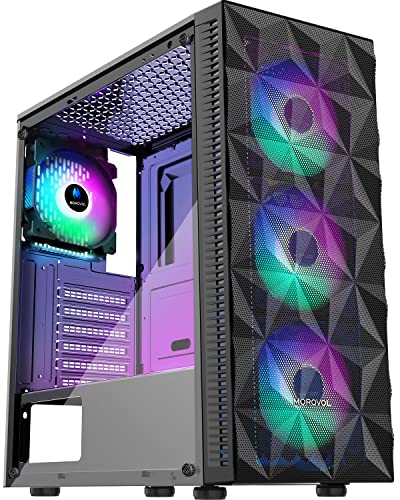
- MOROVOL 621 – best for a diamond-mesh front and four pre-installed fans
- Raidmax V217 – best for a compact-GPU build with four ARGB fans
- MoKo dust mesh sheet – runner-up only; a filter material, not a case
Comparison table
| Model | Type | Fans and cooling (per title) | Limits stated | Best for |
|---|---|---|---|---|
| NZXT H5 Flow | ATX mid-tower | 2 x 120mm included, 360mm front radiator | Check the listing | First airflow build |
| Corsair 4000D RS ARGB FRAME | Mid-tower | 3 fans pre-installed, high airflow | GPU anti-sag, reverse board support | Customizable builds |
| Montech X3 Mesh | ATX mid-tower | 6 fixed RGB fans, 3 x 140mm intake | 305mm GPU, 240mm radiator | Mesh front, short GPUs |
| DARKROCK EC2 | ATX mid-tower | 1 fan installed, up to 8 x 120mm, 360mm radiator | Supports 50 series cards (seller claim) | Expandable cooling |
| MUSETEX NN8 | ATX mid-tower | 6 PWM ARGB fans, polygonal mesh | Check the listing | Fan-heavy budget build |
| MUSETEX K2 | ATX mid-tower | 7 PWM ARGB fans, dual glass | Check the listing | Showcase build |
| MOROVOL 621 | ATX mid-tower | 4 RGB fans, diamond mesh front | Check the listing | Budget airflow |
| Raidmax V217 | ATX mid-tower | 4 x 120mm ARGB fans, mesh front | 305mm GPU, 240mm radiator | Compact-GPU builds |
| MoKo 400x300mm mesh | Filter material | 1mm hole PVC mesh, magnetic frame | Not a case | Runner-up: DIY dust filters |
The nine listings, one by one
NZXT H5 Flow
The title calls it a compact ATX mid-tower with two included 120mm fans, support for a 360mm front radiator and a tempered glass panel, and pitches it as a great first airflow build. That matches the “Flow” in the name: a perforated front, room for a large front radiator and a size small enough for a desk. It lists no GPU length limit, so look it up on the product page and compare it with your card. Two fans is a modest starting point, and a hot GPU may justify adding a third intake or a top exhaust. Because the front radiator slot takes up to 360mm, it also doubles as a path to liquid cooling later, though you should check how much room that leaves for the GPU. With only two fans in the box, many owners will want one more intake to feed a power-hungry graphics card.
- Pros: 360mm front radiator support; compact footprint for an ATX board.
- Cons: only two fans included; GPU and cooler limits are not in the title.
Who it’s for: first-time builders who want a cool, tidy case without a showy fan bundle. Who should skip it: anyone who wants a pile of pre-installed RGB fans.
Corsair 4000D RS ARGB FRAME
The title lists a customizable mid-tower with three pre-installed fans, high airflow, a fully modular layout, InfiniRail fan mounting, GPU anti-sag and reverse motherboard support. The word FRAME suggests removable panels you can swap, but the title does not say what ships in the box, so check which panels and fan types are included. Three ARGB fans plus an easy mounting rail make fan upgrades simple, and the reverse-motherboard option can help if you want the connectors facing the other way. Check the listing for how the airflow claim applies to the front panel you receive, since customizable cases can ship with more than one panel style. Reverse-connector layouts also change cable routing, so read the manual before planning the build.
- Pros: three fans included; flexible mounting and sag support for heavy GPUs.
- Cons: several features depend on panel and configuration choices; limits are not in the title.
Who it’s for: builders who want a well-known brand and an easy fan layout. Who should skip it: buyers on a tight budget who do not need customization.
Montech X3 Mesh
This listing says mesh front, six fixed RGB fans, three 140mm intake fans, dust filters and a swivel tempered glass panel, with a 305mm GPU limit and 240mm radiator support. Three large intake fans behind a mesh face are a clear airflow design. The limit is the 305mm GPU clearance, which is short for many modern cards, so measure first. “Fixed RGB” probably means the lighting is not individually controllable; check the listing before assuming you can sync it. The swivel glass panel is a design flourish more than a cooling feature. If the 305mm limit fits your card, this layout is one of the cleanest airflow arrangements here; if it does not, the clearance number is a deal-breaker rather than a detail.
- Pros: three 140mm intakes behind mesh; dust filters named in the title.
- Cons: 305mm GPU limit; only a 240mm radiator.
Who it’s for: a build with a compact GPU and a focus on cool intake air. Who should skip it: owners of long, high-end graphics cards.
DARKROCK EC2 ATX Mid Tower
The EC2’s title offers the most expansion: up to eight 120mm fans, a 360mm radiator, a tempered glass side panel and Type-C readiness, with a claim of supporting 50 series graphics cards. It ships with one pre-installed fan, so the cooling potential is something you have to buy. The 50 series claim is the seller’s, so check the maximum GPU length against your card. If you enjoy planning a fan layout, this is the blank canvas of the list. A fully loaded eight-fan layout also needs fan headers or a hub, and the cost of seven extra fans can erase the price gap with a case that ships with them. The Type-C port needs a motherboard with a matching header, so check yours.
- Pros: room for many fans and a 360mm radiator; Type-C front port ready.
- Cons: only one fan included; extra fans cost money and cabling effort.
Who it’s for: builders who want to choose their own fans. Who should skip it: buyers who want a cool case out of the box.
MUSETEX ATX PC Case NN8
The title lists six PWM ARGB fans, a polygonal mesh front, an opening tempered glass side panel and two USB 3.0 ports on a mid-tower. Six pre-installed fans make it one of the more fan-heavy budget options. PWM fans can adjust speed from the motherboard, which helps with noise. The “opening” glass panel is a convenience when you swap parts. The title gives no radiator or GPU limits, so check them before buying. With six fans on a single case, the combined noise at full speed can be noticeable, so plan to set a fan curve in the BIOS. Check whether the fans connect through a hub or individual headers, because that decides how many motherboard connectors you need.
- Pros: six PWM fans included; mesh front for intake.
- Cons: clearances not stated; a budget brand, so check build quality in recent buyer feedback.
Who it’s for: budget builders who want airflow and lighting together. Who should skip it: anyone who needs verified limits for a large GPU or radiator.
MUSETEX ATX PC Case K2
This sibling lists seven PWM ARGB fans, Type-C, a mid-tower and a full-view dual tempered glass design. Dual glass looks striking, but it removes the mesh from the equation, so check where the intake fans actually draw air from; the title does not say mesh. Seven fans can still move a lot of air if they are placed well, but fan count does not guarantee low temperatures. A showpiece case, so treat the thermals as unproven until you verify the intake path. Seven fans also means seven cables and a lot of lighting hardware, which can add clutter inside a glass box that shows everything. Check how the lighting is controlled and whether the Type-C port needs a header your motherboard lacks.
- Pros: seven fans included; Type-C front port.
- Cons: glass-focused design may restrict intake; limits not in the title.
Who it’s for: display-focused builds with moderate heat output. Who should skip it: hot, high-power systems.
MOROVOL Case 621
The title lists four pre-installed RGB fans, an ATX mid-tower, a diamond-shaped mesh front, tempered glass and USB 3.0. The diamond mesh is a distinct front design that should let air through, though hole size varies. Four fans is a reasonable count for a mid-tower. As with the other budget brands here, the title gives no GPU length, cooler height or radiator figures, so confirm them on the listing and check recent buyer feedback on build quality. The RGB fans are listed without a control method, so they may rely on a controller button rather than motherboard sync. As with similar budget cases, compare the panel thickness and filter design with the brands above before deciding.
- Pros: mesh front and four fans included.
- Cons: no clearance figures; RGB fans may use their own controller.
Who it’s for: a low-cost airflow build. Who should skip it: buyers who want published limits and brand support.
Raidmax V217
The V217’s title lists an ATX mid-tower with a mesh front, high airflow design, four 120mm ARGB fans, tempered glass, a 305mm GPU limit and 240mm radiator support. That is a fair set of airflow features in a modest case. The 305mm clearance rules out many modern graphics cards, so this one fits a mainstream or older GPU. A 240mm radiator is enough for common 240mm all-in-one coolers but not for the larger 360mm models. Stated numbers are rare among the budget options, which is a point in its favor for planning. Even so, measure the cooler height and check where the front fans sit, because a 240mm radiator and thick front fans can push into the GPU space.
- Pros: mesh front with four fans; clearances stated.
- Cons: 305mm GPU limit; 240mm radiator ceiling.
Who it’s for: a mainstream gaming build with a shorter graphics card. Who should skip it: owners of long cards or 360mm coolers.
MoKo 400x300mm DIY PC Case Dust Mesh Fan Filter (runner-up, not a case)
This listing is not a PC case. It is two cut-to-size sheets of PVC mesh with 1mm holes and a magnetic frame, designed to be trimmed and fitted over intake openings. It is listed here because dust filtering affects long-term thermals: a clogged intake raises temperatures over months. Whether the mesh restricts airflow depends on where you fit it. Check the dimensions against your case openings and the mounting method before buying.
- Pros: cut-to-size and magnetic; cheap way to add filtering.
- Cons: not a case; fit depends on DIY trimming.
Who it’s for: owners adding dust protection to an unfiltered case. Who should skip it: anyone shopping for the case itself.
How we picked these
We started from the nine listings supplied for this keyword and sorted them by what each title says about intake design, included fans, radiator support and GPU clearance. We kept the one non-case listing as a labeled runner-up. Notes draw on published specifications, manufacturer documentation and buyer reviews. Nobody on the team used or measured these units. No temperature or noise results are claimed, and anything the title omits is marked “check the listing”.
What to look for in an airflow-focused PC case
Intake design: mesh, glass and gaps
Fans can only move the air the case lets in. A fine mesh front gives intake fans a large open area, while a glass front with narrow side vents starves them. Compare front design before fan count. Mesh holes also vary: a coarse pattern lets air in with less noise but more dust. A removable dust filter on the front, top and power-supply bottom keeps a mesh case from becoming a dust trap over time.
Fan layout and pressure
A typical airflow layout uses two or three front intakes, one rear exhaust and, for hot parts, one or two top exhausts. Three 140mm fans move more air at a lower noise level than three 120mm fans at the same speed. If intake outpaces exhaust, the case runs slightly positive pressure, which helps push air through filters rather than gaps. Static-pressure fans suit radiators and dense filters; airflow fans suit open mesh.
GPU, cooler and radiator limits
A 305mm GPU limit excludes many current graphics cards, and the thickest cards need extra room for cables and front fans. For the CPU cooler, check the maximum tower height in the manufacturer’s spec. For liquid cooling, check which radiator sizes fit at the front and top, and how much space remains for the fans and tubes. Radiator thickness plus fan thickness is what counts, not the radiator size alone.
A simple layout example
Take a mainstream gaming PC with a 200-watt-class graphics card and a 105-watt-class CPU. A sensible plan is three front intakes, one rear exhaust and, if the case allows, one top exhaust, so that cool air enters across the GPU and warm air leaves above the CPU. A 360mm front radiator replaces the three front fans and pushes the air through the radiator first, which warms it slightly before it reaches the GPU. Adjust the plan to your parts’ heat output rather than a fixed rule.
Glass panels, noise and fan quality
A glass side panel mostly affects looks and noise rather than airflow, since few cases use the side as an intake. Included fans vary a lot: PWM fans can respond to motherboard curves, while fixed-speed fans cannot. Cheap bundled fans can be loud at full speed and produce little pressure, so be ready to swap a few. ARGB headers also need motherboard support or a controller.
Front I/O, power supply and cable room
USB-C front panels need a matching motherboard header. Look for a power-supply shroud and cable routing space, because tidy cables improve airflow. A shroud also hides the PSU’s heat; check that the PSU fan can draw air from below through a filter.
A pre-purchase checklist
| Check | How | Why it matters |
|---|---|---|
| GPU length | Manufacturer spec, minus 20mm for fans and cables | 305mm cases exclude many current cards |
| CPU cooler height | Cooler spec versus case limit | A tall tower cooler can block the glass panel |
| Radiator fit | Radiator plus fan thickness | Decides 240mm versus 360mm options |
| Fan headers | Count on the motherboard | Six or seven fans may need a hub |
| Dust filters | Front, top and PSU | Clogged intakes raise temperatures |
Mistakes buyers make
- Counting fans instead of intake area. Seven fans behind a sealed front cool worse than two behind mesh.
- Ignoring the GPU limit. A short clearance number is the quickest way to return a case.
- Buying glass for the looks and skipping the front. The glass is fine, but check where the air enters.
- Forgetting dust. Mesh needs cleaning. Plan to vacuum filters every few months. See our note on whether dust filters hurt airflow.
- Mixing up fan types. Read our explainer on static pressure versus airflow fans before choosing replacements.
Verdict
For most builders the NZXT H5 Flow or the Corsair 4000D RS ARGB FRAME is the safest airflow-first choice, with the Montech X3 Mesh as the value pick if your GPU is short. Pick the DARKROCK EC2 if you want to design your own fan layout, and treat the glass-heavy MUSETEX K2 as a looks-first case. Whichever case you choose, verify the clearances and then follow a bring-up routine such as how to bench test a PC build before closing the panel.
Related guides
- How To Check Gpu Compatibility With Your Motherboard And Cpu
- High-Performance Gaming Desktop Specifications
- Desktop Computer For Working From Home
Frequently asked questions
Does a mesh front panel really improve PC case airflow?
Generally yes. A mesh front lets intake fans pull in air with less obstruction than a solid or glass front with narrow side gaps. The gain depends on the mesh hole size, the fans behind it and the dust filter. Mesh also lets in more dust and noise, so a filter and a decent fan curve matter.
How many case fans do I need?
Most builds do well with two or three intake fans at the front and one exhaust at the rear, with extra top exhaust for hot GPUs or CPUs. Fan size and speed matter as much as count. A few well-placed 140mm fans can outperform six small fans, so match the layout to your hardware’s heat output.
What does positive pressure mean in a PC case?
Positive pressure means more air flows in than out, so the case interior sits slightly above room pressure and air escapes through gaps. It tends to reduce dust entering through unfiltered openings. Negative pressure does the reverse. Neither is magic, so use filtered intakes and watch temperatures rather than counting cubic feet per minute.
Will my graphics card fit in these cases?
Check the listed maximum GPU length against your card’s length in the manufacturer’s spec, and leave a margin for cables and front fans. Two of the cases here state a 305mm limit, which is short for many current cards. Also check card thickness, since three-slot coolers can collide with a bottom shroud.
Is tempered glass bad for cooling?
A glass side panel is not a cooling problem by itself, because the side usually is not an intake. What matters is that the front, top and rear have enough open or meshed area for fans to move air. Full-view dual glass designs can restrict intake if the front is also sealed, so check where the air actually enters.
Related guides
- How to Choose the Best Laptops for Solidworks (October 2026)
- Google AI Pro vs ChatGPT Plus: Which AI Subscription Fits a PC Builder or Gamer?
- Best Mini PCs for Gaming: Eleven Compact Desktops Sorted by Graphics Class: 10 Compared (2026)
- Best Budget Gaming PCs: Six Entry-Level Prebuilts Compared: 6 Compared (2026)