A budget gaming PC should hold smooth 1080p frame rates in popular games without surprising you with a weak power supply or a tiny drive, and among these six the MXZ with a Ryzen 5 5500 and RTX 4060 strikes that balance best. At this price level, titles often hide the weak spot, whether that is 512GB of storage, 16GB of RAM or an unspecified PSU. This guide lists what each listing states, what it leaves out, and what you would likely upgrade first. It rests on titles, published specifications and buyer reviews, not our own use.
Our Top Picks

Top 3 picks at a glance
All six at a glance
As an Amazon Associate we earn from qualifying purchases at no extra cost to you.


| Model | Key point from title | Price tier | Best for |
|---|---|---|---|
| SKYESEV Ryzen 5 5600 / RTX 3050 6GB | 32GB DDR4, 1TB NVMe, ARGB air cooling, Wi-Fi | Budget | Lots of RAM and storage at the entry tier |
| LXZ Ryzen 7 4700LE / RTX 3050 8GB | 16GB DDR4, 512GB NVMe, 8 cores, WiFi 6 | Budget | Light games and home office |
| LXZ Ryzen 5 4500 / RX 6500 XT | 16GB, 512GB SSD, 6 cores, WiFi 6, white case | Budget | Casual 1080p and school use |
| MXZ Ryzen 5 5500 / RTX 3060 | 16GB DDR4, 6 RGB fans, no storage listed | Mid-range | 1080p with room for older titles |
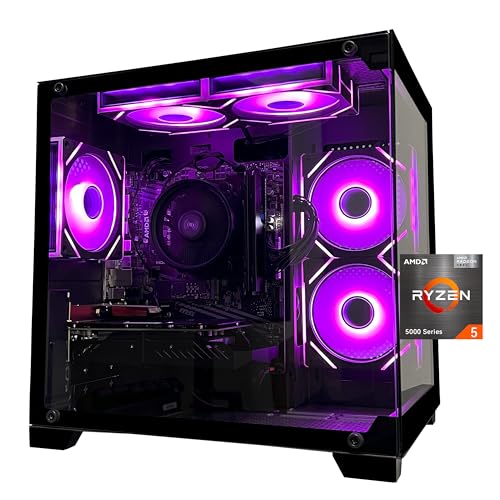
| MXZ Ryzen 5 5500 / RTX 4060 | 16GB DDR4, 1TB NVMe, 6 RGB fans | Mid-range | Best all-round 1080p value |
| MXZ Ryzen 7 7700 / RTX 4060 Ti | 16GB DDR5, 1TB NVMe, B650, 6 RGB fans | Premium | Upgrade path on a newer platform |
What each of the six offers
SKYESEV Prebuilt Gaming Desktop (Ryzen 5 5600, RTX 3050 6GB)
The title lists 32GB of DDR4 3200, a 1TB NVMe drive, ARGB air cooling and Wi-Fi, which is more memory and storage than most rivals at this tier. The RTX 3050 6GB is an entry-level card with limited video memory, so expect medium settings in newer games. The Ryzen 5 5600 is a modest six-core processor, and the PSU is not listed. In practice that means the machine is best judged as a memory-rich starter: you get headroom for a browser, chat and a game together, and the 1TB drive holds a decent library. The weak point is the graphics card, which is the part you would most likely replace first, so ask about PSU wattage and spare power connectors before you rely on that route.
Pros
- 32GB RAM and 1TB storage included
- Air cooling is simple and quiet in principle
Cons
- Entry-level GPU with only 6GB of VRAM
- PSU wattage and brand not stated
Who it’s for: Players of lighter or older games who also multitask.
LXZ Gaming Desktop PC (Ryzen 7 4700LE, RTX 3050 8GB)
Eight cores and 16 threads sound generous, but the Ryzen 7 4700LE is an uncommon part, so check the listing for its generation and capabilities. It also lists 16GB of DDR4, a 512GB NVMe SSD and WiFi 6. The 8GB RTX 3050 has more memory than the SKYESEV card but is still entry-level. The small drive will fill quickly, so plan on adding a second SSD within the first few months if you install more than a handful of games. On the plus side, the title lists WiFi 6, which suits a bedroom or dorm setup without a cable. As with the others, confirm the PSU wattage, because the title does not give it and an unrated unit limits later upgrades.
Pros
- 8GB of VRAM on the GPU
- WiFi 6 included
Cons
- Uncommon processor name; verify details
- Only 512GB of storage
Who it’s for: Light gaming, streaming and home-office use on a tight budget.
LXZ Gaming PC (Ryzen 5 4500, RX 6500 XT)
This is the lowest class here: a six-core Ryzen 5 4500, an RX 6500 XT, 16GB of RAM, a 512GB SSD and WiFi 6, in a white tower. The title itself says it is for 1080P casual gaming, so take that wording at face value. It is a sensible machine for school or office work with occasional games, and a weaker choice for new releases. The 6500 XT class is better suited to esports and older titles at 1080p than to the latest demanding releases at high settings. Because the case is white, it may suit a light-coloured desk setup, but airflow and fan count are not stated, so check photos and the listing.
Pros
- White case for a clean look
- Honest positioning as casual gaming
Cons
- Weakest GPU class in the set
- PSU wattage not stated; 512GB drive
Who it’s for: Students and families who game occasionally.
MXZ Gaming Desktop (Ryzen 5 5500, RTX 3060)
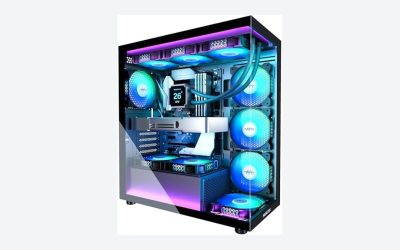
A Ryzen 5 5500, RTX 3060, 16GB DDR4 and six RGB fans. The title does not state storage, so confirm the drive size before ordering. The RTX 3060 comes in different memory sizes, and the title does not say which, so check the listing. It is an older graphics generation, which can still handle 1080p well, though the missing details make it riskier than the 4060 version. If the seller confirms a 12GB card, a 1TB drive and a decent PSU, it becomes a reasonable mid-tier option; if they cannot, move on. A listing that hides its storage size is a signal to ask questions before spending, and to keep a copy of the answers in case the product arrives different.
Pros
- Stronger GPU class than the 3050 machines
- Six fans for airflow
Cons
- Storage and VRAM not stated
- Older GPU generation
Who it’s for: Buyers who find it at a lower tier than the 4060 version and verify details first.
MXZ Gaming PC (Ryzen 5 5500, RTX 4060)
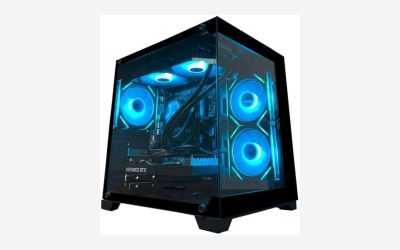
The best value in this list on paper. It pairs the same Ryzen 5 5500 with an RTX 4060, 16GB DDR4 and a 1TB NVMe drive, and adds six RGB fans and Windows 11 Pro Ready, which may mean activation is still needed. As a general expectation, an RTX 4060 class card handles 1080p at high settings in many games. The DDR4 platform has limited CPU upgrade room, so treat this as a machine you will keep for several years and upgrade in small steps: more RAM first, then perhaps a second drive. If you later move to a stronger card, check the PSU rating before buying it.
Pros
- RTX 4060 with 1TB NVMe storage
- Appropriate for 1080p high settings in many games
Cons
- 16GB DDR4; the PSU is not listed
- Older AM4 platform
Who it’s for: Most budget buyers who want the best 1080p result for the money.
MXZ Gaming PC (Ryzen 7 7700, RTX 4060 Ti)
The priciest in the set: a Ryzen 7 7700, an RTX 4060 Ti, 16GB of DDR5, a 1TB NVMe drive and a B650 board. The platform is newer, so a CPU swap later is possible, and the 4060 Ti is a stronger card. It still has only 16GB of RAM, and the title lists no PSU wattage. It sits near the edge of what counts as a budget machine. With 16GB of RAM it also leaves clear room for a cheap memory upgrade, and a B650 board generally gives more storage and expansion options than the lower tiers, though you should confirm slot counts on the listing. If you are choosing between this and the RTX 4060 build, the question is whether the newer platform justifies the extra cost to you.
Pros
- Newer AM5 platform and DDR5
- Strongest GPU in the group
Cons
- Highest cost of the six
- PSU details missing
Who it’s for: Buyers who want the longest upgrade path from a starter build.
How we chose these
We compared budget prebuilts from the shortlist, keeping desktops with a dedicated graphics card and at least 16GB of RAM. We looked at stated specifications, manufacturer documentation and buyer reviews to judge general expectations, and we flagged missing or ambiguous items. Nobody on the team used or measured these units. Frame-rate comments are estimates for the hardware class and change with settings. Prices are left out because they move too quickly to print. We also left out any claim about noise or temperatures, since titles say nothing about them.
Reading a budget listing before you pay
GPU tier and realistic 1080p performance
Entry cards like the RTX 3050 and RX 6500 XT suit lighter games or lower settings. An RTX 4060 class card is the more comfortable 1080p choice, and a 4060 Ti adds headroom. If you are weighing a bigger spend, see our CyberPowerPC prebuilt list.
CPU, RAM and storage
Six cores are enough for most games at this level. The 16GB RAM and 512GB storage in several listings are the first things people upgrade. Adding memory or a second drive later is usually simple, provided free slots exist.
Power supply and upgrade path
Many titles omit the PSU rating. A weak or unrated unit can block a stronger card later. Ask the seller for the brand, wattage and 80 Plus rating.
Hidden-cost worksheet
Before comparing, add the likely first upgrade to each price. As a planning assumption, suppose a 16GB-to-32GB RAM upgrade costs about $50 and a 512GB-to-1TB SSD upgrade about $40; a listing with 16GB and 512GB would carry about $90 of extra cost. Replace those figures with current prices. If the cheaper machine costs more than that gap below the better-specced one, buy the better one.
Quick check on realistic frame rates
No unit was run by us, so treat this as a rough planning rule. In many popular esports and older titles, entry-level cards often reach 60 frames per second at 1080p with reduced settings, while newer demanding games may need lower settings or upscaling. An RTX 4060 class card gives more room, and a 4060 Ti more still. Check independent card reviews for the games you play before buying.
Warranty and reliability
At low prices, support matters. Check warranty duration, who services it and the return window. For longevity expectations, read our guide on how long prebuilt gaming PCs last.
Mistakes buyers make
- Buying on core count alone. The GPU drives gaming performance, so an eight-core processor with an entry card will not beat a six-core one with a stronger card.
- Missing storage in the title. One MXZ listing omits it.
- Ignoring PSU quality. Cheap towers often skip the rating, and a poor unit is a common reason a budget build fails early or blocks later upgrades.
- Paying for RGB. Lighting adds no frames. Fan count helps airflow only if the case lets air in.
- Skipping return terms. Check the window before ordering.
Verdict
The MXZ Ryzen 5 5500 and RTX 4060 is the best pick for most budgets. The SKYESEV is the choice if memory and storage matter more than graphics. The MXZ Ryzen 7 7700 and 4060 Ti is the stretch option. The two LXZ machines are best kept for light gaming, school and office work, and the MXZ 3060 should wait until the seller confirms its storage and video memory. If your budget climbs further, or you want a quick look at all-purpose desktops, see our desktop PC roundup and our RX 9070 XT prebuilt comparison.
Related guides
- How To Check Gpu Compatibility With Your Motherboard And Cpu
- High-Performance Gaming Desktop Specifications
- Desktop Computer For Working From Home
Frequently asked questions
What is the cheapest GPU worth buying in a budget gaming PC?
Among these listings, the RTX 4060 sits at a sensible floor for smooth 1080p in recent games, while the RTX 3050 and RX 6500 XT machines are entry-level and suit older or lighter titles. If a build costs only a little more with a 4060 instead of a 3050, the stronger card usually ages better. Check the exact VRAM figure on each listing.
Is 16GB of RAM enough for a budget gaming PC?
It is the working minimum for current games, but it leaves little room for browsers and chat apps running alongside. Five of the six listings here ship with 16GB, and only the SKYESEV adds 32GB. Plan to add a second matching pair later, and confirm that the board has two free memory slots and supports the speed you choose.
Are cheap prebuilt gaming PCs reliable?
Reliability varies by brand, power supply and cooling more than by price alone. Several of these titles do not state a PSU rating or brand, and warranty terms are not listed. Read buyer reviews for patterns such as early failures or support delays, and check the return window. A short return window on a lesser-known brand is a warning sign.
Should I upgrade the graphics card or the processor first?
For gaming, the graphics card usually matters more. In these builds, the GPU is the limiting part at 1080p, so a later GPU swap yields a bigger jump than a new CPU. Before upgrading, check your power supply wattage and connectors, because an entry-level PSU can block a stronger card.
Is a 512GB SSD enough?
Only barely. Operating system, drivers and a few modern games can fill 512GB quickly, since single installs can be tens of gigabytes. Two LXZ listings here have 512GB, and the MXZ RTX 3060 title states no storage at all. A 1TB drive is the more comfortable minimum, and adding one later is usually inexpensive.
Related guides
- How to Choose the Best Laptops for Solidworks (October 2026)
- Google AI Pro vs ChatGPT Plus: Which AI Subscription Fits a PC Builder or Gamer?
- Best Mini PCs for Gaming: Eleven Compact Desktops Sorted by Graphics Class: 10 Compared (2026)
- How Long Do Prebuilt Gaming PCs Last? Lifespan by Part and When to Upgrade