
Case fans are sold in two loose categories, airflow and static pressure, and builders often buy the wrong type for the job. Put a high-airflow fan where you need static pressure and cooling suffers; do the opposite and you leave performance on the table. The difference is simple once explained, and choosing correctly costs nothing extra. This guide covers what each type does and where to use it.
As an Amazon Associate we earn from qualifying purchases at no extra cost to you.



Our Top Picks



Top 3 picks at a glance
The Core Difference
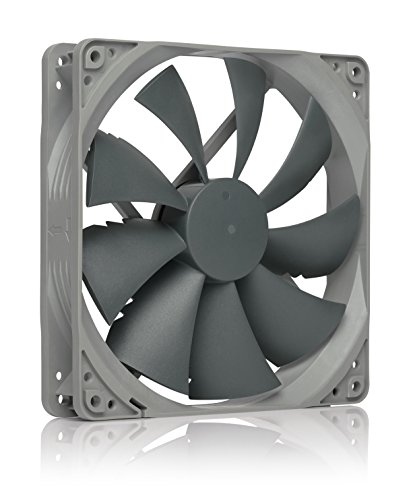
Airflow fans are optimized to move a large volume of air through open space with little resistance. Static pressure fans are optimized to push air through resistance, like the dense fins of a radiator or heatsink or a restrictive filter. Their blade shapes and gaps differ to suit these goals. Many modern fans are designed as balanced all-rounders, but the distinction still matters for demanding spots.
Where resistance lives in a PC
Open case vents and mesh panels are low resistance, favoring airflow fans. Radiators, thick heatsinks, and tightly packed dust filters are high resistance, favoring static pressure fans that can force air through the obstruction.
Which Fan Goes Where
| Location | Best fan type | Reason |
|---|---|---|
| Open case intake/exhaust (mesh) | Airflow | Little resistance to overcome |
| Radiator (AIO or custom loop) | Static pressure | Must push through dense fins |
| Air cooler heatsink | Static pressure or balanced | Fin density adds resistance |
| Behind a restrictive filter | Static pressure | Filter adds back-pressure |
| General case circulation | Balanced all-rounder | Handles mixed conditions |
The simplest rule: if the fan blows into open space, prioritize airflow; if it blows through something dense, prioritize static pressure. For radiators specifically, static pressure fans make a measurable difference in cooling.
Practical Build Tips
Do not overthink open vents
For ordinary intake and exhaust on a mesh case, a good balanced or airflow fan is fine, and modern quality fans blur the line anyway. The choice matters most on radiators and dense heatsinks.
Noise versus performance
Pushing air through resistance is louder for the same cooling. Use a sensible fan curve so fans ramp only when needed, keeping the system quiet at idle and light loads while still cooling under stress.
Fan Placement and Case Pressure
Choosing the right fan type is only half the picture; where you place fans and how you balance intake against exhaust shapes real temperatures. More intake than exhaust creates positive pressure, which pushes air out through gaps and keeps dust from being sucked in through unfiltered openings. Rough balance or slightly positive pressure, with intakes on filtered vents, tends to keep a build cleaner and cooler over time. This interacts with fan type: filtered intakes add resistance, so a fan with reasonable static pressure there moves more air than a pure high-airflow blade.
Do not overpopulate
Adding fans has diminishing returns. Beyond a sensible number of intakes and exhausts, extra fans mostly add noise for little cooling benefit, and can even disrupt the airflow path. A clean front-to-back and bottom-to-top flow with a few well-placed fans usually beats a case crammed with them. Aim for a clear path from cool intake air across the hot components to the exhaust, rather than maximizing fan count.
Let the curve do the work
Whatever fans you pick, a good fan curve is what makes the build both cool and quiet. Set fans to stay low at idle and light loads, then ramp as temperatures rise under gaming or rendering. This keeps the machine near-silent most of the time while still delivering full cooling when it is actually needed, which matters far more day to day than squeezing out the last degree with maximum fan speed.
FAQ
Can I use airflow fans on a radiator?
You can, but cooling will usually be worse than with static pressure fans, because airflow fans struggle to push through dense radiator fins. For AIO and custom-loop radiators, static pressure fans are the better match and are worth choosing deliberately.
Are static pressure fans always better since they are more powerful?
No. On open case vents with little resistance, airflow fans often move more total air more quietly. Static pressure fans are specialized for resistance; using them everywhere is not automatically better and can be noisier for the same result.
Bottom Line
Match the fan to the job: airflow fans for open intake and exhaust, static pressure fans for radiators, dense heatsinks, and restrictive filters. Balanced fans cover mixed duty well. Getting this right improves cooling and noise for free, so plan fan types by their location rather than buying one kind for the whole build.

