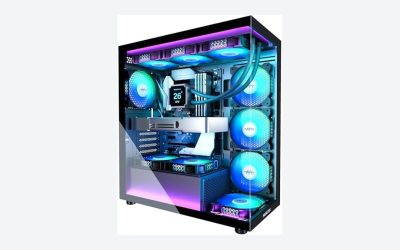
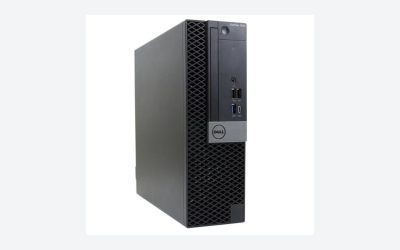
The best desktop for two monitors is one with at least two working video outputs, enough memory for the programs you keep open side by side, and a screen bundle that actually matches your ports. In this guide, the Lenovo ThinkCentre M720 with a Core i5 8th generation, 32GB and a 1TB SSD is the best-specified bundle, the Dell OptiPlex 3060 is a lower-memory alternative, and the OptiPlex 7050 is the desktop to buy if you want to choose your own screens. All seven desktops are renewed, and three stand-alone monitors are labeled runner-ups because a dual-monitor desk needs two screens.
Our Top Picks
 Philips 24 Inch Computer Monitor FHD 100Hz VA24 inch 100Hz8.7 x 21.3 x 16.4 Inches6.4 poundsCheck on Amazon
 Philips 22 Inch Computer Monitor FHD 100Hz VA22 inch 100Hz8.7 x 19.4 x 14.5 inches9.3 poundsCheck on Amazon

Top 3 picks at a glance
Quick picks
As an Amazon Associate we earn from qualifying purchases at no extra cost to you.


- Lenovo ThinkCentre M720 with dual 24 inch screens – best for a supported 8th generation Core i5 with 32GB and 1TB
- Dell OptiPlex 3060 with dual 24 inch screens – best for a six-core Core i5 at 16GB
- HP 800 G3 Mini with dual 24 inch screens – best for a compact desk with 32GB and Wi-Fi 6E
- HP G5 Tiny with dual curved 24 inch screens – best for a small PC with a webcam and RGB kit
- Dell OptiPlex 7050 SFF – best for choosing your own two monitors, with 32GB and 1TB
- Dell OptiPlex 9020 SFF with dual 24 inch screens – best for lots of cheap storage on a very light budget
- HP G4 Gaming PC with dual curved screens – best for a separate graphics card in the bundle
- Samsung 27 inch Essential S3 (monitor) – runner-up, not a desktop, for a larger curved second screen
- Philips 24 inch 241V8LB (monitor) – runner-up, not a desktop, for a 100Hz 24-inch screen
- Philips 22 inch 221V8LB (monitor) – runner-up, not a desktop, for a smaller second screen
Comparison table
| Model | Type | Key specs as stated in the title | Best for |
|---|---|---|---|
| Lenovo ThinkCentre M720 | Desktop + 2 monitors, renewed | Core i5 8th gen 6-core, 32GB, 1TB SSD, dual 24 in, AX200 Wi-Fi | Multitasking |
| Dell OptiPlex 3060 | Desktop + 2 monitors, renewed | Core i5 8th gen 6-core, 16GB, 500GB SSD, dual 24 in | Office work |
| HP 800 G3 Mini | Mini PC + 2 monitors, renewed | Core i7-6700, 32GB, 1TB NVMe, Wi-Fi 6E, dual 24 in | Small desks |
| HP G5 Tiny | Mini PC + 2 monitors, renewed | Core i5, 16GB, 1TB SSD, dual curved 24 in, webcam | Compact bundle |
| Dell OptiPlex 7050 SFF | Desktop only, renewed | Core i7-7700, 32GB, 1TB SSD, Wi-Fi, HDMI | Own monitors |
| Dell OptiPlex 9020 SFF | Desktop + 2 monitors, renewed | Core i5, 16GB, 2TB hard drive, DVD-RW, dual 24 in | Budget storage |
| HP G4 Gaming PC | Desktop + 2 monitors, renewed | Ryzen 3 Pro, 16GB, 256GB SSD + 2x500GB HDD, GT 730 4GB | Extra graphics |
| Samsung 27 in S3 | Monitor only | FHD, 1800R curve, 100Hz, HDMI and D-sub | Second screen |
| Philips 241V8LB | Monitor only | 24 in FHD VA, 100Hz, 4ms, HDMI 1.4, VESA | Second screen |
| Philips 221V8LB | Monitor only | 22 in FHD VA, 100Hz, 4ms, HDMI 1.4, VESA | Small second screen |
Lenovo ThinkCentre M720 Desktop, Core i5 8th Gen, Dual 24 Inch (Renewed)
The title lists a hexa-core Core i5 8th generation, 32GB of RAM, a 1TB SSD, Windows 11 Pro, dual 24-inch LCD monitors, an RGB speaker and an AX200 Wi-Fi plus Bluetooth card. It is the most generous bundle here on memory and storage, and the 8th generation chip is on the supported side of Windows 11. Monitor brand, resolution and panel type are not stated, so check the listing for them. The AX200 card adds modern Wi-Fi and Bluetooth, a nice upgrade over a basic card. The RGB speaker is a styling extra rather than a serious audio device. As with all renewed units, ask what condition grade applies and whether the monitors are covered by the same warranty as the PC.
- Pro: 32GB and a 1TB SSD
- Pro: six-core 8th generation chip
- Con: monitor details and ports not stated; renewed
Who it’s for: home offices and traders who tile many windows. Who should skip it: buyers who want a new machine with a manufacturer warranty.
Dell OptiPlex 3060 Desktop PC, Core i5 8th Gen, Dual 24 Inch (Renewed)
This Dell lists a six-core Core i5 8th generation, 16GB of RAM, a 500GB SSD, Windows 11 Pro, dual 24-inch LCD monitors, Wi-Fi and Bluetooth. It matches the Lenovo on chip class, with half the memory and half the storage, so it works as the lower-tier bundle for office tasks. For spreadsheets on one screen and email on the other, 16GB is adequate; with heavy browsing, it is a limit. The 500GB SSD is enough for the operating system and common applications, though large media libraries will need an external drive. Check the listing for the monitor details and for the available video outputs on the back panel.
- Pro: supported 8th generation chip, SSD boot drive
- Pro: 16GB is enough for typical office work
- Con: 500GB fills up on media-heavy desks
Who it’s for: everyday office and study. Who should skip it: heavy multitaskers wanting 32GB.
HP 800 G3 Mini Computer PC with Dual 24 Inch Monitors (Renewed)
A compact mini PC bundle: Intel i7-6700, 32GB RAM, a new 1TB NVMe SSD, Wi-Fi 6e, Bluetooth 5.2, Windows 11 and two 24-inch monitors. The mini form factor saves desk space, but the 6th generation chip is older than Microsoft’s usual Windows 11 support list, so treat Windows 11 here as possibly unsupported and check the seller’s note. The title says “New NVMe”, suggesting the SSD was added by the seller. Mini PCs of this kind usually offer a couple of digital video outputs, which is why they work well for two screens, but confirm the exact ports on the listing. The 32GB figure is generous for the price tier.
- Pro: small footprint, 32GB, 1TB NVMe
- Pro: Wi-Fi 6e
- Con: 6th generation processor; Windows 11 support is doubtful
Who it’s for: small desks that need two screens. Who should skip it: anyone who wants guaranteed Windows updates.
HP G5 Tiny Mini Desktop PC, Core i5, 16GB, Dual 24 Inch Curved (Renewed)
The title lists a Core i5 with no generation named, 16GB of RAM, a 1TB SSD, two 24-inch curved monitors, an RGB kit, a webcam and Windows 11. Because the Core i5 generation is not given, check it before deciding. The RGB kit and webcam make this a bundle for a desk that needs everything in one box, but the extras are secondary to the PC itself. Curved screens add depth to a two-monitor arc. Tiny desktops generally have limited internal expansion, so choose the configuration you need now. Check the listing for the processor generation and for the video outputs, as these decide how well the pair of monitors will connect.
- Pro: 1TB SSD with 16GB
- Pro: includes webcam and RGB accessories
- Con: processor generation not given; curved screens suit some setups better than others
Who it’s for: compact all-in-one desk bundles. Who should skip it: buyers who want to pick their own monitors.
Dell OptiPlex 7050 SFF Desktop PC, Core i7-7700, 32GB, 1TB SSD (Renewed)
This one comes without monitors, which makes it the best base for choosing two screens of your own. The title lists a four-core i7-7700 at 3.60GHz, 32GB DDR4, a 1TB SSD, Wi-Fi, Bluetooth, HDMI and Windows 11 Pro, and uses the typo “Duel Monitor Support”. The 7th generation chip is older than Microsoft’s usual Windows 11 support list, so check the seller’s note about the installation. Confirm the exact video outputs before buying monitors. A small form factor case has limited room for upgrades, but 32GB and a 1TB SSD mean you are unlikely to need any soon. Buyers who add two matching monitors get a cleaner result than with random leftovers.
- Pro: 32GB and 1TB without paying for monitors
- Pro: lets you choose screen size and refresh rate
- Con: 7th generation chip; Windows 11 may be unsupported
Who it’s for: buyers who already own monitors or want specific ones. Who should skip it: anyone who wants a single-box bundle.
Dell Optiplex 9020 SFF Computer, Core i5, 16GB, 2TB, Dual 24 Inch (Renewed)
The cheapest-sounding bundle: a Core i5 (generation not stated), 16GB RAM, a 2TB hard drive, Wi-Fi, Bluetooth 4.0, a DVD-RW drive, dual 24-inch LCD monitors and Windows 11 Pro. A hard drive is slower than an SSD, so boot and load times will be longer, and the 9020 platform is old enough that Windows 11 support is doubtful. The DVD drive and large HDD suit archive and document work. Bluetooth 4.0 is an older standard, so newer accessories may connect less smoothly. The title does not name the Core i5 generation, so look for it in the specification section before assuming it is recent.
- Pro: 2TB of storage and a DVD-RW drive
- Pro: low-cost bundle
- Con: hard drive, older platform, Bluetooth 4.0
Who it’s for: basic office or archive work. Who should skip it: anyone expecting a snappy modern experience.
HP G4 Gaming PC, Ryzen 3 Pro, GT 730 4GB, Dual 24 Inch Curved (Renewed)
The title calls it a gaming PC, but the specs describe an entry-level machine: Ryzen 3 Pro, 16GB, a 256GB SSD plus two 500GB hard drives, a GT 730 4GB graphics card, two curved 24-inch monitors, an RGB keyboard and mouse, headphones and a USB Wi-Fi and Bluetooth adapter. The GT 730 is a very old, low-end graphics card, so treat “gaming” as light and older titles. Its real benefit is a separate card with its own video outputs. The title says the bundle includes a keyboard and mouse with RGB lighting, which is handy for a first setup. The seller, TechMagnet, is a third-party brand, so read the warranty before ordering.
- Pro: separate graphics card, plenty of storage
- Pro: keyboard, mouse and headphones included
- Con: GT 730 is very modest; the “gaming” label is optimistic
Who it’s for: light gaming plus a two-screen desk. Who should skip it: anyone wanting modern gaming performance.
Samsung 27 Inch Essential S3 (S36GD), Curved, 100Hz (runner-up, not a desktop)
This is a monitor, listed because a dual-monitor desk needs screens. The title states a 27-inch FHD curved panel (1800R), 100Hz, game mode, eye comfort features, and HDMI and D-sub ports. A 1080p picture on 27 inches is fine for documents but less sharp than a 1440p panel. D-sub is VGA, so confirm your desktop has a matching output or an adapter. The curve is gentle at 1800R and helps at a close sitting distance. Being a single monitor, it pairs best with a second Samsung screen so that the panels match.
- Pro: 27-inch size with 100Hz
- Con: FHD on a large panel; no DisplayPort stated
Philips 24 Inch 241V8LB, 100Hz VA (runner-up, not a desktop)
Also a monitor: 24-inch FHD VA, 100Hz, 4ms GtG, adaptive sync, HDMI 1.4, VESA mounting, tilt adjustment, low blue light and a four-year advance replacement warranty. Two of these side by side would make a matched pair. The listing states only HDMI 1.4 and tilt, so check the other ports and whether height adjustment exists. A VA panel offers strong contrast but narrower viewing angles than IPS, which can matter when two screens are angled toward you. Flicker-free and low blue light features are comfort claims from the seller.
- Pro: VESA mount and a stated advance-replacement warranty
- Con: tilt only; check other ports
Philips 22 Inch 221V8LB, 100Hz VA (runner-up, not a desktop)
The smaller sibling of the 241V8LB with the same stated 100Hz VA panel, 4ms GtG, HDMI 1.4, VESA support, tilt and the same four-year advance replacement. At 22 inches it saves desk width, which helps if two screens must fit side by side. Pair it with the 24-inch only if you accept different sizes. For a matched pair, two of the same model look tidier on a dual arm. The title lists HDMI 1.4 only, so check for a second input if you want to switch sources.
- Pro: compact, VESA
- Con: smallest screen on the list
How we picked these
We started with listings that include or support two monitors and added the stand-alone screens most buyers pair with a desktop. Specs come from titles, published specifications, manufacturer documentation and buyer reviews. Nobody on the team used or measured these units. All seven desktops are renewed, so we flagged condition, Windows 11 support for older chips, and missing details such as monitor brand and video outputs. Stand-alone monitors are labeled runner-ups.
What to look for in a desktop for dual monitors
Video outputs and cable matching
Count the ports on the desktop and on each monitor. HDMI, DisplayPort and VGA are not interchangeable without adapters, and adapters can limit resolution or refresh rate. Two matching digital connections are ideal. Titles rarely list outputs, so read the specification section or product images.
Integrated versus dedicated graphics
For documents, browsing, video calls and spreadsheets, integrated graphics handles two 1080p screens. For gaming, 3D work or more than two displays, a dedicated card helps. The GT 730 on the HP G4 listing is a very modest card, so its main value is extra outputs.
Memory and storage for tiled windows
Two monitors mean more windows open at once. 16GB is a comfortable floor, and 32GB gives headroom for trading platforms, browsers with many tabs and virtual machines. An SSD is the better boot drive; a hard drive makes the whole system feel slower.
Processor generation and Windows 11
Microsoft’s official Windows 11 support generally begins at Intel 8th generation. The i7-6700 and i7-7700 listings may show Windows 11 installed but without guaranteed support. Prefer 8th generation or newer if you want long-term updates.
Form factor, ports and mounting
Small form factor and mini PCs save desk space but have fewer expansion slots. Monitors with VESA mounts can sit on a dual arm to free the desk. For setup help, see our guides to dual-monitor settings and prebuilt PCs for dual-monitor streaming.
Worked example: what to check before ordering
| Check | Why | Where |
|---|---|---|
| Desktop video outputs | Must match two monitors | Specification section |
| Monitor inputs | HDMI, DisplayPort or VGA | Monitor listing |
| CPU generation | Windows 11 support | Title |
| Boot drive type | SSD feels faster | Title |
| Warranty and returns | All desktops are renewed | Seller section |
For broader options, see our list of desktop PCs for home, school and gaming.
Mistakes buyers make
The biggest mistake is assuming any desktop can run two screens; the ports and graphics must support it. The second is mixing connection types and then needing adapters. The third is trusting a Windows 11 label on an older processor. The fourth is buying a hard drive system and expecting SSD speed. The fifth is judging a bundle by the monitor count alone, when the unnamed monitor brand and resolution may be basic. The sixth is skipping the warranty on a renewed machine. The seventh is calling a GT 730 desktop a gaming PC and expecting modern games to run well. An eighth is forgetting desk space and cables: two 24-inch screens need roughly a metre of width, and a dual monitor arm frees the surface if the monitors have VESA mounts.
Verdict
The Lenovo ThinkCentre M720 bundle is the strongest on paper, with an 8th generation six-core Core i5, 32GB and a 1TB SSD. The Dell OptiPlex 3060 is the cheaper office pick. If you want your own monitors, the OptiPlex 7050 is the base, and a pair of Philips or a Samsung from the runner-ups fills the desk. Read the video outputs before you buy.
Related guides
- How To Check Gpu Compatibility With Your Motherboard And Cpu
- High-Performance Gaming Desktop Specifications
- Desktop Computer For Working From Home
Frequently asked questions
How many video outputs does a desktop need for two monitors?
At least two working outputs that match your monitors’ inputs. Many small business desktops have two digital outputs such as DisplayPort and HDMI, and some add VGA. If the ports do not match, an adapter or cable fixes it, but each adapter adds cost and sometimes limits resolution or refresh rate. Check the listing for the exact outputs, because the titles here rarely list them.
Can an integrated-graphics desktop drive two monitors?
Usually yes, for office work. Integrated graphics from Intel and AMD typically supports two or more displays at 1080p for documents, browsing, video calls and spreadsheets, if the motherboard exposes enough ports. It is not meant for demanding games or 3D work. If you want more than two screens, high refresh rates or gaming, look for a dedicated graphics card such as the GT 730 on the HP G4 listing, or better.
Are renewed desktops a good way to get a dual-monitor setup?
They can be good value, because business desktops are built to be durable and parts are easy to replace. Every desktop in this guide is renewed, so condition, warranty and return terms vary by seller. Look for a clear warranty period and a return window, ask what grade the renewal is, and plug everything in on day one so a fault shows up while you can still return it.
Does Windows 11 run on these older processors?
Microsoft’s official Windows 11 requirements call for a supported processor, which in practice means Intel 8th generation or newer for most chips. Listings with 6th or 7th generation Intel chips may still show Windows 11 installed, but that can be an unsupported configuration without guaranteed updates. The Core i5 8th generation listings, the OptiPlex 3060 and ThinkCentre M720, sit on the supported side. Check the exact chip before buying.
Should you buy a bundle or choose your own monitors?
A bundle is simpler and often cheaper, but the monitor brand, resolution and panel type are usually not stated, and two matching screens are a plus for a clean look. Choosing your own monitors gives you control over size, refresh rate and ports. If you pick your own, buy a desktop without monitors, such as the OptiPlex 7050 listing, and add two screens like the ones in the runner-up section.
Related guides
- How to Choose the Best Laptops for Solidworks (October 2026)
- Google AI Pro vs ChatGPT Plus: Which AI Subscription Fits a PC Builder or Gamer?
- Best Mini PCs for Gaming: Eleven Compact Desktops Sorted by Graphics Class: 10 Compared (2026)
- Best Budget Gaming PCs: Six Entry-Level Prebuilts Compared: 6 Compared (2026)