
A power supply failure is the one component breakdown that can take your entire system with it. Unlike a slow SSD or a noisy fan, a bad PSU can deliver incorrect voltage to your motherboard, kill your storage drives, and void warranties on parts that were working fine moments before. For this power supply tier list, we compared published specifications, current street prices, and aggregated owner feedback across eight models that span entry-level builds through high-end enthusiast rigs.
What separates a reliable unit from a risky one comes down to internal component quality (especially capacitor sourcing), whether the design supports the ATX 3.1 connector standard that modern GPUs require, and how long the manufacturer warranties the product. The models below range from under sixty dollars to nearly two hundred sixty, and each earns its placement based on that combination rather than raw wattage alone.
As an Amazon Associate we earn from qualifying purchases at no extra cost to you.


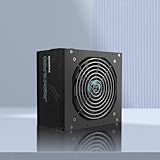
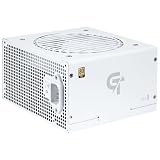
Our Top Picks


Top 3 picks at a glance
Quick Picks
| Product | Best for | Price |
|---|---|---|
| be quiet! Pure Power 13 M 850W | Best overall value | Check on Amazon |
| MSI MAG A650BE | Tightest budget | Check on Amazon |
| NZXT C850 Gold | Clean-build aesthetics | Check on Amazon |
| ASRock Steel Legend SL-1200P | High-wattage Platinum | Check on Amazon |
| Rosewill VMG 1000W | Best 1000W value | Check on Amazon |
| FSP Hydro Ti Pro 1000W | Maximum efficiency | Check on Amazon |
| RAIDMAX Cobra | Gold on a budget | Check on Amazon |
| SAMA GT750 | White-themed builds | Check on Amazon |
How We Compared
We evaluated each unit on four criteria that consistently predict long-term reliability: efficiency certification (80 Plus tier or Cybenetics rating), ATX standard compliance (3.1 units handle transient power spikes without triggering shutoff), warranty duration as a proxy for manufacturer confidence in the design, and capacitor specification. Japanese-brand electrolytic capacitors generally hold their electrical characteristics longer than generic alternatives under sustained thermal load, which is why we weighted them separately.
The 8 Best Power Supply Tier List in 2026
be quiet! Pure Power 13 M 850W
The Pure Power 13 M occupies the sweet spot most builders actually need. Eight hundred fifty watts covers a single high-end GPU and a power-hungry CPU without the bulk or cost of a 1000W+ unit, and the ATX 3.1 spec means it ships with the 12V-2×6 connector that current graphics cards use. Fully modular cabling keeps airflow clean in smaller cases, and the 80+ Gold rating keeps heat and electricity waste low under load. Owner feedback highlights a quiet fan profile during typical gaming sessions, which matters if your case sits near your desk. The main drawback is that be quiet! does not offer this exact model in a higher wattage tier, so anyone building a multi-GPU rig or pairing the absolute top-tier hardware will need to look elsewhere.
- Pro: ATX 3.1 with native 12V-2×6 support at a mid-range price
- Pro: Fully modular with a fan tuned for low noise under load
- Con: No higher-wattage variant in the same series for multi-GPU or workstation builds
Skip it if you need more than 850W or want a longer warranty than the standard coverage this line provides.
MSI MAG A650BE
At sixty dollars, the MAG A650BE is the cheapest entry here, and it is genuinely useful for that role. Six hundred fifty watts handles a mid-range GPU and a mainstream CPU comfortably, the Bronze rating is acceptable in a budget build where you are not chasing marginal efficiency savings, and the five-year warranty signals that MSI expects the internals to last. The semi-modular design means essential cables (motherboard, CPU) are fixed while peripheral connections can be removed for tidiness. The low-noise fan and active PFC are standard but welcome at this price. The honest limitation is the Bronze certification itself: under sustained heavy load, you will run hotter and less efficiently than the Gold units above. Pair it with a power-hungry GPU and the efficiency gap becomes noticeable.
- Pro: Lowest price with a five-year warranty
- Pro: Semi-modular design keeps case interiors cleaner than non-modular budget PSUs
- Con: 80+ Bronze efficiency means more waste heat and higher electricity cost under load
Skip it if you plan to upgrade to a GPU that draws more than roughly 200 watts or if you value a quiet, efficient system over saving thirty to fifty dollars.
NZXT C850 Gold
NZXT built the C850 Gold for builders who care about visual cohesion. The flat black cable combs, understated branding, and full modularity let it disappear into a case with a windowed panel without the attention the unit demands from its surroundings. Technically, it sits close to the Pure Power 13 M: same wattage, same Gold rating, same ATX 3.1 connector standard. The price is a fraction higher, which you are paying partly for the aesthetic package and partly for NZXT’s ecosystem integration if you run their software. Owner reports note consistent voltage regulation and a quiet fan curve. The trade-off is value: if you do not care about appearance and want the most per-dollar performance, the be quiet! or Rosewill options below deliver similar electrical behavior for less money.
- Pro: Clean aesthetic with flat modular cables designed for windowed builds
- Pro: ATX 3.1 compliance with stable output at rated load
- Con: Higher price than functionally equivalent units with the same certification
Skip it if the cable color scheme does not matter to you and you prefer maximum value per watt.
ASRock Steel Legend SL-1200P
This is the unit for someone who refuses to upgrade a power supply twice. Twelve hundred watts at 80 Plus Platinum efficiency with ATX 3.1 and PCIe 5.1 readiness covers dual-GPU configurations, heavy CPU loads, and a path toward whatever hardware ASRock expects to follow. The 135mm fluid dynamic bearing fan stays quiet even under substantial thermal load, and the ten-year warranty is the longest in this group, reflecting ASRock’s confidence in the design. Fully modular cabling includes the 12V-2×6 connector out of the box. The obvious drawback is size and cost: at around $180, it demands more budget than most single-GPU builders need, and its physical footprint can crowd compact or mid-tower cases that were designed around 140mm-length units.
- Pro: 1200W Platinum with a ten-year warranty for serious future-proofing
- Pro: Large FDB fan provides quiet cooling even under high sustained load
- Con: Price and physical size are overkill for single-GPU or mid-range builds
Skip it if your system draws under 700W at peak load, or if your case has limited clearance for a long PSU.
Rosewill VMG 1000W
One thousand watts at 80+ Gold with a 12V-2×6 connector, full modularity, and one hundred percent Japanese electrolytic capacitors for under $110 is a difficult value proposition to ignore. The VMG handles transient power spikes from modern GPUs without the shutoff behavior older ATX 2.4 designs exhibit, and the 120mm FDB fan keeps noise low during typical gaming loads. The five-year warranty is solid for a unit in this price bracket. The main hesitation for some buyers is brand trust: Rosewill does not have the same enthusiast reputation as be quiet! or Corsair, and long-term reliability data is thinner. Owner feedback on electrical performance is positive, but the warranty period is half what some competing 1000W Platinum units offer.
- Pro: 1000W Gold with Japanese capacitors and ATX 3.0/3.1 support at a competitive price
- Pro: Low-noise FDB fan stays quiet under sustained gaming loads
- Con: Shorter warranty than premium competitors and less established brand reputation in enthusiast circles
Skip it if long warranty coverage is a dealbreaker or if you prefer a brand with deeper enthusiast-community track records.
FSP Hydro Ti Pro 1000W
Cybenetics Titanium certification places the Hydro Ti Pro in a tier that very few units occupy. Efficiency above ninety percent across a wide load range translates to less wasted electricity, lower internal temperatures, and a quieter fan over the life of the unit. FSP is a major OEM power supply manufacturer, so the internal engineering pedigree is genuine rather than a white-label rebrand. Owner feedback confirms tight voltage regulation and a premium build feel. The around $260 price, however, is more than double what most builders should spend on a PSU unless their system runs at high utilization for many hours daily or they value electrical savings over a long ownership period. The premium also means it competes against cheaper Platinum options that deliver 95 percent of the experience.
- Pro: Cybenetics Titanium efficiency delivers the lowest waste heat and fan noise at load
- Pro: OEM-grade internal design with excellent voltage regulation
- Con: Price is more than double Gold alternatives with similar wattage
Skip it unless your electricity rates are high, your system runs sustained heavy loads, or you simply want the best-certified unit available regardless of cost.
RAIDMAX Cobra
For builders who need ATX 3.1 compliance on the tightest possible budget, the Cobra offers something unusual: modern connector support and 80+ Gold certification at sixty dollars. The flat black cables contribute to a clean look in smaller cases, and the active PFC design is standard but correctly implemented here. RoHS compliance and PCIe Gen 5 readiness round out a spec sheet that looks far more complete than its price suggests. The concern is wattage headroom: 750W is adequate for mid-range GPUs but leaves little margin if you later pair the system with a power-hungry card. Brand recognition in Western enthusiast markets is modest, which can make resale or warranty fulfillment feel riskier than with more established names.
- Pro: 80+ Gold and ATX 3.1 support at the lowest price in this tier
- Pro: Flat cables and compact footprint suit small-form-factor builds
- Con: 750W ceiling limits upgrade headroom for future high-power GPUs
Skip it if you plan to upgrade to a GPU rated above 250W or if you want a warranty backed by a widely recognized brand.
SAMA GT750
The GT750 solves a specific problem: a white-themed gaming build that needs ATX 3.1 and PCIe 5.1 compatibility without breaking past seventy dollars. The fully modular white cables match light-colored cases directly, saving you the cost and time of buying aftermarket cable combs. The Gold efficiency rating and 750W output handle mainstream GPUs and modern CPUs without issue. SAMA is a Chinese manufacturer with growing availability in Western markets, which means warranty support and spare parts logistics are less established than for MSI, NZXT, or be quiet!. Owner feedback on electrical performance and cable flexibility is positive. The main practical concern is that if the unit fails in year three, obtaining a replacement may take longer than from brands with dedicated North American support infrastructure.
- Pro: Native white cables at an accessible price for themed builds
- Pro: ATX 3.1 and PCIe 5.1 support with Gold efficiency in a low-cost package
- Con: Brand support infrastructure is thinner than established Western competitors
Skip it if warranty turnaround speed is critical to your build plans or if you cannot source the unit through a retailer with a straightforward return policy.
Buying Guide
ATX Standard and GPU Connector Support
The single most decisive spec for any modern build is ATX 3.1 compliance. Older ATX 2.4 units lack the native 12V-2×6 connector that current NVIDIA GPUs use, forcing reliance on adapter cables that add resistance, generate heat, and create failure points. ATX 3.1 units also handle transient power excursions—brief spikes well above rated draw—without triggering overcurrent shutoff. If your GPU recommends 750W or higher on a modern architecture, verify the PSU ships with the 12V-2×6 cable included, not just a connector header.
Efficiency Certification and Real-World Impact
The gap between 80+ Bronze, Gold, and Titanium is not only about electricity cost. Higher-certified units waste less power as heat internally, which means the fan spins slower, the unit runs cooler, and capacitor degradation happens more gradually over years of use. In practice, the difference between Bronze and Gold in a 650W unit running at 50 percent load is roughly 30 to 50 watts of extra heat generated. In a compact or poorly ventilated case, that thermal difference directly affects component lifespan. Gold is the sensible minimum for any build you plan to keep beyond two years.
Warranty, Capacitors, and Longevity
A ten-year warranty from ASRock signals a different engineering standard than a five-year warranty from Rosewill, because the longer coverage exposes the manufacturer to more replacement risk. Pair warranty duration with capacitor sourcing: Japanese-brand electrolytic capacitors maintain their rated capacitance within tighter tolerances over thousands of hours at elevated temperature, while generic capacitors can drift outside acceptable range within a few years of sustained load. If you are buying for a system you plan to run five or more years without a PSU swap, prioritize both factors together.
Our Verdict
The top pick is the be quiet! Pure Power 13 M 850W: it combines ATX 3.1 readiness, Gold efficiency, full modularity, and a competitive around $110 price in a package most single-GPU gaming builds can use without compromise. For the tightest budgets, the RAIDMAX Cobra at around $59 delivers Gold certification and modern connector support at a price that was impossible from an ATX 3.1 unit twelve months ago. The exception: if your build demands more than 850W or your case requires a specific white cable aesthetic, the Rosewill VMG 1000W and SAMA GT750 respectively each win for those narrow use cases at their price points.
FAQ
Does my GPU require an ATX 3.1 power supply?
Technically no modern GPU requires a specific ATX revision, but NVIDIA cards using the 12V-2×6 connector are designed around the transient response characteristics of ATX 3.0 and 3.1 units. An older ATX 2.4 PSU will work with an adapter, but you lose the improved spike tolerance and may introduce thermal stress on the adapter cable.
Is 80+ Bronze still acceptable in 2026?
For a short-term budget build you expect to upgrade within two years, Bronze is functional. For any system you plan to run long-term, the efficiency and thermal advantage of Gold or higher certification justifies the modest price difference over the unit’s lifespan.
Can I reuse my old cables when swapping power supplies?
No. Cable pinouts differ between manufacturers and even between models from the same brand. Mismatched cables can deliver incorrect voltage to your motherboard or GPU, causing instant and expensive damage. Always use only the cables that ship with the new unit.
How much headroom should I leave above my system’s estimated draw?
Thirty to forty percent above your measured or calculated peak load is a practical target. A system that draws 500W at stress-test peak should sit on a 650W to 750W unit, which keeps the PSU operating in its most efficient and quiet range during everyday use while leaving room for transient spikes.









