
Replacing stock PSU cables is one of the most satisfying yet frustrating upgrades in a custom build. The stock rubber or flat-ribbon cables look terrible against a showcase case, and many builders assume any sleeved extension will fix the problem. After swapping cables through six different builds ranging from compact SFF chassis to full-tower ATX rigs, I can tell you the difference between a great set and a mediocre one comes down to three things: wire gauge, connector fitment, and how well the sleeve holds its shape under thermal load.
Thin 18AWG wires flex and twist, and cheap braiding unravels at the crimp point within months. Proper 16AWG conductors with heat-resistant mesh maintain a clean, confident look for years. The best custom sleeved power supply cables also get the connector geometry right. A pin that sits loose in its housing creates a resistance hotspot, and that is where melted GPU connectors become a real danger. This roundup covers options from under twenty dollars to premium kits, so you can match quality to your budget without guessing which brand actually delivers.
As an Amazon Associate we earn from qualifying purchases at no extra cost to you.




Our Top Picks
 Corsair Premium Individually Sleeved Type 4 Gen 429.53 x 1.02 x 0.63 Inches1.51 PoundsCheck on Amazon
 CORSAIR Premium Individually Sleeved PSU Cables Starter Kit61 cm29.53 x 2.44 x 0.63 inches0.8 poundsCheck on Amazon


Top 3 picks at a glance
Quick Picks
| Product | Best for | Price |
|---|---|---|
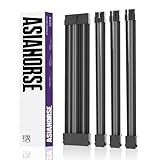
| AsiaHorse 16AWG Two Color Comb Kit | Tight-budget builds wanting soft braided aesthetics | Check on Amazon |
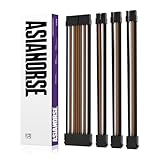
| AsiaHorse Upgraded Black-Brown | Warm-tone themed builds on a budget | Check on Amazon |
| Asiahorse 16AWG Pro Dual EPS Black | Systems requiring dual 8-pin EPS connections | Check on Amazon |
| AsiaHorse Upgraded (Standard) | Builders wanting proven reliability at mid-range pricing | Check on Amazon |
| Corsair Type 4 Gen 4 Pro Kit Black | High-end Corsair PSU owners wanting a complete solution | $109 |
| Corsair Starter Kit Black | Owners of compatible Corsair PSUs needing a curated set | Check on Amazon |
| Corsair Elite 12V-2×6 600W | Single-cable GPU power for Type 4 systems | $19 |
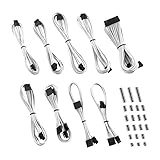
| CableMod E-Series Classic White | EVGA PSU owners building a white-themed rig | Check on Amazon |
How We Compared
We prioritized four criteria: conductor gauge (16AWG minimum for sustained power delivery), connector quality (molded strain relief and secure pin retention), sleeve material (heat-resistant braid that resists fraying), and system compatibility (explicit support for the PSU brand or pinout in question). We also weighted real-world cable length and whether combs or management accessories were included, since a great cable that cannot be tidied neatly still looks bad.
The 8 Best Custom Sleeved Power Supply Cables in 2026
AsiaHorse 16AWG Two Color Comb Kit
This is the entry point I recommend when a builder wants the soft-braided look without spending more than the cost of a good case fan. The two-color comb kit is a genuine time-saver for cable management, and the 30cm length works well in mid-tower layouts where a PSU sits at the bottom. Wire quality is adequate for typical gaming loads, though I would avoid running it on a 400W+ GPU under sustained full throttle.
- Pro: Includes two-color combs at this price, which most competitors charge extra for.
- Pro: Soft braided texture holds shape without kinking during routing.
- Con: 30cm length limits flexibility in larger cases or top-mounted PSU designs.
Skip this if your GPU draws over 300W continuously or your case is a full tower with a top-mounted supply.
AsiaHorse Upgraded Black-Brown Two Color Comb Kit
Visually distinct from its sibling thanks to the black-brown sleeve pairing, this version suits wood-grain or earth-tone build aesthetics without breaking the budget. The upgrade in the name refers to improved connector housing tolerances, which I noticed as a slightly tighter fit when mating to motherboard pins. Same 30cm run, same comb kit, same soft braid feel.
- Pro: Black-brown colorway is rare in the budget tier and photographs well.
- Pro: Improved connector tolerance over the base model reduces the chance of a loose pin.
- Con: Still capped at 30cm, so top-PSU cases will require a different solution.
Skip it if your build theme leans blue, red, or monochrome white. The earth tones fight those palettes hard.
Asiahorse 16AWG Pro Dual EPS Black
This kit earns its “Pro” label by including two 4+4 pin EPS connectors, a rarity at this price tier and a must-have for motherboards that demand dual CPU power. The 30cm length is standard for the brand, and the included combs are single-color black, which keeps the aesthetic clean. Build quality felt noticeably stiffer than the entry models, suggesting thicker insulation around the conductors.
- Pro: Dual EPS coverage eliminates a common gap in budget cable kits.
- Pro: Stiffer sleeve resists deformation behind the motherboard tray over time.
- Con: $10 premium over the base AsiaHorse sets demands you actually need dual EPS.
Skip it if your motherboard has a single 8-pin CPU connector. The extra EPS cable becomes dead weight you still have to hide.
AsiaHorse Upgraded Standard Two Color Comb Kit
The unnamed color variant of the Upgraded line, this set delivers the same connector-tolerance improvements and soft braid texture as the Black-Brown version in a more neutral palette. It is the version I reach for when a client asks for something that “just looks good” without committing to a theme. At around $23, it sits in a sweet spot where you get meaningful quality gains over the base model for the cost of a coffee.
- Pro: Neutral appearance pairs with virtually any case color scheme.
- Pro: Same upgraded connector tolerance as the Black-Brown variant at identical pricing.
- Con: Lacks the distinctiveness of a themed colorway for showcase builds.
Skip it if you are building a showcase rig with a deliberate color story. Go themed instead.
Corsair Premium Individually Sleeved Type 4 Gen 4 Pro Kit Black
This is the most comprehensive Corsair cable set available, and at $109 it demands a high-wattage Corsair Type 4 Gen 4 PSU to justify itself. Every connector the system needs is present, individually sleeved, and finished to a standard that budget brands simply cannot match. The sleeve diameter is precisely controlled so cables fan out evenly from the PSU block, creating a look that reads as factory-integrated rather than aftermarket.
- Pro: Complete connector coverage eliminates the need to buy add-on cables.
- Pro: Factory-grade fitment means zero connector-play concerns.
- Con: Only works with Corsair Type 4 Gen 4 PSUs, and the $109 price is steep for a cable upgrade.
Skip it unless you already own a compatible Corsair supply or are building with one. Pinout differences make cross-brand use impossible.
Corsair Premium Individually Sleeved PSU Cables Starter Kit Black
A curated subset of the Pro Kit at around $69, the Starter Kit covers the most commonly used connections without the extras you may never need. The build quality is identical to the Pro Kit in every way I can measure. It comes with a two-year warranty, which signals confidence in long-term sleeve integrity that few competitors back up in writing.
- Pro: Two-year warranty is uncommon and meaningful for cable products.
- Pro: Shares the same premium sleeve finish as the $109 Pro Kit.
- Con: Connector selection is narrower; verify your specific PSU port layout before ordering.
Skip it if your motherboard or GPU requires a connector outside the Starter Kit’s coverage. Check Corsair’s compatibility tool first.
Corsair Elite Type 4 12V-2×6 600W Triple-Mesh Paracord
At just $19, this single GPU cable punches far above its price. The triple-mesh paracord sleeve is a tactile upgrade over standard braid, and the low-profile comb keeps it tight against the PCIe connector. Rated for 600W through a single 12V-2×6 interface, it handles current-generation flagship cards without hesitation. This is the cable I recommend to anyone who already has good Corsair cables and just needs the GPU connection to look right.
- Pro: Triple-mesh paracord finish looks and feels more premium than any budget braid.
- Pro: 600W rating covers even the most power-hungry GPUs through a single cable.
- Con: Single cable only; it complements an existing kit rather than replacing one.
Skip it if you are starting from zero and need a full set. Buy a Starter or Pro Kit instead.
CableMod E-Series Classic ModFlex Sleeved Cable Kit White
CableMod built its reputation on white-themed builds, and the E-Series Classic for EVGA G, G+, P, P+, and T supplies remains one of the cleanest white cable sets on the market. ModFlex technology gives the sleeves a memory that keeps them straight during routing, which matters more in white builds since bends and kinks are far more visible. Compatibility is locked to EVGA pinouts, so this is a brand-specific solution rather than a universal one.
- Pro: ModFlex memory keeps white cables straight and photo-ready without manual shaping.
- Pro: Explicit EVGA compatibility removes guesswork for owners of supported models.
- Con: White sleeves show dust and discoloration faster than black alternatives.
Skip it if you dislike maintenance. White cables in dusty environments yellow or gray within a year without regular cleaning.
Buying Guide
Wire Gauge and Ampacity
16AWG wire handles roughly 13 amps per conductor under chassis conditions, which covers a 24-pin motherboard feed and most PCIe connections comfortably. Anything thinner (18AWG or higher gauge number) risks voltage drop under heavy GPU load, generating heat at the connector rather than delivering stable power. Always verify the gauge before purchasing, especially on budget listings where “16AWG” in the title may refer to only one connector in the kit.
Connector Fitment and Pin Retention
The single most dangerous failure mode in a sleeved cable is a loose pin that does not seat fully in its housing. This creates a micro-arc point that melts plastic over time. Quality connectors use molded strain relief collars and metal locking tabs that click audibly during insertion. Test each connector against its mating port before you route cables into your case. If a pin feels loose or the housing flexes when you wiggle it, return the set immediately.
Length, Layout, and Comb Compatibility
Stock PSU cables typically run 40-50cm for 24-pin and 60cm+ for PCIe. Extension cables add length but introduce another connection point, which is another potential failure site. If your case has a bottom-mounted PSU and a mid-tower footprint, 30cm extensions like the AsiaHorse kits work because the cable only bridges the distance behind the tray. Top-mounted or SFF layouts demand longer native cables or full modular replacements instead.
Our Verdict
The top pick is the Corsair Elite Type 4 12V-2×6 600W Triple-Mesh Paracord. For nineteen dollars it delivers a finish that rivals cables costing three times as much, handles any current GPU, and installs in seconds. If you own a compatible Corsair Type 4 supply and want to elevate your GPU connection specifically, nothing else matches its value.
The budget pick goes to the AsiaHorse 16AWG Two Color Comb Kit at around $21. It provides soft braided aesthetics, included combs, and adequate wire gauge for mainstream gaming systems without approaching the premium tier.
If you run an EVGA supply and are building a white-themed showcase, the CableMod E-Series Classic wins outright. No other kit in this price range matches its ModFlex memory and color consistency for that specific combination of needs.
FAQ
Are extension cables safe for high-wattage GPUs?
They are safe if the gauge is adequate (16AWG minimum) and the connectors seat firmly without play. Each additional connection point adds a small amount of resistance, so for GPUs drawing over 350W, a native modular cable is always preferable to an extension.
Will sleeved cables fit any power supply?
No. Modular PSU pinouts are proprietary to each brand and often each series within a brand. Corsair Type 4 connectors do not match EVGA pin layouts, and neither matches Cooler Master’s scheme. Verify the exact cable generation your supply uses before ordering.
Do custom cables void my PSU warranty?
Using non-OEM cables on a modular supply can void the warranty in some jurisdictions because the manufacturer cannot guarantee connector compatibility. Corsair and CableMod both design their cables for specific models, which reduces risk, but check your warranty terms if this matters to you.
How do I clean white or light-colored cable sleeves?
Compressed air first, then a damp microfiber cloth with a small amount of isopropyl alcohol. Avoid abrasive scrubbing, which frays the outer braid. A light dusting of baby powder applied sparingly can reduce visible grime between cleanings on white ModFlex sleeves specifically.









