Warranty coverage on a gaming PC varies more than most buyers expect — some sellers offer a full year of parts-and-labor with free return shipping, while others offer 90 days of labor-only coverage with the buyer responsible for shipping costs, and the difference matters significantly if a component fails six months into ownership. This guide compares what different warranty structures actually cover and the specific terms worth checking before you buy.
As an Amazon Associate we earn from qualifying purchases at no extra cost to you.






Our Top Picks


Top 3 picks at a glance
Standard warranty coverage: what “one year” actually includes
A “one year warranty” claim can mean meaningfully different things depending on the seller, and the details matter more than the headline number — the most complete version covers both parts and labor, meaning the seller replaces failed components at no cost and covers the technician time to diagnose and repair the system.
Labor-only warranties, less comprehensive but still fairly common, cover the seller’s time to diagnose and repair a system but require the customer to pay for replacement parts if a component fails — this distinction is easy to miss in marketing copy that simply states “1 year warranty” without specifying which type applies.
Coverage scope also varies by which components are included — some sellers cover the full system uniformly for the stated period, while others apply different coverage lengths to different parts, commonly offering a shorter warranty period on the PSU or storage drive than on the chassis or overall assembly labor.
On-site versus mail-in service is another meaningful distinction, particularly relevant for larger established brands versus smaller boutique builders — on-site service (a technician visiting your location) is convenient but typically reserved for premium warranty tiers or business-focused systems, while mail-in repair, requiring you to ship the system back, is standard for most consumer gaming PC warranties.
Reading the exact warranty document rather than relying on a single summary line in the product listing is worth the ten minutes it takes, since the specifics here directly determine your financial exposure if something fails after the return window but within the warranty period.
Component-level warranties: coverage that outlasts the system warranty
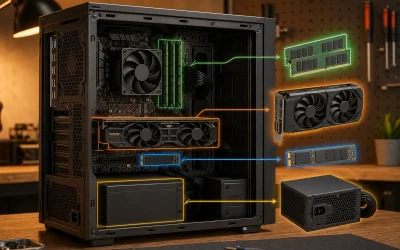
Individual components inside your prebuilt often carry their own manufacturer warranties, separate from and sometimes longer than the seller’s system-level coverage — GPU manufacturers commonly offer 2-3 year warranties, quality PSU brands often offer 5-10 years, and SSD manufacturers frequently offer 3-5 years depending on the specific model tier.
These component warranties remain valid even after a seller’s system-level warranty expires, provided you can document the original purchase (often through the prebuilt seller’s invoice, which typically lists individual component brands and models) and the component itself, not the seller, handles the claim process directly.
The practical value of a strong component-level warranty depends heavily on the seller disclosing exact component brands and models at time of purchase — a listing that only says “power supply” without naming the brand makes it far harder to identify and claim under that component’s individual manufacturer warranty later, another reason detailed listings matter beyond just performance verification.
PSU warranties specifically are worth checking closely, since PSU brands vary enormously in warranty length as a rough quality indicator — budget or generic PSU brands often offer 1-2 years, while established brands like Seasonic, Corsair, or EVGA commonly offer 5, 7, or even 10-12 years on higher-tier models, correlating reasonably well with internal component quality.
Our worst gaming PC brands to avoid guide covers how to verify PSU brand and quality specifically, which is directly relevant to understanding what component-level warranty protection you’re actually getting.
What voids a warranty: the fine print worth reading first
Physical damage from user error — drops, liquid spills, or damage from an improperly seated component during a self-performed upgrade — is universally excluded from warranty coverage, which is standard and expected, but the boundary of what counts as “damage” versus a legitimate defect can be a point of dispute worth understanding upfront.
Overclocking beyond manufacturer-specified limits sometimes voids warranty coverage on the specific overclocked component, though policies vary — some sellers and manufacturers explicitly permit overclocking within their software’s guided limits, while others void coverage on any manual overclock regardless of whether it caused the actual failure.
Opening the case is a common point of confusion — most sellers explicitly permit opening the case for RAM, storage, or GPU upgrades without voiding the base warranty, since this is expected consumer behavior, but tampering with sealed components (a factory-sealed CPU cooler mount, for example) can void coverage on that specific component in some cases.
Using third-party or non-recommended components in an upgrade rarely voids the entire system warranty, but can void the warranty specifically on the affected subsystem — installing an incompatible or underrated PSU replacement, for example, could void coverage on components damaged as a result, even if the base chassis and unrelated parts remain covered.
Reading the specific exclusions list in your warranty documentation, rather than assuming standard consumer protection expectations apply uniformly, is the only reliable way to know exactly where your coverage boundaries sit before you perform any self-service upgrade.
Return policy versus warranty: two different protections
Return policy and warranty are frequently confused but serve different purposes — a return policy (commonly 15-30 days) lets you send back a system for any reason, including simply not liking it, typically for a refund or exchange, while a warranty specifically covers defects and failures over a longer period, usually without a full refund option.
Return shipping cost responsibility varies by seller and by reason for return — most reputable sellers cover return shipping for a defective unit (dead-on-arrival or clearly malfunctioning), but some charge the buyer for return shipping on a “changed my mind” return, or apply a restocking fee in that scenario specifically.
The overlap period — typically the return window, commonly 15-30 days — is your strongest protection, since a defective system within that window can usually be returned entirely for a refund or replacement rather than repaired, avoiding any wait for parts or diagnostic turnaround that a warranty repair claim would involve.
After the return window closes but while still within the warranty period, you’re relying on the repair process rather than a full refund option in most cases, which is why testing a new system thoroughly during the return window — running benchmarks, checking all ports and features, stress-testing under load — is worth the time investment before that window closes.
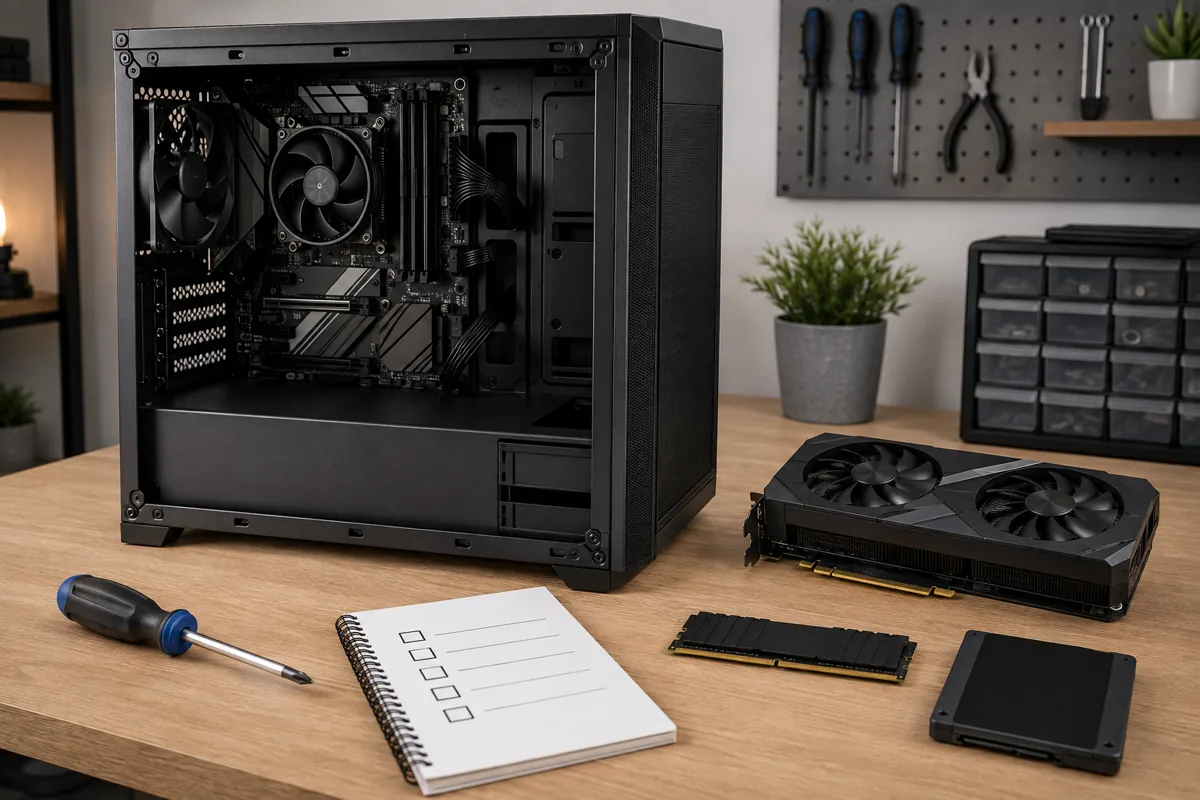
A reasonable testing checklist within your return window: run a benchmark in your primary game, check all USB ports and outputs, verify RAM and storage specifications with CPU-Z and CrystalDiskInfo, and run a stress test (like a 20-30 minute session of a demanding game) to catch thermal or stability issues before the return window expires.
Extended warranties and protection plans: when they’re worth it
Extended warranty plans, typically adding one to three years of coverage beyond the standard warranty for $50-$150 depending on system value, are worth evaluating against your specific system’s component-level warranties — if your GPU, PSU, and storage already carry manufacturer coverage of 2-5 years independently, an extended plan’s marginal value is lower than it might first appear.
The clearest case for an extended plan is accident or physical damage coverage, which standard warranties and most component warranties explicitly exclude — if a plan specifically covers accidental damage (spills, drops) rather than just extending standard defect coverage, that’s a meaningfully different and sometimes more valuable protection.
Read the extended plan’s specific exclusions and claim process before purchasing, since some third-party protection plans (sold separately from the original seller) have more restrictive claim processes or longer turnaround times than the original manufacturer’s own extended coverage options.
Calculate the plan’s cost against a realistic repair scenario — a GPU failure outside standard warranty could cost $300-$700 to replace depending on tier, while a PSU failure typically costs $60-$150, so a $100 extended plan makes more financial sense for buyers concerned about the higher-cost GPU failure scenario specifically than as blanket insurance against any possible issue.
For higher-end builds representing significant investment, our best high end gaming PC and best gaming PC with RTX 5080 guides note which sellers offer the strongest included warranty terms at that price tier, relevant context before deciding whether an extended plan adds meaningful value.
Support quality: response time and repair turnaround
Support channel availability varies significantly between sellers — established brands often offer phone, live chat, and email support with same-day or next-day initial response, while smaller sellers may rely solely on email with response times stretching several days, worth checking through recent buyer reviews before purchase rather than assuming based on company size alone.
Diagnostic quality matters as much as response speed — a support team that walks through structured troubleshooting steps (checking specific settings, running diagnostic software, isolating the failing component) before authorizing a repair or replacement resolves issues faster than one that requires multiple back-and-forth exchanges to reach the same diagnosis.
Repair turnaround time, the period between shipping a system back and receiving it repaired, typically ranges from one to three weeks depending on the seller and whether the needed replacement part is in stock — this gap matters practically if the system is your primary computer, and some sellers offer a loaner or advance replacement option worth asking about specifically.
Reading recent reviews specifically for warranty claim experiences, not just initial unboxing impressions, gives the most accurate picture of real support quality, since a seller’s marketing copy about their support commitment doesn’t always match customer-reported reality months after purchase.
Community forums and subreddits focused on specific sellers or PC building broadly often contain detailed, unfiltered accounts of warranty claim experiences that are harder to find in curated review sections, worth a quick search before committing to a purchase from a seller you’re unfamiliar with.
Comparing warranty terms across price tiers
Budget prebuilts (under $800) commonly include shorter or more limited warranty terms — often 90 days to one year, sometimes labor-only rather than full parts-and-labor — reflecting tighter margins at this price point, making component-level manufacturer warranties proportionally more important to verify at this tier.
Mid-range prebuilts ($800-$1,500) typically include a fuller one-year parts-and-labor warranty as standard, with extended options commonly available, and this tier is where warranty terms across different sellers start showing the most meaningful variation worth comparing directly before purchase.
High-end and flagship prebuilts ($1,500+) often include longer standard warranties (two to three years) or premium support tiers as a differentiator, reflecting both the higher component costs at risk and sellers’ expectation that buyers at this tier weight support quality more heavily in their purchase decision.
| Price tier | Typical standard warranty | What to verify specifically |
|---|---|---|
| Under $800 | 90 days – 1 year, sometimes labor-only | Component brands for individual manufacturer warranties |
| $800-$1,500 | 1 year parts-and-labor | Return shipping coverage, upgrade policy |
| $1,500+ | 1-3 years, sometimes tiered support | On-site vs mail-in, turnaround time guarantees |
Our gaming PC under $1,000 and best prebuilt gaming PC guides note warranty terms alongside performance for each recommended model, since the two factors together determine real long-term value.
Documentation to keep for a smooth warranty claim
Keep your original purchase invoice or order confirmation in an accessible location (both digital and, ideally, a printed copy), since most warranty and return claims require this as proof of purchase date and original configuration, and losing it can complicate an otherwise straightforward claim.
Photograph your system’s original condition and internal component layout shortly after receiving it, before any self-performed upgrades, which provides useful reference documentation if a dispute arises later about pre-existing condition versus damage from subsequent handling.
Record initial diagnostic baselines using free tools like CPU-Z, GPU-Z, and CrystalDiskInfo shortly after setup, saving screenshots of the reported specifications and any health metrics — this baseline is useful both for confirming the system matches its advertised specifications and as a reference point if performance degrades later.
Save all correspondence with the seller regarding any issues, including dates and specific troubleshooting steps discussed, since a documented history of a recurring issue strengthens a warranty claim considerably compared to reporting the same problem as if it were occurring for the first time each time you contact support.
Troubleshooting: warranty claim denied or slow response
If a warranty claim is denied for a reason you believe is incorrect — for example, citing a self-performed upgrade that your warranty terms explicitly permit — request the specific denial reason in writing and compare it directly against your warranty documentation’s exact language, since denials are sometimes based on a general policy misapplied to your specific, permitted situation.
If support response times are significantly slower than what the seller advertises, escalating through a different channel (phone instead of email, or a supervisor request if using chat) sometimes produces faster results than repeating the same request through the same slow channel.
If a component-level manufacturer warranty claim is complicated by not knowing the exact component brand or model, check diagnostic software output (GPU-Z, CPU-Z, or the PSU label if accessible) for exact model numbers, which the component manufacturer’s support team needs regardless of what the original seller’s invoice specified.
If a dispute isn’t resolving through normal support channels and the purchase was made via credit card, a chargeback is a last-resort option worth understanding the process for, though most legitimate warranty disputes resolve through direct communication once specific documentation (photos, diagnostic screenshots, correspondence history) is provided clearly.
Warranty coverage windows are only half the planning picture, since most components outlast their warranty but still slow down before failing outright — our PC lifespan guide lays out when each part typically needs replacing.
Frequently asked questions
What’s a reasonable warranty length for a prebuilt gaming PC?
One year parts-and-labor is the standard baseline most established sellers offer, with some extending chassis or select component coverage to two or three years; anything shorter than 90 days, or a warranty that only covers labor and not parts, is below what most reputable sellers provide and worth questioning before purchase.
Does upgrading components myself void my prebuilt’s warranty?
Usually not for the base system, since most major sellers explicitly permit RAM, storage, and GPU upgrades without voiding coverage on unrelated components, but always check your specific seller’s written terms, as a minority restrict coverage to unmodified systems or require documented pre-approval for internal changes.
What’s the difference between a manufacturer warranty and a component warranty?
A manufacturer or seller warranty covers the assembled system as a whole through the builder, while individual components (GPU, PSU, storage) often carry separate, sometimes longer manufacturer warranties directly from their maker; understanding both matters because a component’s individual warranty can outlast the seller’s system-level coverage.
How do extended warranties or protection plans compare to standard coverage?
Extended warranties typically add one to three additional years of coverage for $50-$150 depending on system value, and are worth it mainly for buyers who want to avoid any out-of-pocket repair risk, though the value proposition weakens if the standard warranty and component-level coverage already provide 2+ years of reasonable protection.
What questions should I ask a seller before buying about their warranty?
Ask exactly what’s covered (parts and labor, or labor only), the coverage length for the whole system versus individual components, who pays return shipping for a defective unit, whether self-performed upgrades affect coverage, and what the average response and repair turnaround time has been for recent customers based on reviews.