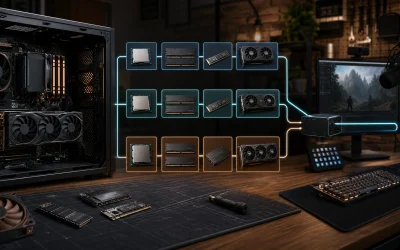
The best graphics cards GPUs for Plex are usually an Intel Quick Sync iGPU for a low-power server, an NVIDIA RTX 4060 for a dependable multi-stream setup, or an RTX 5060/5070 when you need more simultaneous 4K transcodes and broader performance headroom.
As an Amazon Associate we earn from qualifying purchases at no extra cost to you.



Our Top Picks
 ASUS Prime GeForce RTX 5060 8GB GDDR7 OCRTX5060|8GB|OC10.6 x 4.7 x 2 inches1.7 poundsCheck on Amazon
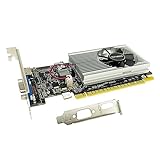
 SRhonyra GTX 1050 4GB Low Profile Graphics Cardlow profile single slot5.7 x 2.7 x 0.1 inches0.69 poundsCheck on Amazon


Top 3 picks at a glance
What matters most in a Plex GPU
Plex does not primarily need gaming performance. It needs a video engine that can decode your source formats and encode the formats your clients require. The important factors are:
- Hardware codec support: H.264, HEVC/H.265, and increasingly AV1 decoding or encoding.
- Session capacity: how many simultaneous hardware transcodes the GPU can sustain without falling back to the CPU.
- Power draw: especially important for a server that runs 24/7.
- Driver and operating-system support: NVIDIA is generally the least troublesome choice, while Intel integrated graphics can be excellent when the motherboard and Linux drivers are configured correctly.
- VRAM: less important than the encoder, although 6–12GB gives useful headroom for multiple high-resolution streams and other GPU workloads.
- Display output: irrelevant for a headless Plex server, so do not pay extra for gaming features you will not use.
Hardware transcoding also requires an active Plex Pass subscription. Without it, Plex may use the CPU even when a compatible GPU is installed.
Best GPUs for Plex compared
| GPU or graphics class | Video support | Typical Plex role | Approximate simultaneous 1080p transcodes | Typical board power |
|---|---|---|---|---|
| Intel UHD 730/770 Quick Sync | H.264, HEVC, VP9 decode/encode; AV1 decode on newer generations | Low-cost, low-power server | About 5–12 | Part of CPU package |
| Intel Arc A380 | H.264, HEVC, VP9, AV1 decode and encode | Value discrete GPU with modern codecs | About 8–16 | 75W |
| NVIDIA GeForce RTX 4060 | H.264, HEVC, AV1 decode and encode | Best balanced discrete choice | About 8–15 | 115W |
| NVIDIA GeForce RTX 5060 | H.264, HEVC, AV1 decode and encode | Efficient current-generation upgrade | About 10–18 | Approximately 145W |
| NVIDIA GeForce RTX 5070 | H.264, HEVC, AV1 decode and encode | Large libraries and heavier 4K workloads | About 12–20 | Approximately 250W |
| NVIDIA GeForce RTX 5090 | H.264, HEVC, AV1 decode and encode | Exceptional excess capacity, not good value for Plex alone | Limited more by Plex and streams than gaming power | 575W |
These stream figures are planning estimates rather than guaranteed limits. The actual number depends on bitrate, subtitles, HDR conversion, scaling, audio transcoding, storage speed, driver version, and whether Plex must decode and re-encode every stream. A direct play stream uses almost no GPU capacity.
Best overall: NVIDIA GeForce RTX 4060
The RTX 4060 is the easiest recommendation for a discrete Plex GPU. Its Ada Lovelace NVENC engine supports H.264, HEVC, and AV1, it consumes considerably less power than high-end cards, and NVIDIA drivers are well supported in Windows and Linux server environments.
Choose it when your server regularly handles several remote users, 4K-to-1080p conversions, HDR-to-SDR tone mapping, or subtitle burn-in. The card is also physically available in compact, low-profile or short designs depending on the manufacturer, which helps when upgrading a prebuilt workstation or small server.
Its main limitation is not gaming speed but encoder capacity. If your household mostly direct-plays files, an RTX 4060 is unnecessary. If you expect a large group of remote users, a second-generation or newer professional card may be more appropriate than simply buying a faster gaming GPU.
Best low-power option: Intel Quick Sync
A recent Intel processor with UHD 730 or UHD 770 graphics can be the best Plex hardware when you are building from scratch. The integrated media engine adds no separate graphics-card power draw, requires no PCIe slot, and can handle a surprisingly large number of 1080p conversions.
Quick Sync is particularly attractive for an always-on server. For example, a system that averages an additional 25 watts because of a discrete GPU uses about:
25W × 24 hours × 30 days ÷ 1,000 = 18 kWh per month.
At around $0 per kWh, that is about $3 monthly before considering the rest of the server. A 115W RTX 4060 does not necessarily draw 115W during every transcode, but the example shows why an iGPU can matter over several years.
Use Quick Sync when you can select a compatible Intel CPU and motherboard. Confirm that the iGPU is enabled in firmware even if no monitor is connected. On Linux, install the correct Intel media drivers and verify that the Plex container has access to the render device, normally /dev/dri.
Best value discrete card: Intel Arc A380
The Arc A380 offers modern AV1 encoding and decoding at a low 75W board power. It is an interesting choice for a Plex library that contains AV1 media or for an economical server that needs a discrete GPU without a large power supply.
The trade-off is configuration. Intel Arc support depends more heavily on current Linux kernels, Mesa or Intel media drivers, motherboard firmware, and container permissions than NVIDIA support typically does. Resizable BAR should be enabled for the best general Arc behavior. Windows setups are usually simpler, but server administrators should still use current drivers.
Choose the A380 when AV1 matters and you are comfortable maintaining the software stack. Choose the RTX 4060 when predictable setup and broad community troubleshooting are more important.
When an RTX 5060 or RTX 5070 makes sense
The RTX 5060 is a sensible newer-generation alternative to the RTX 4060 if its market price is close and you want current AV1 support with modest power consumption. It is a better fit than a high-end card for a server with roughly 10–15 active hardware transcodes and no need for gaming performance.
The RTX 5070 is appropriate for a demanding home lab, a small media server shared by many households, or a machine that will also run AI, video-editing, or gaming workloads. It offers more general GPU headroom, but Plex does not automatically turn that extra shader performance into proportionally more streams. Buy it for capacity and flexibility, not because Plex needs a powerful gaming GPU.
Cards such as the RTX 5080 and RTX 5090 are poor Plex-only purchases unless the system has another major GPU workload. Their power draw, cooling requirements, and cost are difficult to justify for transcode capacity alone.
Decision matrix: match the GPU to your Plex workload
| Your situation | Recommended choice | Why |
|---|---|---|
| One to four users, mostly direct play | Intel Quick Sync | Lowest cost and power; no discrete GPU needed |
| Five to ten 1080p remote transcodes | UHD 770, Arc A380, or RTX 4060 | Enough media-engine capacity without excessive electricity use |
| Several 4K HDR users converting to 1080p | RTX 4060 or RTX 5060 | Strong decode/encode support and practical HDR tone-mapping headroom |
| AV1-heavy library | Arc A380 or RTX 4060 and newer | Modern AV1 hardware support; avoid older GPUs without AV1 encoding |
| Linux server where reliability is the priority | NVIDIA RTX 4060 or RTX 5060 | Usually simpler driver and container setup |
| Plex plus gaming, AI, or video production | RTX 5070 or faster, based on the other workload | Extra GPU performance is justified outside Plex |
Compatibility checks before buying
- Check the CPU first: an Intel CPU with Quick Sync may eliminate the need for a graphics card.
- Check the case: measure card length, height, slot thickness, and the space around the power connector.
- Check the power supply: add the GPU’s expected draw to the CPU’s package power, hard drives, fans, and a safety margin of at least 20–30 percent.
- Check the operating system: use current NVIDIA drivers or Intel media drivers, and confirm that your Plex installation supports the required hardware path.
- Check subtitles: image-based subtitles such as PGS can force subtitle burn-in, creating much heavier GPU and CPU work than an ordinary video transcode.
- Check HDR conversion: 4K HDR to 1080p SDR is substantially more demanding than simply changing a container or bitrate.
How to configure and verify hardware transcoding
Install Plex Media Server, activate Plex Pass, and enable Use hardware acceleration when available and Use hardware-accelerated video encoding in the server’s transcoder settings. Set a temporary transcoder directory on an SSD or fast storage rather than on a slow network share.
Start with one remote playback test. In the Plex dashboard, the session should be marked with hardware indicators such as Transcode (hw). If it says only Transcode, check the driver, Plex permissions, GPU visibility, and whether the client is requesting a format that your GPU cannot process.
For a Linux Docker installation, pass the GPU device into the container. NVIDIA systems require the NVIDIA container runtime; Intel systems generally require access to /dev/dri. Then test a 4K HEVC HDR file, a 1080p H.264 file, and a file with subtitles. These three tests reveal most codec, tone-mapping, and subtitle limitations.
Final recommendation
For a new, energy-conscious Plex server, start with Intel Quick Sync and spend the budget on storage, cooling, and network capacity. For a discrete upgrade, the RTX 4060 is the best all-around answer. Pick the Intel Arc A380 for low-power AV1 capability if you are comfortable tuning drivers, and move to the RTX 5060 or RTX 5070 when simultaneous 4K conversions or non-Plex GPU workloads justify the additional cost. Avoid buying an RTX 5080 or RTX 5090 solely for Plex: the media engine and Plex workload, not gaming-class shader power, are the limiting factors.