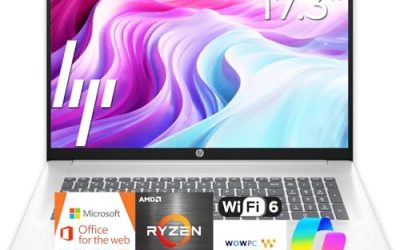
A budget of under 1000 dollars is the most competitive laptop bracket there is, which is exactly why it is confusing. At this level a buyer can end up with a polished thin-and-light computer, a plain workhorse with a numeric keypad, or a refurbished business machine, and the sticker alone does not reveal which is which. The real decision is what to trade away: screen size, storage, memory, ports, or the operating system.
This guide is written for students, home-office workers, and families who need one dependable laptop without stretching the budget. It compares eight listed models, from a 13-inch Apple notebook to 17-inch Windows machines, and explains which specs matter in 2026 and which are filler. Everything below comes from the text of the listings, with general guidance about memory and storage where a title is silent.
Our Top Picks
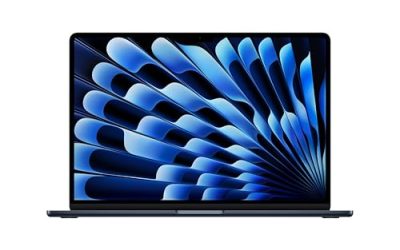
 Apple 2026 MacBook Neo 13-inch Laptop with A18512GB8.12 x 11.71 x 0.5 Inches2.7 PoundsCheck on Amazon
 Dell Latitude 5420 14" FHD Business Laptop Computeri5-1145G7-16-256-SV-Win1112.76 x 8.35 x 0.76 Inches3 poundsCheck on Amazon
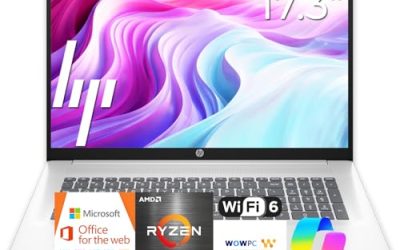
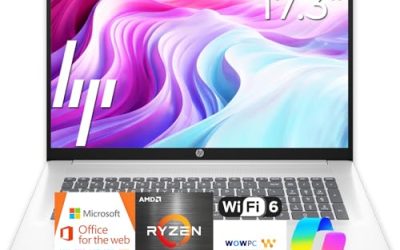
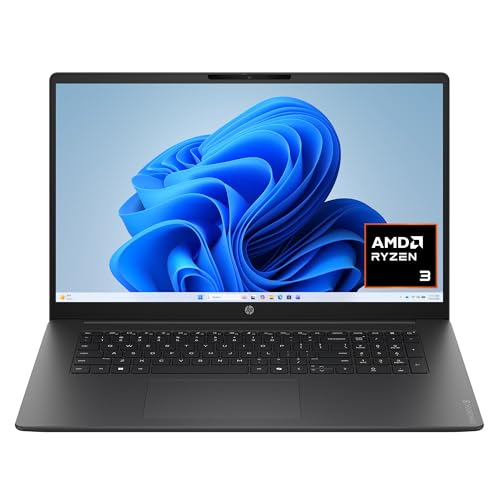 HP OmniBook 3 17.3 inch Laptop PCRyzen3|8GB|256GB|Touch15.65 x 10.09 x 0.65 inches4.43 poundsCheck on Amazon


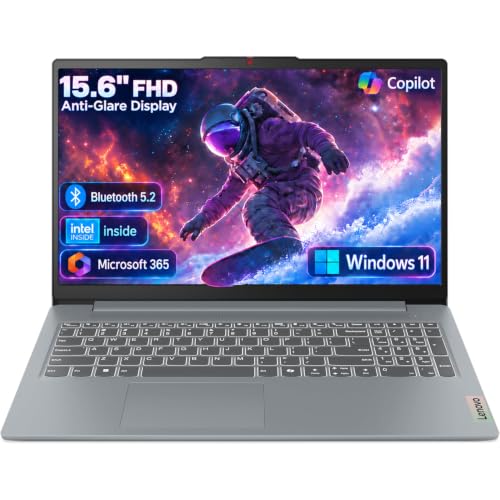
Top 3 picks at a glance
Quick Picks
As an Amazon Associate we earn from qualifying purchases at no extra cost to you.







| Product | Best for | Key spec from the title |
|---|---|---|
| Apple MacBook Neo 13-inch | Portable, Apple-ecosystem users | A18 Pro chip, 8GB unified memory, 512GB SSD |
| Dell 15.6 (Core 3 100U) | Everyday Windows use | 512GB SSD, 250-nit anti-glare IPS screen |
| Lenovo V15 (Ryzen 5 5500U) | Multitasking on a budget | 16GB RAM, 512GB SSD, HDMI and RJ45 |
| Dell Latitude 5420 (Renewed) | Compact business use | 14″ FHD, Core i5-1145G7, 16GB, 256GB SSD |
| HP OmniBook 3 17.3″ | Big-screen home use | 17.3″ FHD, Ryzen 3 30, 512GB SSD |
| Lenovo Business 15.6″ | Light office work with bundled software | 8GB DDR5, 128GB storage, Office 365 |
| Lenovo V-Series V15 (Ryzen 7) | Memory-hungry work and storage | 40GB RAM, 1TB SSD |
| HP 17.3″ (Ryzen 5 7520U) | Spreadsheets and large-screen comfort | 16GB RAM, 512GB SSD, 17.3″ HD+ |
How to Choose
Memory is the first number to check
At this budget, memory separates a laptop that stays smooth from one that stutters. Eight gigabytes is the minimum for Windows 11 with a browser and a few apps; sixteen gigabytes is the practical sweet spot for multitasking and keeping a laptop useful for several years. Anything with 4GB or less is not worth considering. Apple’s unified memory behaves differently from standard RAM, so 8GB on a Mac is not directly comparable to 8GB on a Windows machine, though many buyers still prefer more headroom.
Storage type and size
An SSD is non-negotiable; hard drives and slow eMMC chips make a laptop feel dated. For capacity, 256GB is tight, 512GB is comfortable, and 1TB suits photo or video libraries. A 128GB drive can work if you lean heavily on cloud storage, but it fills quickly with updates.
Screen size, ports, and weight
A 14-inch screen is easy to carry, 15.6 inches is the standard compromise, and 17.3 inches is a desk-friendly choice that adds weight. Full HD resolution (1920 x 1080) is the baseline to look for; “HD+” is a lower resolution and looks softer. Check for HDMI, USB-C, and, if you need wired internet, an RJ45 Ethernet port, which many budget business laptops include and thin models drop.
New, renewed, and what to ignore
Renewed laptops can deliver strong specs for the money, but battery wear and warranty terms vary, so read the listing carefully. Ignore comparisons to rival chips written into product titles, since they are marketing claims rather than measurements. Budget laptops most often cut corners on screen brightness, build quality, and battery size.
The 8 Best Options
Apple MacBook Neo 13-inch
The title lists an A18 Pro chip, a Liquid Retina display, 8GB of unified memory, and a 512GB SSD, with Apple Intelligence features. It is the only macOS option here, aimed at buyers who value a compact design and an Apple-based workflow across phone and tablet. Because it runs a different operating system from the Windows machines in this list, it makes the most sense for buyers who already own other Apple devices or who are happy to rely on web apps and Mac-compatible software for daily work.
- Strength: 512GB of storage is generous for the group.
- Strength: a 13-inch format is easy to carry all day.
- Trade-off: only 8GB of memory and a smaller screen than most Windows rivals.
Skip it if you depend on Windows-only software or need ports like Ethernet.
Dell 15.6 (Intel Core 3 100U)
This Dell pairs an Intel Core 3 100U with 8GB of DDR4 memory, a 512GB SSD, and a Full HD anti-glare IPS screen listed at 250 nits, with Wi-Fi 6 and Windows 11 Home. It targets people who want a no-frills computer for everyday tasks. Picture a household laptop used for school portals, streaming, and tax forms: the spec sheet shows enough storage to hold years of documents, and the screen finish is chosen to reduce reflections near a window.
- Strength: 512GB of SSD storage at this tier is a good starting point.
- Strength: an anti-glare IPS panel helps in bright rooms.
- Trade-off: 8GB of DDR4 memory leaves limited multitasking headroom.
Skip it if you plan to keep many apps open at once or need a very bright display for outdoor use.
Lenovo V15 (Ryzen 5 5500U)
The V15 is a plain 15.6-inch Full HD laptop with a hexa-core Ryzen 5 5500U, 16GB of RAM, a 512GB SSD, HDMI, an RJ45 Ethernet jack, and a numeric keypad. That mix of memory and wired ports makes it a pragmatic pick for office-style work, and the comparison to an Intel chip in the title should be treated as a sales claim. For a small-business owner who spends the day in spreadsheets, email, and video calls, and who occasionally plugs into a wired network at a client site, this layout covers the basics without adapters.
- Strength: 16GB of RAM for comfortable multitasking.
- Strength: Ethernet and HDMI ports reduce the need for adapters.
- Trade-off: the Ryzen 5 5500U is an older chip generation.
Skip it if you want the newest processor architecture or a very thin body.
Dell Latitude 5420 (Renewed)
This renewed 14-inch Latitude business laptop lists an Intel quad-core Core i5-1145G7, 16GB of DDR4 memory, a 256GB SSD, a camera, HDMI, and Windows 11 Pro. It fits shoppers who want business-class design and a smaller screen for travel. Business-line laptops of this kind are often chosen for sturdier keyboards and a more conservative look, which suits a consultant or a student who wants something understated. Always confirm the seller’s return window and battery policy, since condition is the main variable.
- Strength: 16GB of RAM and Windows 11 Pro suit work use.
- Strength: the 14-inch size is easier to carry.
- Trade-off: renewed status means battery wear and condition vary by unit.
Skip it if you want a brand-new warranty-backed device or more than 256GB of storage.
HP OmniBook 3 17.3-inch
The OmniBook 3 combines a 17.3-inch Full HD display with a Ryzen 3 30 processor, 8GB of RAM, a 512GB SSD, and Radeon 610M graphics, running Windows 11 Home. It is a good fit for home users who prefer a big screen for documents and video. Retirees reading large text, hobbyists editing family photos, and parents managing a household budget in spreadsheets are the sort of users who benefit from the extra screen area, as long as the laptop mostly stays on a desk or a kitchen table.
- Strength: a large Full HD screen is comfortable for long sessions.
- Strength: 512GB of storage gives room for files.
- Trade-off: a 17.3-inch body is less portable.
Skip it if you carry your laptop daily or need strong graphics performance.
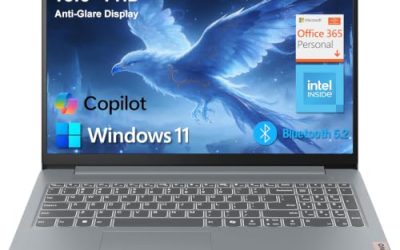
Lenovo Business 15.6-inch (8GB DDR5)
This Lenovo bundles an Intel processor, 8GB of DDR5 memory, 128GB of storage, Office 365, Copilot AI features, Wi-Fi 6, USB-C, and an anti-glare Full HD screen. It aims at light office work and students who value bundled software. The Office subscription is a convenience for new users, but it is typically time-limited, so factor in the cost of renewal later. This is the kind of laptop that works best when paired with cloud storage and an external drive for anything bulky.
- Strength: DDR5 memory is a newer standard.
- Strength: USB-C and Wi-Fi 6 cover modern connections.
- Trade-off: 128GB of storage is small for a primary computer.
Skip it if you store large files or want strong long-term expandability.
Lenovo V-Series V15 (Ryzen 7, 40GB RAM)
The standout on paper is a 15.6-inch Full HD V15 with a Ryzen 7 processor, 40GB of RAM, and a 1TB SSD, plus a numeric keypad, HDMI, an RJ45 port, and a webcam. It suits users who run heavy spreadsheets, many browser tabs, or virtual machines. Few budget laptops list memory at this level, so it is a rare option for analysts, developers, and anyone keeping dozens of documents open together. Note that listings with unusual configurations may use upgraded parts, so check the seller’s description for what is included.
- Strength: 40GB of memory is far above the others.
- Strength: a 1TB SSD covers large libraries.
- Trade-off: business-style body design with a plain look.
Skip it if you want a premium look, a thin chassis, or a touch screen.
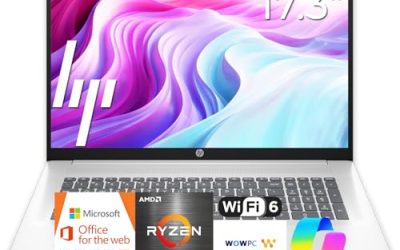
HP 17.3-inch (Ryzen 5 7520U)
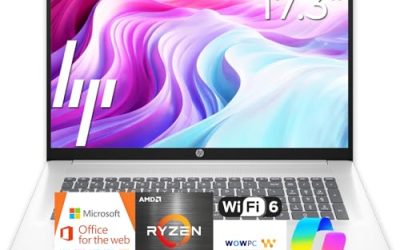
This HP offers a 17.3-inch HD+ display with a Ryzen 5 7520U, 16GB of RAM, a 512GB SSD, and Radeon graphics on Windows 11 Home. It targets large-screen users who want healthy memory without moving to a business line. A bookkeeper, a hobbyist writer, or a family sharing one laptop for homework and streaming would find the combination of a large panel and 16GB of memory easy to live with, with the caveat that the lower-resolution screen is the place where this model saves money.
- Strength: 16GB of RAM and 512GB of SSD storage form a strong everyday pairing.
- Strength: the larger screen suits spreadsheets and side-by-side windows.
- Trade-off: HD+ resolution is lower than Full HD, so text looks less sharp.
Skip it if sharp text or portability are priorities.
Which One Fits Your Situation
A student who carries a laptop all day
The Apple MacBook Neo 13-inch is the most portable listing, with a roomy 512GB drive, assuming macOS software covers your coursework.
A remote worker running many apps
The Lenovo V-Series V15 with 40GB of RAM and a 1TB SSD is built for heavy multitasking, while the Lenovo V15 with Ryzen 5 offers a lighter 16GB alternative.
A traveler wanting a compact business machine
The Dell Latitude 5420 Renewed brings a 14-inch format, 16GB of RAM, and Windows 11 Pro, provided you accept refurbished condition.
A family wanting a big shared screen
The HP 17.3-inch with Ryzen 5 and 16GB of RAM works well at a desk, while the OmniBook 3 17.3-inch is the alternative if sharper Full HD matters more than memory.
Common Mistakes
- Choosing 128GB of storage and then running out of room after the first round of updates.
- Trusting chip comparisons printed in a product title instead of the actual processor model.
- Buying a 4GB or 8GB machine for heavy multitasking.
- Ignoring ports, such as Ethernet or HDMI, until they are needed at a desk or in a conference room.
- Overlooking that renewed units can have shorter battery life than new ones.
Related guides
- How To Check Gpu Compatibility With Your Motherboard And Cpu
- High-Performance Gaming Desktop Specifications
- How To Plan An Upgradeable Mid Range Gaming Pc
Frequently Asked Questions
Is 8GB of RAM enough for a laptop under 1000 dollars?
It is acceptable for browsing and documents, but 16GB is a better target at this budget. Extra memory is the cheapest way to keep a laptop usable for longer.
Should I choose a MacBook or a Windows laptop?
Choose based on the software you rely on. A MacBook suits Apple-centered workflows, while Windows laptops offer more ports and larger screens for the same budget.
Are renewed laptops a good idea?
They can offer better specs per dollar, but battery condition and warranty length vary. Read the seller’s terms carefully before buying.
How much storage do I need?
Aim for 512GB if the laptop is your main computer. Choose 256GB only if you rely on cloud storage, and treat 128GB as a secondary-device option.