
Mounting your GPU vertically looks fantastic in a side-panel case, but it comes with a cost most people underestimate: you are putting a thin ribbon of copper between your graphics card and the motherboard. A bad riser cable will throttle bandwidth, introduce instability, or simply not fit the clearance your case demands. A good one disappears from your awareness entirely.
The category splits sharply by PCIe generation support, physical length, shielding quality, and whether the product is a bare cable or a complete mounting kit. Some buyers need a riser bundled with a bracket and holder; others already have the hardware and just need a reliable extension. Below I have sorted every option by what it actually does well, where it falls short, and who should walk away.
As an Amazon Associate we earn from qualifying purchases at no extra cost to you.


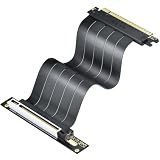


Our Top Picks
 LIAN LI 4 Slots Vertical GPU Kit6.61 x 5.81 x 9.25 inches6.61 x 5.81 x 9.25 Inches2.36 PoundsCheck on Amazon
 Cooler Master Gen5 Vertical Graphics Card HolderMedium12.01 x 7.01 x 5.58 inches1.79 poundsCheck on Amazon

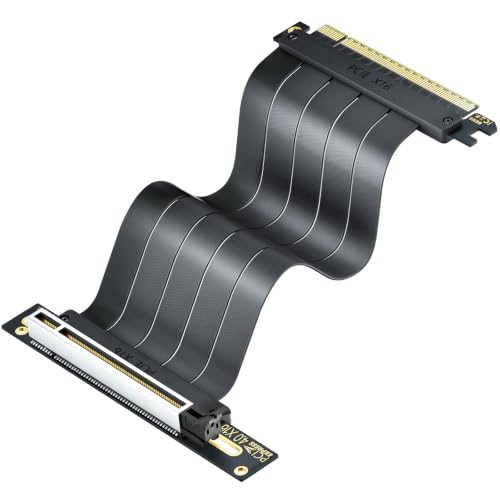


Top 3 picks at a glance
Quick Picks
| Product | Best for | Price |
|---|---|---|
| Lian Li VG4v4 | Lian Li O11 owners wanting a unified kit | Check on Amazon |
| LINKUP PCIe 5.0 | Right-angle routing in tight builds | Check on Amazon |
| ELECNEXUS PCIe 4.0 100mm | Budget-conscious Gen 4 users | Check on Amazon |
| Cooler Master Gen5 | Gen 5 bandwidth with included holder | Check on Amazon |
| JEYI PCIe 5.0 | Maximum bandwidth at the lowest Gen 5 price | Check on Amazon |
| Cooler Master V3 | Multi-case compatibility with adjustable length | Check on Amazon |
| XMSJSIY PCIe 3.0 | Legacy systems or extreme budget builds | Check on Amazon |
| NZXT AB-RH175 | Sturdy steel bracket with clean cable management | Check on Amazon |
How We Compared
We evaluated every riser on four criteria: verified PCIe generation and bandwidth ceiling, physical form factor and length options for real-world clearance, shielding and connector quality under sustained load, and whether the product is a standalone cable or a complete kit with bracket and holder. Products that could not demonstrate stable signal integrity at their rated speed were excluded regardless of price.
The 8 Best Pcie Riser Cables For Vertical Gpu Mounting in 2026
Lian Li VG4v4
If you own an O11 Dynamic or O11 Vision and want one box that solves the bracket, holder, and cable in a single purchase, this is the cleanest path. The four-slot spacing matches Lian Li’s own chassis tolerances exactly, so the GPU sits flush without sag. The included riser is PCIe 4.0 rated and handles current flagship cards without complaint.
- Purpose-built fit for Lian Li cases eliminates guesswork on spacing and clearance
- White colorway matches the aesthetic of popular O11 White builds out of the box
- Locked to Lian Li chassis geometry; generic mounting in other brands requires modification
Skip this if your case is not Lian Li. The proprietary bracket design offers no advantage in a non-Lian Li chassis and costs more than a generic kit.
LINKUP PCIe 5.0
The right-angle connector is the headline here. In compact cases where a straight riser forces an impossible bend radius, this cable exits the GPU at 90 degrees and routes along the motherboard edge. At 20 cm of usable length with a 24 cm total, it suits mid-towers with moderate standoff spacing. It is rated for Gen 5, meaning forward compatibility with RTX 50-series and RX 9000-series cards without signal degradation.
- Right-angle orientation solves clearance issues that flat risers cannot
- PCIe 5.0 rating covers the next several GPU generations
- Fixed length means you must verify standoff clearance before ordering
Skip this if your case already provides generous room behind the GPU. A straight riser is simpler and typically cheaper.
ELECNEXUS PCIe 4.0 100mm
Under twenty-five dollars for a 100 mm Gen 4 riser that reports 64 GB/s bandwidth puts this squarely in value territory. The flexible flat-cable design bends around obstacles in cramped builds without kinking, and the shielding handles interference from dense capacitor arrays near the PCIe slot. It fits RTX 40/30-series and RX 7000/6000-series cards without issue.
- Lowest per-dollar bandwidth among the Gen 4 options in this roundup
- Flexible profile clears motherboard heatsinks and VRM shrouds
- Not rated for PCIe 5.0, so you will need to replace it when upgrading to a Gen 5 GPU
Skip this if you are building around an RTX 5090 or planning a 50-series upgrade within a year.
Cooler Master Gen5 Vertical Riser
This kit bundles a PCIe 5.0 riser with Cooler Master’s own GPU holder, so you get the mounting hardware and the cable in one package. The Gen 5 rating means 128 GB/s theoretical throughput, matching JEYI’s spec at a higher price but with the convenience of integrated hardware. Build quality is consistent with Cooler Master’s case accessory line. The holder uses a sliding bracket that accommodates different card thicknesses without repositioning.
- Complete kit eliminates the need to source a separate GPU holder
- Gen 5 bandwidth future-proofs the build for next-generation GPUs
- Priced higher than standalone Gen 5 cables that do not include a holder
Skip this if you already have a GPU bracket you like and only need the cable itself.
JEYI PCIe 5.0
For raw Gen 5 bandwidth at the lowest price point in this list, JEYI is the obvious pick. The x16 configuration delivers 128 GB/s, and the cable supports RTX 5090 and 5080 cards without signal loss at rated speeds. At under forty dollars, it undercuts every other Gen 5 option here by a wide margin. The flat cable design is easy to route, though it lacks any bundled mounting hardware.
- Best price-to-bandwidth ratio among all PCIe 5.0 risers reviewed
- Explicitly supports current flagship GPUs without reported throttling
- Sold as cable only; you must pair it with a separate GPU holder or bracket
Skip this if you want a single-purchase solution and do not want to hunt for a compatible bracket separately.
Cooler Master V3
The 165 mm length combined with the Modula adjustable system makes this the most versatile kit in the group. It works across E-ATX, ATX, and Micro ATX cases, and the ABS casing resists flex under the weight of heavier cards. Compatibility with RTX 5090 and RX 9070 XT confirms Gen 5 readiness. The white variant keeps it relevant for light-themed builds without sacrificing structural rigidity.
- Adjustable mounting system adapts to three motherboard form factors
- ABS housing resists deformation over time under heavy GPU weight
- Longer 165 mm cable requires more internal case depth than compact options
Skip this if your case is a compact Mini-ITX or SFF build where 165 mm of cable has nowhere to go.
XMSJSIY PCIe 3.0
This is the cheapest option in the roundup at under seventeen dollars, and for PCIe 3.0 systems it does the job without drama. Shielding is present, and the x16 configuration maintains 16 GB/s throughput, which is all a Gen 3 slot can deliver regardless. For older machines being repurposed or budget vertical mounts where bandwidth is not the bottleneck, it is a practical choice.
- Lowest absolute cost for getting a GPU vertical in a Gen 3 system
- Shielded design prevents the interference issues common in unshielded budget cables
- PCIe 3.0 ceiling will bottleneck any Gen 4 or Gen 5 GPU you install
Skip this if you are pairing it with a modern RTX 30/40/50-series or RX 6000/7000/9000-series card.
NZXT AB-RH175
NZXT builds this around a steel bracket rather than plastic or ABS, which makes it the most physically rigid mount reviewed. The 175 mm PCIe 4.0 x16 cable provides enough length for full-tower cases and supports current-gen GPUs without issue. The black finish and clean cable jacket match NZXT H-series aesthetics without looking like an aftermarket add-on. If GPU sag is your primary concern, steel outperforms every polymer bracket here.
- Steel bracket eliminates sag and flex that ABS holders accumulate over months
- 175 mm length suits deep full-tower cases with generous cable routing space
- Highest price in the roundup and limited to PCIe 4.0 rather than 5.0
Skip this if you need Gen 5 bandwidth or your case is compact. The 175 mm cable and steel bracket are overkill for mid-towers.
Buying Guide
Match PCIe Generation to Your GPU and Upgrade Timeline
A Gen 5 riser on a Gen 4 GPU costs more with no immediate performance benefit, but it eliminates a future replacement cycle. If you are buying an RTX 50-series card now, a Gen 5 cable is the right call. If you are mounting a Gen 3 or Gen 4 card and plan no upgrade for several years, spending extra on Gen 5 bandwidth is wasted money.
Measure Your Case Before Choosing Length
Riser cables range from 100 mm to 175 mm and beyond. The correct length depends on the distance between your GPU slot and whatever standoff or bracket holds the card vertically. Too short and you cannot install the card at all. Too long and you are stuffing excess cable into a space never designed for it, which restricts airflow. Measure the gap with a piece of string before ordering.
Decide Whether You Need a Kit or a Bare Cable
A riser cable alone does not mount a GPU vertically. You also need a bracket or holder that secures the card’s PCB parallel to the motherboard. Some products here include both; others are cable-only. If you already own a GPU holder from a case bundle, buying a standalone cable saves money. If you are starting from scratch, a complete kit costs more upfront but avoids compatibility headaches between mismatched bracket and cable lengths.
Our Verdict
The JEYI PCIe 5.0 Riser is our top pick for most builders: it delivers full Gen 5 bandwidth at the lowest price in the category, and you can pair it with a bracket that suits your specific case. The ELECNEXUS PCIe 4.0 100mm is the budget pick for anyone staying on Gen 4 hardware who wants a reliable cable without spending more than it should cost. The Cooler Master V3 wins conditionally: if your case is not Lian Li, not NZXT, and not compact, its adjustable mounting system and three-form-factor support make it the most flexible complete kit available.
FAQ
Will a riser cable reduce GPU performance?
A quality riser operating within its rated PCIe generation introduces negligible performance loss, typically under one percent in gaming benchmarks. The real risk comes from using a lower-generation cable on a higher-generation GPU, which caps your bandwidth to the cable’s ceiling.
How do I know which length riser I need?
Measure the distance from your PCIe slot to the vertical mounting position in your case, then add a small margin for the connector itself. If you are unsure, a slightly longer cable is safer than a short one because you can always manage excess length, but you cannot extend a cable that does not reach.
Can I use a PCIe 5.0 riser with an older GPU?
Yes. PCIe is backward compatible in both directions, so a Gen 5 riser will work with a Gen 4 or Gen 3 card without issue. The link will negotiate to the lower speed of the two devices, and you retain the option to upgrade your GPU later without replacing the riser.
Do riser cables cause overheating?
The cable itself does not generate meaningful heat. Overheating concerns arise when a poorly routed riser blocks airflow to the GPU fans or traps heat against the case panel. A flat, flexible riser that tucks neatly behind the tray avoids this problem entirely.









