An everyday laptop has a narrow job: open the browser, answer email, join a video call, edit a document, stream a show, and do it all without a fan roaring or a charger tethering you to the wall. That job description matters because it tells you what to ignore. Gaming graphics, workstation-class cores, and creator-grade color panels add cost and weight to a machine that will spend most of its life with fifteen browser tabs open. The real decision is how much memory and storage you need so the laptop still feels quick two years from now, and how big a screen you want to carry.
This guide is for people buying a household laptop, a first computer for a family member, or a simple second machine for the couch. Based on the listed specs, we sorted seven options into tiers: lean Intel N150 models that favor battery and price, mid-range machines with more memory and a full-size anti-glare screen, and one premium-tier Apple option for buyers who want a different operating system. Spend a few minutes with the table and the checklist below, and the right pick should be obvious by 2026 standards.
Our Top Picks
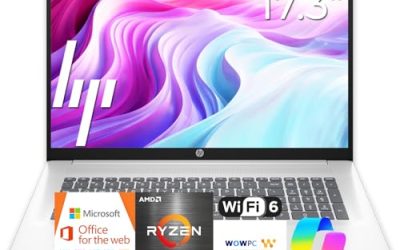
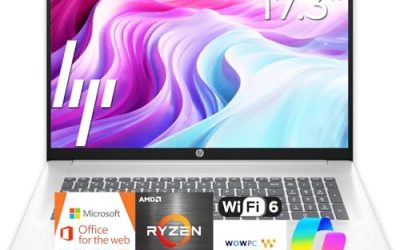
 HP 14 Inch Everyday Laptop16GB RAM | 512GB PCIe SSD12.76 x 8.86 x 0.71 inches3.24 PoundsCheck on Amazon
 HP Everyday Laptop • Microsoft Office 365 Included8GB RAM12.7 x 8.8 x 0.7 inches3.24 PoundsCheck on Amazon


Top 3 picks at a glance
Quick Picks
As an Amazon Associate we earn from qualifying purchases at no extra cost to you.



| Product | Best for | Key spec taken from the product title |
|---|---|---|
| HP 14-inch Everyday Laptop (N150) | Compact budget daily driver | Intel N150, 128GB SSD, Microsoft 365 included |
| HP Everyday Laptop with Wi-Fi 6 | Fast top-ups between errands | 128GB storage, Wi-Fi 6, fast charge |
| HP Everyday Slim (AMD) | Light browsing on a tight budget | AMD processor, 4GB DDR5 RAM, 128GB SSD |
| Dell 15.6 FHD Laptop (Core 3 100U) | Roomy screen and storage | 8GB RAM, 512GB SSD, 300-nit anti-glare panel |
| HP Everyday Laptop with 8GB RAM | Multitasking on a modest budget | 8GB RAM, 128GB SSD, Office 365 included |
| Apple MacBook Neo 13-inch | Buyers leaving Windows behind | A18 Pro chip, 8GB unified memory, 256GB SSD |
| HP Everyday Slim (N150) | Light carry with included software | Intel N150, 128GB SSD plus cloud storage |
How to Choose
Memory is the spec that ages first
Eight gigabytes of RAM is the practical floor for a laptop you plan to keep several years. Four gigabytes can handle a few tabs and a document, but modern browsers and Windows background tasks eat into it quickly, and you will notice stalls when you switch apps. If a listing shows 4GB, treat it as a light-use machine for one task at a time. DDR5 memory, where listed, is a small step up in bandwidth, but capacity matters more than the memory generation.
Storage: local space versus cloud space
Several listings advertise 128GB of local storage plus 1TB of cloud storage. The cloud allowance is useful for photos and documents, but it needs an internet connection and may be a time-limited bundle, so confirm the terms on the listing. Windows and updates consume a large share of a 128GB drive, which leaves limited room for downloads and local video. If you keep files offline, look for 256GB at minimum, and 512GB if the laptop will hold a photo library.
Screen size and panel quality
A 14-inch laptop is easier to carry, while a 15.6-inch model gives you room to put two windows side by side. Full HD (1920 by 1080) is the resolution to look for; a plain HD panel looks soft for text. Where a listing states brightness, 300 nits is a sensible indoor target, and an anti-glare finish helps near windows. Ignore marketing phrases such as stunning color unless the title names a panel type.
Processor tier and what to ignore
Intel N150 chips are low-power parts built for web, office work, and video playback, and they favor battery over speed. Core-series chips such as the Core 3 100U sit a step higher for heavier multitasking. For everyday use, you can ignore peak clock-speed claims and the Copilot AI label on its own; the label describes software access, not extra horsepower. Budget models cut corners on RAM, local storage, and screen resolution, so those are the three lines to read twice.
One more habit helps: write down the three tasks you do most, then match them to the lines above. Someone who lives in a browser and a word processor can live happily on a lean N150 machine. Someone who edits photos, runs a small business spreadsheet, or keeps a dozen tabs open all day should step up to 8GB of RAM and at least 256GB of storage. Battery claims such as long battery life are marketing shorthand rather than a measured figure, so treat them as a tie-breaker, and favor listings that also mention fast charge or USB-C where the title says so.
The 7 Best Options
HP 14-inch Everyday Laptop (N150)
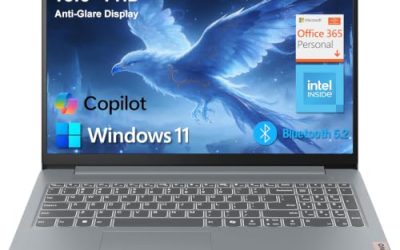
This 14-inch HP pairs an Intel N150 processor with a 128GB SSD, Windows 11, and Microsoft 365 included, plus cloud storage. It suits a student, a retiree, or anyone who wants a small laptop for email, streaming, and documents.
- Strength: the 14-inch footprint is easy to move from room to room.
- Strength: Office software and cloud space come with the listing, so setup is quick.
- Trade-off: 128GB of local storage fills fast once updates and downloads pile up.
Skip it if you keep large photo or video libraries on the laptop itself, or if you want a bigger display for spreadsheets.
HP Everyday Laptop with Wi-Fi 6
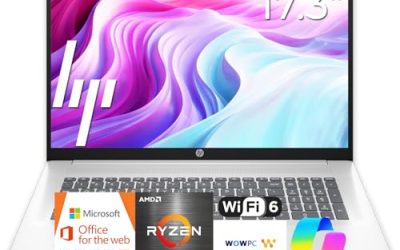
This HP lists an Intel CPU, 128GB of storage, Copilot AI, Office 365, Windows 11, Wi-Fi 6, and fast charge. The pairing of Wi-Fi 6 and fast charging makes it a practical choice for a household where the laptop gets grabbed between other tasks.
- Strength: Wi-Fi 6 helps on busy home networks with many connected devices.
- Strength: fast charge means a short plug-in can cover a quick errand or meeting.
- Trade-off: the title does not state RAM, so check the listing before you buy.
Skip it if you need a confirmed memory figure up front, or you want a stated display brightness.
HP Everyday Slim (AMD)
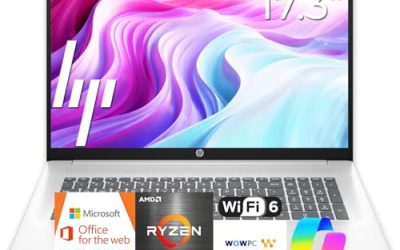
This slim HP uses an AMD processor with 4GB of DDR5 RAM, a 128GB SSD, cloud storage, and Windows 11. It is the model for someone whose use is short and simple: a recipe, a bank site, a video call with family.
- Strength: DDR5 memory and an SSD keep basic tasks responsive.
- Strength: the slim design is aimed at carrying around the house.
- Trade-off: 4GB of RAM limits how many tabs and apps you can run at once.
Skip it if you multitask heavily, run several browser windows, or expect to keep the laptop for many years.
Dell 15.6 FHD Laptop (Core 3 100U)
The Dell is the spec leader on paper for general use: Intel Core 3 100U, 8GB of DDR5 RAM, a 512GB SSD, Windows 11 Home, and a 15.6-inch Full HD display with a 300-nit anti-glare panel. Wi-Fi 6 and Bluetooth are listed as well.
- Strength: 512GB of storage gives real breathing room for files and photos.
- Strength: an anti-glare Full HD panel at 300 nits suits long document sessions.
- Trade-off: a 15.6-inch body is less pocketable than a 14-inch machine.
Skip it if you want the lightest possible carry or a bundled Office subscription, since the title does not mention one.
HP Everyday Laptop with 8GB RAM
This HP lists Microsoft Office 365 included, an Intel processor, 8GB of RAM, a 128GB SSD, cloud storage, Windows 11, and fast charge with long battery life. It is a sensible middle path for a household that wants multitasking headroom without moving up to a premium machine.
- Strength: 8GB of RAM is the comfortable baseline for everyday browsing.
- Strength: fast charge and included Office software cut setup time.
- Trade-off: 128GB of local storage is tight for downloads and offline media.
Skip it if you plan to store large files locally, and look at the Dell if storage is the priority.
Apple MacBook Neo 13-inch
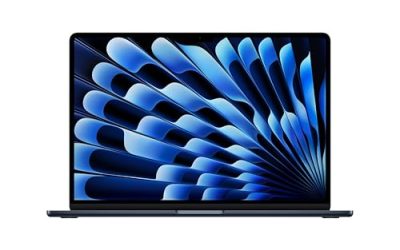
The MacBook Neo lists a 13-inch Liquid Retina display, an A18 Pro chip, 8GB of unified memory, and a 256GB SSD, with Apple Intelligence support. It is the only non-Windows option here and the premium-tier pick.
- Strength: the 13-inch Liquid Retina display is a clear step up from basic HD panels.
- Strength: 256GB of storage beats the 128GB found on most laptops in this list.
- Trade-off: it runs macOS, so Windows-only programs will not install.
Skip it if your workplace or school requires Windows software, or if you want a budget-tier price.
HP Everyday Slim (N150)
This second slim HP lists Microsoft Office 365 included, an Intel N150 CPU, a 128GB SSD with cloud storage, and long battery life. The title also promises vivid color, though it does not name the panel type.
- Strength: bundled Office software means documents work out of the box.
- Strength: the N150 is a low-power chip suited to long unplugged hours.
- Trade-off: the title does not list RAM or screen size, so check the listing first.
Skip it if you cannot confirm 8GB of memory on the listing, because a missing figure may mean the lower configuration.
Which One Fits Your Situation
You want the biggest screen and storage for the money
Choose the Dell 15.6 FHD with the Core 3 100U. The 512GB SSD and 8GB of DDR5 RAM give it the most headroom in this group, and the anti-glare panel is easier on the eyes during long sessions.
You are buying for a student on a tight budget
The HP 14-inch Everyday Laptop with the N150 keeps the carry light and includes Microsoft 365. Pair it with a USB drive for backups, since local storage is modest.
You want a quiet, low-fuss laptop for a parent
The HP Everyday Laptop with 8GB RAM is a gentler fit: more memory than the 4GB models, Office included, and fast charge for forgetful plug-ins.
You are ready to leave Windows
The Apple MacBook Neo is the answer here. Its 256GB drive and Liquid Retina display stand out, but confirm that the apps you rely on have Mac versions first.
Common Mistakes
- Buying a 4GB model for multitasking, then blaming the processor when it stalls.
- Counting cloud storage as local space, then running out of room offline.
- Skipping the resolution line and ending up with a soft HD display.
- Paying extra for an AI label that does not change real-world speed.
- Ignoring the operating system when software compatibility matters for work or school.
Related guides
- How To Check Gpu Compatibility With Your Motherboard And Cpu
- High-Performance Gaming Desktop Specifications
- How To Plan An Upgradeable Mid Range Gaming Pc
Frequently Asked Questions
Is 128GB of storage enough for an everyday laptop?
It works for web-based tasks, documents, and streaming, but it fills quickly because Windows and updates take a large share. If you save photos or downloads locally, aim for 256GB or more, or plan to use an external drive.
Does an Intel N150 feel slow?
It is built for light work such as browsing, email, and video playback, and it favors efficiency. Heavy multitasking or large spreadsheets will feel slower than on a Core-series chip.
Is the included Office subscription permanent?
Listings often describe bundled Microsoft 365 or Office 365 access, but terms vary and may be time-limited. Read the listing details and the activation notes before counting on it long term.
Should I pick 14 inches or 15.6 inches?
Pick 14 inches if you carry the laptop daily, and 15.6 inches if it mostly stays on a desk or table. The larger size is easier for side-by-side windows, while the smaller one is easier to pack.