If you have ever squinted at a 13-inch laptop while juggling a spreadsheet and a browser, the appeal of a large screen laptop is obvious. The harder part is picking a tier. Some models in this size class are mainstream 17.3-inch notebooks with modest memory, while others add touch, docking storage, or a rare 18.5-inch panel. What you really decide is how much memory, storage, and display quality you want attached to all that glass.
This guide is for people who want the screen first: retirees who prefer larger text, home-office workers with a permanent desk, and families sharing one main computer. It reviews six models, judged only from the facts in each listing in 2026, with plain notes where the title cuts off or leaves a spec out. It also draws a clear line between machines meant for light everyday use and those with enough memory to last.
Our Top Picks
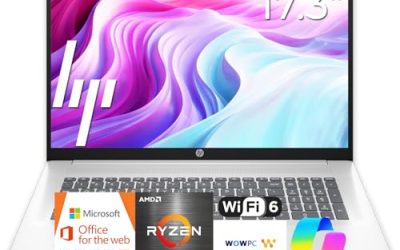
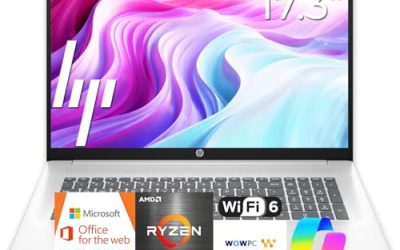
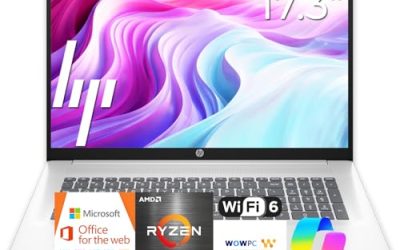
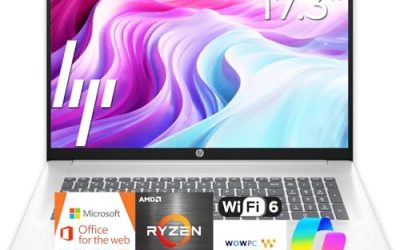
 HP 17.3" Touchscreen Laptop Computer32GB RAM | 1.5TB Storage14.14 x 9.31 x 0.78 inches6 PoundsCheck on Amazon
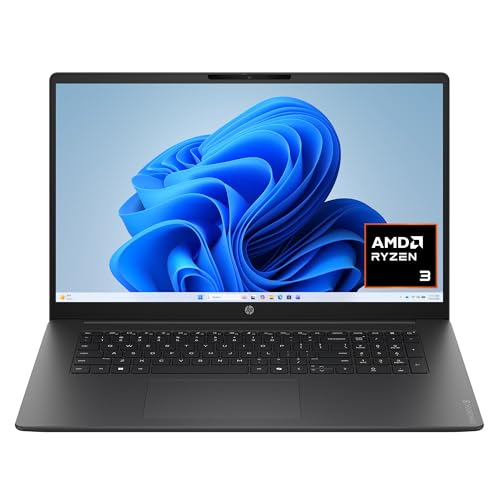 HP OmniBook 3 17.3 inch Laptop PCRyzen3|8GB|256GB|Touch15.65 x 10.09 x 0.65 inches4.43 poundsCheck on Amazon


Top 3 picks at a glance
Quick Picks
As an Amazon Associate we earn from qualifying purchases at no extra cost to you.



| Product | Best for | Key spec from the title |
|---|---|---|
| HP 17-inch Ryzen 5 Business Laptop | All-round desk use | 17.3″ FHD, 16GB RAM, 512GB SSD, numeric keypad |
| HP 17.3-inch Touchscreen Laptop | Touch and docking storage | Core Ultra 7, 16GB RAM, Windows 11 Pro |
| 18.5-inch Core i9 Laptop | Color-sensitive work | Core i9 up to 4.8GHz, 100% sRGB FHD |
| HP 17.3-inch Ryzen 5 7520U Laptop | Simple family computer | HD+ display, 16GB RAM, 512GB SSD |
| HP OmniBook 3 17 (Ryzen) | Entry-level big screen | FHD, 8GB RAM, 512GB SSD, Radeon 610M |
| HP OmniBook 3 17 (Core Ultra 5) | Intel entry-level big screen | FHD, Core Ultra 5 225U, 8GB RAM, 512GB SSD |
How to Choose
Match the panel to how you read
The listings here split into Full HD (1920 by 1080) and one HD+ model. On a 17.3-inch screen, Full HD gives clearly sharper text and more room for side-by-side windows, so it is the practical minimum if you read for hours. If a title says only HD+, treat the display as a compromise and weigh it against the savings. For creative work, a stated color coverage figure such as 100 percent sRGB is more useful than any adjective.
Eight gigabytes versus sixteen
The biggest split inside this group is memory. Two models offer 8GB, the others 16GB or more. Eight gigabytes is enough for browsing, email, and documents, but it leaves little room once you add a video call and a dozen tabs. If the laptop is your main computer for several years, favor 16GB. If it is a secondary family machine, 8GB can be acceptable and saves money.
If you wear reading glasses or simply like larger type, you can raise the text scaling in Windows on a Full HD panel, and the extra 17.3-inch width keeps things from feeling cramped. That is the real advantage of buying big: you can enlarge everything and still fit two windows.
Internal versus external storage
All models here offer 512GB of internal SSD space at least, which suits most users. Be careful with totals that include an external piece: one listing quotes 1TB, but half arrives as a docking set. Compare internal storage when you evaluate value, and keep in mind that large panels need less storage than people assume if photos and music live in the cloud.
Another trick for judging value: compare the cost of moving from 8GB to 16GB with the cost of replacing the whole laptop in three years. Memory is usually the cheapest upgrade at checkout and the most expensive regret later.
Chip names, clocks, and what to ignore
Prefer named processors and generations over clock speed alone. A Core Ultra 5 225U, a Ryzen 5 7520U, and a Core i9 are comparable only after you look up their classes. Budget models cut corners on RAM and display resolution, so those two lines tell you more than any marketing adjective such as latest or powerful.
The 6 Best Options
The reviews below follow the same order as the table and use only what each title states. Where the title is silent about battery life, weight, or ports, the review says to check the listing instead of guessing, so treat each entry as a starting point for your own verification rather than a final verdict.
HP 17-inch Ryzen 5 Business Laptop
This model lists a Ryzen 5 processor, 16GB of RAM, a 512GB SSD, a 17.3-inch Full HD display, and a numeric keypad. It is the balanced pick for someone who wants a big screen without paying for extras they will not use, such as a weekly budget keeper or a student with a fixed desk.
- Strength: Full HD and 16GB together give a comfortable day-to-day experience.
- Strength: the numeric keypad suits spreadsheets and accounting entry.
- Trade-off: the exact Ryzen 5 model and battery hours are not in the title, so check the listing.
It also works well as a replacement for an aging desktop tower in a spare room, since the screen, keyboard, and number pad cover nearly everything a desktop did. Skip it if you want touch input or a spelled-out processor model.
HP 17.3-Inch Touchscreen Laptop
This one pairs a touchscreen with an Intel Core Ultra 7, 16GB of RAM, Windows 11 Pro, and 1TB of storage that combines a 512GB SSD with a 512GB external docking set. A fingerprint reader is mentioned too. It suits a buyer who values touch, quick sign-ins, and a place to park archives.
- Strength: a current-class Core Ultra 7 and a Pro edition give it the strongest platform among the HP models here.
- Strength: the fingerprint reader makes sign-ins quick on a shared machine.
- Trade-off: internal storage is 512GB, with the rest on an external piece that you must keep handy.
Parents who share a computer with children may like the touch input for quick navigation, though it is a matter of taste. Skip it if you dislike fingerprints on a touchscreen or want a single, self-contained unit.
18.5-Inch Core i9 Laptop
The Core i9 listing stands out for its 18.5-inch, 100 percent sRGB Full HD panel, 16GB of RAM, a 512GB SSD, Wi-Fi 6, a backlit keyboard, and a numeric pad. It targets a creator who reviews photos or designs and wants the widest canvas available.
- Strength: stated color coverage is a rare, checkable spec in this size class.
- Strength: a Core i9 reaching up to 4.8GHz and Wi-Fi 6 look strong on paper.
- Trade-off: Windows 11 Home is listed, and the exact i9 model is not, so confirm both.
Because 18.5-inch laptops are uncommon, look closely at the return terms and warranty details on the product page. Skip it if you need a bag-friendly size or a managed Pro edition.
HP 17.3-Inch Ryzen 5 7520U Laptop
The 17-cp2199nr model lists an HD+ display, a Ryzen 5 7520U, 16GB of RAM, a 512GB SSD, AMD Radeon graphics, Windows 11 Home, and a Natural Silver finish. It is a plain, family-style computer where the large screen is the main feature.
- Strength: 16GB of RAM at a plain mainstream tier suits multitasking at home.
- Strength: a named processor and model number make it easy to research.
- Trade-off: the HD+ resolution is lower than the Full HD panels elsewhere in this group.
For a household that mainly browses, watches video, and handles light paperwork, the lower resolution may not bother anyone. Skip it if you read dense text for long periods and want sharper rendering.
HP OmniBook 3 17 (Ryzen)
This OmniBook 3 configuration combines a 17.3-inch Full HD display, a Ryzen 3 processor, 8GB of RAM, a 512GB SSD, and Radeon 610M graphics, in a Mica Silver finish. It targets the buyer who wants the screen size at the lowest tier.
- Strength: Full HD at an entry-level tier is better than the HD+ panel in the listing above.
- Strength: a 512GB SSD is a good amount of internal space for the tier.
- Trade-off: 8GB of RAM and a Ryzen 3 chip limit heavy multitasking.
It could suit a grandparent or a spare-room computer where simplicity beats speed. Skip it if the laptop will serve as your only computer for years.
HP OmniBook 3 17 (Core Ultra 5)
The Intel version of the OmniBook 3 uses a Core Ultra 5 225U, 8GB of RAM, a 512GB SSD, Intel graphics, a Full HD 17.3-inch display, and a Glacier Silver finish. It suits readers who prefer an Intel platform in a basic big-screen package.
- Strength: a current-generation Core Ultra processor with a Full HD panel.
- Strength: 512GB of internal storage without any external pieces.
- Trade-off: 8GB of RAM is the same ceiling as its Ryzen sibling.
If you are choosing between the two OmniBook 3 models, the decision mostly comes down to platform preference and software habits. Skip it if you plan to keep dozens of tabs and documents open together.
Which One Fits Your Situation
You want one computer for the whole household
The HP 17-inch Ryzen 5 Business Laptop is the balanced choice, with 16GB of RAM and a Full HD screen for homework, bills, and streaming.
You want the lowest entry point to a 17.3-inch screen
Choose between the OmniBook 3 Ryzen and the OmniBook 3 Core Ultra 5 depending on your platform preference. Both have 8GB of RAM and 512GB of storage, so keep expectations to browsing, documents, and video.
You need touch, a fingerprint reader, and more space
The HP 17.3-Inch Touchscreen Laptop is the most feature-rich of the 17.3-inch group.
You edit photos at a desk
The 18.5-Inch Core i9 Laptop is the one with a stated sRGB figure, which is the spec to trust before judging colors. Pair it with a calibration habit if color accuracy really matters to your work.
Common Mistakes
- Buying an 8GB model as a main computer because the screen looked impressive.
- Choosing HD+ resolution on a big panel and then regretting soft text.
- Counting a docking set or external drive as part of internal storage.
- Assuming 17.3 inches means a heavy, unwieldy machine without checking the listing weight.
- Paying for a brand finish name like Mica Silver when the real differences are memory and display.
Related guides
- How To Check Gpu Compatibility With Your Motherboard And Cpu
- How To Plan An Upgradeable Mid Range Gaming Pc
- High-Performance Gaming Desktop Specifications
Frequently Asked Questions
Is 17.3 inches too big for everyday use?
Not for desk use. If you move the laptop daily, a 15.6-inch model is easier to carry, but a 17.3-inch screen is more comfortable for long sessions. Measure the space where it will sit before you order, and check the listing for weight.
Should I get Windows 11 Pro or Home?
Home covers most households. Pro adds device management and encryption control, useful if the laptop is shared by employees or handles sensitive records. Only one listing here names Pro, so check the others before you assume.
Is 512GB enough?
For most users, yes. Cloud storage for photos and documents keeps the local drive free, and you can add an external drive if archives grow. Keep a backup somewhere other than the laptop itself.
What does Radeon 610M or Intel graphics mean for gaming?
These are integrated graphics aimed at everyday tasks and light visuals. They are not a replacement for a dedicated gaming card, so choose a different category if modern games are the goal.