Choosing an HP laptop sounds simple until you open the catalog. The same brand name covers a bare-bones 14-inch machine with a small flash drive, a 17-inch desk replacement with a number pad, and a thin OmniBook with a touchscreen. The decision is rarely “which HP is best” in the abstract. It is “which HP tier matches the work I actually do,” and the spec lines in each listing answer that question if you know where to look.
This guide is for buyers who already settled on the brand and want to narrow seven current models for 2026. It suits parents shopping for a first laptop, remote workers who need a big screen, and anyone replacing an aging machine for email, documents, and video calls. Each pick below is judged only on the specs printed in its listing, so treat the comparisons as a map of trade-offs rather than a verdict on performance.
Our Top Picks
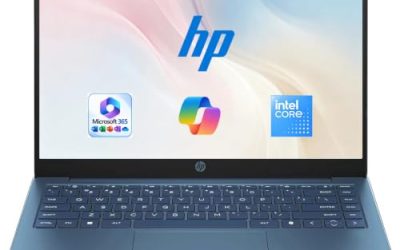
 HP 14 Inch Everyday Laptop16GB RAM | 512GB PCIe SSD12.76 x 8.86 x 0.71 inches3.24 PoundsCheck on Amazon


Top 3 picks at a glance
Quick Picks
As an Amazon Associate we earn from qualifying purchases at no extra cost to you.


| Product | Best for | Key spec from the title |
|---|---|---|
| HP 14 Laptop (N150) | Simple, light use | Intel N150, 4 GB RAM, 128 GB UFS |
| HP 17 Business Laptop | Spreadsheets and big-screen work | Ryzen 5, 16GB RAM, 512GB SSD, 17.3″ FHD |
| HP Everyday Slim | Basic browsing with cloud storage | 4GB DDR5 RAM, 128GB SSD, 1TB cloud storage |
| HP 14 Ultra-Light | Students needing extra storage | 128GB plus 128GB SD card, Intel N150 |
| HP OmniBook 3 17.3 | Newer Intel platform on a large panel | Core Ultra 5 225U, 8 GB RAM, 512 GB SSD |
| HP OmniBook 3 16 | Touch input and a sharper screen | 2K touchscreen, 8 GB RAM, 512 GB SSD |
| HP 15.6 Laptop (N200) | Entry-level office tasks | Intel 4 Core N200, 4GB RAM, 128GB SSD |
How to Choose
Start with memory and storage, not the processor name
Four gigabytes of RAM is workable for a browser with a few tabs and a document open, but it leaves little headroom. Eight gigabytes is the practical floor for people who keep many tabs and a video call running together, and sixteen gives a laptop room to age. For storage, 128GB fills quickly once Windows updates arrive, so a 512GB drive is the more comfortable target. Note the drive type too: an SSD and UFS storage are both flash, but check which one the listing names. If a model only offers a small drive, price in the cost of an external drive or a cloud plan, because running a nearly full system disk slows updates and makes the machine feel older than it is.
Match screen size to where the laptop lives
A 14-inch panel travels easily and fits in a school bag. A 15.6-inch screen is the common middle ground. A 17.3-inch display, such as the one on the HP 17, suits a desk and long spreadsheets, but it adds bulk. Think about the bag you already own, since a 17-inch laptop needs a roomier sleeve than a 14-inch one. Resolution matters as much as size: an HD panel is noticeably softer than FHD at the same dimensions, and 2K gives text a cleaner edge.
Read the processor family as a tier
Intel N-series chips such as the N150 and N200 are aimed at light tasks. Ryzen 5 and Core Ultra 5 sit a tier above and handle heavier multitasking. Ryzen 3 falls between the two. Ignore marketing labels such as “high performance” when the listing does not name the chip, because they tell you nothing you can compare. A named chip lets you look up independent comparisons, which is the only reliable way to judge speed without running the machine yourself.
Know where budget models cut corners
Entry-level HP models trim RAM, storage, and screen resolution first. Bundled cloud storage and a one-year office subscription look generous but expire, so they should not offset a weak core spec. Also watch for Windows in S mode, which restricts installs to the Microsoft Store until you switch it off. Ports, keyboard backlighting, and webcam quality are rarely detailed in listings, so confirm them on the manufacturer page before buying.
The 7 Best Options
HP 14 Laptop (Intel N150)
This model targets buyers who want a compact Windows machine for the basics. The title lists an Intel N150, 4 GB of RAM, 128 GB of UFS storage, Windows 11 Home, and a one-year Microsoft 365 Personal subscription.
- Strength: the 14-inch format is easy to carry from room to room.
- Strength: the included productivity subscription covers documents and spreadsheets from day one.
- Trade-off: HD display, 4 GB of RAM, and 128 GB of storage leave little room to grow.
Skip it if you plan to keep many browser tabs open, install large programs, or want a sharp screen for reading all day.
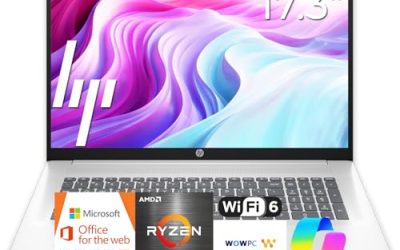
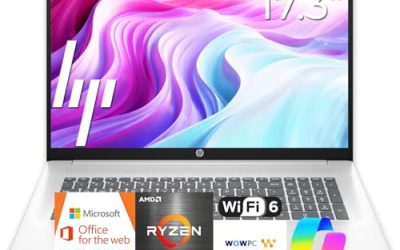
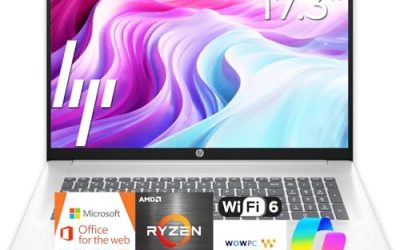
HP 17 Business Laptop
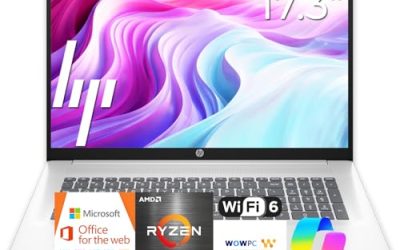
The most capable general-purpose HP in this group on paper. The listing names a Ryzen 5 processor, 16GB of RAM, a 512GB SSD, and a 17.3-inch FHD display with a numeric keypad.
- Strength: 16GB of memory and a 512GB SSD suit multitasking and bigger files.
- Strength: the full-size keypad and large screen help with data entry and side-by-side windows.
- Trade-off: a 17.3-inch chassis is less comfortable to carry daily.
Skip it if the laptop will ride in a backpack every day or if you need something light enough for a cramped train seat. Buyers who mostly work at one desk will get the most out of the extra screen.
HP Everyday Slim
Pitched at casual users, this slim model lists an AMD processor, 4GB of DDR5 RAM, a 128GB SSD, 1TB of cloud storage, and Windows 11. The title also promises long battery life without naming an hour figure.
- Strength: DDR5 memory is a newer standard than older DDR4 designs.
- Strength: bundled cloud space helps offload photos and files.
- Trade-off: 4GB of RAM and 128GB of local storage are tight, and the exact processor model is not named.
Skip it if you want to compare the chip against other laptops, since “AMD High Performance Processor” is too vague to research.
HP 14 Ultra-Light
Built around student and home use, this 14-inch model lists an Intel N150, 4GB of RAM, 128GB of storage plus a 128GB SD card, a one-year Office 365 subscription, and fast charging.
- Strength: the SD card gives extra room for school files and photos.
- Strength: fast charging helps when you are between classes or meetings.
- Trade-off: 4GB of RAM caps how much multitasking feels smooth.
Skip it if you need all your storage inside the machine, since a card can be lost or left in a slot.
HP OmniBook 3 17.3
This one steps into the newer OmniBook line. The listing shows an Intel Core Ultra 5 225U, 8 GB of RAM, a 512 GB SSD, Intel Graphics, and an FHD display on a 17.3-inch panel.
- Strength: a Core Ultra 5 chip sits above the entry-level N-series options.
- Strength: 512 GB of SSD space offers breathing room for apps and files.
- Trade-off: 8 GB of RAM is fine today but is the first thing to feel dated.
Skip it if portability matters more than screen area, or if you want 16GB of memory.
HP OmniBook 3 16
A middle size with a stronger display. The title lists a 16-inch laptop with a 2K touchscreen, an AMD Ryzen 3 processor, 8 GB of RAM, a 512 GB SSD, and Radeon 610M graphics.
- Strength: touch input and 2K resolution give it a more modern feel than FHD or HD peers.
- Strength: 8 GB of RAM with a 512 GB SSD is a balanced pairing.
- Trade-off: Ryzen 3 is an entry-tier processor, so heavy workloads are not its job.
Skip it if you never use touch and would rather spend toward a stronger chip. The listing does not state battery hours, so confirm that detail before relying on it away from an outlet.
HP 15.6 Laptop (Intel N200)
The classic mid-size form factor. The listing names an Intel 4 Core N200, 4GB of RAM, a 128GB SSD, long battery life, and Windows 11 Home in S mode.
- Strength: 15.6 inches is a familiar size with room for a comfortable typing layout.
- Strength: the business-friendly positioning suits email, web apps, and documents.
- Trade-off: S mode limits software to the Microsoft Store until you switch out of it.
Skip it if you rely on desktop programs that are not in the store, or if 4GB of RAM sounds too small.
Which One Fits Your Situation
You need a laptop for spreadsheets and home-office work
Go with the HP 17 Business Laptop. The 16GB of RAM, 512GB SSD, and 17.3-inch FHD screen are the closest match to a desk workflow among these seven.
You are buying for a middle-school or high-school student
The HP 14 Ultra-Light fits, thanks to its compact 14-inch size, SD card for extra storage, and bundled Office subscription. Pair it with a lightweight case, and keep the SD card in a safe spot so coursework is not lost between classes.
You want the newest platform and a bigger screen
The HP OmniBook 3 17.3 offers a Core Ultra 5 chip with 512 GB of storage, which suits someone replacing an older work machine and wanting a large panel for documents, calls, and a few windows side by side.
You like touch and a sharper display
The HP OmniBook 3 16 is the only touchscreen here, and its 2K panel stands out from the HD and FHD options.
Common Mistakes
- Choosing by cloud storage size: a large cloud allowance does not replace a roomy local drive.
- Ignoring S mode: Windows in S mode blocks many desktop programs until switched.
- Buying 4GB of RAM for multitasking: it is a minimum, not a comfortable setting.
- Trusting vague processor labels: if the chip is not named, you cannot compare it.
- Overlooking resolution: an HD panel at 15 inches looks soft next to FHD or 2K.
Related guides
- How To Check Gpu Compatibility With Your Motherboard And Cpu
- High-Performance Gaming Desktop Specifications
- How To Plan An Upgradeable Mid Range Gaming Pc
Frequently Asked Questions
Is an HP laptop with 4GB of RAM enough?
It can handle web browsing, documents, and streaming in a light routine. Heavier habits, such as many tabs or a video call plus a spreadsheet, will feel cramped. Look for 8GB or more if you can, especially if the laptop must last several years, because software tends to ask for more memory over time, not less.
Should I pick HP OmniBook over the standard HP lines?
The OmniBook 3 listings here pair 8 GB of RAM with 512 GB SSDs and newer chips, which is a stronger base than the entry-level lines. Compare the processor tier before deciding, and remember that the OmniBook 3 16 and 17.3 differ in chip family, screen size, and touch support, so they are not interchangeable.
Does the included Microsoft 365 subscription matter?
It adds value for the first year, but it is temporary. Count it as a bonus rather than a reason to accept weak memory or storage. Once the year ends, a renewal fee or a free alternative will be needed, so plan for that early.
Are 17-inch HP laptops too big to carry?
They are best treated as desk-first machines that occasionally travel. If you commute daily, a 14-inch or 15.6-inch model is easier on the shoulders. A padded sleeve and a roomy bag make occasional trips far less awkward.