Lenovo’s catalog is unusually wide: a 14-inch Chromebook for homework, plain 15.6-inch Windows machines for offices, a ThinkPad for professionals, and a LOQ gaming laptop with a dedicated RTX graphics chip. The naming makes it hard to tell where one family ends and another begins, so the useful question is not “which Lenovo is best” but “which Lenovo line fits the job,” because V, IdeaPad, ThinkPad, and LOQ models are built for very different people.
This guide is for buyers who have settled on the brand and want to compare eight listed models by workload. It covers who each model suits, which specs are worth paying for, and where the cheaper configurations cut corners, with 2026 buying habits in mind. All observations come from the text of each listing; where a title is silent, the guide says so rather than guessing.
Our Top Picks
 Lenovo IdeaPad Slim 3 • 15.6" FHD Business8GB RAM | 256GB PCle SSD14.16 x 9.29 x 0.7 Inches3.7 PoundsCheck on Amazon


Top 3 picks at a glance
Quick Picks
As an Amazon Associate we earn from qualifying purchases at no extra cost to you.



| Product | Best for | Key spec from the title |
|---|---|---|
| Lenovo V15 (Ryzen 5 5500U) | Office work with wired ports | 16GB RAM, 512GB SSD, RJ45 |
| Lenovo Business 15.6″ | Light office tasks with bundled software | 8GB DDR5, 128GB, Office 365 |
| Lenovo Essential 15.6″ | Basic home use | 8GB DDR5, 128GB, anti-glare screen |
| Lenovo Flagship Chromebook 14″ | School and web-based work | 14″ FHD touch, 4GB RAM, 64GB eMMC |
| Lenovo IdeaPad Slim 3 | Everyday Windows use | Ryzen 5, 8GB DDR5, 256GB SSD |
| Lenovo ThinkPad E16 | Professionals needing memory and storage | Core Ultra 7 255H, 32GB DDR5, 1TB SSD |
| Lenovo V15 Gen 4 | Business use with Windows Pro | Core i5-13420H, HDMI, RJ45 |
| Lenovo LOQ Gaming Laptop | Gaming at 1080p | RTX 4050, 144Hz FHD, 16GB DDR5 |
How to Choose
Pick the family before the specs
V-series laptops are no-nonsense business machines with ports like Ethernet and HDMI. IdeaPad models are consumer-oriented and lighter on extras. ThinkPads target professionals with sturdier keyboards and stronger configurations. LOQ is the gaming line, the only one here with a discrete GPU. A Chromebook is a different category altogether, running a lightweight operating system built around web apps and Android apps.
Memory and storage floors
For Windows laptops, 8GB of RAM is the minimum for light use and 16GB is the comfortable level for multitasking. A Chromebook can get by with 4GB because ChromeOS is lighter, though tabs reload sooner under pressure. For storage, 128GB is tight on Windows, 256GB is workable, and 512GB or more suits a primary computer. Cloud storage bundles help, but they do not replace a local drive.
Screen, ports, and graphics
Full HD (1920 x 1080) is the baseline for a 14 to 16-inch screen, and anti-glare finishes help in bright offices. If you use wired networks or external displays, look for an RJ45 Ethernet port and HDMI, which the V-series lists. For gaming, a 144Hz refresh rate and an RTX-class GPU matter; for everything else, integrated graphics are enough.
What to ignore, and where budget models cut corners
Phrases like “Beat Intel i7” are marketing comparisons, not measurements. Edition years in a title tell you little about the hardware inside. Budget models typically cut corners on storage size, screen brightness, and build quality, so concentrate on RAM, SSD capacity, and the processor name rather than extras like bundled subscriptions.
The 8 Best Options
Lenovo V15 (Ryzen 5 5500U)
The V15 pairs a hexa-core Ryzen 5 5500U with 16GB of RAM and a 512GB SSD in a 15.6-inch Full HD body, with HDMI, an RJ45 port, and a numeric keypad. That mix suits office workers and home-based professionals who still plug into wired networks and type numbers all day. The comparison to an Intel chip in the title should be read as marketing.
- Strength: 16GB of memory and a 512GB drive give solid everyday headroom.
- Strength: Ethernet and HDMI ports save on adapters.
- Trade-off: the processor is from an older Ryzen generation.
Skip it if you want a thin, premium-feeling laptop or the newest chip family. Buyers who travel constantly may also find a 15.6-inch body with a full keypad bulkier than they would like, and those who prefer a lighter 14-inch size should look elsewhere in the catalog.
Lenovo Business 15.6-inch (8GB DDR5)
This model lists an Intel processor, 8GB of DDR5 memory, 128GB of storage, 1TB of cloud storage, Office 365, Copilot AI, Wi-Fi 6, USB-C, and an anti-glare Full HD screen. A student or a new user who wants bundled software may like the convenience of an all-in-one package, though the subscriptions are usually time-limited.
- Strength: a bundle of software and cloud storage reduces setup costs.
- Strength: USB-C and Wi-Fi 6 cover current connections.
- Trade-off: 128GB of local storage fills up quickly.
Skip it if you store large files locally or dislike bundled trial software. Anyone planning to keep the laptop for many years should also weigh the small drive, because system updates and installed apps can leave little free space after a year or two of normal use.
Lenovo Essential 15.6-inch
The Essential model shares much of its profile with the Business listing: an Intel processor, 8GB of DDR5 memory, 128GB of storage, 1TB of cloud storage, an anti-glare screen, and Copilot AI. It is meant for simple home tasks such as web browsing, streaming, and school assignments, where a basic setup is enough and the owner mainly uses online services.
- Strength: a Full HD anti-glare display is easy on the eyes in bright rooms.
- Strength: DDR5 memory is a newer standard than DDR4.
- Trade-off: the 128GB drive leaves little local space.
Skip it if you want more storage or are comparing it directly with the Business model, since the visible specs overlap. Ignore the edition-year wording in the title: it describes a sales listing, not a hardware upgrade, and the processor and memory figures are what actually decide how the laptop behaves.
Lenovo Flagship Chromebook 14-inch
This Chromebook lists a 14-inch Full HD touchscreen, an 8-core MediaTek Kompanio 520 processor, 4GB of RAM, 64GB of eMMC storage, and Wi-Fi 6. It runs ChromeOS rather than Windows, so it fits students and families whose work happens in a browser and in web or Android apps.
- Strength: a touch screen and a thin, light format suit carrying to class.
- Strength: Wi-Fi 6 helps on modern home networks.
- Trade-off: 64GB of eMMC storage and 4GB of RAM limit offline use.
Skip it if you need Windows-only programs, such as specialized office or engineering software. It is also a weak fit for people who keep large offline media libraries, since the small eMMC drive is closer to a phone’s storage than a laptop SSD, and eMMC is generally slower than NVMe drives.
Lenovo IdeaPad Slim 3
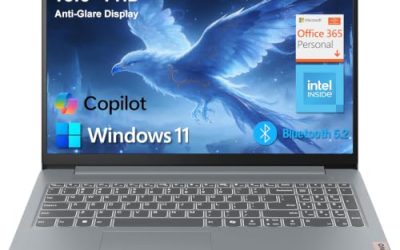
The IdeaPad Slim 3 pairs a Ryzen 5 processor with 8GB of DDR5 memory and a 256GB SSD in a 15.6-inch Full HD body running Windows 11. It is a balanced consumer laptop for writing, browsing, and video calls, with a bit more storage than the 128GB models.
- Strength: 256GB of SSD storage is a step above the cheapest listings.
- Strength: DDR5 memory and a Ryzen 5 chip suit everyday multitasking.
- Trade-off: 8GB of RAM limits heavier workloads.
Skip it if you want 16GB of memory or a discrete graphics chip. Remote workers who run a video call, a large spreadsheet, and a dozen browser tabs at once may reach the memory ceiling sooner than they expect, so the V15 listing with 16GB deserves a look first.
Lenovo ThinkPad E16
The ThinkPad E16 lists an Intel Core Ultra 7 255H processor, 32GB of DDR5 RAM, a 1TB SSD, and an additional 500GB external HDD, on a 16-inch display. It is the most capable machine for business professionals, analysts, and people who run many applications side by side.
- Strength: 32GB of RAM and a 1TB SSD offer large headroom.
- Strength: the included external drive adds backup space.
- Trade-off: a 16-inch business laptop is bulkier to carry.
Skip it if you want an ultra-light machine, or if the listing does not state the display details you need. Casual users who only browse and stream will be paying for memory and storage that sit idle, and a simpler IdeaPad or V15 would serve them at a lower tier.
Lenovo V15 Gen 4
The V15 Gen 4 has a 15.6-inch Full HD display, an Intel Core i5-13420H, HDMI, an RJ45 port, a webcam, a numeric keypad, and Windows 11 Pro. Windows Pro is useful for work features such as managed devices, and the port selection keeps it practical for office desks.
- Strength: Windows 11 Pro suits workplace environments.
- Strength: HDMI and Ethernet are built in.
- Trade-off: the visible title does not state RAM or storage, so confirm them first.
Skip it if you cannot verify the memory and drive size before buying. The Core i5-13420H is an H-series chip, which usually targets higher performance than the U-series parts in thin laptops, though battery runtime is not stated in the visible title and should be checked on the product page.
Lenovo LOQ Gaming Laptop
The LOQ lists a GeForce RTX 4050 GPU, a Ryzen 5 7235HS processor, a 15.6-inch 144Hz Full HD display, 16GB of DDR5 memory, a 512GB SSD, Wi-Fi 6, Ethernet, and USB-C. It is the only Lenovo here built for gaming and GPU-accelerated creative work at 1080p.
- Strength: a dedicated RTX GPU and a 144Hz screen suit modern games.
- Strength: 16GB of DDR5 and 512GB of storage are a healthy baseline.
- Trade-off: gaming laptops tend to weigh more and run shorter on battery.
Skip it if the laptop is for documents and web browsing only. Students who want something light for lectures would be carrying extra weight and paying for graphics power they rarely use, and the 15.6-inch gaming body is not a slim commuter laptop.
Which One Fits Your Situation
An office worker who plugs into a desk
The Lenovo V15 with Ryzen 5 and 16GB of RAM fits best, with Ethernet, HDMI, and a numeric keypad.
A professional running heavy workloads
The Lenovo ThinkPad E16 is the logical choice, with 32GB of RAM and a 1TB SSD.
A student on a web-based curriculum
The Lenovo Flagship Chromebook gives a light, touch-enabled format, assuming school software runs in a browser.
A gamer on a budget
The Lenovo LOQ Gaming Laptop is the only listed model with a dedicated RTX graphics chip and a 144Hz display.
Common Mistakes
- Buying a Chromebook and then discovering a required program only runs on Windows.
- Choosing 128GB of storage for a main computer.
- Believing “Beat Intel i7” style claims instead of reading the real processor name.
- Picking a laptop without confirming RAM and storage when the title leaves them out.
- Expecting a V-series or IdeaPad to handle modern games.
Related guides
- How To Check Gpu Compatibility With Your Motherboard And Cpu
- High-Performance Gaming Desktop Specifications
- How To Plan An Upgradeable Mid Range Gaming Pc
Frequently Asked Questions
Which Lenovo line is best for business?
ThinkPad and V-series models are designed for work, with ports and Pro editions of Windows. ThinkPads are the more premium choice.
Is a Chromebook a good alternative?
It is a good alternative if your tasks run in a browser or in Android apps. It is a poor choice if you rely on desktop Windows software.
Can the Lenovo LOQ handle games?
It lists an RTX 4050 GPU and a 144Hz display, which suits 1080p gaming. Settings will vary by title.
How much memory should I get?
Sixteen gigabytes is a comfortable target for Windows multitasking. Eight gigabytes works for basic use, while a Chromebook can manage with 4GB.