A small form factor build begins with a ruler, not a spec sheet. The case you own, or the compact desktop you are trying to rescue, decides how tall, how long, and how hot a graphics card is allowed to be, and a card that wins every chart is worthless if the side panel will not close over it. This guide is written for people who already know that constraint and want to see which slim cards actually fit the idea of a shoebox-sized PC in 2026.
The listings below all describe themselves with phrases such as low profile, slim, ITX, SFF or half-height style cooling, and they span a wide range: from an entry card that mainly adds extra monitor outputs to a six-gigabyte GDDR6 model aimed at real gaming. What changes as you move up the list is not only speed but also memory type, bus width, and how much headroom you need from the power supply. Read the quick table first, then the individual write-ups, and finish with the sections on fit and compatibility before you commit.
Our Top Picks
 msi Gaming RTX 3050 LP 6G OC Graphics1.7" x 2.7" x 6.9"6.9 x 2.7 x 0.1 inches1.16 PoundsCheck on Amazon




Top 3 picks at a glance
Quick Picks
As an Amazon Associate we earn from qualifying purchases at no extra cost to you.


| Product | Best for | Key spec taken from the title |
|---|---|---|
| maxsun GeForce RTX 3050 6GB | Strongest slim gaming card in this group | 6GB GDDR6, PCI Express 4.0 |
| MSI Gaming RTX 3050 LP 6G OC | Buyers who want a known brand and a stated boost clock | 96-bit, 1492 MHz boost, 6GB GDDR6 at 14 Gbps |
| maxsun GeForce GTX 1050 Ti 4GB | Older small cases with modest gaming goals | 4GB GDDR5, 128-bit |
| maxsun GeForce GTX 1050 4GB | Lower-cost slim gaming and media duty | 4GB GDDR5, 128-bit, low profile design |
| MAXSUN Radeon RX 550 4GB | ITX and SFF office or light gaming builds | 4GB GDDR5, 128-bit, DirectX 12 |
| 51RISC Radeon RX 550 LP | Mini PCs driving a 4K display | 4GB GDDR5, low profile |
| ARDIYES GT 740 4GB | Multi-monitor desks rather than games | 4GB GDDR5, 4 HDMI ports, PCIe 3.0 x16 |
The 7 Best Options
maxsun GeForce RTX 3050 6GB
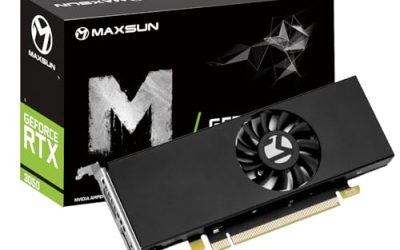
This is the card for someone who bought a slim desktop and then discovered they wanted to play current games in it. The listing places it in the mini, small form factor, slim and low profile family, and gives it 6GB of GDDR6 memory on a PCI Express 4.0 interface. In this particular group, that combination of newer memory and a newer bus is the clearest sign that it sits at the top.
It suits upgraders who already have a power supply with a spare graphics connector or enough headroom for a modest card, and who want a single slim part rather than a rebuild. Because the title does not state the exact power draw, cooler type or port layout beyond HD output, you should open the full specification sheet before ordering.
A practical way to read this listing is to picture the finished build. A card with this much memory belongs in a case that has at least one clear intake path and a supply with spare capacity, because slim coolers have little room to hide the heat of a faster chip. If the build already feels cramped, a card of this class is a trade: you gain gaming ability and give up some thermal comfort.
- 6GB of GDDR6 gives it more memory than the 4GB cards in the rest of this list.
- PCI Express 4.0 is listed, which matters if your board supports it.
- The slim, low profile and SFF wording means it targets compact cases directly.
- The title does not give a boost clock, bus width or power figure, so you must verify those yourself.
- It is the most capable card here, which means it also asks the most of a small power supply and a small case airflow path.
Skip it if your machine has a proprietary power supply with no graphics lead and no spare wattage; one of the slot-powered options further down will be safer. Compared with the next pick from MSI, this one is the less documented of two similar 6GB cards, so the choice often comes down to which brand’s warranty and cooler details you trust more.
MSI Gaming RTX 3050 LP 6G OC
MSI’s entry reads like a proper product page squeezed into a title, which is useful when you are shopping blind. It names the NVIDIA RTX 3050, a 96-bit memory interface, a boost clock of 1492 MHz, 6GB of GDDR6 running at 14 Gbps, HDMI and DisplayPort outputs, and the Ampere architecture. The LP in the name signals the low profile design that small cases require.
It fits buyers who like seeing numbers before they pay and who care about a recognized brand name when something has to be returned or serviced. The OC label suggests a factory overclock, and the stated boost clock gives you a reference to compare against other listings.
Because the title is so specific, it also works as a yardstick for every other card on this page. When you see a listing that omits the bus width, the memory speed or the clock, treat the missing numbers as homework rather than as proof of anything. A buyer who values paperwork and clear specifications will find this the least ambiguous entry in the group.
- The title spells out clock speed, bus width and memory speed, making comparison easy.
- HDMI and DisplayPort give you two common modern outputs without adapters.
- Same 6GB GDDR6 capacity as the top maxsun card, with a better-known brand on the box.
- A 96-bit bus is narrower than the 128-bit bus on the older 4GB cards, so do not judge it by bus width alone.
- The listing does not state power connector needs, so confirm them before you rely on slot power.
Skip it if you only need a display adapter for spreadsheets; you would be paying for gaming hardware you will never use. Next to the maxsun GTX 1050 Ti, it is the generational step up, while the older card is the sensible pick when a case or supply cannot take anything newer.
maxsun GeForce GTX 1050 Ti 4GB
The GTX 1050 Ti is the veteran of this list. Its title promises 4GB of GDDR5 on a 128-bit bus, in a mini, slim, low profile design for small form factor gaming PCs. For a compact family computer or a retro-friendly esports box, that is a familiar and well-understood configuration.
The appeal here is predictability. A 128-bit GDDR5 card has a wider memory bus than the newer 96-bit models above it, which helps explain why older generations still make sense in light gaming and media builds. The title mentions a DisplayPort style output but is cut off, so confirm the exact connector set on the full listing.
It also helps to think about what the card replaces. In many compact office machines the baseline is integrated graphics, and almost any discrete card of this class is a noticeable jump for video, photo editing and older games. The Ti is a reasonable ceiling for owners whose power supply and case are old enough that a newer, hotter card would feel like a risk.
- 128-bit GDDR5 with 4GB is a balanced memory setup for lighter games.
- Slim and SFF wording means it is built for compact cases.
- Generally the kind of card that works comfortably in older desktops.
- Older architecture, so it lacks the newer features of the RTX 3050 cards.
- 4GB of memory can feel tight if you push texture settings in recent titles.
Skip it if you want ray tracing or modern upscaling features, as those belong to the newer cards above. Compared with the plain GTX 1050 that follows, the Ti name signals the faster of the two, so choose it when the price gap is small.
maxsun GeForce GTX 1050 4GB
The non-Ti GTX 1050 shares nearly every line of its title with its sibling: 4GB of GDDR5, a 128-bit interface, a slim and low profile design, and a focus on compact gaming PCs. It is a different graphics processor from the Ti card, not a different color or capacity, which is why it earns a place of its own.
It is the sensible choice for a small desktop that plays older and less demanding games, handles video, and stays out of the way. Anyone building a living room machine or a child’s first PC in a compact case will find this the sort of card that does the job without drama.
One thing the listing does not say is how much airflow the cooler needs, so judge it by the case you have. In a sealed media cabinet or a very small chassis, a modest card with a modest heat output will usually stay quieter than a faster one. That is the quiet argument for this model: it asks little of the machine around it.
- 128-bit GDDR5 and 4GB match the Ti on memory configuration.
- Low profile design is stated plainly in the listing.
- A comfortable fit for compact cases where cooling room is limited.
- Sits below the Ti version in performance class, so it will run out of steam sooner.
- No newer-generation features, which limits its future usefulness.
Skip it if the Ti is available for a small extra amount, because the performance gap is usually worth it. Compared with the RX 550 cards next, it targets the same compact buyer but comes from the other graphics vendor, so driver preference and software habits can decide it.
MAXSUN AMD Radeon RX 550 4GB
This one speaks the language of the smallest builds. The title calls out low profile, small form factor, ITX and SFF, and describes a 4GB GDDR5 card with a 128-bit interface and DirectX 12 support. It is explicitly aimed at gaming computers, but the sensible reading is as a step up from integrated graphics in a very cramped chassis.
Buyers who run office suites, streaming apps, video calls and casual games in a mini-ITX machine will get the most from it. The ITX mention is a useful hint that the manufacturer had tight cases in mind rather than listing a normal card with a slim bracket as an afterthought.
Its value shows up in the smallest enclosures, where the choice is often between this kind of card and nothing at all. Because the title names ITX directly, the manufacturer expects it to live in cases where every millimeter is accounted for, and that expectation is worth more than a generic slim bracket claim.
- ITX and SFF positioning is explicit in the title.
- 4GB of GDDR5 on a 128-bit bus is a reasonable memory pairing for its class.
- DirectX 12 support is listed for modern software compatibility.
- Entry-level class, so heavier games will need low settings.
- The title is truncated at the PCI Express detail, so confirm the interface on the full page.
Skip it if you want to play recent demanding games at comfortable settings; the RTX 3050 models are the better target. Compared with the 51RISC RX 550, it is a near twin in graphics chip and memory, so the decision usually rests on brand support and the exact bracket supplied.
51RISC Radeon RX 550 LP
Another Radeon RX 550 with 4GB of GDDR5, but this listing leans on display capability: it mentions 4K display support and describes the card as suitable for desktop and mini PC use. It is a different maker from the previous card, so its cooler, bracket, warranty and port layout can differ even though the graphics chip is shared.
It fits home-office users, small-business reception desks and media setups where the goal is a clean picture on a high-resolution screen rather than frame rates. Because the title ends with an unfinished model reference, read the full description to learn exactly which outputs are on the bracket.
Shoppers should treat the 4K wording carefully. The title says the card is meant for a 4K display, but it does not say which connector delivers that signal or at what refresh rate, so read the output list on the full page and make sure your monitor or television has a matching input before you buy.
- Low profile design stated in the product name.
- 4GB of GDDR5 memory for everyday desktop and light gaming loads.
- 4K display support is mentioned, useful for modern monitors and TVs.
- A lesser-known brand name than the MSI option, so research warranty terms.
- Entry-level performance limits its use for newer games.
Skip it if your goal is real gaming performance. Next to the ARDIYES card, it is the better gaming choice with the same memory capacity, while the ARDIYES model is the one for people who need many screens.
ARDIYES GT 740 4GB
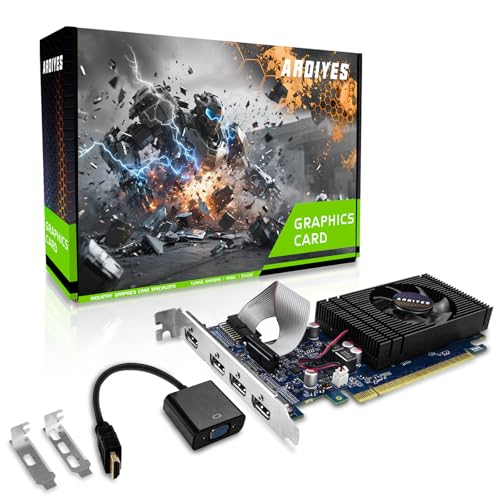
The GT 740 here is a display-first card. Its title advertises 4GB of GDDR5, four HDMI ports for a quad monitor setup, PCI Express 3.0 x16, silent cooling, and suitability for office use. Nothing in it promises gaming performance, and that honesty is part of its appeal.
Think of trading desks, reception counters, monitoring walls and shared family computers where several screens must run at once from a compact machine. Four HDMI ports on a single slim bracket can save you from buying an adapter chain or a second card.
If you are weighing it against the others, picture the desk rather than the game library. Four panels fed by one slim card keeps cabling tidy and frees a slot, and it is the only listing here whose title leads with the number of display outputs. For the right job that focus is a strength, not a weakness.
- Four HDMI outputs allow a quad-monitor arrangement from one card.
- Silent cooling is listed, which suits quiet office rooms.
- PCI Express 3.0 x16 is a common interface that works in many older boards.
- It is positioned for office work, not for modern gaming.
- Older architecture, so check that current drivers and your operating system still support it.
Skip it if you play games at all, since every other card in this list is better suited. It is the odd one out by design, so the comparison with the RX 550 cards is simple: pick this for screens, pick those for balance.
Who Needs a Slim Card in a Compact Build
Not everyone with a small computer needs a dedicated card. The people who do are usually in one of three situations, and recognizing yours makes the shortlist shorter.
The slim-tower upgrader
Many office towers and compact desktops ship with only integrated graphics and a power supply sized for the processor alone. A slim card turns such a machine into something that can play light games, edit video, or drive two monitors. The key limits are the bracket height, the physical card length, and available power connectors.
The ITX builder who wants a quiet gaming box
Mini-ITX cases often restrict the card to one slot of thickness and a short length. Cards advertised as ITX or SFF fit these designs by intent, and they accept the trade of lower clocks and smaller coolers in exchange for fitting at all. If silence matters, keep the system load modest.
The multi-screen user with a tiny desk
If your work is spreadsheets, dashboards and video calls, a compact card that provides several display outputs can be more valuable than raw speed. In that case an HDMI-heavy card or a modern card with several outputs will make more sense than the fastest gaming model.
A fourth group is easy to overlook: people who rescued a small business desktop from the closet. Those machines frequently have a perfectly good processor and plenty of memory but weak display hardware, and a slim card is the cheapest way to add monitors or smooth video playback without replacing the whole computer.
How to Choose a Small Form Factor Graphics Card
Measure bracket height and card length first
Low profile means a short bracket, typically paired with a shorter circuit board, but the listing usually includes both a full-height and a half-height bracket in the box. Measure the available clearance in your case from the expansion slot to the nearest obstruction, whether that is a drive cage, a cable, or the side panel. A card that fits on paper can still collide with a power cable bend, so leave a few millimeters of slack.
Match memory to the games you play
For casual and older games, 4GB of GDDR5 on a 128-bit bus is a workable baseline. For newer titles, 6GB of GDDR6 is the more comfortable floor in this group. Do not treat capacity as the only measure: a 96-bit GDDR6 card and a 128-bit GDDR5 card can behave differently, and the graphics processor generation matters more than either figure.
Check the power situation
Some slim cards draw all their power from the PCI Express slot, while others need an extra connector. If your supply is a proprietary small unit, count its wattage and connectors before you shop. As a rule of thumb, an entry card is easier on weak supplies than a six-gigabyte gaming model, and you should confirm any required connector on the specification sheet.
Think about cooling in a cramped case
Slim coolers have little metal and small fans, which makes them noisier under load and more sensitive to blocked airflow. A single fan on a short card is normal. Make sure the case has an intake path, and avoid placing the card against a wall of cables. Silent cooling claims in a title usually describe idle behavior rather than gaming load.
Look at outputs and monitors
Count the screens you plan to use and match them to the ports the card provides. HDMI and DisplayPort are common today, while older DVI and VGA outputs are rarer on slim cards. A multi-HDMI card helps if you want four monitors but offers little for gaming.
Where budget models cut corners
Lower-cost slim cards often use older memory, smaller heatsinks, and plain fans, and they may skip dual-bracket packaging or detailed documentation. Truncated titles and vague listings are a warning to read the full page and look for the warranty terms. Ignore marketing phrases such as gaming-grade on entry cards and pay attention to the model name, the memory type, and the bus width instead.
A few thresholds are worth writing on a sticky note before you shop. For gaming, treat 4GB of video memory as the minimum and 6GB as comfortable in this size class. For the power supply, count the total wattage and confirm it has a free graphics connector if the card needs one; if the supply is a small proprietary unit, assume the answer is slot power only until the label proves otherwise. For connectivity, list your monitors and their inputs, then match them to HDMI and DisplayPort outputs on the bracket. For the interface, a PCI Express x16 slot is the normal target, and a newer 4.0 card will still work in an older slot at reduced bandwidth.
Finally, decide what to ignore. Boost clock numbers across different generations are not directly comparable, a lower bus width on a newer card is not automatically a weakness, and words like silent or ultra on a tiny fan describe intent rather than guaranteed noise levels. Prefer the model name, the memory type and the stated ports, and treat adjectives as decoration.
One more corner worth watching is warranty. Smaller brands sometimes list only a short coverage period or none at all in the title, while established makers publish clear terms. For a part that will sit in a cramped case where swapping it back out is a chore, a longer and clearer warranty is cheap insurance, and it is a fair tiebreaker between two otherwise similar cards.
Newer 6GB Cards Versus Older 4GB Cards
The decision most buyers of this keyword face is whether to pay for a newer six-gigabyte card or stay with an older four-gigabyte one. The table lays out what the listings actually say.
| Factor | RTX 3050 6GB cards | GTX 1050 and RX 550 4GB cards |
|---|---|---|
| Memory in the title | 6GB GDDR6 | 4GB GDDR5 |
| Bus width stated | 96-bit on the MSI listing | 128-bit |
| Interface | PCI Express 4.0 on the maxsun listing | Varies, often older generations |
| Typical buyer | Plays current games in a compact case | Light gaming, media, office |
| Power and cooling demand | Higher, confirm connectors | Lower, easier on small supplies |
When the newer card is worth it
Choose a newer card if your power supply has the headroom, your case has an airflow path, and you want recent games to stay playable for several years. The extra video memory and newer architecture are the reasons these models lead the list.
When the older card is the smarter buy
Choose an older card when the power budget is tight, when the system is mostly for office and media, or when the case simply cannot dissipate more heat. A well-matched modest card beats a fast one that throttles or will not run on your supply.
There is also a middle path worth naming. If your case can take a card that is a little taller than low profile, a short full-height model with a single fan may offer more cooling for similar money. The listings in this guide are the right pick when the bracket height is a hard limit, and a poor pick when it is only a preference, because you pay for miniaturization in noise and thermal headroom.
Whichever route you take, keep expectations tied to the chip class named in the title. Entry chips such as the RX 550 and GT 740 are about getting a good picture on screen, the GTX 1050 family covers light and older games, and the RTX 3050 models are the ones aimed at current titles. Mixing those classes up is the main reason small-case upgrades disappoint.
Fitting, Compatibility and Upgrade Tips for Compact PCs
What to check before buying
Confirm the slot type on your motherboard, the number of free expansion slots, the bracket style the card ships with, and the connector your supply offers. Also check whether your operating system and BIOS settings need updating, since older machines sometimes need a firmware update to recognize a newer card.
What to upgrade first
If the system still uses a hard drive, a solid-state drive will change daily use more than a graphics card will. After storage, the power supply is the next limit, followed by memory capacity. Add the graphics card when everything else is ready to feed it.
Common compatibility traps
The usual surprises are a missing graphics power connector, a bracket that does not reach the case opening, a card that blocks an adjacent drive bay, and a board slot that sits too close to a heatsink. Another trap is buying a card with the wrong bracket attached and no spare in the box.
After installation, update the graphics driver from the chip maker rather than relying on the version Windows installs automatically, and confirm in the operating system that the new card, not the integrated graphics, is driving your monitors. If a display stays blank, reseat the card, confirm the monitor cable is plugged into the card and not the motherboard, and make sure the BIOS is set to prefer the PCI Express device.
Plan the cable path as part of the upgrade. Route the monitor cables away from the fan intake, leave the side panel off for the first power-on so you can watch the fan spin, and only then close the case. If your slim machine uses a riser card or a vertical mount, confirm that the riser supports the card’s interface generation, because an older riser can limit a newer card or refuse to work with it.
Which One Fits Your Situation
You own a slim office tower and want to play current games
Go for the maxsun GeForce RTX 3050 6GB, after confirming your power supply can feed it. It offers the most memory and the newest interface in this group.
You want a branded card with clear numbers
The MSI Gaming RTX 3050 LP 6G OC lists its boost clock, bus width and memory speed. It is the easiest to compare and the most self-explanatory option.
Your power supply is small and your games are light
The maxsun GeForce GTX 1050 Ti 4GB is a balanced older card with a 128-bit bus and 4GB of memory. It suits a modest compact build.
You need four screens and nothing more
The ARDIYES GT 740 4GB, with its four HDMI ports, is built for multi-monitor desks. Use it for work, not for play.
Common Mistakes
- Buying a card without measuring the case clearance and the slot height first.
- Assuming every low profile card runs only from slot power and skipping the connector check.
- Choosing by memory capacity alone while ignoring the generation and bus width.
- Pairing a gaming-class card with a weak, proprietary power supply.
- Ignoring airflow, then wondering why a slim card gets loud under load.
- Forgetting that a truncated listing title hides ports, power needs and warranty terms.
Related guides
- How To Check Gpu Compatibility With Your Motherboard And Cpu
- High-Performance Gaming Desktop Specifications
- Desktop Computer For Working From Home
Frequently Asked Questions
What does small form factor mean for a graphics card?
It means the card is made to fit a compact case, usually with a short bracket, a thin cooler and a reduced length. Listings often use the terms SFF, SSF, ITX, slim or low profile to describe this.
Is a low profile card the same as a single-slot card?
Not always. Low profile refers mainly to height, while single-slot refers to thickness. Many slim cards are both, but you should confirm the cooler thickness on the full listing.
Can a slim card run modern games?
The RTX 3050 models in this group are the ones aimed at that job, while the older 4GB cards suit lighter titles. Expect lower settings in demanding games on any card of this size.
Is a new power supply required?
Not always, since some slim cards draw from the slot alone, but the larger six-gigabyte models may need a connector. Read the specification sheet and compare it with your supply’s labeled outputs.
Why is the cooler so small and loud?
A slim cooler has less surface area, so the fan must spin faster to move the same heat. Good case airflow and a modest load reduce the noise noticeably.
Which card is best for office multi-monitor use?
The ARDIYES GT 740 lists four HDMI ports and silent cooling, which suits that job. For gaming plus a second screen, the RTX 3050 models are the better pair.
Final Words
The right slim card is the one that fits the case, runs on the supply you have, and matches what you actually do with the computer. For current games, the two RTX 3050 6GB models lead this list. For light gaming and media, the GTX 1050 and RX 550 cards remain sensible. For multi-screen work, the ARDIYES model is purpose built. Measure first, verify power and ports second, and then compare memory and generation. If a listing leaves out a detail that matters to you, such as connectors or warranty length, read the full page before ordering, because small cards leave little room to correct a wrong assumption once the case is closed.