Buying a black CPU cooler sounds like a cosmetic decision, and for a blackout build it partly is: a silver tower or a bright copper plate under a tinted side panel breaks the look of an otherwise dark case. But the keyword hides a second question that matters more for temperatures and noise. Do you want a dual-tower air cooler that fills the space beside the memory, a single tower with a single fan, or a 360mm liquid loop that moves the heat to the top or front of the case? The finish is the easy part. The cooling format is the hard part.
This guide covers seven coolers whose titles state a black finish, ranging from a compact single tower to a 360mm all-in-one liquid cooler. It reads the specs straight from the listings: heat pipe counts, fan sizes, socket support, listed power limits and height figures. It then explains how to check clearance for tall coolers, why socket brackets matter on both AM5 and LGA1700 boards, and where a darker finish ends and a real cooling decision begins in 2026.
Our Top Picks
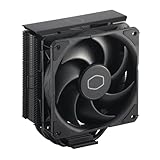
 Cooler Master Hyper 212 Black CPU Air Cooler4 Heat Pipes4.7 x 3.1 x 6.3 inches1.54 poundsCheck on Amazon


Top 3 picks at a glance
Quick Picks
As an Amazon Associate we earn from qualifying purchases at no extra cost to you.


| Product | Best for | Key spec from the title |
|---|---|---|
| Cooler Master Hyper 212 Black | Budget-friendly single-tower upgrade | 4 heat pipes, 120mm PWM fan, AM5/AM4 and LGA1851/1700 |
| Thermalright Peerless Assassin 120 SE Black | Dual-tower cooling for mid-range chips | 6 heat pipes, dual towers, dual PWM fans |
| be quiet! Pure Rock Pro 3 Black | Quiet builds with a compact dual tower | 250W TDP, 2 silent 120mm PWM fans, 6 heat pipes |
| Thermalright Assassin X 120R Digital ARGB Black | Builds that want a screen on top of the cooler | 4 heatpipes, 2000RPM, 12cm PWM fan, digital screen cover |
| ID-COOLING SE-214-XT V2 Black | Tall-memory builds that need clearance | 200W, full memory clearance, universal mount |
| Thermalright Frozen Notte 360 Black ARGB V2 | Liquid cooling in a blackout loop | 360 radiator, 3x120mm PWM fans, S-FDB bearings |
| Noctua NH-D15 chromax.Black | Quiet, high-performance dual-tower air cooling | 168mm height, 6 heatpipes, dual tower |
The 7 Best Options
Cooler Master Hyper 212 Black
The Hyper 212 Black is the familiar entry point for a black air cooler. Its title lists four heat pipes, a PWM fan, a 120mm fan size, a black finish and support for AMD AM5 and AM4 plus Intel LGA1851 and LGA1700 sockets. That socket spread is wide for a single tower, so the same cooler works across two AMD generations and two recent Intel platforms. A second listing of the same cooler with an aluminium-finish description also appears, but it is the same product, so it is reviewed once here.
- Four heat pipes and a 120mm PWM fan form a straightforward single-tower design.
- Socket support spans AM5, AM4, LGA1851 and LGA1700.
- The black finish suits blackout builds without extra accessories.
- A single 120mm fan limits the heat it can move compared with dual-tower designs.
- The title does not list a power limit, so be cautious with high-wattage processors.
Who it suits: a builder with a mid-range Ryzen 5 or Core i5 processor who wants a quiet, black cooler that costs little and fits most cases. It is also a handy replacement for a stock cooler in an office or family machine. Because it is a single tower, it leaves the top PCIe slot and most memory slots free, which keeps installation simple in small and medium cases. Pair it with good case airflow and it will keep a mid-range chip comfortable without drawing attention to itself.
Skip it if you are pairing it with a flagship processor that runs hot under all-core loads. The Thermalright Peerless Assassin 120 SE Black that follows adds a second tower and a second fan for more cooling headroom.
Thermalright Peerless Assassin 120 SE Black
The Peerless Assassin 120 SE is the dual-tower value pick. Its title lists six heat pipes, dual towers, dual PWM fans, a black finish and compatibility with AMD AM4 and more sockets that the listing truncates. Two towers and two fans spread the heat across a larger fin area, which is why this format is popular for processors that draw more power than a basic single tower can handle.
- Six heat pipes and dual towers provide a large cooling surface.
- Dual PWM fans help airflow through both towers.
- A black finish matches dark builds without extra effort.
- A dual-tower design is wide and can block tall memory modules or the top PCIe slot.
- The visible title is cut off, so confirm the full socket list before buying.
Who it suits: a builder with a Ryzen 7 or Core i7 processor who wants stronger cooling than a single tower without the cost of liquid cooling. Check the case width first, because twin towers need real side clearance. The two fans can be run slowly on an efficient fan curve, so a well-tuned system stays quiet at idle and during light work. For a gaming desktop that also handles streaming or rendering, the extra fin area makes a visible difference to how fast the fans ramp.
Skip it if your case is narrow or your memory modules have tall heat spreaders. The be quiet! Pure Rock Pro 3 Black that follows uses a similar double-tower idea in a quieter, more compact package.
be quiet! Pure Rock Pro 3 Black
The Pure Rock Pro 3 Black targets low-noise builds. Its title lists a 250W TDP, a double-tower compact design, two silent 120mm PWM fans, six 6mm heat pipes and compatibility with AMD and Intel platforms. The 250W figure is the highest stated power limit among the air coolers in this guide that publish one, and it signals that the design is aimed at hot processors rather than basic desktops.
- A 250W TDP is stated in the title, which is a useful comparison number.
- Two silent 120mm PWM fans suit builds where noise is a priority.
- A compact double-tower layout helps with memory clearance.
- A dual-tower design still demands case width and clearance.
- The title does not state its height, so check dimensions before ordering.
Who it suits: a builder who wants strong cooling and low noise for a gaming or work desktop in a living room or home office. It fits well with mid-range and upper mid-range chips. Because the maker leads with noise in the model line, this is the natural choice for a bedroom or studio machine where fan sound is noticed. Tall memory modules should still be checked against the front tower, so read the clearance figure on the product page.
Skip it if you need a tiny cooler for a compact case. The Thermalright Assassin X 120R that follows swaps the second tower for a screen on top.
Thermalright Assassin X 120R Digital ARGB Black
The Assassin X 120R is the showpiece. Its title lists a black air cooler with a digital screen top cover, ARGB lighting, four heat pipes, a 2000RPM maximum fan speed and a 12cm quiet PWM fan. The screen can show information such as temperature on top of the cooler, which makes it an accessory as much as a heatsink. The single-tower format keeps width modest, so it suits cases that cannot take a dual tower.
- A digital screen top cover adds a visual element to the build.
- Four heat pipes and a 12cm PWM fan form a compact single-tower design.
- A 2000RPM fan speed is stated, giving buyers a clear noise-versus-airflow reference in the listing.
- The screen adds cost and complexity rather than extra cooling power.
- A single tower will not match the dual-tower coolers on heavy loads.
Who it suits: a builder who wants the cooler to be part of the display, such as a build with a glass side panel and tidy cabling. It is a good match for a mid-range processor. The ARGB lighting and screen are controlled through software or a motherboard header, so confirm that your board offers the right connectors before ordering. If you rarely look at your build, the same budget buys more cooling in a dual-tower model.
Skip it if you want maximum cooling for the money, or if you do not use the software that controls the screen. The ID-COOLING SE-214-XT V2 follows with a more practical approach.
ID-COOLING SE-214-XT V2 Black
The SE-214-XT V2 is the practical clearance pick. Its title lists a black air cooler with full memory clearance, a 200W figure, support for Intel LGA1851, LGA1700, LGA1200 and LGA115X, AMD AM5 and AM4, and a universal mount. The wide socket list is the most extensive in this guide and includes older Intel platforms, which makes the cooler useful for upgrades across generations.
- Full memory clearance is stated, which helps with tall RAM kits.
- A 200W figure gives a clear power reference.
- The universal mount covers AM5, AM4, LGA1851, LGA1700, LGA1200 and LGA115X.
- As a single-tower design, it does not match dual-tower options on heavy loads.
- The title does not state the fan size or the heat pipe count.
Who it suits: a builder reusing an older Intel platform, or a buyer with tall memory who needs a cooler that avoids collisions. It also suits a family desktop where the processor draws moderate power. A universal mount means you may be able to carry the cooler to the next platform with only a bracket change, which is a quiet advantage when upgrades happen every few years. Pair it with sensible case airflow to get the most from its 200W figure.
Skip it if you plan to run a power-hungry flagship chip. The Frozen Notte 360 that follows moves to liquid cooling for that job.
Thermalright Frozen Notte 360 Black ARGB V2
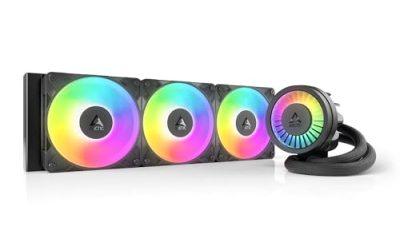
The Frozen Notte 360 is the liquid option. Its title lists a 360mm black all-in-one water cooler with three 120mm PWM fans, S-FDB bearings and ARGB lighting. A 360mm radiator spreads heat over a large area and moves the cooler mass away from the socket, which is why liquid cooling suits hot processors and tight memory layouts. The black finish extends to the radiator and fans, giving a complete blackout look.
- A 360mm radiator with three 120mm fans offers a large cooling surface.
- S-FDB bearings are listed for the fans, a sign of a design aimed at durability.
- No tall tower blocks memory slots, which helps with big RAM kits.
- It needs a case with 360mm radiator support at the top or front.
- A liquid loop adds a pump, which is another part that can fail.
Who it suits: a builder with a high-wattage processor and a case that supports a 360mm radiator. It is a strong match for a showcase blackout build. Before ordering, check where the radiator will mount and whether the tubes reach the CPU socket without strain, and plan cable routing for three fans plus lighting. The title lists V2, so be sure the version number matches the one you receive.
Skip it if your case cannot fit a 360mm radiator or if you prefer a simple air cooler. The Noctua NH-D15 chromax.Black that follows is the air-cooled alternative aimed at similar performance.
Noctua NH-D15 chromax.Black
The NH-D15 chromax.Black is the premium air cooler. Its title lists a quiet high-performance dual-tower design, a 168mm height, six heat pipes, enthusiast-grade low-noise cooling and support for Intel and other platforms. The black finish is built into the chromax line, so it needs no separate accessories to fit a dark build. At 168mm, it is among the tallest coolers here, and case clearance is the first thing to check.
- A dual-tower design with six heat pipes is built for heavy cooling loads.
- The 168mm height is stated, which makes clearance checks easy.
- The title highlights low-noise operation, a priority for quiet builds.
- The size is large and will not fit compact cases or some tall memory kits.
- It sits in the premium tier compared with the single-tower options.
Who it suits: a builder who wants strong air cooling without the failure risk of a pump and who has a case wide and tall enough for the cooler. It is a long-term purchase. Noctua designs are known for mounting kits that cover several sockets, though you should confirm that your board is on the supported list. Expect the cooler to outlast two or three platform upgrades if the fans keep spinning.
Skip it if your case is narrow or if you want a lower-cost option. Compared with the Frozen Notte, the NH-D15 trades radiator flexibility for simplicity.
Why Choose a Black Cooler for Your Build
A black cooler matters most in builds that care about visual consistency, but it also tends to come with solid hardware. These are the situations where the finish is worth considering.
You are building a blackout case
A dark case with a black motherboard, black memory and a black graphics card looks incomplete with a silver cooler. A black tower such as the NH-D15 chromax.Black or a black radiator such as the Frozen Notte makes the whole build read as one design. Dark builds also tend to show dust more clearly, so plan a monthly blast with compressed air to keep the fins clean.
You use a glass side panel
If the cooler is the first thing you see through the glass, finish and lighting matter. The Assassin X 120R Digital adds a screen, while the Peerless Assassin and Pure Rock Pro 3 offer a cleaner, quieter look. If your case has a vertical graphics card mount, check the cooler height against the card, since both fight for the same view and the same airflow.
You want cooling and style from one purchase
Choosing a black cooler does not need to cost cooling performance. The Hyper 212 Black, the SE-214-XT V2 and the Peerless Assassin offer genuine cooling improvements over a stock cooler, with a finish that fits dark builds. The finish is also useful in a shared workspace, where a clean, uniform look makes the machine easier to live with. In short, the black option costs little extra and rarely forces a cooling compromise.
How to Choose a Black CPU Cooler
Match the cooler to the processor’s power draw
Mainstream six and eight-core processors that draw about 65 to 125 watts run well on a single tower such as the Hyper 212 Black or the SE-214-XT V2. Processors that draw 150 to 250 watts under load need a dual tower or a 240mm to 360mm liquid cooler. The Pure Rock Pro 3 lists 250W TDP, and the SE-214-XT V2 lists 200W, so use those as reference points. A practical rule is to pick a cooler whose listed capacity is at least 30 percent above the processor’s maximum power draw, which leaves room for warm rooms and dusty fins. An unlisted figure, as on the Hyper 212 Black, should be treated as a mid-range value.
Check case clearance, not just socket support
Measure the height from the CPU socket to the side panel. The NH-D15 chromax.Black is 168mm tall, so you need a case that lists CPU cooler clearance of at least 170mm. Most single towers fit cases with 150mm or more. Dual towers also need space beside the memory slots, usually 40mm or more between the socket and the first tower fin. Many case makers publish a maximum cooler height in the specifications, and a safe margin of 5mm helps with side panel fit and cable pressure.
Check memory clearance
Tall memory modules can collide with the first fan of a dual tower. Look for clearance statements such as the full memory clearance listed on the SE-214-XT V2, or lift the front fan slightly if the cooler allows it. A 360mm AIO avoids the issue entirely because the block is small. If your memory is taller than 40mm, move the front fan of a dual tower up slightly or use a single tower.
Confirm socket support
AM5 and AM4 share a mounting layout that many coolers support, while Intel LGA1700 and LGA1851 use different brackets. Check that the cooler lists your exact socket. Titles that are truncated, such as the Peerless Assassin listing, deserve a look at the full specification before you buy. Remember that AM5 uses the same cooler hole pattern as AM4, so most AM4 coolers fit with their original brackets, while Intel LGA1851 and LGA1700 coolers share the same mounting spacing. Always check the instructions for the supplied backplate.
Fans, noise and radiator fit
A 120mm PWM fan with a 4-pin connector lets the motherboard control speed. A 2000RPM maximum is typical for compact designs, and noise rises as speed increases. For liquid coolers, confirm that your case supports a 360mm radiator at the top or front and that the tubing reaches the CPU socket. Fans with S-FDB bearings, as listed on the Frozen Notte, are built to last longer and stay quiet as they age. Look for fan curves in the BIOS that keep the fans slow at idle and ramp up only when temperatures rise, because that is where most of the noise saving comes from.
What to ignore and where budget models cut corners
Ignore lighting effects and screen features if cooling is your priority. Budget coolers often cut corners with thinner fins, fewer heat pipes, a smaller fan, a less robust mounting kit and a shorter warranty. A warranty of three to five years is a good baseline. Also look for included thermal paste, a bundled screwdriver and fan splitters, which are small extras that save a trip to the shop. A bare cooler without paste is fine if you already own a tube, but note it before checkout.
Air Cooling Versus Liquid Cooling for a Black Build
| Factor | Air cooler (single or dual tower) | 360mm liquid cooler |
|---|---|---|
| Listed examples | Hyper 212 Black, Peerless Assassin, Pure Rock Pro 3, SE-214-XT V2, NH-D15 | Thermalright Frozen Notte 360 |
| Moving parts | Fans only | Fans and a pump |
| Case requirements | Clearance for height and width | 360mm radiator mounting |
| Memory clearance | Can be a problem with dual towers | Small block, no conflict |
| Cooling for high-wattage chips | Good with dual towers | Better with a 360mm radiator |
| Look | Big heatsink visible | Clean around the CPU, radiator on view |
When air is the better answer
Air is the simple choice when your processor draws moderate power or when you want one fewer part to fail. A dual tower such as the NH-D15 or the Peerless Assassin handles hot processors well and has no pump to worry about. Air also installs without routing tubing, and a failed fan can be replaced for the cost of a fan. A dual tower in a black finish gives a premium look in a mid-tower, which is why enthusiasts who dislike liquid loops stay with air.
When liquid is worth it
Liquid makes sense when the processor is power-hungry, when memory clearance is tight, or when you want a clean look around the socket. A 360mm radiator spreads heat over a large surface and can keep fan speeds lower under sustained loads, which improves noise on a hot chip. The trade-offs are the pump, the finite life of the coolant and the need for a case with the right radiator mounts. If you keep a system for six or more years, plan for the pump to age before the fans do.
Setup, Compatibility and Upgrade Tips
What to check before buying
Measure the case clearance for a tower cooler, or confirm radiator support for a liquid cooler. Check the motherboard socket and the cooler’s list of supported sockets. Confirm that the top PCIe slot and the first memory slot will not be blocked by a dual tower, and that the fan header on the motherboard supports 4-pin PWM control. If you use a screen or ARGB cooler, find a spare USB 2.0 header and an ARGB header, because small boards often run short of both.
What to upgrade first
If temperatures are the problem, improve case airflow first with one intake and one exhaust fan before spending on a premium cooler. Then replace the stock cooler with a tower such as the Hyper 212 Black. Reapply fresh thermal paste if the cooler does not include any. Only after that should you consider a dual tower or a 360mm loop. Update the motherboard BIOS to benefit from fan control improvements, and set a custom fan curve rather than leaving the default profile, which is often louder than needed.
Common compatibility traps
Some mounting kits require the stock backplate on AM5 and AM4 boards, and some Intel kits need the supplied backplate. Tall memory can clash with the front fan. Screen covers may need a USB header or software. Radiators need the right tubing length to reach the CPU. Finally, remove the plastic film from the cold plate before installing. Tighten the mounting screws in a cross pattern and a little at a time, and re-check the cooler seating after a few days of use if temperatures look high.
Which One Fits Your Situation
You want the lowest-cost black upgrade for a mid-range chip
The Cooler Master Hyper 212 Black is a straightforward single-tower cooler with a wide socket list and a black finish.
You need quiet cooling with strong headroom
The be quiet! Pure Rock Pro 3 Black lists a 250W TDP and two silent fans, which suits a quiet, high-load build.
You have tall memory modules and an older Intel board
The ID-COOLING SE-214-XT V2 Black lists full memory clearance and a universal mount covering LGA1200 and LGA115X.
You want a complete blackout showcase with a hot processor
The Thermalright Frozen Notte 360 Black ARGB V2 pairs a black 360mm radiator with three 120mm fans for a liquid-cooled build.
Common Mistakes
- Choosing a cooler by color without checking the processor’s power draw.
- Ordering a 168mm tower for a case that clears only 160mm.
- Ignoring tall memory and discovering the front fan will not fit.
- Skipping a socket check on a truncated listing.
- Buying a 360mm radiator for a case that supports only 240mm.
- Paying for a screen or lighting package when cooling was the real goal.
Related guides
- How To Check Gpu Compatibility With Your Motherboard And Cpu
- High-Performance Gaming Desktop Specifications
- Prebuilt Gaming Pc Rtx 5070 Under 1500
Frequently Asked Questions
Is a black cooler cooler than a silver one?
No. Finish has no meaningful effect on cooling. Heat pipes, fin area, fan quality and mounting pressure determine temperatures, so choose on those factors and treat the black finish as a cosmetic bonus.
Which black cooler is best for AM5?
The Hyper 212 Black and the SE-214-XT V2 list AM5 support in the visible title. Dual towers and liquid coolers also support the socket, but confirm the full listing for each before buying.
Do I need a 360mm cooler for gaming?
Not for most gaming processors. A good dual-tower air cooler is usually enough. A 360mm radiator is for high-wattage processors, tight memory layouts or looks.
How tall is the Noctua NH-D15 chromax.Black?
The title lists a 168mm height. Check that your case supports a cooler of at least that height and that your memory modules do not clash with the fan.
Will the screen on the Assassin X 120R affect cooling?
The screen is a top cover and is meant to show information, not change cooling. The cooler’s four heat pipes and 12cm fan are what handle heat.
Is liquid cooling louder than air?
Not necessarily. A 360mm radiator can run its fans slower than a single tower, which lowers noise. The pump adds a small sound that depends on the model and the mounting.
Final Words
Choose a black cooler by cooling format first and finish second. A single tower such as the Hyper 212 Black or the SE-214-XT V2 serves mid-range processors, the Peerless Assassin 120 SE, Pure Rock Pro 3 and NH-D15 chromax.Black suit hotter chips on air, and the Frozen Notte 360 is the pick for a liquid-cooled blackout build. Measure clearance, confirm sockets and match the cooler to the processor, and the black finish becomes a bonus rather than a compromise. If you are undecided, a dual tower is the safest all-round answer for a gaming desktop today, and liquid cooling is worth the extra complexity only when your case and processor ask for it.