The word that matters in this keyword is bracket. A low profile graphics card is defined by the short metal plate at the back of the card, the one that has to sit inside a slot opening only about half as tall as in a normal tower. Plenty of office desktops, thin media centers and compact family PCs were sold with that restriction, and owners of those machines usually have the same problem: a perfectly capable computer that cannot play a recent game or drive a second display because nothing standard will fit inside it.
This guide ranks seven listings that describe themselves as low profile, half-height or built for slim cases, from a 6GB GDDR6 gaming card down to a bare-bones display adapter. Because only a handful of manufacturers make these parts, the differences between listings are real: memory type, bus width, interface generation, cooling and output ports. Read the table, then the individual write-ups, and use the 2026 buying advice that follows to confirm the card will physically and electrically work in your machine.
Our Top Picks
 msi Gaming RTX 3050 LP 6G OC Graphics1.7" x 2.7" x 6.9"6.9 x 2.7 x 0.1 inches1.16 PoundsCheck on Amazon




Top 3 picks at a glance
Quick Picks
As an Amazon Associate we earn from qualifying purchases at no extra cost to you.




| Product | Best for | Key spec taken from the title |
|---|---|---|
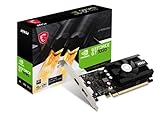
| MSI Gaming RTX 3050 LP 6G OC | The most documented low profile gaming card | 6GB GDDR6, 96-bit, 1492 MHz boost |
| SOYO GeForce RTX 3050 6GB Low Profile | Half-height builds that want HDMI 2.1 | 6GB GDDR6, 2304SP, PCIe 4.0 x8, HDMI 2.1 and DP 1.4a |
| maxsun GeForce RTX 3050 6GB | Slim gaming PCs with a PCIe 4.0 slot | 6GB GDDR6, PCI Express 4.0 |
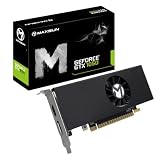
| maxsun GeForce GTX 1050 Ti 4GB | Light gaming in older slim cases | 4GB GDDR5, 128-bit |
| MAXSUN Radeon RX 550 4GB | Compact ITX and SFF office-plus builds | 4GB GDDR5, 128-bit, DirectX 12 |
| MSI GeForce GT 1030 4GB DDR4 LP OC | Quiet media PCs and light desktop work | 4GB DDR4, 64-bit, single fan, DP and HDMI |
| GeForce GT 610 2G DDR3 | Basic display output in the oldest slim PCs | 2GB DDR3, PCI Express 1.1 x16, HDMI and VGA |
The 7 Best Options
MSI Gaming RTX 3050 LP 6G OC
MSI puts almost everything a shopper wants to know into the title: the NVIDIA RTX 3050 chip, a 96-bit memory bus, a boost clock of 1492 MHz, 6GB of GDDR6 running at 14 Gbps, HDMI and DisplayPort outputs, and the Ampere architecture. The LP in the model name signals the half-height bracket that slim cases require, and the OC suffix suggests a factory clock tune.
For a buyer who wants a low profile card that can handle current games at modest settings, this is the cleanest starting point. It is a good fit when you value a recognized brand, a stated clock and a title you can verify line by line against the manufacturer’s page.
In a half-height case the thing to appreciate is how much of the card’s identity is written down. A buyer can match the model name against the maker’s support pages, look up the driver, and confirm the bracket and cooler design before the box arrives. That removes a lot of guesswork, which is worth real money when the case is small enough that a wrong card means opening it twice.
- Clock speed, bus width and memory speed are all spelled out, which makes comparison easy.
- 6GB of GDDR6 is the largest memory capacity among the low profile cards here.
- HDMI and DisplayPort cover most monitors and televisions without adapters.
- The title does not give a power draw or connector requirement, so check the specification sheet.
- A 96-bit bus is narrower than the older 128-bit cards, so judge it by the generation, not the width.
Skip it if your machine has a tiny proprietary power supply and no spare wattage. Compared with the SOYO card that follows, the MSI is the better documented, while the SOYO lists a few newer interface details that the MSI title leaves out.
SOYO GeForce RTX 3050 6GB Low Profile
The SOYO listing reads like a spec sheet: 6GB of GDDR6, a 96-bit bus, a 2304SP graphics processor, HDMI 2.1 and DisplayPort 1.4a outputs, a PCIe 4.0 x8 interface, and a SFF half-height design. The x8 interface is worth noticing because it means the card uses fewer lanes than a full x16 card, a choice that is common on slim models.
It suits owners of a compact desktop with a modern board who want a half-height GDDR6 card and plan to connect a recent television or monitor over HDMI 2.1. The title makes clear that the card was designed for slim cases rather than adapted from a taller model.
The mention of HDMI 2.1 is the part a living-room builder will care about, since it is the connection generation used by many current televisions. A PCIe 4.0 x8 interface is also a clue that the maker designed this card around slim boards instead of cutting down a full-size model. Treat both as a starting point and confirm everything on the product page.
- HDMI 2.1 and DisplayPort 1.4a are both named, giving current connection standards.
- The 2304SP figure gives you a concrete shader count to compare.
- Half-height design is stated outright.
- The brand is less established than MSI, so research warranty terms before buying.
- An x8 interface can limit performance slightly on older boards that run at a lower generation.
Skip it if you want the reassurance of a bigger brand name or if your board only offers an older PCI Express generation. Next to the maxsun RTX 3050, the SOYO is the more transparent listing, so choose it when the price is similar.
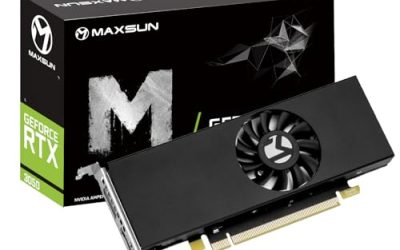
maxsun GeForce RTX 3050 6GB
The maxsun entry describes a 6GB GDDR6 card with a PCI Express 4.0 interface, aimed at mini, small form factor, slim and low profile gaming PCs. It carries the same graphics chip family as the first two picks, which makes it a third path to the same class of performance.
It is worth considering when you find it at a lower price than the others or when it is the one in stock. Because the title omits bus width, clock and cooler details, you should treat it as a card to verify rather than one to buy blind.
The sensible way to shop a listing with thin details is to use it as a price yardstick for the better documented cards. If the maxsun model costs clearly less than the MSI or the SOYO, the missing numbers may be an acceptable trade. If the prices are close, the better documented listings are simply less work and carry less risk.
- 6GB of GDDR6 and PCI Express 4.0 are both stated.
- Low profile, slim and SFF wording shows the card is aimed at compact cases.
- Same chip class as the two cards above, so expect similar capability.
- Several key details are missing from the title, including clock speed and bus width.
- Less documentation than the MSI and SOYO listings, so more homework for the buyer.
Skip it if you prefer a listing with a full set of numbers. Compared with the GTX 1050 Ti that follows, it is a generation newer, and the choice depends on whether your power supply can handle the step up.
maxsun GeForce GTX 1050 Ti 4GB
The GTX 1050 Ti listing offers 4GB of GDDR5 on a 128-bit interface in a slim, low profile design for small form factor gaming PCs. It is an older chip, but the wide bus and the 4GB pool make it a steady choice for lighter games and everyday media tasks.
Its main appeal is compatibility with older and weaker systems. Machines with limited power supplies and older motherboards often handle this kind of card more gracefully than a newer, more demanding one, and a modest card is easier to cool in a half-height cooler.
Think of it as the steady choice for a machine you do not want to stress. A card with this class of memory and bus tends to ask less of the power supply and the airflow than the newer models, which is the quiet argument for it in a cramped, older case. It is less exciting than the RTX cards, but exciting is not always what a slim office tower needs.
- 128-bit GDDR5 with 4GB is a balanced memory configuration for lighter games.
- Low profile design is stated plainly.
- Likely to work in older slim systems where newer cards might be a stretch.
- It lacks the newer features and performance of the RTX 3050 cards.
- The title is truncated at the output list, so confirm the connectors on the full page.
Skip it if you want to play recent titles at comfortable settings. Compared with the Radeon RX 550 next, it is the stronger gaming option from the NVIDIA side, while the Radeon is the choice for buyers who prefer AMD drivers.
MAXSUN AMD Radeon RX 550 4GB
This Radeon is described as low profile, small form factor, ITX and SFF, with 4GB of GDDR5, a 128-bit interface and DirectX 12 support. The ITX mention suggests it is meant for the very smallest builds.
It suits anyone moving from integrated graphics to a dedicated card for modest gaming, video work or multi-monitor use. If you run an AMD-based system and prefer to stay with one vendor’s software, this is the straightforward choice.
The Radeon name matters to some buyers for reasons of driver preference or because the rest of the machine already uses AMD parts. For those users, a native choice avoids switching software, and the ITX and SFF wording in the title shows the card was meant for tight spaces rather than adapted afterward.
- 4GB of GDDR5 on a 128-bit bus is a respectable setup for an entry card.
- DirectX 12 support is listed.
- ITX and SFF positioning is explicit in the title.
- Entry-level performance limits it to light gaming.
- The title cuts off at the interface detail, so confirm it on the full listing.
Skip it if you want strong performance in recent games. Next to the GT 1030, it offers a wider memory bus and GDDR5 instead of DDR4, so it is the better pick for anything beyond desktop work.
MSI GeForce GT 1030 4GB DDR4 LP OC
The GT 1030 here has 4GB of DDR4 on a 64-bit bus, DisplayPort and HDMI outputs, HDCP support, DirectX 12, and a single fan cooler, under the model name GT 1030 4GD4 LP OC. It is not a gaming card in the way the RTX models are, but it is a competent media and office card from a recognized brand.
This is the card for a quiet living-room PC, a reception desk machine or a home-office computer that needs better video decoding and multi-display support than integrated graphics can offer. The single fan suggests a simple, compact cooler that suits a half-height case.
Its strengths are quiet operation and tidy output options rather than speed. A single fan on a small heatsink is easy to live with beside a television, and a clear model code means drivers and support pages are easy to find. Owners who only stream video and browse will rarely push this card anywhere near its limit.
- DisplayPort and HDMI outputs cover most modern displays.
- A named brand with a clear model code makes support and driver lookup easy.
- Single fan cooling keeps the design simple for slim cases.
- DDR4 memory on a 64-bit bus is slower than the GDDR5 and GDDR6 used elsewhere in this list.
- It is not a good match for modern demanding games.
Skip it if gaming is a goal. Compared with the GT 610 that follows, it is much newer and carries modern outputs, so it is the sensible step above bare-minimum display adapters.
GeForce GT 610 2G DDR3 Low Profile
The GT 610 is the oldest and simplest listing here. The title describes 2GB of DDR3 memory, a PCI Express 1.1 x16 interface, HDMI and VGA outputs, and use in entry-level PCs, SFF machines and HTPCs, with Windows 11 compatibility noted.
It is a basic display adapter for old computers. If a tired desktop lost its integrated video or needs a second screen with a VGA connection, this kind of card solves the problem cheaply. It is not intended for games or demanding video work.
Be realistic about its role. It exists so that an aging slim PC can show a picture on one or two screens, and the VGA output is the reason some buyers still reach for it. If the monitor on your desk has only a VGA input, a modern card with HDMI and DisplayPort would need an adapter, while this one does not.
- HDMI and VGA outputs suit older monitors and projectors.
- PCI Express 1.1 x16 is listed, matching very old motherboards.
- Windows 11 compatibility is mentioned in the title.
- 2GB of DDR3 memory and an old chip limit it to basic tasks.
- The brand is not stated in the title, so verify the maker and warranty.
Skip it for any gaming use or for modern high-resolution displays. It sits at the bottom of this list, and it earns its place only for buyers whose machines cannot accept anything newer.
Who Needs a Low Profile Graphics Card
Most people never need one, which is why the audience is easy to describe. If your PC case has a normal-height expansion slot, a standard card is almost always a better value. Low profile cards exist for the situations below.
Owners of slim office desktops
Slim business desktops are everywhere on the used market and in small offices, and they usually come with capable processors and plenty of memory. A half-height card lets one of those machines handle a second monitor, light photo editing, or casual gaming, extending its life without a full replacement.
Home theater and media PC builders
A living-room PC has to be quiet, cool and small. Low profile cards with a single fan and modest power draw fit this brief, and those with HDMI outputs connect directly to a television. Decoding smooth video and driving a large screen matter more than raw frame rates.
Compact gaming builders
Some builders choose a very small case for the desk or the living room and still want to play current games. The RTX 3050 low profile models are the realistic option, accepting lower settings in return for a tiny footprint.
One more group is worth naming: people who own a slim machine for work and want it to double as a family entertainment box. For them the right card is whichever one stays out of the way, runs cool and offers the outputs the television needs. They rarely need the fastest model, and spending on gaming performance they will not use is the most common way these upgrades go wrong.
How to Choose a Low Profile Graphics Card
Confirm the bracket and the slot height
Check whether the card includes a half-height bracket, a full-height bracket, or both, and match it to your case. Measure the opening, not the specification of the case family, because custom brackets, riser cards and drive cages vary. A card that fits the slot but not the surrounding space is a common return.
Match memory and bus to your goal
For gaming, look for 4GB of GDDR5 as a floor and 6GB of GDDR6 as a comfortable target. For desktop and media duty, 2GB to 4GB of any type is adequate. A wider bus helps in games, but DDR4 on a 64-bit bus is fine for office work and video playback.
Check power and connectors
Many slim cards run entirely on slot power, and some need an extra connector. The title rarely tells you, so read the full specification. If your supply is a compact proprietary unit, confirm its spare wattage and connectors before shopping, since a gaming-class card can overload a small supply.
Mind the interface generation
A card with a PCI Express 4.0 x8 interface will work in older slots at the older speed. An older card limited to PCI Express 1.1 can still work in newer boards, but it will not take advantage of them. Make sure the slot is physically x16 or has an open end if the card uses fewer lanes.
Think about cooling and noise
Half-height coolers have limited surface area, so fans spin faster under load. Single-fan designs are common and acceptable for modest cards, while gaming-class models run warmer. Place the case where air can enter freely, and avoid blocking the vents.
Where budget models cut corners
Low-cost cards use older memory such as DDR3 or DDR4, smaller heatsinks, minimal documentation and short warranties. Titles that leave out the maker, the clock or the port list deserve extra scrutiny. Ignore generic words like powerful or ultimate, and compare memory type, bus width, outputs and brand support.
A few thresholds make the decision concrete. For gaming, pick one of the three RTX 3050 cards or the GTX 1050 Ti. For multi-monitor work with quiet operation, the GT 1030 is enough. For the oldest machines or a bare second screen, the GT 610 is adequate. If your supply is rated well below the stated requirement for the card, choose one step lower rather than hoping the card will run unstable and shut down.
Sizing the upgrade is the last step. If you pick a card in the GTX 1050 Ti or RTX 3050 class, make sure the supply and the case airflow can support it, then plan for the game settings you will use: medium or low settings at common resolutions are the realistic goal for a half-height gaming card. Set expectations there and the purchase will feel like a good one, rather than a disappointment.
If you are unsure which class you need, write down your three most-used programs. A browser, an office suite and video playback point to the GT 1030 or GT 610. A handful of esports titles and older games point to the GTX 1050 Ti or RX 550. Current releases at modest settings point to the RTX 3050 cards. That simple sort removes most of the confusion.
Finally, consider how long you will keep the machine. A card in the GT 1030 or GT 610 class is a short-term fix for an old computer, while a 6GB GDDR6 card is a more serious commitment that makes sense only if the processor, memory and storage around it will still be useful in a couple of years. Match the ambition of the card to the remaining life of the machine, and you avoid both overspending and underbuilding. Also keep the box and the second bracket, since resale and returns are far easier with the original parts.
Low Profile Card Versus Replacing the Whole Computer
Before buying, ask whether the old slim PC deserves the investment at all. A card upgrade keeps the existing machine, while a new mini PC or a compact prebuilt replaces it entirely.
| Factor | Low profile card in the old PC | New compact computer |
|---|---|---|
| Cost | One part | Whole system |
| Performance ceiling | Limited by old processor, memory and supply | Matched components |
| Effort | Open the case, install, update drivers | Unbox and migrate files |
| Risk | Power supply or fit surprises | Lower, but higher spending |
| Best when | Processor and memory are still adequate | The base system is slow overall |
When the card is the smart move
If the processor has four or more cores, the system has at least 8GB of memory and a solid-state drive, a low profile card adds graphics capability for a fraction of the price of a new computer. It is the sensible route for display and light gaming upgrades.
When to replace the machine
If the processor is very old, the memory is under 8GB and the drive is mechanical, even the best card will be held back. In that case, a new compact machine or a custom build will give a better result than a stack of expensive upgrades.
A practical rule is to keep a spare option open. If you replace the whole machine instead, the old slim PC can still serve as a second computer for a child, a workshop or a media library, and a low profile card extends that second life cheaply. Seen that way, the card is useful even in a plan that eventually moves to a new computer.
There is a middle route as well. Some buyers keep the old slim PC for office tasks, add a modest card for a second monitor, and buy a small separate machine only for gaming. This split keeps each computer simple, avoids stressing an old power supply, and makes the low profile card a tool for convenience instead of a compromise.
Setup, Compatibility and Upgrade Tips
What to check before buying
Verify the slot type on the board, the bracket height of your case, the free space around the slot and the power supply connectors. Look up the exact computer model to see if its supply is standard or proprietary. Check that the BIOS is up to date, since some older machines need a firmware update to start with a newer card.
What to upgrade first
If the computer still boots from a hard drive, a solid-state drive will transform it more than a graphics card. After that, bring memory up to 8GB or 16GB, then add the graphics card. A good card cannot compensate for a drive that takes minutes to load a game.
Common compatibility traps
The usual traps include a card that needs a power connector the supply lacks, a bracket that is the wrong height, a heatsink that collides with a neighboring component, and a motherboard with a slot that is open only in the middle. Another trap is installing a card without removing the old graphics driver, which can lead to blank screens until a clean installation is performed.
After installation, confirm the new card is the one drawing the picture by plugging the monitor into the card’s ports, not the motherboard’s. Install the driver from the chip maker, restart, and check the device list in the operating system. If the screen stays blank, reseat the card, check the supply connector and confirm the BIOS is set to use the PCI Express device first.
Keep the old driver package and a recovery option handy before swapping cards. If the new card produces a blank screen on the first boot, you can switch back to the motherboard output, uninstall the old driver, and try again. Documenting the original configuration, including the BIOS settings you changed, makes any rollback quick and low stress.
Which One Fits Your Situation
You want to game in a slim office PC
Choose the MSI Gaming RTX 3050 LP 6G OC. It combines GDDR6, a stated boost clock and a trusted name in a half-height design, and its clear title makes the paperwork easy. Confirm the power connector before you order.
You have a modern television and want HDMI 2.1
The SOYO GeForce RTX 3050 6GB Low Profile lists HDMI 2.1 and DisplayPort 1.4a, which suit a current screen. It is the pick for a living-room builder who wants a modern connection and a compact card.
You need a quiet card for a media PC
The MSI GeForce GT 1030 4GB DDR4 LP OC offers a single fan cooler and common outputs, which suits a living-room machine. Choose it when quiet operation matters more than frame rates.
Your PC is very old and only needs a screen
The GeForce GT 610 2G DDR3 provides HDMI and VGA output on an old PCI Express 1.1 x16 interface. It is the budget fix for a machine that has no other way to show a picture.
Common Mistakes
- Assuming every low profile card ships with the bracket you need.
- Buying a gaming-class card for a proprietary power supply without checking connectors.
- Judging a card only by memory size and ignoring memory type.
- Installing a card in a slot that is shorter than the connector.
- Skipping the BIOS and driver updates after installation.
- Spending on a card while the drive and memory remain the real bottleneck.
Related guides
- How To Check Gpu Compatibility With Your Motherboard And Cpu
- High-Performance Gaming Desktop Specifications
- Desktop Computer For Working From Home
Frequently Asked Questions
What is the difference between low profile and half-height?
They describe the same short bracket size. Manufacturers use both terms, and some cards ship with both a full-height and a half-height bracket in the box.
Can a low profile card play modern games?
The RTX 3050 models can run many current games at modest settings. The GT 1030 and GT 610 are not meant for gaming.
Do low profile cards need extra power cables?
Some do not and draw power from the slot alone, while the faster cards may need a connector. Always confirm in the full specification, because the title usually does not say, and compare it with your supply.
Will a PCI Express 4.0 card work in an older slot?
Yes, it will usually run at the older slot speed. The card may lose a little performance, but it will function.
Why does a half-height cooler sound louder?
Smaller heatsinks and fans must work harder to remove the same heat. Case airflow and lower settings help reduce noise, and cleaning dust from the fan every few months keeps it from working harder than necessary.
Is VGA output still useful?
It can be, for older monitors and projectors. The GT 610 listing includes it, while most newer cards focus on HDMI and DisplayPort.
Final Words
A low profile card is a targeted fix for a specific kind of computer. For gaming in a slim case, the three RTX 3050 6GB cards lead, with MSI offering the most complete listing. For older games, the GTX 1050 Ti and RX 550 provide a middle path. For quiet media duty and basic displays, the GT 1030 and GT 610 do the job. Measure the bracket, check the power supply and confirm the ports, and the choice becomes simple. If a listing hides a detail you need, treat that as a question for the seller before purchase, not a surprise afterward.