Shopping for an AMD prebuilt gaming PC sounds like one decision, but it is really three. There is the processor, which is the part AMD actually controls on almost every system below. There is the graphics card, which may be AMD or Nvidia depending on the maker. And there is the platform around them: the memory generation, the power supply, and the cooling. A tower with a Ryzen chip and a modern graphics card behaves very differently from one with a Ryzen chip that is several years old, even though both carry the same brand on the sticker.
This guide is for buyers who prefer Ryzen processors, whether for their upgrade path, their efficiency, or the X3D gaming variants, and who would rather skip a custom build. It covers entry-level towers built around older chips, solid mid-range machines, and a few high-end systems. All comparisons come from the specs in the listed titles, so treat them as a starting checklist rather than a verdict. In 2026 the interesting split is between AM5 systems with DDR5 and older AM4 systems with DDR4, and that split shows up clearly in the table.
As an Amazon Associate we earn from qualifying purchases at no extra cost to you.

Our Top Picks
 iBUYPOWER Element Gaming PC Desktop Computer AMD Ryzen20 x 9.1 x 17.4 inches36 poundsCheck on Amazon



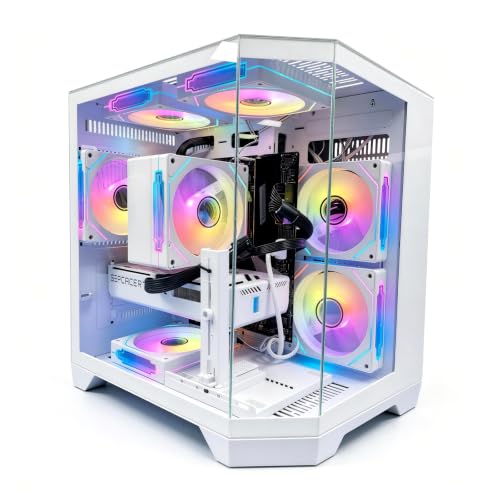
Top 3 picks at a glance
Quick Picks
As an Amazon Associate we earn from qualifying purchases at no extra cost to you.




| Product | Best for | Key spec from the title |
|---|---|---|
| CyberPowerPC Gamer Master | Balanced 1080p and 1440p play | Ryzen 7 8700F, RTX 5060 Ti 8GB, 16GB DDR5 |
| KOTIN Ryzen 7 9700X system | All-AMD build with liquid cooling | Ryzen 7 9700X, RX 9070 XT 16GB, 32GB DDR5, WiFi 7 |
| iBUYPOWER Element | Gaming plus heavy multitasking | Ryzen 9 7900X, RTX 5070 12GB, 32GB DDR5 |
| Olialia RTX 3060 Ti system | Entry-level on a tight budget | Ryzen 5 5500, RTX 3060 Ti, 16GB RAM, 512GB SSD |
| LXZ Ryzen 7 8700F system | Mid-range with DDR5 | Ryzen 7 8700F, RTX 5060, 16GB DDR5, 650W PSU |
| ZYNEEX Ryzen 5 5500 system | Esports and light games | Ryzen 5 5500, RTX 3050 6GB, 16GB DDR4 3200MHz |
| Skytech Ryzen 7 9850X3D system | Top-tier frame rates | Ryzen 7 9850X3D, RTX 5080, 32GB, 850W Gold PSU |
| msi Codex Z2 | Storage-heavy, VR-ready builds | R7-8700F, RTX 5070, 32GB DDR5, 2TB SSD |
How to Choose
Read the processor name, not just the brand
Ryzen model numbers carry real information. A Ryzen 5 5500 belongs to the older AM4 generation and pairs with DDR4 memory, while the 7000, 8000, and 9000 families use AM5 and DDR5. The “F” in 8700F means the chip has no integrated graphics, so a discrete card is mandatory. X3D chips carry extra cache aimed at gaming frame rates. If a listing leaves out the exact model, ask whether it is AM4 or AM5, because that determines your future upgrade options.
Check the graphics card first, then match memory
For gaming, the graphics card does most of the work. Cards with 8GB of video memory are fine for 1080p at sensible settings, but 12GB or 16GB gives more headroom for 1440p and recent texture-heavy games. System memory should be at least 16GB today, with 32GB the comfortable target for gaming plus streaming or browsers on a second monitor. DDR5 is the current standard, while DDR4 is acceptable only when the system is clearly priced for entry-level use.
Power supply, cooling, and storage
Power supply wattage should leave headroom for the graphics card: a 600W unit is a floor for mid-range cards, while higher-end cards call for 750W or more, ideally with a Gold efficiency rating. Cooling matters for Ryzen 7 and Ryzen 9 chips. A 240mm or 360mm liquid cooler is stronger than the basic air tower. For storage, 1TB is the realistic minimum now, since modern games run large, and a PCIe 4.0 NVMe drive beats older, slower models for load times.
What to ignore, and where prebuilts cut corners
Ignore RGB fan counts and panoramic glass; they are cosmetics. Watch instead for generic power supplies, a single stick of memory instead of two, and unbranded motherboards with limited upgrade options. Brand-name systems tend to come with clearer warranty terms than small marketplace sellers, so check the length and who handles service before buying. Also check for included Windows licensing and whether the title mentions WiFi, since a few towers rely on a wired connection only.
The 8 Best Options
CyberPowerPC Gamer Master
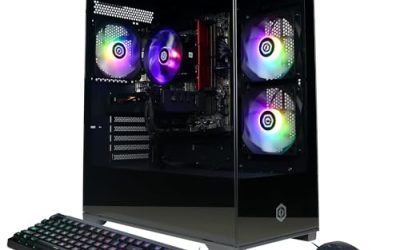
This model pairs a Ryzen 7 8700F with a GeForce RTX 5060 Ti 8GB, 16GB DDR5 memory, and a 1TB PCIe 4.0 SSD, with WiFi and Windows 11 Home included. It lands in the middle of the field and suits a buyer who wants a ready-to-play system for 1080p and some 1440p gaming without paying for top-tier parts.
- Strength: DDR5 memory and a PCIe 4.0 drive give it a current platform.
- Strength: Windows 11 Home is already included, so setup is minimal.
- Trade-off: 16GB of memory is the baseline, so heavy multitaskers may want to upgrade.
Skip it if you want an all-AMD graphics setup or a larger memory pool out of the box.
KOTIN Ryzen 7 9700X system
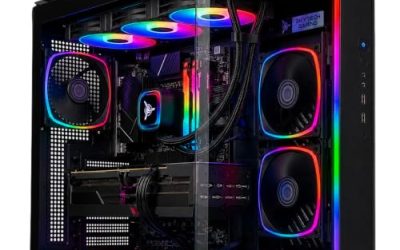
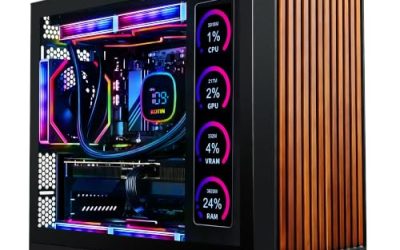
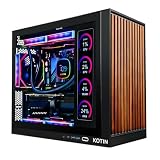
The KOTIN pairs a Ryzen 7 9700X with an RX 9070 XT 16GB, 32GB DDR5, a 1TB SSD, a 360mm liquid cooler, and WiFi 7. It is the only entry here with AMD on both the processor and the graphics card. The 11.3-inch smart display is an unusual extra that shows system information.
- Strength: 16GB of video memory and 32GB of DDR5 offer plenty of headroom.
- Strength: a 360mm liquid cooler and WiFi 7 point to a well-equipped build.
- Trade-off: it comes from a smaller brand, so warranty terms deserve a careful read.
Skip it if you prefer a larger, better-known system builder.
iBUYPOWER Element
The Element combines a Ryzen 9 7900X with an RTX 5070 12GB, 32GB DDR5, and a 1TB NVMe SSD under Windows 11 Home. Ryzen 9 processors like this are for people who game and also render, stream, or compile. It is one of the stronger all-rounders on this list.
- Strength: a Ryzen 9 processor gives strong multithreaded performance for work and play.
- Strength: 32GB of DDR5 is the sensible memory level for demanding use.
- Trade-off: the 7900X is a higher-power chip, so cooling and case airflow deserve attention.
Skip it if you only game at 1080p and want to keep spending modest.
Olialia RTX 3060 Ti system
This tower uses a Ryzen 5 5500, an RTX 3060 Ti, 16GB RAM, and a 512GB SSD, with WiFi 6, a 600W power supply, and Windows 11. It is an older-generation, entry-level configuration that works for esports titles and 1080p play on a modest budget.
- Strength: the RTX 3060 Ti is still a capable 1080p graphics card.
- Strength: WiFi 6 and Windows 11 come included.
- Trade-off: 512GB of storage fills up quickly with modern game installs.
Skip it if you want a newer AM5 platform or a long upgrade runway.
LXZ Ryzen 7 8700F system
The LXZ pairs a Ryzen 7 8700F with an RTX 5060, 16GB of DDR5, and a 1TB SSD, with six RGB fans and a 650W power supply. The title also lists seven USB 2.0 ports and three USB 3.0 ports, which suits a desk with many peripherals.
- Strength: a DDR5 platform with a 1TB drive is a fair mid-range foundation.
- Strength: plenty of USB ports for keyboards, headsets, and controllers.
- Trade-off: USB 2.0 is slow for external drives, and the port mix leans older.
Skip it if fast front-panel USB for external storage is important to you.
ZYNEEX Ryzen 5 5500 system
The ZYNEEX uses a Ryzen 5 5500, an RTX 3050 6GB, 16GB of DDR4 3200MHz memory, and a 1TB NVMe SSD, with ARGB air cooling and WiFi. It is the lowest-powered graphics configuration here, which makes it a fit for esports games, older releases, and school or home use.
- Strength: 1TB of NVMe storage is generous for the tier.
- Strength: air cooling suits a lower-power chip and is simple to maintain.
- Trade-off: 6GB of video memory limits settings in newer, heavier games.
Skip it if you want to play recent titles at high settings.
Skytech Ryzen 7 9850X3D system
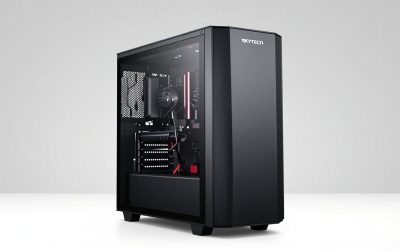
Skytech’s listing stacks a Ryzen 7 9850X3D with an RTX 5080, 32GB of DDR5 6000, a 2TB NVMe SSD, an 850W Gold ATX 3 power supply, a 360 ARGB liquid cooler, and Wi-Fi. This is the performance flagship of the group, built for high-refresh 1440p and 4K.
- Strength: an X3D processor and a top-end graphics card target maximum frame rates.
- Strength: an ATX 3 power supply with Gold efficiency fits a high-end graphics card.
- Trade-off: it sits in the premium tier, so it is more than most 1080p players need.
Skip it if your monitor is 1080p or you are on a mid-range budget.
msi Codex Z2
The Codex Z2 combines an R7-8700F with an RTX 5070, 32GB of DDR5, and a 2TB SSD, with USB Type-C, VR readiness, and Windows 11 Home. It is a good fit for someone who wants lots of storage and memory in a name-brand case without stepping up to flagship parts.
- Strength: 2TB of storage and 32GB of DDR5 give breathing room for large libraries.
- Strength: VR readiness and a front Type-C port widen what you can connect.
- Trade-off: the 8700F processor is mid-tier, so it will not match an X3D chip in CPU-bound games.
Skip it if raw gaming frame rates matter more than storage.
Which One Fits Your Situation
You want an all-AMD system
The KOTIN Ryzen 7 9700X system is the only one here with both an AMD processor and an AMD graphics card. Its 16GB of video memory and liquid cooler round out the pitch.
You game at 1080p on a limited budget
The ZYNEEX or the Olialia RTX 3060 Ti system keep costs in the entry tier. The Olialia has the stronger graphics card, while the ZYNEEX has more storage.
You game and also create content
The iBUYPOWER Element, with its Ryzen 9 7900X and 32GB of DDR5, is built for mixed use. The msi Codex Z2 is a second option when storage is the priority.
You want the fastest frame rates available
The Skytech Ryzen 7 9850X3D system is the flagship. An X3D chip, an RTX 5080, and an 850W Gold ATX 3 supply are designed for high-refresh gaming.
Common Mistakes
- Assuming every Ryzen is the same, when AM4 and AM5 platforms differ in memory type and upgrade options.
- Buying an F-series processor and forgetting it has no integrated graphics.
- Judging a system by RGB fan count instead of the graphics card and power supply.
- Settling for a small SSD, then running out of space after a handful of large game installs.
- Ignoring warranty and service terms from small sellers on a system that is difficult to ship back.
Related guides
- How To Check Gpu Compatibility With Your Motherboard And Cpu
- High-Performance Gaming Desktop Specifications
- Desktop Computer For Working From Home
Frequently Asked Questions
Does an AMD processor mean an AMD graphics card?
No. Most systems here pair a Ryzen chip with an Nvidia card. Only the KOTIN listing shows AMD for both parts, so check each title if graphics brand matters to you.
Is DDR4 still acceptable?
For entry-level use, yes. DDR4 systems like the ZYNEEX and Olialia work well for esports and older games. For a longer upgrade path, DDR5 on an AM5 board is the safer choice.
What does the F in Ryzen 7 8700F mean?
It means the processor has no built-in graphics. That is fine in a gaming PC with a discrete graphics card, but the machine will not display anything without one.
How much power supply do I need?
A 600W to 650W unit suits mid-range graphics cards. For higher-end cards such as an RTX 5080, look for around 850W with an ATX 3 rating, as the Skytech listing states.