“Mid range” is the most slippery label in prebuilt gaming. At the bottom end, a machine can look inexpensive and fall apart the first time a new release asks for more video memory. At the top end, you start paying for flagship processors that your graphics card cannot fully use. The sweet spot sits where the graphics card, processor, memory, and power supply are balanced, so a single weak link does not hold the others back for the next several years.
This guide is for buyers who want a ready-to-run desktop for modern games at 1080p and 1440p without stepping up to enthusiast pricing, and who would rather not hunt through part lists. The five systems below are anchored on RTX 5060 and RTX 5070 graphics in 2026, and they differ mainly in processor generation, memory type, power supply headroom, and cooling. Entry builds with older RTX 3050-class cards, and high-end builds with X3D processors paired with an RTX 5070 Ti or Radeon RX 9070 XT, sit outside this guide on purpose because they belong to different tiers.
Our Top Picks
Pros & cons
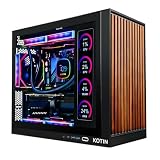
- Built-in 11.3 inch smart display shows live temps and usage
- 850W 80+ Gold PSU leaves headroom for upgrades
- Arrives fully assembled with Windows 11 Home installed
- Monitor must connect to the graphics card, not motherboard ports
- 360mm liquid cooler takes up significant case space


Top 3 picks at a glance
Quick Picks
As an Amazon Associate we earn from qualifying purchases at no extra cost to you.



| Product | Best for | Key spec from the title |
|---|---|---|
| KOTIN RTX 5070 prebuilt | The strongest graphics card in this group, with modern connectivity | RTX 5070 12GB, Ryzen 7 9700X, 32GB DDR5, 850W 80+ Gold, WiFi 7 |
| Skytech Archangel 5 (Core i5-14400F) | Straightforward 1080p play with fast DDR5 | i5 14400F, RTX 5060, 16GB DDR5 6000, 750W Gold |
| Horizon Autherium Dragon | Gamers who also store and edit large files | Core i9, RTX 5070 OC, 64GB RAM, 5TB storage, 360mm AIO |
| Skytech Crystal (Ryzen 7 5700) | Value-minded buyers who want 32GB of memory | Ryzen 7 5700, RTX 5060, 32GB DDR4 3200, 650W Gold |
| Skytech Archangel 5 (Ryzen 7 7700) | A newer AMD platform with DDR5 | Ryzen 7 7700, RTX 5060, 32GB DDR5 6000, 750W Gold |
How to Choose
Start with the Graphics Card
In a gaming PC, the graphics card does most of the work, so it should take the largest share of the budget. In this guide the RTX 5060 is the baseline and the RTX 5070 is the step up. Check the video memory line on the spec sheet: the title for the KOTIN system states 12GB, while the other listings do not, so confirm the memory on any card before you commit. For 1440p and high-resolution texture packs, more video memory is a safer long-term choice than a slightly faster processor, because a card that runs out of memory stutters no matter how fast the chip is.
Look for Balanced Memory and Storage
Sixteen gigabytes of system memory is workable today, but 32GB is the comfortable standard for gaming plus a browser, chat, and a streaming app. Prefer DDR5 on newer platforms, though the DDR4 build here pairs sensibly with its Ryzen 7 5700. Aim for at least a 1TB NVMe drive, since modern titles regularly exceed 100GB each. Extra storage, like the 5TB in one listing, matters more if you keep video captures or large libraries installed. Make sure at least one spare drive slot remains for a later upgrade. Budget prebuilts sometimes pair a fast drive with a single memory stick, which can limit memory bandwidth, so look for the listing to say whether the kit runs as a matched pair.
Check the Power Supply and Cooling
The power supply is where cheap prebuilts quietly cut corners. Look for a Gold-certified unit with enough capacity for the graphics card: 650W and 750W are sensible for an RTX 5060, while 850W gives headroom for an RTX 5070 and future upgrades. A 360mm liquid cooler suits higher-wattage processors, and standard air cooling is fine for midrange chips. Ignore RGB fan counts and glass panels; airflow, dust filters, and a named power supply matter more than lighting.
Think About Upgrade Paths and Connectivity
A newer platform, such as AM5 with DDR5, gives you more room to upgrade the processor later than older sockets. Check the Wi-Fi standard if you play online without a cable: WiFi 7 appears in one listing, while others list Wi-Fi 5. A wired Ethernet connection removes the question entirely. Ignore “up to” clock speeds in marketing copy and compare the actual processor model instead, since a boost figure says little about sustained gaming behavior. Also read the warranty terms and the return window, because a prebuilt is only as good as the support behind it when a fan fails or a part arrives damaged.
The 5 Best Options
KOTIN RTX 5070 Prebuilt
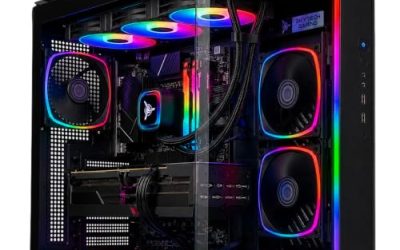
This is the most graphics-forward option in the guide, built around an RTX 5070 with 12GB and a Ryzen 7 9700X. The listing adds 32GB of DDR5, a 1TB SSD, an 850W 80+ Gold power supply, a 360mm liquid cooler, and WiFi 7, plus an 11.3-inch smart display. It is aimed at a buyer who wants a strong one-box solution for modern games and expects to keep the machine through several upgrade cycles.
- Strength: an 850W Gold power supply leaves headroom for future component upgrades.
- Strength: 32GB of DDR5 and WiFi 7 mean the platform is current and balanced.
- Trade-off: the 1TB SSD fills fast with several large games installed.
Skip it if you do not need the display or if your budget leans toward entry-level graphics.
Skytech Archangel 5 (Core i5-14400F)
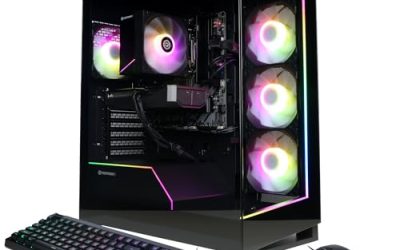
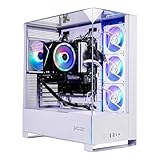
A clean, no-frills configuration with an Intel Core i5-14400F and an RTX 5060. The title lists 16GB of DDR5 at 6000, a 1TB NVMe SSD, a 750W Gold power supply, Windows 11, and Wi-Fi 5. It suits players targeting 1080p, esports, and mainstream releases who care about fast memory and a sensible power supply more than headline core counts or exotic cooling hardware.
- Strength: DDR5 6000 memory and an NVMe drive keep load times and responsiveness snappy.
- Strength: a 750W Gold power supply is a comfortable match for an RTX 5060.
- Trade-off: 16GB is the minimum for current gaming and may feel tight when multitasking.
Skip it if you stream while you play or plan to upgrade graphics soon. The Ryzen builds in this guide give more memory for the same graphics tier.
Horizon Autherium Dragon
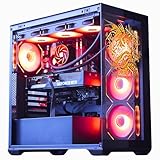
This system stands apart with its storage and memory: 64GB of RAM and 5TB of storage alongside a Core i9 that boosts up to 5.4GHz and an RTX 5070 OC. Windows 11 Pro and a 360mm AIO cooler round out the listing. It is built for people who mix gaming with editing, large libraries, or virtual machines, and who want one tower to cover both play and project work without extra drives.
- Strength: 64GB of RAM and 5TB of storage suit creators and heavy multitaskers.
- Strength: Windows 11 Pro and a 360mm AIO cooler support sustained workloads.
- Trade-off: you pay for memory and storage that a pure gamer may never use.
Skip it if you only play games and would rather put the money into graphics performance. Anyone who does not need a 64GB workstation will get more value from the leaner Skytech systems above.
Skytech Crystal (Ryzen 7 5700)
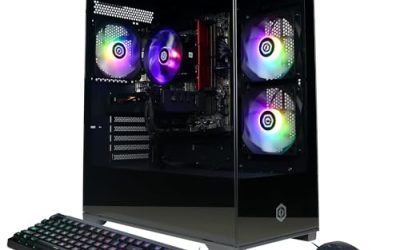
A value-leaning build pairing a Ryzen 7 5700 with an RTX 5060 and 32GB of DDR4 3200. The title lists a 1TB NVMe SSD, a 650W Gold power supply, and Wi-Fi 5 in the Crystal Series. It fits a buyer who prefers generous memory over the newest platform and wants a dependable 1080p machine that can handle a browser, voice chat, and a game at the same time.
- Strength: 32GB of memory gives it more multitasking room than the 16GB build.
- Strength: a Gold-certified 650W power supply is a sensible, efficient match for this card.
- Trade-off: DDR4 and an older processor generation offer less upgrade headroom than a newer platform.
Skip it if you want a long-term platform for upgrades or WiFi beyond the older standard. A wired Ethernet connection removes the Wi-Fi concern, and the newer Archangel build is the cleaner pick if upgrade headroom matters.
Skytech Archangel 5 (Ryzen 7 7700)
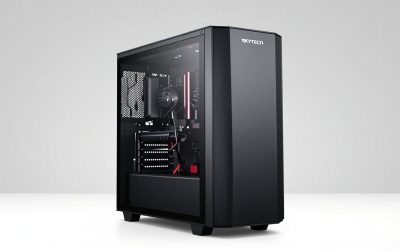
The balanced middle option: a Ryzen 7 7700 at 3.8GHz with an RTX 5060, 32GB of DDR5 6000, and a 1TB NVMe SSD. A 750W Gold power supply, Wi-Fi, and Windows 11 are listed too. It targets players who want a modern AMD platform and generous memory without chasing a top-tier graphics card, and who value having a clear upgrade path for the processor later.
- Strength: DDR5 6000 with 32GB gives it better headroom than the 16GB Intel build.
- Strength: a 750W Gold power supply leaves room for modest upgrades.
- Trade-off: the RTX 5060 caps how far you can push high-resolution settings.
Skip it if your main goal is the strongest possible graphics card in this tier. Players who care most about 1440p detail settings should look at the RTX 5070 systems first and treat this one as the memory-rich, processor-forward alternative.
Which One Fits Your Situation
You Want the Most Graphics Power
Choose the KOTIN RTX 5070 prebuilt. It carries the strongest card in this guide, along with a large power supply and a liquid cooler, which makes it the best fit for 1440p play and for buyers who plan to hold the system for years.
You Game at 1080p on a Tight Plan
The Skytech Archangel 5 with the Core i5-14400F is the straightforward pick. If you want 32GB of memory for multitasking, step to the Ryzen 7 5700 Crystal or the Ryzen 7 7700 Archangel, which share the same graphics card.
You Edit Video and Store Large Files
The Horizon Autherium Dragon fits best, thanks to its 64GB of RAM, 5TB of storage, and Windows 11 Pro. A capture library and a project drive can live in one machine without extra purchases.
You Want a Newer Platform for Later Upgrades
The Skytech Archangel 5 with the Ryzen 7 7700 pairs DDR5 with a modern AMD processor, giving you a cleaner path than the DDR4 Crystal build when the time comes to swap the graphics card or processor.
Common Mistakes
- Buying on processor name alone and overlooking the graphics card, which drives frame rates.
- Accepting 16GB of memory without asking whether it can be upgraded.
- Ignoring the power supply capacity and certification, which affect both stability and upgrade options.
- Paying extra for RGB and display extras instead of real performance components.
- Skipping the video memory line and assuming all midrange cards are equal.
Related guides
- How To Check Gpu Compatibility With Your Motherboard And Cpu
- High-Performance Gaming Desktop Specifications
- Desktop Computer For Working From Home
Frequently Asked Questions
Is an RTX 5060 enough for mid-range gaming?
It suits 1080p gaming well and can handle many titles at 1440p with adjusted settings. For higher resolutions or heavy texture packs, a step up to an RTX 5070 offers more headroom and a longer useful life.
Does DDR5 matter compared with DDR4?
DDR5 gives a newer platform and a better upgrade path, but the graphics card matters more for frame rates. A balanced DDR4 system with 32GB can still be a good value if you do not plan to upgrade the processor.
How much storage do I need?
A 1TB NVMe drive is a practical starting point. If you install many large games or save video captures, plan to add a second drive or choose a larger configuration such as the 5TB listing above.
Do prebuilts need a lot of maintenance?
Not much. Clean dust filters every few months, keep graphics drivers current, and make sure the case has clear airflow so the cooler can work properly. Leave a few inches behind the tower for the exhaust fan.