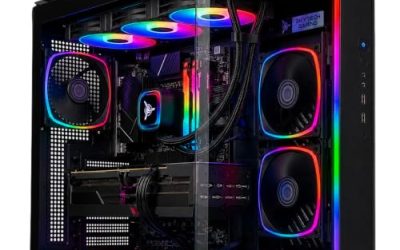
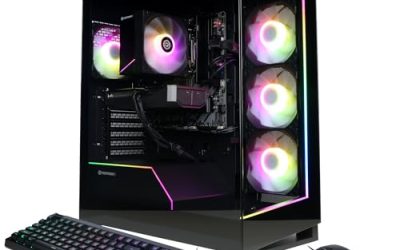
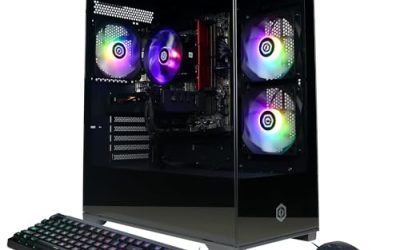
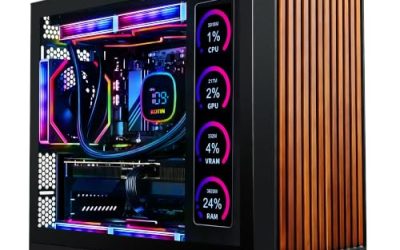
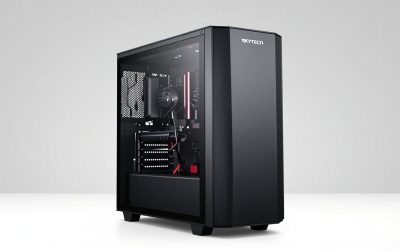
The best prebuilt gaming PC with an RTX 5070 on this list is the Skytech Gaming desktop that pairs a Ryzen 7 9800X3D with the RTX 5070, 32GB of RAM and a 2TB SSD. The 9800X3D is an eight-core processor with a large stacked cache that is widely regarded as one of the strongest gaming CPUs available, so it lets the RTX 5070 reach its potential at 1080p and 1440p. If you want to spend less on the processor and still get 32GB of DDR5 and a name-brand chassis, the msi Codex R2 with a Core i5-14400F is the sensible value route. If you want a step up in graphics, the Skytech build with a Ryzen 7 9800X3D and an RTX 5070 Ti is the premium choice. The remaining systems vary mostly in processor, memory and storage, and the sections below show who each one fits and what to confirm before buying.
Our Top Picks
Pros & cons
- Built-in 11.3 inch smart display shows live temps and usage
- 850W 80+ Gold PSU leaves headroom for upgrades
- Arrives fully assembled with Windows 11 Home installed
- Monitor must connect to the graphics card, not motherboard ports
- 360mm liquid cooler takes up significant case space
 iBUYPOWER Element Gaming PC Desktop Computer AMD Ryzen20 x 9.1 x 17.4 inches36 poundsCheck on Amazon


Top 3 picks at a glance
Top 3 Picks
Best overall: Skytech Gaming PC, Ryzen 7 9800X3D, RTX 5070, 32GB RAM, 2TB SSD. This is the strongest gaming pairing for the RTX 5070 tier. The X3D processor removes most CPU bottlenecks in games, and the 32GB and 2TB specification means you will not need to open the case for years.
Best budget pick: msi Codex R2. An Intel Core i5-14400F, RTX 5070 12GB, 32GB of DDR5, a 1TB NVMe drive, air cooling and Wi-Fi 6E from a major motherboard and graphics brand make it the most balanced lower-cost RTX 5070 system here.
Best premium pick: Skytech Gaming PC, Ryzen 7 9800X3D, RTX 5070 Ti, 32GB RAM, 2TB SSD. Stepping up to the RTX 5070 Ti adds more graphics memory and rendering power for 1440p at maximum settings and many 4K scenarios with upscaling.
Quick Comparison
| Product | Best for | Key specs (from the listing) |
|---|---|---|
| KOTIN Prebuilt Gaming PC | Modern AM5 platform with 32GB | Ryzen 7 9700X, RTX 5070 12GB, 32GB DDR5, 1TB SSD |
| msi Codex Z2 | Storage-heavy libraries | Ryzen 7 8700F, RTX 5070, 32GB DDR5, 2TB SSD, USB Type-C, VR-ready, Windows 11 Home |
| iBUYPOWER Element (Ryzen 9) | Multitasking and creative work | Ryzen 9 7900X, RTX 5070 12GB, 32GB DDR5, 1TB NVMe SSD, Windows |
| Skytech Azure 3 | Entry AM5-era RTX 5070 build | Ryzen 7, RTX 5070, 24GB RAM, 1TB SSD |
| msi Codex R2 | Best-balanced lower-cost build | Core i5-14400F, RTX 5070 12GB, 32GB DDR5, 1TB NVMe, air cooling, Wi-Fi 6E |
| Skytech (Core i5-14400F) | Simplest Intel entry point | Core i5-14400F, RTX 5070, 16GB RAM, 1TB SSD |
| Skytech (9800X3D + RTX 5070 Ti) | Top graphics and gaming CPU | Ryzen 7 9800X3D, RTX 5070 Ti, 32GB RAM, 2TB SSD |
| iBUYPOWER Element (Core i7) | Intel multi-core with 32GB | Core i7-14700F, RTX 5070 12GB, 32GB DDR5, 1TB NVMe SSD, Windows |
| WIWB Gaming Desktop | Newest Intel platform | Core Ultra 7 265KF, GeForce RTX 5070 12GB GDDR7 |
| Skytech (9800X3D + RTX 5070) | Best overall gaming balance | Ryzen 7 9800X3D, RTX 5070, 32GB RAM, 2TB SSD |
How We Chose
This guide is the product of desk research rather than physical testing. We started with the exact component list in each listing and compared the processors, memory, storage and cooling mentioned there against well-established knowledge of each part: core counts, platform generation, power ratings and typical gaming behavior. Our main criteria were the CPU’s ability to feed an RTX 5070 without bottlenecking it, the RAM and storage shipped as standard, whether the platform leaves room for upgrades, cooling and power supply information where stated, and the reputation of the system maker for support and documentation. We excluded anything not in the supplied list and avoided guessing at specifications a listing does not state. Where a title omits a detail such as power supply wattage or motherboard model, we point it out so you can confirm it before ordering.
What the RTX 5070 Can and Cannot Do
Every system in this roundup is built around the GeForce RTX 5070 or a close sibling, so it helps to know what that card represents. The RTX 5070 is a Blackwell-generation graphics card with 12GB of GDDR7 memory on a 192-bit bus, a rated total graphics power of about 250 watts and an NVIDIA-recommended system power supply of 650 watts. It supports DLSS 4 with multi frame generation, fourth-generation ray tracing hardware and fifth-generation tensor cores. In practical terms it is aimed at smooth 1440p gaming at high settings, with 1080p performance well above typical monitor refresh rates and 4K play possible when you use upscaling and moderate settings.
What it does not do is remove the limits of 12GB of video memory. A few recent games with ultra textures can exceed that capacity at 4K, and in those cases you will lower texture quality one notch. The RTX 5070 Ti, which appears in one listing here, moves to 16GB of GDDR7, a 300-watt rating and a 750-watt power supply recommendation, which is the main reason to consider it for 4K. Frame generation can raise displayed frame rates sharply, but it adds some latency and works best when the base frame rate is already comfortable, so treat it as a smoothing tool rather than a replacement for raw performance.
1. KOTIN Prebuilt Gaming PC (Ryzen 7 9700X) – Best for a Modern AM5 Build with Room to Grow
As an Amazon Associate we earn from qualifying purchases at no extra cost to you.

The KOTIN prebuilt pairs a Ryzen 7 9700X with an RTX 5070 12GB, 32GB of DDR5 and a 1TB SSD. The Ryzen 7 9700X is a Zen 5 processor with eight cores and sixteen threads and a modest 65-watt rated power envelope, and it sits on the AM5 socket, which AMD has committed to supporting across several processor generations. That platform history is the most important selling point of this system, because it means a future processor upgrade can be a drop-in replacement rather than a full rebuild.
This PC suits a player who wants a current-generation platform, a solid gaming processor and a standard 32GB of memory without paying for the premium X3D chip. It also suits streamers and creators, since eight Zen 5 cores handle encoding and editing comfortably.
Key specs from the listing
- CPU: AMD Ryzen 7 9700X (8 cores, 16 threads)
- GPU: NVIDIA GeForce RTX 5070 12GB
- Memory: 32GB DDR5
- Storage: 1TB SSD
Strengths
The 9700X runs cool and efficient, which tends to keep fan noise down in a prebuilt. Thirty-two gigabytes of DDR5 is the right capacity for gaming plus background apps, and the RTX 5070 delivers strong 1440p performance. A 1TB drive is enough for several large games, and an AM5 board typically offers extra M.2 slots for expansion.
Pros
- AM5 platform with a clear future upgrade path
- Efficient eight-core CPU that runs cool
- 32GB DDR5 as standard
- RTX 5070 handles 1440p at high settings
Cons
- KOTIN is a less established brand, so warranty terms deserve a careful read
- Listing does not state the power supply, motherboard or case model
- 1TB of storage fills quickly with modern game sizes
Who should look elsewhere
This is not the pick for someone who wants the absolute fastest gaming processor, because the 9700X lacks the stacked cache that gives X3D chips their edge in many games. It is also a poor fit if you want the reassurance of a decades-old brand name and a widely documented support site. If neither of those matters to you, the 9700X is an efficient, capable partner for the RTX 5070, and its 65-watt rating means the cooler and case fans rarely need to work hard. Ask the seller which cooler is fitted and how many case fans are included, as that tells you more about long-session noise than the processor name does.
How it compares
The closest alternative is the msi Codex Z2, which uses an older Ryzen 7 8700F but ships with 2TB of storage and a well-known brand. The KOTIN’s 9700X is the newer, stronger processor, so it should lead in CPU-bound games, while the Codex Z2 wins on storage and brand recognition. Against the Skytech 9800X3D systems, the KOTIN gives up the cache-heavy gaming advantage but typically represents a smaller investment.
Before buying, look for the power supply wattage and make sure it meets at least the 650-watt guidance for the RTX 5070, and ideally comes from a recognized manufacturer with an 80 Plus rating. Because the RTX 5070 uses a high-current 16-pin connector on many models, a prebuilt should arrive with that cable fully seated; if you ever open the case, unplug the system first and confirm the connector is clicked in with no sharp bend right at the plug.
2. msi Codex Z2 – Best for Large Game Libraries and VR

The msi Codex Z2 is a gaming desktop built around an AMD Ryzen 7 8700F, an RTX 5070, 32GB of DDR5 and a 2TB SSD. The listing also highlights a USB Type-C port, VR readiness and Windows 11 Home. The Ryzen 7 8700F is a Zen 4 processor with eight cores and sixteen threads for the AM5 socket, and the “F” suffix indicates there is no integrated graphics, which is normal for a gaming PC that has a dedicated card.
It suits buyers who want a recognized motherboard-and-graphics-card brand, a roomy 2TB drive for a big library, and a chassis that is marketed for virtual reality. The 8700F is not the newest silicon, but it is an efficient and capable gaming processor that pairs sensibly with an RTX 5070.
Key specs from the listing
- CPU: AMD Ryzen 7 8700F
- GPU: NVIDIA GeForce RTX 5070
- Memory: 32GB DDR5
- Storage: 2TB SSD
- Extras: USB Type-C, VR-ready, Windows 11 Home
Strengths
The 2TB drive is the headline. Modern games commonly exceed 100GB, so double the storage of many competitors matters in day-to-day use. The AM5 platform leaves the door open for a later processor swap. MSI also builds its own graphics cards and motherboards, so the brand tends to provide a consistent driver and support experience.
Pros
- 2TB of storage out of the box
- 32GB of DDR5 and an RTX 5070
- AM5 socket provides upgrade headroom
- Major hardware brand behind the system
Cons
- The Ryzen 7 8700F is a generation behind the 9000-series chips
- Gaming performance in CPU-bound titles trails X3D processors
- Listing leaves cooling and power supply details for you to confirm
Who should look elsewhere
Skip this one if your priority is the highest possible frame rate in processor-heavy games such as large strategy titles, esports shooters at very high refresh rates or simulation games, because the 8700F is a step behind the newest AMD gaming chips. It also has no integrated graphics, so a fault with the graphics card would leave you without a display output until it is replaced. For a player whose games are mostly graphics-bound at 1440p, none of this changes the day-to-day experience, and the large drive is the more noticeable benefit.
How it compares
Compared with the msi Codex R2, the Z2 trades an Intel Core i5-14400F for the Ryzen 7 8700F and doubles the storage. The Z2 is the better fit for people with large libraries and AM5 upgrade plans, while the R2 emphasizes air cooling and Wi-Fi 6E in its listing. Compared with the KOTIN, the Z2 has an older CPU but twice the SSD capacity and a better-known brand.
VR-ready marketing generally means the graphics card meets headset requirements, but you should confirm that the case has the USB and DisplayPort connections your headset needs. For safety, route VR cables so they do not run across walkways, and keep the tower in a spot where its vents can breathe, since VR sessions load the GPU heavily for long periods.
3. iBUYPOWER Element (Ryzen 9 7900X) – Best for Gaming Plus Heavy Multitasking

This iBUYPOWER Element pairs an AMD Ryzen 9 7900X with an RTX 5070 12GB, 32GB of DDR5 RAM, a 1TB NVMe SSD and Windows. The Ryzen 9 7900X is a twelve-core, twenty-four-thread Zen 4 processor on AM5 with a rated power of 170 watts, which makes it a workstation-grade chip rather than a pure gaming part. It is aimed at buyers who also edit video, compile code, stream or run virtual machines.
This is the best fit in the list for a player who is also a creator. For pure gaming at 1440p, a cheaper eight-core processor will perform nearly the same because the RTX 5070 is usually the limit, but the 7900X’s extra cores shorten render times and keep background tasks from affecting game performance.
Key specs from the listing
- CPU: AMD Ryzen 9 7900X (12 cores, 24 threads)
- GPU: NVIDIA GeForce RTX 5070 12GB
- Memory: 32GB DDR5
- Storage: 1TB NVMe SSD
- OS: Windows
Strengths
Core count is the story. Twelve cores handle game capture, chat and editing software together. iBUYPOWER is a long-standing prebuilt brand with an established service operation, and AM5 keeps future upgrades open. NVMe storage and 32GB DDR5 round out a balanced specification.
Pros
- 12-core CPU suits creators and streamers
- 32GB DDR5 plus NVMe storage
- Established prebuilt brand
- AM5 socket for future upgrades
Cons
- The 7900X is a high-power chip and needs a capable cooler, so check what the listing uses
- Gaming gains over cheaper eight-core CPUs are small at 1440p
- 1TB of storage is on the small side for this tier
Who should look elsewhere
Skip the 7900X build if you only play games and have no heavy background workloads, since a cheaper eight-core system will deliver nearly the same frame rates at 1440p and leave more of the budget for storage or a better monitor. Also remember that processors in this class do not ship with a cooler in the retail box, so the quality of the cooler installed by the builder matters. Check whether the listing names an air or liquid cooler and its radiator or heatsink size; a high-power chip paired with a weak cooler will throttle under sustained load and get loud.
How it compares
The closest alternative is the iBUYPOWER Element with a Core i7-14700F. The 7900X has fewer total cores than the 14700F’s twenty but stronger per-core efficiency in many workloads and runs on a socket with a longer future. Against the Skytech 9800X3D systems, the 7900X is better for rendering and compiling, while the X3D chips are better for gaming.
Power safety deserves attention with a 170-watt-class CPU and a 250-watt GPU. Confirm the power supply is at least 650 watts, preferably higher for headroom, and avoid placing the tower in an enclosed desk cubby. Dust accumulates quickly in such spaces and raises operating temperatures.
4. Skytech Gaming PC Azure 3 – Best for an Entry-Level Ryzen 7 and RTX 5070 System

The Skytech Azure 3 lists a Ryzen 7 processor, an RTX 5070, 24GB of RAM and a 1TB SSD. The exact Ryzen 7 model is not named in the title, so it is important to look at the product page: it could be anything from an older AM4 chip to a current AM5 model, and the difference matters for gaming performance and for upgrades. The 24GB memory figure is also distinctive; it is commonly achieved with two 12GB modules and works in dual-channel mode, giving more capacity than 16GB without the cost of 32GB.
The Azure 3 suits shoppers who want an RTX 5070 in a recognized prebuilt line and are comfortable verifying details. It is a reasonable pick for 1080p and 1440p gaming where the GPU matters most.
Key specs from the listing
- CPU: AMD Ryzen 7 (exact model to confirm)
- GPU: NVIDIA GeForce RTX 5070
- Memory: 24GB
- Storage: 1TB SSD
Strengths
Having the RTX 5070 means access to current DLSS and ray tracing features. 24GB is enough for most gaming workloads today, and Skytech offers a wide range of configurations, which makes comparison within the brand easy. Skytech systems are generally sold as ready-to-play machines with Windows installed.
Pros
- RTX 5070 graphics with 12GB of GDDR7
- 24GB of memory exceeds the 16GB minimum
- Familiar prebuilt brand
- Ready to play out of the box
Cons
- CPU model is not specified in the title
- 24GB is an unusual capacity that can limit later upgrade choices
- 1TB of storage is modest
Who should look elsewhere
Skip the Azure 3 if you want a guaranteed current-generation platform without further research, because the missing processor model leaves a real question mark. If the page confirms a recent AM5 processor, the system becomes much more attractive; if it names an older AM4 part, you should weigh it against the better-documented systems nearby. Either way, ask whether the 24GB is two 12GB modules, whether the motherboard has spare slots, and whether the XMP or EXPO memory profile is enabled so the RAM runs at its rated speed.
How it compares
The nearest alternative is the Skytech system with the Core i5-14400F and 16GB of RAM. The Azure 3 offers more memory and an AMD platform, so if the Ryzen 7 turns out to be a recent AM5 chip, it is the stronger and more upgradable option. If it turns out to be an older generation, the gap narrows, which is why checking the model is essential.
When you confirm the details, also check the power supply wattage and the cooler type. A 24GB memory kit with unusual module sizes should run in dual-channel mode, so verify there are two modules rather than a single one, since single-channel memory can noticeably reduce frame rates.
5. msi Codex R2 – Best for a Balanced, Lower-Cost RTX 5070 Build

The msi Codex R2 combines an Intel Core i5-14400F with an RTX 5070 12GB, 32GB of DDR5 RAM and a 1TB NVMe SSD, with air cooling and Wi-Fi 6E called out in the title. The Core i5-14400F has ten cores (six performance cores and four efficiency cores) and sixteen threads, with a base power of 65 watts. It is a well-established mid-range gaming processor, and its lack of integrated graphics is irrelevant when a dedicated GPU is installed.
This system suits buyers who want a respectable brand, a sensible 32GB of DDR5 and an RTX 5070, with a processor chosen for efficiency rather than flagship speed. For 1440p gaming, where the GPU is the main limit, the i5-14400F is a reasonable partner, though it will trail X3D chips in CPU-bound titles.
Key specs from the listing
- CPU: Intel Core i5-14400F (6 performance cores plus 4 efficiency cores)
- GPU: NVIDIA GeForce RTX 5070 12GB
- Memory: 32GB DDR5
- Storage: 1TB NVMe SSD
- Cooling: air cooling; Wi-Fi 6E
Strengths
Air cooling is simple and has no pump to fail, which many buyers prefer for reliability. Thirty-two gigabytes of DDR5 is a better configuration than the 16GB found in some competitors, and Wi-Fi 6E offers solid wireless performance. It carries a major brand name and a clear specification, which reduces guesswork.
Pros
- 32GB DDR5 with an RTX 5070 in a lower-cost tier
- Simple air cooling with no liquid components
- Wi-Fi 6E included
- Reputable hardware brand
Cons
- The i5-14400F is a mid-range CPU that can limit very high frame rates
- Intel’s socket is at the end of its life, so upgrade options are limited
- 1TB storage will fill quickly
Who should look elsewhere
Skip the Codex R2 if you expect to upgrade the processor in a few years, because the socket is the last of its line, or if you routinely edit large video projects where the i5 and its ten cores will be the slower part. It is also worth noting that 1TB fills up with five or six large modern titles, so budget for a second M.2 drive. For a player who wants an RTX 5070 now, a tidy air-cooled case, and no maintenance surprises, it remains one of the most sensible lower-cost configurations in the list.
How it compares
Against the Skytech system with the same i5-14400F, the Codex R2 doubles the memory to 32GB and adds Wi-Fi 6E in the listing. Against the Codex Z2, the R2 uses Intel instead of AMD and halves the storage. The Z2 has the better long-term platform; the R2 emphasizes simplicity and an Intel chip many users already know.
A practical note on Intel 13th and 14th generation desktop processors: Intel acknowledged instability issues on some chips and issued microcode updates, so keep the system’s BIOS updated through the manufacturer’s channels and keep your warranty paperwork. This is not a reason to avoid the system, only a reason to apply updates.
6. Skytech Gaming PC (Core i5-14400F, 16GB) – Best for the Simplest Intel Entry Point

This Skytech configuration lists an Intel Core i5-14400F, an RTX 5070, 16GB of RAM and a 1TB SSD. It is the leanest specification in the roundup and the most basic way to get an RTX 5070 into a ready-to-play tower. The processor is a ten-core, sixteen-thread chip that handles current games well at 1440p, where the graphics card does most of the work.
It suits shoppers who want the RTX 5070 as the centerpiece and do not need extra memory or storage immediately. It also suits people who intend to add memory themselves, since moving from 16GB to 32GB is one of the easiest and most useful upgrades on any desktop. Confirm whether the memory runs as two modules, which would leave two slots free on a typical four-slot board, or as a single module.
Key specs from the listing
- CPU: Intel Core i5-14400F
- GPU: NVIDIA GeForce RTX 5070
- Memory: 16GB
- Storage: 1TB SSD
Strengths
The RTX 5070 is the main attraction, and the system delivers it with an uncomplicated Intel processor. Skytech’s ready-to-play approach means Windows and drivers are generally preinstalled, so you can start gaming quickly. Because the platform is mainstream, replacement parts are easy to find.
Pros
- RTX 5070 graphics at the core of the build
- Mainstream platform with easy parts availability
- 1TB SSD for several large games
- Ready to play out of the box
Cons
- 16GB RAM is the minimum for modern gaming and may become limiting
- Limited CPU upgrade path on the Intel 14th generation socket
- Listing omits power supply and cooling details
Who should look elsewhere
Skip this configuration if you stream, record gameplay while playing or keep a browser with many tabs open, since 16GB gets tight quickly under those loads and Windows will start paging to the SSD. Also skip it if you want the cleanest warranty story without any DIY, because adding memory yourself is simple but you should check that doing so does not void the maker’s warranty terms. For a single-purpose gaming machine at 1080p or 1440p, the system is workable, and the memory upgrade is inexpensive.
How it compares
The msi Codex R2 shares the same processor and graphics card but ships with 32GB of DDR5, air cooling and Wi-Fi 6E stated in its listing. That makes the Codex R2 the more complete package. This Skytech model would only make sense if you prefer the brand or plan to upgrade the memory yourself. Compared with the Skytech Azure 3, the Skytech i5 system offers a known processor while the Azure 3 offers more RAM and an AMD platform of unspecified generation.
If you add memory later, match the type and speed of the existing modules, power the PC off and unplug it first, and touch the bare metal chassis to discharge static before handling the sticks. Seat each module until both side clips lock.
7. Skytech Gaming PC (Ryzen 7 9800X3D, RTX 5070 Ti) – Best Premium Pick for 1440p Maximum and 4K

This Skytech system pairs a Ryzen 7 9800X3D with an RTX 5070 Ti, 32GB of RAM and a 2TB SSD. It is the strongest gaming configuration in the list. The RTX 5070 Ti steps up from the RTX 5070 to 16GB of GDDR7 on a 256-bit bus with a rated power of about 300 watts, and NVIDIA recommends a 750-watt power supply for it. The 9800X3D is an eight-core, sixteen-thread Zen 5 processor with 96MB of stacked L3 cache, which makes it exceptionally strong in games.
It suits players who want to run 1440p at maximum settings with high frame rates, drive a high-refresh ultrawide display, or play at 4K with DLSS upscaling. The extra video memory also gives more breathing room as texture sizes grow.
Key specs from the listing
- CPU: AMD Ryzen 7 9800X3D
- GPU: NVIDIA GeForce RTX 5070 Ti
- Memory: 32GB
- Storage: 2TB SSD
Strengths
This build has no obvious weak link. The CPU is among the best for gaming, the GPU has 16GB of memory, and the memory and storage amounts are generous. AM5 provides further upgrade potential, and the 2TB drive means a large library fits without immediate expansion.
Pros
- Top-tier gaming CPU with large stacked cache
- 16GB RTX 5070 Ti for higher resolutions and textures
- 32GB of RAM and 2TB of storage
- AM5 platform for future upgrades
Cons
- Highest cost tier in the roundup
- Needs a robust power supply, so confirm it is at least 750 watts
- Draws more power and produces more heat than the RTX 5070 builds
Who should look elsewhere
Skip the Ti build if your monitor is 1080p or a 1440p panel at 144Hz or lower, because you would be paying for headroom you will not use. It is also a mismatch for anyone with a limited-capacity wall circuit or a cramped desk, since the system draws more power and puts out more heat under load than the RTX 5070 models. The upgrade is most justified when you plan to keep the machine for many years, play new releases with ray tracing, or move to a 4K or high-refresh ultrawide display.
How it compares
The closest alternative is the other Skytech 9800X3D system, which uses the standard RTX 5070. The differences are the extra 4GB of video memory and a more powerful GPU, and they matter most at 4K and with demanding ray tracing. At 1080p and 1440p with moderate settings, the standard RTX 5070 version may deliver similar experiences. If your monitor is 1440p at 165Hz or lower, the standard 5070 version is the more economical route.
Power safety is a bigger consideration at this tier. Verify a quality 750-watt or larger supply with the correct 16-pin cable, avoid bending the cable close to the connector, and use a surge protector with a safety listing.
8. iBUYPOWER Element (Core i7-14700F) – Best for Intel Multi-Core Power and 32GB DDR5

This iBUYPOWER Element uses an Intel Core i7-14700F with an RTX 5070 12GB, 32GB of DDR5 and a 1TB NVMe SSD, running Windows. The Core i7-14700F has twenty cores (eight performance and twelve efficiency) and twenty-eight threads, with a base power of 65 watts and much higher short-term boost power. That makes it an excellent multitasking processor and more than adequate for gaming.
It suits users who play games but also run heavy background workloads such as streaming, recording, photo editing or multi-tab research. Intel’s high core count gives it an edge over the i5-14400F systems in these cases, and 32GB of DDR5 matches the better-equipped competitors.
Key specs from the listing
- CPU: Intel Core i7-14700F (20 cores, 28 threads)
- GPU: NVIDIA GeForce RTX 5070 12GB
- Memory: 32GB DDR5
- Storage: 1TB NVMe SSD
- OS: Windows
Strengths
Raw multi-core performance is strong, memory capacity is comfortable and iBUYPOWER is a well-known brand with a long track record in prebuilts. Gaming performance at 1440p with an RTX 5070 will be GPU-limited in most titles, which means the i7 will not hold the graphics card back.
Pros
- 20-core, 28-thread processor for multitasking
- 32GB DDR5 and NVMe storage
- Established prebuilt brand
- No CPU bottleneck for the RTX 5070
Cons
- Intel 14th-generation platform has little upgrade room beyond this chip
- Boost power can be high, so cooling quality matters
- 1TB of storage is modest
What to confirm before ordering
The title does not state the cooler, the power supply or the motherboard. For a processor that can spike to high wattage, ask whether the cooler is a tower air cooler or a liquid loop, and what size the radiator is. Confirm the supply is at least 650 watts from a known maker, and that the memory is installed as two modules so it runs in dual-channel mode.
Who should look elsewhere
Skip this Element if you want the longest platform future or the lowest power use. Intel 14th-generation chips can draw a lot of power under all-core loads, and the socket will not receive new processor generations. If you buy it, treat the BIOS update advice seriously, since Intel has issued microcode updates for stability on this processor family, and register the machine with the maker so warranty coverage is on file. For heavy multitaskers who value a wide thread count, it is a strong option.
How it compares
Compared with the Ryzen 9 7900X Element, the i7-14700F offers more total threads but a platform with less future. The 7900X Element is the better choice if you care about a later upgrade, and the i7 is better if you find the Intel system at a more attractive configuration. Compared with the msi Codex R2, the i7 gives you substantially more multitasking power at the same GPU and memory level.
Because this chip can draw well over 200 watts for short bursts, make sure the case has good front-to-back airflow and keep BIOS and Intel microcode updates current through the maker’s official support page.
9. WIWB Gaming Desktop (Core Ultra 7 265KF) – Best for the Newest Intel Platform

The WIWB Gaming Desktop PC lists an Intel Core Ultra 7 265KF and a GeForce RTX 5070 12GB with GDDR7 memory. The 265KF is an Arrow Lake processor with twenty cores (eight performance and twelve efficiency), no Hyper-Threading and no integrated graphics, and the “K” means it is unlocked for overclocking. It sits on Intel’s newer LGA 1851 socket, which is a more future-oriented platform than the 14th-generation socket used by the other Intel systems here.
It suits buyers who want newer Intel silicon and a platform with a possible upgrade runway. The title leaves RAM, storage and power supply unstated, so a careful look at the product page is essential. WIWB is a less established name, so warranty terms and support channels are particularly worth checking.
Key specs from the listing
- CPU: Intel Core Ultra 7 265KF
- GPU: GeForce RTX 5070 12GB GDDR7
- Memory, storage, PSU: confirm on the product page
Strengths
The platform is newer than the 14th-generation Intel systems, and Arrow Lake processors are efficient relative to their predecessors under gaming loads. The unlocked processor and the 12GB RTX 5070 support strong all-round performance. Newer motherboards for this socket typically also include faster memory support and modern connectivity.
Pros
- Newer Intel platform with more upgrade runway than 14th generation
- 20-core unlocked processor
- RTX 5070 with GDDR7
- Efficient under typical gaming loads
Cons
- Listing omits memory and storage
- Lesser-known brand, so support details need checking
- Gaming performance generally trails the Ryzen 7 9800X3D systems
Who should look elsewhere
Skip the WIWB if you want a thoroughly documented specification in the listing title, because several key details are left for you to hunt down. Also skip it if the seller cannot clearly describe the warranty, return window and technical support contact. The Arrow Lake platform is a fine foundation, but without a stated RAM kit, storage drive and power supply, you cannot judge the build quality of the whole system. Treat any missing detail as a question to resolve before purchase, not a surprise to discover afterward.
How it compares
The nearest alternative is the iBUYPOWER i7-14700F system. The WIWB uses a newer socket and newer cores but the specification list is thinner, while iBUYPOWER lists 32GB of DDR5 and 1TB of storage clearly. Against the Skytech 9800X3D system, the WIWB is not as strong in games, but it can be a fair choice if the configuration and warranty are right. Confirm that the cooler suits an unlocked chip, since a 265KF has a 125-watt base power and a much higher maximum turbo power.
Check the power supply rating and the tower’s airflow before purchase. If the listing offers no information on the supply, ask the seller or choose a better-documented system.
10. Skytech Gaming PC (Ryzen 7 9800X3D, RTX 5070) – Best Overall for Gaming Balance

This Skytech configuration pairs the Ryzen 7 9800X3D with the standard RTX 5070, 32GB of RAM and a 2TB SSD. It is our overall pick because it gives the RTX 5070 the best possible partner and fills the memory and storage slots with comfortable amounts. The 9800X3D’s 96MB of stacked L3 cache makes it especially strong for games that depend on cache, including many simulation, strategy and competitive titles, and it consumes less power than many high-core-count rivals.
This PC suits gamers who want strong 1080p to 1440p performance, a high-refresh monitor and a long upgrade runway on AM5. It is a particularly good choice if you play titles where CPU performance sets the frame rate, as the RTX 5070 will have room to stretch.
Key specs from the listing
- CPU: AMD Ryzen 7 9800X3D (8 cores, 16 threads, stacked cache)
- GPU: NVIDIA GeForce RTX 5070
- Memory: 32GB
- Storage: 2TB SSD
Strengths
The combination is well balanced. A top gaming CPU, a mid-high GPU, 32GB of memory and 2TB of storage mean there are no weak links to fix later. The AM5 platform leaves room for future upgrades, and the X3D chip’s efficiency keeps heat and noise manageable.
Pros
- Best gaming CPU pairing for an RTX 5070
- 32GB RAM and 2TB storage included
- Long-lived AM5 platform
- Efficient power use for its performance class
Cons
- Costs more than systems with mainstream processors
- 12GB of video memory can limit 4K ultra textures
- Listing does not state the power supply and cooler
Who should look elsewhere
Skip this configuration only if you play at 4K with the highest texture settings and want more video memory, or if your games are light enough that a mainstream processor would do. Otherwise, it is hard to fault. One practical tip: because the 9800X3D runs with modest power and heat for its performance, a good air cooler is enough, so do not assume that liquid cooling is automatically better. Look for a case with a mesh front panel and at least two intake fans.
How it compares
Against the 9800X3D plus RTX 5070 Ti system, this version gives up four gigabytes of graphics memory and some GPU power in exchange for lower power demands and a simpler supply requirement. For most 1440p players, it is the more sensible purchase. Against the KOTIN and other eight-core systems, this build has the clear CPU advantage in games and a larger SSD.
As with any RTX 5070 system, a power supply of 650 watts or more is the baseline, and the 16-pin graphics connector should be fully seated. If you have a choice of retailer or listing, prefer the one that names the supply brand and its efficiency rating.
How to Choose a Prebuilt RTX 5070 Gaming PC
All ten systems share the same core graphics class, so the real decision is about everything around the GPU: the processor, the memory, the storage, the power supply and the platform’s future. The worked example below starts with power, because that is where prebuilts most often cut corners, then moves through the other factors and ends with a decision table.
Worked example: sizing the power supply
Start with the card. The RTX 5070 is rated at roughly 250 watts of total graphics power. Add the processor’s peak draw: about 120 watts for a Ryzen 7 9800X3D, roughly 65 to 90 watts for a Ryzen 7 9700X in gaming, and as much as 150 to 220 watts for a Core i7-14700F or Ryzen 9 7900X under heavy all-core load. Then add around 75 watts for the motherboard, memory, SSDs, fans and USB devices. For a 9800X3D build, that is 250 + 120 + 75, or about 445 watts of peak sustained draw. For an i7-14700F build under a heavy mixed load, it is closer to 250 + 220 + 75, or about 545 watts.
Power supplies are most efficient and quietest at around 50 to 70 percent of their rating, and graphics cards produce short power spikes above their rated figure. Dividing 545 watts by 0.7 gives roughly 780 watts at the extreme, while dividing 445 by 0.7 gives about 635 watts. NVIDIA’s own system recommendation of 650 watts for the RTX 5070 sits in that range, and 750 watts for the RTX 5070 Ti is consistent with its 300-watt rating. The practical rule is simple: for an RTX 5070 system, do not accept anything below 650 watts, prefer a unit with an 80 Plus Gold or Bronze certification from a recognized brand, and give extra margin if the processor is one of the high-power Intel or Ryzen 9 chips.
Electrical and installation safety
Modern graphics cards use a 16-pin connector that carries a lot of current through small pins. It must be pushed in until the latch clicks, with no sharp bend within about an inch of the plug. A prebuilt should arrive with this done, but if you ever open the case to clean it, unplug the PC from the wall first, wait a minute for the supply to discharge, and handle the cable gently. Plug the tower into a surge protector with a safety listing, not a lightweight adapter, and do not run it from a cord that feels warm to the touch. A system with a 650-to-750-watt supply and a monitor draws well within a standard 15-amp household circuit, but it should not share that circuit with a space heater.
CPU choice: gaming cache versus core count
For pure gaming, the Ryzen 7 9800X3D is the leader on this list, thanks to its large stacked cache. The Ryzen 7 9700X and the Intel i5-14400F are good partners for an RTX 5070 at 1440p, where the GPU is the main limit. The Ryzen 9 7900X and Core i7-14700F add cores that help with streaming, editing and compiling. The Core Ultra 7 265KF belongs to a newer Intel generation and sits on a socket that may receive further processors.
Memory and storage
Thirty-two gigabytes of DDR5 is the sweet spot for an RTX 5070 system and is present on most of the listings here. Sixteen gigabytes is a minimum that tightens quickly if you stream or keep many apps open. For storage, aim for at least 1TB; with big games often exceeding 100GB, 2TB is far more comfortable. Look for an NVMe drive and an open second M.2 slot.
Video memory and resolution
The RTX 5070 has 12GB. At 1080p and 1440p that is enough for nearly all current games at high settings, and at 4K it is workable with upscaling and lower texture presets. The RTX 5070 Ti has 16GB and is the better match for 4K or for players who keep their hardware a long time.
Decision matrix
| Your situation | Best pick | Reason |
|---|---|---|
| Competitive and simulation gamer at 1440p | Skytech Ryzen 7 9800X3D + RTX 5070 | Best gaming CPU with 32GB and 2TB |
| 4K or maximum ray tracing | Skytech Ryzen 7 9800X3D + RTX 5070 Ti | 16GB graphics memory and more GPU power |
| Stream or edit while gaming | iBUYPOWER Element Ryzen 9 7900X or Core i7-14700F | High core counts for background work |
| Lower-cost with quality essentials | msi Codex R2 | 32GB DDR5, air cooling, Wi-Fi 6E |
| Huge game library | msi Codex Z2 | 2TB SSD and 32GB DDR5 |
| Want a long AM5 upgrade path without X3D | KOTIN Ryzen 7 9700X | Efficient Zen 5 chip on AM5 |
| Newest Intel platform | WIWB Core Ultra 7 265KF | Arrow Lake CPU on a newer socket |
| Comfortable adding RAM yourself | Skytech Core i5-14400F, 16GB | Simple entry with an easy upgrade |
| Want an unusual 24GB memory kit with AMD | Skytech Azure 3 | Confirm the exact Ryzen model first |
Frequently Asked Questions
Is the RTX 5070 enough for 4K gaming?
It can handle 4K in many games when you use DLSS upscaling and moderate settings, but it is designed primarily for 1440p. Its 12GB of video memory is the limiting factor at 4K with the highest texture presets. If 4K is your main target, the RTX 5070 Ti with 16GB is the more comfortable choice.
What power supply do I need for an RTX 5070?
NVIDIA recommends a 650-watt system power supply for the RTX 5070 and 750 watts for the RTX 5070 Ti. Choose a unit from a recognized brand with an efficiency rating, and aim for more than the minimum if you have a high-power processor. Always check the wattage on the product page, as some listings omit it.
Is 16GB of RAM enough in a new gaming PC?
It is enough to run most games, but it leaves little room for streaming, browsers and chat apps at the same time. Thirty-two gigabytes is the more comfortable standard for a system in this class. Upgrading from 16GB to 32GB is a straightforward job if the motherboard has free slots.
Are Intel 13th and 14th generation processors safe to buy?
Intel acknowledged instability issues in some of these processors and released microcode updates, along with warranty extensions for affected desktop chips. Keeping the BIOS updated through the system maker’s support channel is the main precaution. Check the warranty terms of any such system before you buy.
Why is the Ryzen 7 9800X3D so popular for gaming?
It adds a large block of stacked L3 cache, 96MB in total, which reduces memory delays in many games. That produces higher frame rates, especially in processor-heavy titles. It also uses relatively modest power for its performance.
Can I upgrade the graphics card later?
Generally yes, because these are standard desktop towers, but you must check the case clearance, the power supply wattage and the connector type. A card with higher power demands may need a stronger supply. Look up the case and supply models before choosing a new card.
Do I need to clean a prebuilt PC?
Every few months, power it down, unplug it and clear dust from the filters and fans with short bursts of compressed air while holding the fan blades still. Keep the case at least a few inches from walls. Dust buildup raises temperatures and fan noise over time.
Our Recommendation by Situation
For most buyers, the Skytech Ryzen 7 9800X3D with the RTX 5070, 32GB and 2TB is the best single system here. If you want to economize while keeping an RTX 5070 and 32GB of DDR5, choose the msi Codex R2. For 4K and long-term headroom, choose the Skytech build with the RTX 5070 Ti. Creators should look at the iBUYPOWER Element systems, and anyone with a big library should consider the msi Codex Z2. For any listing with missing details, confirm the power supply, memory configuration and warranty before you order.