MLC flash is the older, tougher cousin of the TLC and QLC memory in most modern drives. It stores two bits per cell instead of three or four, which generally means better write endurance and steadier performance under sustained load. That is why shoppers still hunt for MLC drives in 2026: they want a boot or workstation drive that will absorb heavy writes, or a replacement part for a server that expects exactly this kind of flash.
The catch is that the MLC market is now a mix of two worlds. Some listings are consumer SATA drives you can drop into any desktop, while others are SAS enterprise drives built for server backplanes. This guide separates the two so you do not buy a drive your machine cannot even connect to. It is written for workstation builders, home-lab owners, and server repairers, and every judgment comes from the listed specs alone.
Our Top Picks




Top 3 picks at a glance
Quick Picks
As an Amazon Associate we earn from qualifying purchases at no extra cost to you.





| Product | Best for | Key spec from the title |
|---|---|---|
| Water Panther 1.92TB SAS | Dell PowerEdge server upgrades | 1.92TB MLC SAS 12Gb/s, 14G tray |
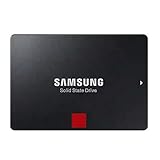
| Samsung 860 PRO 1TB | Desktop workstation drive | 2.5″ SATA III, MLC V-NAND |
| Samsung 860 PRO 4TB | Large-capacity MLC storage | 2.5″ SATA III, MLC V-NAND, 4TB |
| Samsung 860 PRO 256GB | Small boot drive | 2.5″ SATA III, MLC V-NAND, 256GB |
| Samsung 860 PRO 512GB | Balanced boot and apps drive | 2.5″ SATA III, MLC V-NAND, 512GB |
| 043PCJ 480GB SAS | Replacing a SAS server drive | 480GB SAS 2.5″ 12G MLC MU |
| Intel DC S3500 300GB | Legacy data-center SATA slots | 2.5″ 20nm SATA III MLC, OEM |
| Intel DC S3700 100GB | Small write-heavy cache role | 2.5″ SATA III MLC, 100GB |
How to Choose
SATA or SAS: the first compatibility check
SATA III drives connect to nearly every desktop and laptop. SAS drives, such as the 12Gb/s models in this list, need a SAS-capable controller or backplane found in servers and some workstations. A SAS drive will not work on a normal consumer motherboard SATA port. If your machine does not have a SAS host bus adapter, stick to the SATA options and save yourself a return. SAS controllers can usually run SATA drives too, which makes SATA the flexible choice if you are unsure what your backplane supports. Before ordering, look up your server or controller model and confirm the interface speed it negotiates, since a 12Gb/s drive may link at a lower rate on an older controller.
Capacity versus endurance
MLC drives are chosen for endurance, so capacity should follow your write volume. A 256GB or 512GB drive suits an operating system and applications, while 1TB and 4TB suit working datasets. Smaller enterprise drives such as the 100GB and 300GB Intel models make sense as cache or log drives, but are tight for general use. Look for the manufacturer’s endurance rating on the spec sheet, since the titles here do not state it.
Consumer, enterprise, and OEM labels
Enterprise-class and OEM-labeled drives can ship without retail packaging, bundled software, or a full retail warranty, so confirm the warranty terms before relying on one. Consumer drives like the 860 PRO add convenient software and a standard retail box. Also note that older enterprise drives list 20nm flash, so they are proven designs but not the newest.
What to ignore, and where cuts happen
Sequential speed headlines matter less here than consistency and endurance. The cuts in this category show up as limited support, missing warranty detail, and used or refurbished stock in OEM listings. Prefer a listing that names the exact model number, as the 860 PRO titles do, so you can verify its specs against the maker’s documentation. Also leave some capacity free. Write-heavy drives still benefit from spare area, and filling an MLC drive to the brim erases part of the endurance advantage you paid for. A practical rule is to keep at least 10 to 20 percent of the drive unallocated in sustained-write roles.
The 8 Best Options
Water Panther 1.92TB SAS
This 1.92TB drive uses MLC flash on a SAS 12Gb/s interface in a 2.5-inch format and is described as an enterprise drive for Dell PowerEdge servers in a 14G tray. It is aimed squarely at server owners who need to expand or replace storage in a compatible chassis. A drive that arrives already mounted in the correct tray saves time during a rack swap, and the large capacity reduces the number of bays needed for a given dataset.
- Strength: the large capacity is useful for a data-heavy server or virtual machine host.
- Strength: the 14G tray is included, which removes a common compatibility step.
- Trade-off: it only works with SAS controllers, so it is useless in an ordinary desktop.
Skip it if you are building a normal PC or have no SAS controller.
Samsung 860 PRO 1TB
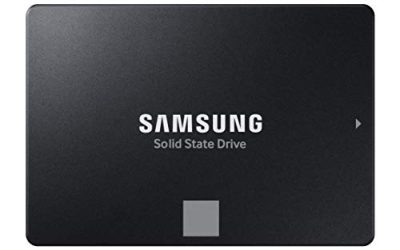
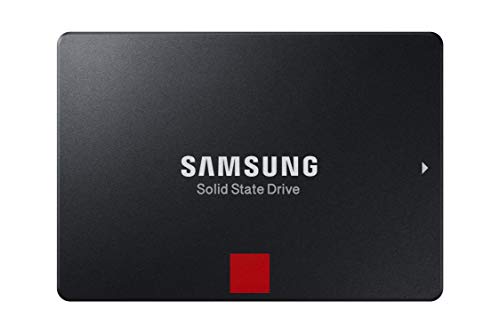
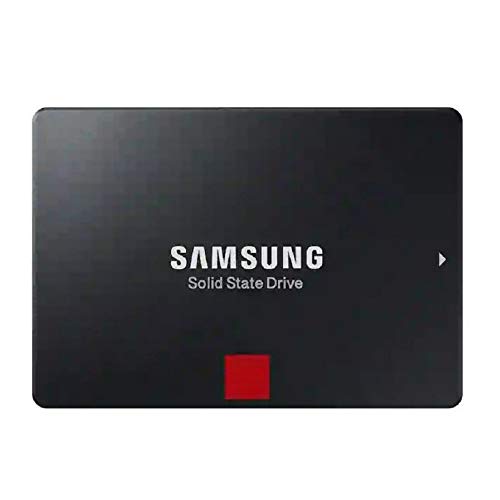
The 860 PRO 1TB is a 2.5-inch SATA III drive built on MLC V-NAND, with the model number MZ-76P1T0BW listed. It is a consumer-friendly way to get MLC flash for a workstation, editing rig, or secondary drive that sees constant writes. The 860 PRO name carries weight among workstation users because it was positioned above the maker’s mainstream TLC line, and 1TB is a comfortable size for an operating system plus active projects.
- Strength: standard SATA connection fits almost any desktop or laptop.
- Strength: MLC V-NAND is named in the title, so the flash type is clear.
- Trade-off: it is a SATA drive, so speeds are capped by the interface rather than modern NVMe levels.
Skip it if you want the fastest possible sequential speeds.
Samsung 860 PRO 4TB
This is the same 860 PRO platform at 4TB. For buyers who want a large MLC drive in a standard 2.5-inch format, that is rare, and it can anchor a media library or a large project archive on a workstation. A single big drive also simplifies backups and reduces the number of cables in a small chassis, which matters in compact workstation builds.
- Strength: large capacity in a plain SATA drive keeps installation simple.
- Strength: MLC V-NAND is listed with a clear model number.
- Trade-off: it sits at the premium tier, so cost per terabyte may be steep.
Skip it if you only need a small system drive.
Samsung 860 PRO 256GB
The smallest 860 PRO fits those who want a compact, durable boot drive. It pairs MLC V-NAND with a standard 2.5-inch SATA III interface, which makes it simple to drop into an older desktop. It also works as a dedicated drive for a single task, such as a recording scratch disk or a swap and temp location that takes constant small writes.
- Strength: a modest capacity keeps the cost lower within the MLC family.
- Strength: easy to install in nearly any SATA bay.
- Trade-off: 256GB fills quickly once applications, caches, and updates pile up.
Skip it if you want to store games or large files on the same drive.
Samsung 860 PRO 512GB
The 512GB size is the practical middle ground. It gives enough room for the operating system, applications, and working files while keeping MLC flash and the SATA III interface. For most workstation users who do not want to think about capacity every month, this is the size that balances cost against room to grow.
- Strength: capacity suits a boot and applications drive without feeling cramped.
- Strength: same MLC V-NAND listing and model number clarity as the other sizes.
- Trade-off: it is not as spacious as the 1TB for creators with large project files.
Skip it if you handle large video or database files.
043PCJ 480GB SAS
This drive is identified only by a part number and PX05SVB048Y model code, with 480GB capacity, a SAS 2.5-inch format, 12G speed, and MLC MU designation. It reads like a replacement part for servers that expect SAS storage. Because the title omits the brand, buyers should match the part number to the server vendor’s compatibility list before ordering, and keep the original drive’s firmware level in mind.
- Strength: 12G SAS suits server environments that need it.
- Strength: the MU designation usually denotes a mixed-use endurance class, which suits balanced read and write loads.
- Trade-off: the title gives no brand, warranty, or software details.
Skip it if you want a retail-packaged drive with clear support.
Intel DC S3500 300GB
The DC S3500 is an OEM data-center SATA drive on 20nm MLC flash, listed at 300GB with the SSDSC2BB300G401 model code. It fits legacy servers and workstations that rely on SATA enterprise drives. It is the type of part used in aging file servers and home labs where a proven design matters more than the latest flash, though buyers should accept that the technology is dated.
- Strength: a data-center design from a recognizable name.
- Strength: standard SATA III works in common bays.
- Trade-off: OEM packaging may limit warranty and support options.
Skip it if you need a retail warranty or a larger capacity.
Intel DC S3700 100GB
The DC S3700 Taylorsville is a 100GB 2.5-inch SATA III MLC drive from Intel’s data-center line. At this size it suits small write-heavy jobs such as a log drive or cache disk. Home-lab users sometimes pair a small drive like this with a larger one so that logs and temporary files do not wear the main storage.
- Strength: MLC data-center design suits sustained write roles.
- Strength: standard SATA III compatibility.
- Trade-off: 100GB is too small for general use as a boot drive.
Skip it if you want a general-purpose system disk.
Which One Fits Your Situation
You are upgrading a Dell PowerEdge server
The Water Panther 1.92TB SAS drive is built for that scenario, with a 14G tray included. Confirm your controller supports 12Gb/s SAS first.
You want an MLC boot drive for a desktop workstation
Choose the Samsung 860 PRO 512GB, or the 1TB if your working files are large. Both use standard SATA ports.
You store a large media or project archive
The Samsung 860 PRO 4TB offers the biggest MLC capacity on a standard connection.
You are maintaining a legacy data-center box
The Intel DC S3500 300GB or the DC S3700 100GB match older SATA enterprise slots, and the 043PCJ 480GB suits a SAS replacement need.
Common Mistakes
- Buying a SAS drive for a desktop that only has SATA ports.
- Assuming MLC means faster speeds, when it mainly signals endurance.
- Ignoring OEM or unbranded listings’ warranty limits.
- Choosing a 100GB or 256GB drive and running out of space quickly.
- Overlooking that older enterprise drives use 20nm flash designs.
Related guides
- How To Check Gpu Compatibility With Your Motherboard And Cpu
- High-Performance Gaming Desktop Specifications
- Desktop Computer For Working From Home
Frequently Asked Questions
What does MLC mean?
It stands for multi-level cell, storing two bits per cell. That typically gives better endurance than TLC or QLC but lower density.
Can I use a SAS SSD in my gaming PC?
Not directly. SAS drives need a SAS controller, and standard consumer motherboards only offer SATA and M.2 connections.
Is MLC still worth it today?
It is worth it for write-heavy workstation or server roles. For ordinary gaming and browsing, a modern TLC drive is usually enough.
Why are the Intel drives listed as OEM?
OEM means the drive is sold without retail packaging and may carry different warranty terms. Confirm the seller’s policy before buying.