A 2.5 inch SSD is the drive you buy when the machine in front of you already has a SATA bay and a SATA cable waiting. Maybe it is a laptop that still boots from a spinning hard drive, a desktop with an empty drive sled, or a small media box that never received an M.2 slot. The form factor decision is already made for you, so the real choices are capacity, flash type, and how much sustained write speed you are willing to trade for a bigger drive at a friendlier tier.
This guide is for upgraders and second-drive builders, not for anyone chasing the newest interface. SATA III tops out in the mid-500 MB/s range, so every drive below lives inside the same narrow speed band. What separates them is TLC versus QLC memory, capacity per listing, and what happens to write speed once the cache fills. Eight drives from 250GB to 4TB are compared using only what their listings state, aimed at refreshes and extra-storage builds in 2026.
Our Top Picks


Top 3 picks at a glance
Quick Picks
As an Amazon Associate we earn from qualifying purchases at no extra cost to you.


| Product | Best for | Key spec from the title |
|---|---|---|
| Samsung 870 EVO 1TB | Main SATA drive for a laptop or desktop | Up to 560MB/s read, 1TB |
| Patriot P210 256GB | Boot drive for an older office PC | SATA 3, 2.5 inch, 256GB |
| Samsung 870 EVO 2TB | Large game and media library | Up to 560MB/s read, 2TB |
| PNY CS900 250GB | Cheap HDD replacement | Up to 535/500MB/s read/write |
| TEAMGROUP Vulcan Z 4TB | Bulk storage in one bay | QLC, 550/470 MB/s, 4TB |
| Lufasnd 2TB | Budget-tier capacity upgrade | Up to 520MB/s read, 2TB |
| TEAMGROUP Vulcan Z 1TB | Balanced TLC drive for gaming | TLC, 550/500 MB/s, 1TB |
| Lufasnd 1TB | Low-cost 1TB upgrade | Up to 520MB/s read, 1TB |
How to Choose
Confirm the bay and the interface first
Every drive here is a 2.5 inch SATA III unit running at 6Gb/s, which means it needs a 2.5 inch bay or a bracket adapter plus a SATA data cable and a SATA power connector. Do not confuse it with an M.2 stick: some M.2 slots speak SATA and some speak NVMe, and a 2.5 inch drive fits neither. Slim laptops may only fit a 7mm-thick drive, so check the thickness of your existing disk before ordering. If the machine has a free NVMe slot and you want maximum speed, a different form factor is the smarter buy.
Choose capacity with headroom
A 250GB or 256GB drive is workable for Windows plus a handful of apps, but a modern install, updates, and one large game can fill it quickly. One terabyte is the practical floor for a PC that will hold a game library, while 2TB suits creators and anyone who keeps video projects local. A 4TB drive makes sense when you are consolidating older disks. As a rule, leave roughly a fifth of any SSD empty so the controller has room to manage wear and keep writes steady.
Read the speed numbers for what they are
The figures in these titles, from 520MB/s to 560MB/s for reads, are sequential maximums set by the SATA connection itself. Real file copies, game loads, and boots all land within a few percent of one another across drives, so a 40MB/s gap on a spec sheet will not change your day. Pay more attention to the write figure when one is listed, because it shows how a drive behaves under heavier loads. Ignore marketing labels that imply speed beyond what SATA can carry.
Know TLC, QLC, and where budget drives cut corners
TLC memory stores three bits per cell and generally holds steadier write speed and endurance. QLC stores four bits, which lowers cost per gigabyte and makes giant capacities affordable, but sustained writes slow down once the SLC cache is exhausted. Budget drives also tend to trim warranty length, rated endurance, and controller detail from the listing. Before buying, look for a stated terabytes-written rating and a warranty period on the product page, and treat a missing one as a reason to lower your expectations rather than assume the best.
The 8 Best Options
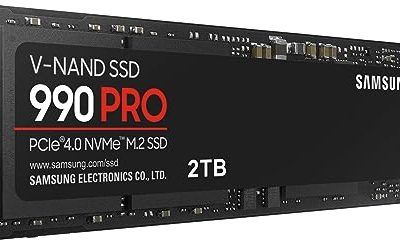
Samsung 870 EVO 1TB
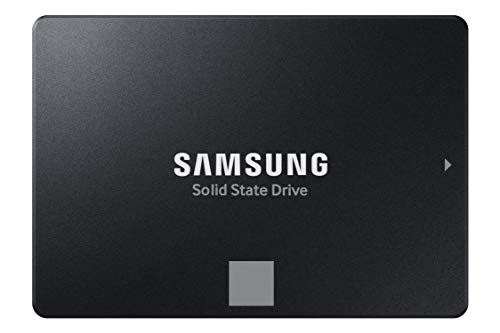
This is the straightforward choice for someone swapping a laptop hard drive or adding a main SATA drive to a desktop. The listing names the 1TB capacity, SATA III interface, and a read speed of up to 560MB/s, and it targets PC and laptop upgrades directly.
- Strength: the 560MB/s stated read figure is the highest among these listings.
- Strength: 1TB gives an operating system and a sizable library room to coexist.
- Trade-off: it sits at the SATA ceiling, so it will not feel faster than cheaper drives in daily tasks.
Skip it if your board has an open NVMe slot you would rather use.
Patriot P210 256GB
The P210 listing is minimal, naming only a 2.5 inch form factor and a SATA 3 interface. That makes it a fit for retiring a slow hard drive in an older office desktop or a spare laptop where the job is simply booting quickly and opening documents.
- Strength: the smallest capacity here usually means the lowest entry cost for a boot upgrade.
- Strength: plain SATA 3 compatibility works with nearly any machine that has a 2.5 inch bay.
- Trade-off: the title gives no speed figures, so performance details need confirming on the product page.
Skip it if you plan to install large games or keep media on the same drive.
Samsung 870 EVO 2TB
The 2TB version carries the same SATA III design and 560MB/s read figure as its smaller sibling, doubling the space for buyers who do not want to juggle a second drive. It suits a gaming desktop whose library has outgrown a 1TB disk, or a laptop used for editing.
- Strength: 2TB holds a large game collection plus working files in one bay.
- Strength: the same stated up to 560MB/s read speed as the 1TB model.
- Trade-off: the higher capacity tier costs noticeably more per drive than the smaller models.
Skip it if you mostly store a few apps and documents.
PNY CS900 250GB
PNY pitches this drive at everyday users, creators, and gamers replacing an old hard drive, and the title lists up to 535MB/s reads and 500MB/s writes. That pair of numbers is useful because it shows write speed that is close to read speed, which is typical of a balanced SATA drive.
- Strength: both read and write figures are published in the title.
- Strength: a small capacity keeps it at the low end of the budget tier.
- Trade-off: 250GB fills fast once Windows updates and a couple of games are installed.
Skip it if you want one drive to serve as both boot and storage.
TEAMGROUP T-Force Vulcan Z 4TB
This is the capacity pick, a 4TB QLC drive with an SLC cache and stated speeds of 550MB/s read and 470MB/s write. It fits a buyer consolidating several old drives into a single bay or building a media and archive machine.
- Strength: 4TB in a 2.5 inch bay avoids the clutter of multiple smaller disks.
- Strength: the 550MB/s read figure matches the top of the SATA range.
- Trade-off: QLC memory means writes can slow once the cache is full, as the title itself signals.
Skip it if you regularly move huge files and want steady write speed.
Lufasnd 2TB
The Lufasnd 2TB listing promises SATA III 6Gb/s, 3D NAND flash, and up to 520MB/s reads, with compatibility for laptops and desktops. It is aimed at budget-minded buyers who care more about gigabytes than brand name.
- Strength: 2TB capacity at what is generally a lower tier than name-brand equivalents.
- Strength: 3D NAND is stated, and the full 6Gb/s interface is named.
- Trade-off: the 520MB/s read figure is the lowest on this list, and no write speed appears in the title.
Skip it if you want a recognized brand and a clearly documented support record.
TEAMGROUP T-Force Vulcan Z 1TB
Unlike its 4TB sibling, this 1TB model is listed with TLC 3D NAND, an SLC cache, and speeds of up to 550MB/s read and 500MB/s write. It is a sensible pick for a gaming desktop that needs a second drive or a laptop upgrade.
- Strength: TLC memory is generally friendlier to sustained writes than QLC.
- Strength: 550/500MB/s read and write figures are both published.
- Trade-off: it sits at the same SATA ceiling as every other option, so no speed leap over cheaper drives.
Skip it if you need more than 1TB in a single drive.
Lufasnd 1TB
The 1TB Lufasnd mirrors its 2TB sibling with SATA III 6Gb/s, 3D NAND flash, and up to 520MB/s reads. It is a low-risk way to give an aging laptop or office desktop a fresh start without spending at the premium tier.
- Strength: 1TB is enough space for a system drive plus a modest game library.
- Strength: broad laptop and desktop compatibility is stated in the title.
- Trade-off: no write speed is listed, so sustained performance is unknown from the title alone.
Skip it if documented endurance and warranty detail matter more than entry cost.
Which One Fits Your Situation
Reviving a slow laptop with a hard drive
Choose the Samsung 870 EVO 1TB. It gives the laptop a solid 1TB of space, a named brand, and the full stated SATA read speed, and it drops into the same bay as the old mechanical disk.
Building a storage-heavy gaming desktop
The Samsung 870 EVO 2TB handles a big library without leaning on QLC memory, so loads and installs stay consistent. If you want the biggest possible bay-for-bay jump, the TEAMGROUP Vulcan Z 4TB is the capacity play.
Upgrading an office PC on a tight budget
Pick the Patriot P210 256GB or PNY CS900 250GB when the machine only runs email, documents, and a browser. Either one turns a sluggish boot into a quick one at the lowest tier.
Balancing speed, write behavior, and cost
The TEAMGROUP Vulcan Z 1TB offers TLC memory with published read and write figures, which makes it a middle-ground option. The Lufasnd 1TB or 2TB suits buyers who value capacity over polish and accept a less-detailed listing.
Common Mistakes
- Buying a 2.5 inch SATA drive for a machine whose only free slot is an NVMe M.2 slot, or the reverse.
- Choosing 250GB to save a little, then running out of space within months of normal updates and game installs.
- Comparing 520MB/s against 560MB/s as if the gap were meaningful, when SATA caps real-world speed for everyone.
- Ignoring QLC versus TLC on very large drives and then being surprised by slow sustained writes.
- Forgetting the SATA power and data cables or a mounting bracket when installing into a desktop sled.
Related guides
- How To Check Gpu Compatibility With Your Motherboard And Cpu
- High-Performance Gaming Desktop Specifications
- Desktop Computer For Working From Home
Frequently Asked Questions
Will a 2.5 inch SSD fit in my laptop?
Most laptops that used a 2.5 inch hard drive accept a 2.5 inch SSD in the same bay. Measure or look up the thickness of the existing disk, since some slim models only take a 7mm drive. Desktop bays usually need a bracket or sled for 2.5 inch units.
Is a SATA SSD still worth buying today?
Yes, when the system lacks an NVMe slot or you simply need cheap extra storage. SATA drives remain a big upgrade over mechanical disks for boot and load times. They are not the right choice if you have a spare NVMe slot and want top speed.
Is QLC bad for a gaming drive?
Not inherently. QLC reads quickly and suits game libraries that are written once and read often. The weakness is sustained heavy writing, so it is less ideal as a scratch disk for large video exports.
How much free space should I leave?
Aim to keep about 15 to 20 percent of the drive empty. This gives the controller room to shuffle data and keeps write speeds steadier over the life of the drive.