When curating a modern home workspace, we naturally obsess over the visual and tactile details. We spend hours selecting the perfect grain of a solid white oak standing desk, evaluating the ergonomic lumbar support of a task chair, and tuning the acoustic balance of the room. Yet, the heart of any high-performance home office, creative studio, or media center—the custom PC build—is frequently undermined by a single, invisible component: the Power Supply Unit (PSU).
Many custom builders fall into common traps when deciding on power supply wattage. Some overcompensate by purchasing a massive, commercial-grade 1200-watt power supply for a system that barely draws 400 watts, wasting money and running their system at a highly inefficient curve. Others pinch pennies, opting for a generic, uncertified $40 unit. This critical error risks frying thousands of dollars of creative hardware, creating a persistent, high-pitched electrical coil whine, or even introducing an electrical hazard right next to your linen drapes. Choosing the right power supply wattage is not just about making the computer turn on; it is about balancing safety, noise levels, heat output, and long-term efficiency within your home environment.
As an Amazon Associate we earn from qualifying purchases at no extra cost to you.


Our Top Picks


Top 3 picks at a glance
Decide These 3 Things First
Before diving into the specific technical specifications of power supplies, you must establish three baseline parameters of your custom build to narrow down your options:
- Your Maximum Component Draw (CPU and GPU): The processor and graphics card consume roughly 80% to 90% of your system’s total power. You must identify the Thermal Design Power (TDP) or max power draw of these two components first. For example, a mid-range Intel Core i5 processor combined with an NVIDIA RTX 4070 GPU has a combined peak draw of approximately 320 watts.
- Your Workspace Noise Tolerance: If your custom build sits on top of your desk in a quiet home office or studio, fan noise is a major factor. You must decide if you require a PSU with a semi-passive fan mode, which remains completely silent under light office tasks, or if your PC will be tucked away where a constant fan hum is acceptable.
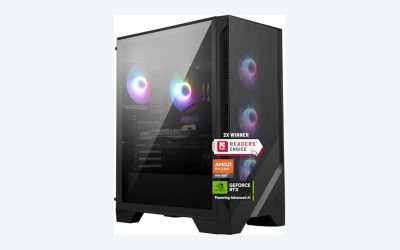
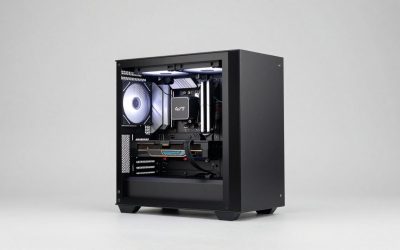
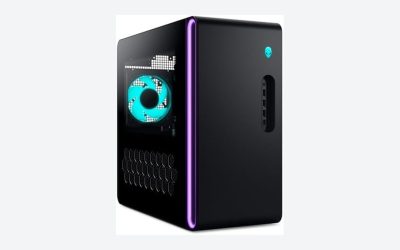
- Your Case Dimensions and Cable Management Plans: The physical layout of your desk setup dictates your computer case size. A compact, minimalist Mini-ITX build designed to save desk space requires a completely different class of power supply (SFX) than a spacious, under-desk mid-tower (ATX). You must decide if you want to spend extra for modular cables to keep your interior clean and airflow optimized.
Physical Size and Case Clearance
A common oversight in custom builds is purchasing a power supply that physically does not fit into the chosen PC chassis. Standard desktop power supplies follow the ATX form factor, measuring approximately 150mm (5.9 inches) wide, 86mm (3.4 inches) tall, and anywhere from 140mm to 200mm deep. High-wattage units (850W to 1200W) are often longer to accommodate larger internal capacitors and cooling fans.
If you are building a small-form-factor PC to maintain a clean, uncluttered desktop aesthetic, you will likely need an SFX power supply. SFX units are significantly smaller, typically measuring 125mm wide, 63.5mm tall, and 100mm deep. Just as you would not purchase a massive 12″ Inch Square Vented Sub Box Fits Kicker L7 Subwoofer Enclosure – ASC (around $79) without verifying your vehicle or media cabinet dimensions first, you must cross-reference your PC case’s maximum PSU clearance specification before buying. Attempting to cram a 180mm-deep power supply into a compact case leaves zero room for cable routing, which chokes your system’s airflow and drives up ambient room temperatures.
Material Quality and Internal Construction
The internal construction of a power supply directly determines its lifespan and the safety of your home office. High-quality power supplies utilize Japanese 105°C-rated primary capacitors, which are highly resistant to heat and voltage fluctuations. Cheaper units often cut corners with Chinese or Taiwanese 85°C-rated capacitors that degrade rapidly under heavy workloads.
Physical weight is a reliable indicator of material quality. A premium 750-watt power supply typically weighs between 4.5 and 6 pounds, owing to heavy-duty aluminum heatsinks, thick copper wiring, and a robust steel chassis. Cheap, low-quality units feel incredibly light—often under 3 pounds—because they use thin metal casings, undersized heatsinks, and sparse internal circuitry. Investing in solid internal construction is the ultimate form of home insurance for your electronics, functioning much like a master plan or structural guide such as The Versatile Shed: How To Build, Renovate and Customize Your Bonus Space (around $7) to ensure your physical foundations are built to withstand real-world stresses.
Acoustic Comfort and Thermal Performance
In a dedicated home workspace, acoustic comfort is paramount to maintaining focus. Cheap power supplies run their internal cooling fans at 100% speed constantly, generating a distracting 35 to 45 decibel drone. High-end power supplies solve this issue by utilizing larger, fluid-dynamic bearing (FDB) fans (usually 120mm to 140mm in size) and intelligent fan curves.
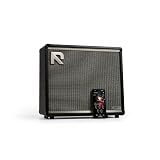
Look for units that feature a “Zero RPM,” “Eco,” or “Hybrid” mode. In this mode, the power supply fan remains completely stationary and silent when your system is drawing less than 30% to 40% of its maximum capacity (such as during writing, web browsing, or video calls). The fan only spins up when you initiate demanding tasks like 3D rendering or video editing. If your home office double-duties as a music room or podcaster setup, keeping ambient noise down is crucial. For instance, if you are recording or playing through a Positive Grid Reactor 50-Watt Intelligent Guitar Combo Amp & App ($349), the last thing you want is a noisy, whining PC fan bleeding into your microphones or distracting you from your audio mix.
Efficiency Ratings and Price Tiers
Power supplies are certified by the “80 Plus” and “Cybenetics” rating systems, which measure how efficiently the unit converts AC power from your home wall outlet into DC power for your computer. The ratings progress from Standard, Bronze, Silver, Gold, Platinum, to Titanium.
For a home office or gaming setup, 80 Plus Gold is the industry sweet spot. If your system requires 400 watts of continuous power, an inefficient Bronze-rated unit might pull 480 watts from your wall outlet, converting the excess 80 watts directly into waste heat that warms up your office. A highly efficient Gold or Platinum unit will only pull around 440 watts from the wall to deliver the same performance, keeping your utility bills lower and your workspace cooler. Expect to pay the following ranges for reliable, brand-name power supplies:
- Budget (500W–650W Bronze): $55 to $85. Best for basic office PCs and entry-level builds.
- Mid-Range (750W–850W Gold): $110 to $160. The ideal tier for high-performance creative workstations and mainstream gaming.
- Premium (1000W+ Platinum/Titanium): $190 to $350+. Reserved for multi-GPU setups, server builds, and elite-tier hardware.
Skimping on this budget allocation is a classic beginner mistake. Trying to build a high-end system on a bargain-bin power supply is like trying to build complex digital tools without a proper manual like the Canva Code 2.0 User Guide: The Complete Step-By-Step Manual For Beginners And Creators To Build Websites, Interactive Apps, Landing Pages, Ai-Powered Experiences, And Custom Tools Without Coding (around $9)—you lack the foundational support required to make the system function reliably.
Warranty and Long-Term Reliability
A manufacturer’s warranty is the ultimate indicator of a power supply’s reliability. Because a power supply is exposed to raw electrical current directly from your home’s outlets, it faces more wear and tear than almost any other component in your PC.
Budget units typically offer a 3-year or 5-year warranty, which is acceptable for low-power office machines. However, mid-range and premium models from tier-one manufacturers come standard with 7-year, 10-year, or even 12-year warranties. Because a high-quality power supply can easily survive two or three full cycles of CPU and graphics card upgrades, buying a premium unit with a decade-long warranty is actually the most sustainable and cost-effective choice for your home infrastructure over time.
Delivery, Unboxing, and Cable Assembly
When your power supply arrives, the physical unboxing and installation process will reveal the unit’s cable configuration. There are three primary types of cable designs: non-modular, semi-modular, and fully modular.
Non-modular power supplies have every single cable permanently soldered to the internal circuit board. This results in a massive, unruly nest of unused black and colored cables that you must somehow hide inside your computer case. Semi-modular units have the essential cables (like the 24-pin motherboard connector) permanently attached, while peripheral cables are detachable. Fully modular units allow you to detach every single cable. This is highly recommended for home office builds; it allows you to plug in only the exact cables your hardware requires, leaving your case interior clean, dust-free, and easy to maintain. Many premium modular units also come with soft, flat-ribbon cables or individually sleeved woven cables that blend seamlessly into minimalist workspace aesthetics.
Spec Checklist
Use this quick reference table to match your custom build goals with the correct power supply tier:
| Specification | Budget (Entry Office) | Mid-Range (Gaming & Design) | Premium (Professional Studio) |
|---|---|---|---|
| Target Wattage | 500W – 600W | 750W – 850W | 1000W – 1200W+ |
| 80 Plus Efficiency | Bronze or Silver | Gold | Platinum or Titanium |
| Cable Type | Non-Modular / Semi-Modular | Fully Modular | Fully Modular (Sleeved) |
| Typical Form Factor | Standard ATX (140mm depth) | ATX or SFX (Compact) | ATX (160mm – 180mm depth) |
| Warranty Length | 3 to 5 Years | 7 to 10 Years | 10 to 12 Years |
| Estimated Price Range | $50 – $80 | $100 – $160 | $180 – $300+ |
Red Flags
When shopping for a power supply, keep an eye out for these critical warning signs that indicate a poor-quality unit:
- No 80 Plus or Cybenetics Certification: If a power supply does not display an official efficiency badge, avoid it entirely. Uncertified units often lie about their true wattage capacity and lack basic safety features.
- Ketchup-and-Mustard Cables: Power supplies that feature brightly colored red, yellow, and orange exposed wiring are almost always low-end units built with cheap internal components that ruin your system’s visual presentation.
- Missing Safety Protections: Ensure the product listing explicitly mentions protective circuitry, including Over Voltage Protection (OVP), Short Circuit Protection (SCP), Under Voltage Protection (UVP), and Over Power Protection (OPP). Without these, a power surge can instantly destroy your motherboard and storage drives.
- An Unbelievably Low Price: If you see a “1000W power supply” selling online for $40, it is a major hazard. High-quality electrical components have baseline manufacturing costs; an incredibly cheap unit is using sub-standard, dangerous internals.
FAQ
How do I calculate the exact wattage my custom build needs?
To find your target wattage, add up the maximum power draw (TDP) of your processor (CPU) and graphics card (GPU), then add 100 watts to account for peripheral components like your motherboard, RAM, storage drives, and cooling fans. Finally, multiply this total by 1.5. This ensures your power supply operates at around 50% to 70% load under heavy use, which is the peak efficiency window for almost all power supplies, while leaving headroom for future upgrades.
Is a modular power supply worth the extra money for a home office build?
Yes, a fully modular power supply is highly recommended for home office custom builds. Because you can detach and omit any cables you do not need, you eliminate clutter inside your PC case. This makes the assembly process much easier, improves airflow to keep your system running cooler and quieter, and makes it simple to clean out dust over time without navigating a massive nest of loose wires.
Can a power supply that is too high in wattage damage my computer?
No, a power supply will only deliver the exact amount of electrical current that your components demand. For example, if you install a 1000-watt power supply in a basic office PC that only requires 200 watts, the system will run perfectly safely, drawing only 200 watts from the unit. However, purchasing a massive PSU is a waste of your initial budget, and the unit may run slightly less efficiently at very low loads.
What is the difference between ATX 2.0 and ATX 3.0/3.1 power supplies?
ATX 3.0 and 3.1 are newer power standards designed to handle the massive, momentary power spikes (often called “power excursions”) common in modern, high-end graphics cards. They include a dedicated 12VHPWR or 12V-2×6 cable that can deliver up to 600 watts of power directly through a single connection. As we look toward hardware standards in 2026, opting for an ATX 3.0 or 3.1 compliant power supply is highly recommended for any build utilizing a modern graphics card, as it eliminates the need for messy multi-cable adapters.