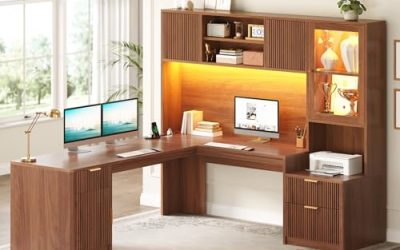
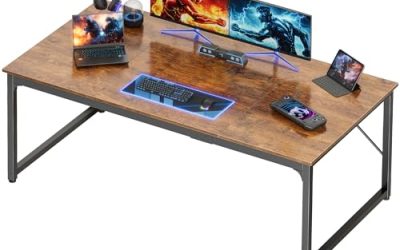
A desk that has to serve a gaming rig at night and homework during the day faces conflicting demands. The surface needs room for a keyboard, mouse, and monitor, yet it also has to hold textbooks, a laptop, and a notebook without feeling like a cockpit. The decision behind this search is how to balance footprint, storage, and built-in power so one piece of furniture handles both jobs in a bedroom or dorm.
This guide is for parents buying for a student who also games, college students squeezing a setup into a shared room, and anyone who wants a single workstation instead of a separate study table. Heading into 2026, most gaming desks in this category bundle LED strips and power outlets, so the real differences come down to width, drawers, shelving, and whether the layout can be flipped to fit your room.
Our Top Picks
 Korfile 48" Gaming Desk with Power Outlet48 Inches18.9 x 48.98 x 47.24 Inches38 poundsCheck on Amazon
 Lufeiya Gaming Desk with Power Outlets and LED39.4"19.7 x 39.4 x 33.4 Inches20.4 poundsCheck on Amazon
 PRAISUN 47.2 Inch Gaming Desk with LED Lights47.2 Inch18.9 x 47.2 x 29 inches30.9 poundsCheck on Amazon
 Korfile 47 Inch Gaming Computer Desk with Power47 Inch18.5 x 47.2 x 35 inches41.89 poundsCheck on Amazon


Top 3 picks at a glance
Quick Picks
As an Amazon Associate we earn from qualifying purchases at no extra cost to you.





| Product | Best for | Key spec from the title |
|---|---|---|
| Lufeiya Black 40 Inch | Teen bedrooms | 40 inch, LED lights, power outlets, monitor stand |
| AODK L-Shaped 53 Inch | Max workspace | 53 inch, reversible L-shape, shelf, storage bag and hook |
| Korfile 48 Inch | Drawers plus tower storage | 48 inch, carbon fiber finish, CPU stand, drawers |
| Lufeiya 40 Inch Gamer Desk | Charging-heavy setups | 40 inch, charging station, power outlets, LED |
| PRAISUN 47.2 Inch | Study plus storage | 47.2 inch, drawer and storage shelves, monitor stand |
| Korfile 47 Inch 5-Drawer | Lots of supplies | 47 inch, 5 drawers, reversible design |
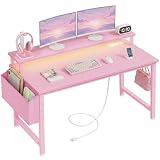
| Lufeiya Pink 40 Inch | Colorful student rooms | 40 inch, pink, charging station, LED lights |
| X-cosrack 33.5 Inch | Small rooms and dorms | 33.5 inch, monitor stand, CPU stand, storage drawer |
How to Choose
Match width to what sits on top
For a single monitor, keyboard, and mouse, about 40 inches is workable, though a laptop plus a separate monitor starts to crowd it. Between 47 and 48 inches lets you spread out a textbook beside the keyboard. At 53 inches or an L-shape, you gain a second work zone, which helps if homework and gaming happen in the same sitting. At 33.5 inches you are in compact territory, best for small rooms and a laptop or modest monitor. Remember that depth matters as much as width: a monitor needs arm-length distance, and a shallow desk pushes the screen too close.
Check storage that suits school, not just a rig
Drawers hold pens, chargers, and notebooks, while shelves keep books off the work surface. Titles that list a CPU stand are meant to keep a tower off the floor, and a monitor stand lifts the screen to a more comfortable height. Look at how many drawers you actually need; more drawers mean more weight and more assembly time, but cleaner surfaces. If a student has a tower PC, a dedicated CPU stand also keeps it away from carpet dust.
Treat built-in outlets and LEDs as convenience, not safety proof
Power outlets and charging stations reduce the cord spaghetti behind a desk, but check where the desk plugs into the wall and whether the strip has its own switch. Budget models cut corners on frame thickness and finish, so look for descriptions of the surface material, such as a carbon fiber finish, and read the weight capacity if the listing gives one. LED strips are fun, though you should confirm they can be turned off or dimmed for studying and for sleeping in the same room.
Think about layout and assembly
A reversible design lets you put the extra shelf or return on either side, which solves awkward room layouts. Assembly is where cheaper desks feel different: plan for an hour or two, with a second person helping with large panels. Also check the room: measure the wall width and door swing before choosing a larger L-shaped model, and leave space behind the chair so the desk does not feel like a wall.
The 8 Best Options
Lufeiya Black 40 Inch Gaming Desk
This is a straightforward teen writing and study table with a gaming look, aimed at bedrooms where a single monitor and a few books are the whole setup. It reads as a table first and a gaming desk second, which suits shared family spaces.
- LED lights and power outlets are included, which reduces the need for extra power strips and light kits.
- A monitor stand lifts the screen and frees space for a notebook or keyboard below.
- Trade-off: at 40 inches it can feel tight with a laptop, a monitor, and textbooks all out at once.
Skip it if you want a wide surface for multiple screens or a second workstation for a sibling.
AODK L-Shaped 53 Inch Gaming Desk
The AODK is built for buyers who want the biggest working area, with a reversible L-shaped layout that fits either side of a room corner. It is the pick when gaming and homework need separate zones that do not fight over space.
- A 53 inch reversible L-shape gives distinct areas for a gaming setup and for writing or reading.
- A shelf, storage bag, and hook add small organizing touches that keep headphones and bags off the floor.
- Trade-off: the L-shape takes real floor space, which is a problem in a small bedroom or dorm.
Skip it if your room cannot spare a corner footprint or if you will move often.
Korfile 48 Inch Gaming Desk
Korfile’s 48-inch model suits a student who also has a desktop tower and wants a clean place for the case alongside an organized workspace. It sits in a sweet spot between compact and sprawling.
- A carbon fiber black finish gives it a gaming look that still reads as a study table.
- Monitor stand, CPU stand, and drawers cover storage for school supplies and tower alike.
- Trade-off: more built-in parts usually mean more assembly steps and more to tighten later.
Skip it if you want a minimal, open-legged design with no drawers or built-in stands.
Lufeiya 40 Inch Gamer Desk with Charging Station
This Lufeiya variant emphasizes charging, with power outlets and a charging station aimed at users juggling a phone, tablet, and controller while they work or play. The stand and outlets keep everything within reach.
- A charging station plus outlets keeps devices topped up beside the keyboard instead of across the room.
- A monitor stand keeps the display at a better viewing height and tidies the surface.
- Trade-off: it shares the compact 40 inch width, so it is a single-monitor desk.
Skip it if drawers or a CPU stand matter more to you than charging convenience.
PRAISUN 47.2 Inch Gaming Desk
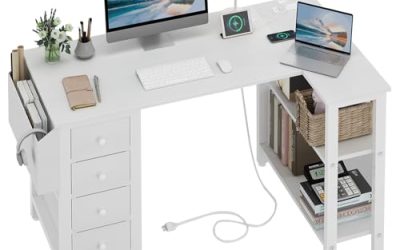
PRAISUN positions this as a computer and office writing desk with storage, a fit for students who need shelves and a drawer as much as a gaming surface. The wider top leaves room for a book to lie flat.
- At 47.2 inches, there is space for a monitor and open textbooks together.
- A drawer and storage shelves keep supplies and gear within reach without crowding the work area.
- Trade-off: the shelves and drawer add assembly time and visual bulk in a small room.
Skip it if you prefer clean open space beneath the work surface.
Korfile 47 Inch 5-Drawer Gaming Desk
For a student with a lot to store, this Korfile version centers on five drawers and a reversible layout. It suits a bedroom where there is no other dresser or shelf to absorb the clutter.
- Five drawers handle notebooks, chargers, and accessories in one place.
- A reversible design adapts to left or right room layouts, which helps with awkward walls.
- Trade-off: five drawers make it heavier and more complex to build than a basic table.
Skip it if you want a lightweight, easy-to-move desk for a shared or temporary space.
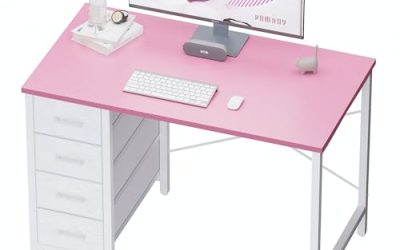
Lufeiya Pink 40 Inch Girls Desk
The same compact format as the other 40 inch Lufeiya desks, in pink, for a bedroom with a color theme where the furniture is part of the decor. It carries the same convenience features as its black sibling.
- A pink finish and LED lights make it a natural match for decor-driven rooms.
- A charging station and power outlets keep cables tidy beside the keyboard.
- Trade-off: the color narrows how well it blends with other furniture later on.
Skip it if you want a neutral finish that will survive a future room redesign.
X-cosrack 33.5 Inch Small Gaming Desk
The smallest option here at 33.5 inches, intended for tight rooms where every inch counts and the setup is a laptop or a compact monitor. It is the fallback when larger desks simply will not fit.
- A compact footprint fits dorms, closets-turned-offices, and small bedrooms.
- It still includes a monitor stand, CPU stand, and storage drawer, plus LED and outlets.
- Trade-off: very limited work area for a monitor plus textbooks at the same time.
Skip it if you plan to work with several books or a large monitor setup at once.
Which One Fits Your Situation
A dorm room with barely any floor space
Go with the X-cosrack 33.5 Inch, which brings a monitor stand, CPU stand, and drawer into a compact footprint.
A teen who needs room for homework and a gaming rig
The Korfile 48 Inch balances width with drawers and a CPU stand, while the PRAISUN 47.2 Inch adds shelving for books and a drawer for supplies.
A family sharing a corner of a room
The AODK L-Shaped 53 Inch gives two work zones, so one person can game while another does homework without elbowing each other.
A bedroom with a color theme
The Lufeiya Pink 40 Inch makes sense for a themed room, and the Lufeiya Black 40 Inch is the neutral alternative for anyone who wants the same layout in a darker tone.
Common Mistakes
- Buying on width alone without checking how much space a laptop and textbook need beside the keyboard.
- Ignoring drawer count and then having supplies pile onto the work surface.
- Assuming built-in outlets replace a surge protector for expensive gear.
- Choosing an L-shaped model without measuring the wall and door swing.
- Underestimating assembly time for desks with many drawers and shelves.
Related guides
- How To Check Gpu Compatibility With Your Motherboard And Cpu
- High-Performance Gaming Desktop Specifications
- Desktop Computer For Working From Home
Frequently Asked Questions
What width is enough for a gaming and school desk?
About 40 inches handles one monitor and a notebook. If you want textbooks open next to the keyboard, aim for 47 inches or more, and consider an L-shape if two people will use it.
Are built-in power outlets safe?
They are convenient for chargers and small devices, but plug them into a good wall outlet or surge protector. Avoid overloading the strip with high-draw gear such as heaters.
Is a reversible desk useful?
Yes. It lets you swap the shelf or return to the left or right, which helps in odd-shaped rooms and when you rearrange furniture later.
Do LED lights distract during study time?
They can, so look for a model whose strip can be switched off or dimmed. Many students keep them off during homework and on for gaming.